
Unlocking Insights: A Practical Guide to Transcription in Qualitative Research

In qualitative research, transcription is the essential first step of turning spoken words from interviews, focus groups, or observations into a written document. This isn't just a simple administrative task; it's the foundational process that transforms fleeting conversations into solid, analyzable data. Without it, researchers can't systematically code, categorize, or truly uncover the deep insights hiding in their audio files.
Why is Transcription the Bedrock of Qualitative Analysis?
Imagine you've just conducted a powerful, in-depth interview. The audio file is like an unexcavated archaeological site—full of potential treasures, but they're all buried. Transcription in qualitative research is the careful work of brushing away the dirt, revealing the intricate patterns and structures of the conversation. That text becomes the primary data source you'll live with for the rest of your study.
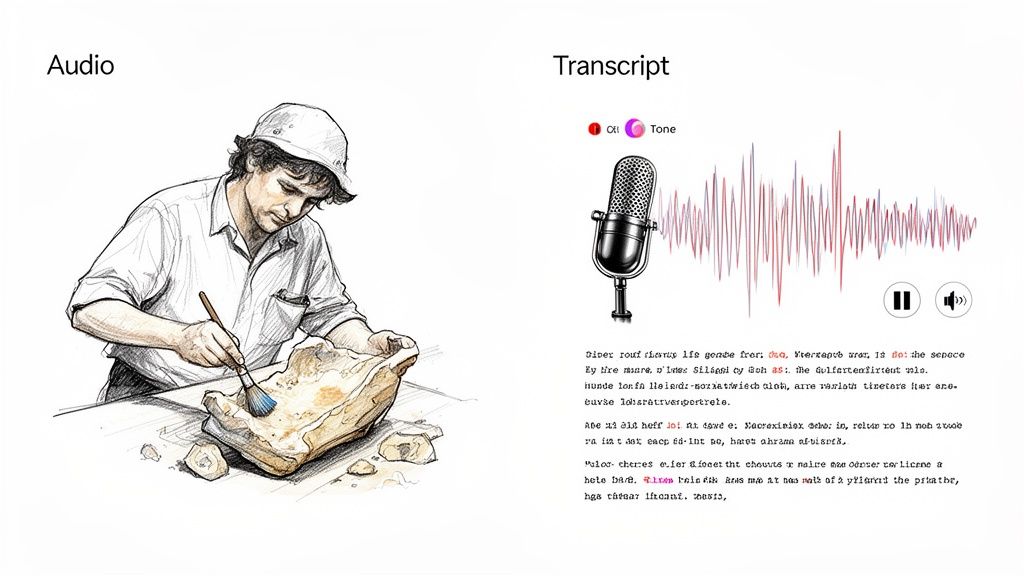
Relying on memory alone is impossible. A transcript lets you return to the data again and again, poring over specific phrases and spotting subtle connections you would have completely missed in the moment.
The Core Challenge: Balancing Precision vs. Time
The biggest headache for any researcher is balancing precision with the sheer amount of time transcription takes. Doing it manually is a grind. For decades, it's been a known bottleneck, often demanding up to 6-8 hours of focused work for just one hour of recorded audio. This isn't just typing; it's carefully listening for pauses, noting laughter, and capturing the emotional tone that adds crucial context.
This time commitment pulls you away from the real work: thinking, analyzing, and interpreting. At the same time, accuracy is everything. A single mistranscribed word can twist a participant's meaning, potentially undermining your entire study's credibility.
Transcription is more than a technical step; it is an interpretive act where the researcher begins to make analytic choices. It’s the first opportunity to truly listen and connect with the data on a deeper level.
This is why the process is so critical. You're not just getting words on a page. You're creating a faithful record of a human interaction that will form the foundation for all your findings. Thankfully, modern tools are changing this dynamic, helping researchers reclaim their time and shift their energy back to analysis where it belongs.
How to Choose the Right Transcription Method for Your Study
Deciding on a transcription method is one of the first—and most critical—choices you'll make in a qualitative study. This isn't just a simple admin task; it’s a decision that fundamentally shapes your data. The style you pick determines the texture, depth, and richness of the information you’ll have to work with later on.
Think of it like choosing a camera lens for a photoshoot. A wide-angle lens captures the big picture, while a macro lens zooms in on the tiniest, most intricate details. In the same way, different transcription methods capture different layers of a conversation, and the right one for you depends entirely on what your research aims to uncover.
Understanding Verbatim Transcription for Maximum Detail
Verbatim transcription is the macro lens. It’s the most literal approach, capturing every single word exactly as it’s spoken. We’re talking every "um," "ah," and "you know," plus false starts, stutters, and even non-verbal sounds like a laugh, a sigh, or a cough. You get a raw, unfiltered script of the conversation.
This level of detail is absolutely essential when how something is said is just as important as what is said.
- Discourse Analysis: If you’re examining conversational power dynamics or the nuances of language, every hesitation and pause is a crucial data point.
- Narrative Inquiry: When studying how people tell stories, the stumbles and self-corrections are part of the narrative construction itself, revealing their thought process in real-time.
- Psychological Studies: A shaky voice, an extended pause, or a nervous laugh can offer profound insights into a participant's emotional state.
The trade-off? Verbatim transcripts can be dense and overwhelming. For a researcher focused purely on identifying core themes, all that extra detail can sometimes feel like noise.
When to Use Intelligent Verbatim for Clarity
If verbatim is the macro lens, then intelligent verbatim transcription (also called clean verbatim) is the portrait lens. It’s designed for clarity. This method cleans up the dialogue by removing all the conversational filler—the ums, ahs, stutters, and repetitions that don’t add real meaning. The goal is to produce a clean, accurate, and highly readable text that preserves the speaker’s original message.
This method gets straight to the point. It’s perfect for researchers who need to quickly identify key themes, pull meaningful quotes, and understand the big ideas without getting bogged down in conversational tics.
Intelligent verbatim is the go-to choice for most qualitative projects, like thematic analysis, case studies, and content analysis. It hits that sweet spot between accuracy and readability. If you're looking for clean, reliable transcripts, you can find great tools in our guide on the best interview transcription software.
Adding Context with Timed and Orthographic Styles
Beyond these two main approaches, a couple of specialized styles can add other valuable layers to your data. Timed transcription does exactly what it sounds like: it adds timestamps to the text, usually at set intervals (like every 30 seconds) or every time the speaker changes. This is a lifesaver when you need to sync the transcript back to the original audio or video, letting you easily find a specific moment to check a quote or analyze a shift in tone.
Orthographic transcription, on the other hand, is a highly specialized method primarily used in fields like phonetics and sociolinguistics. It goes way beyond just words to capture how words are pronounced, including intonation, accent, and dialect, often using phonetic symbols. It's not for everyone, but for research focused on the mechanics of speech, it’s indispensable.
To help you sort through the options, here’s a quick breakdown of how these methods stack up against each other.
A Quick Comparison of Transcription Methods
This table compares the four main transcription types, highlighting what each one captures, where it shines, and what its potential limitations are. Use it to match a method to your specific research needs.
Ultimately, choosing the right method for your transcription in qualitative research comes down to your research questions. When you're clear on what you need to analyze, you can confidently pick the approach that will turn your audio files into a powerful dataset perfectly suited for your study.
A Modern Workflow: From Raw Audio to Analyzable Text
Getting from a raw audio recording to a polished, analyzable transcript can feel like a huge mountain to climb. But with a structured workflow, you can turn that messy audio file into a clean, organized document ready for some serious qualitative digging. This whole process is more than just typing; it’s a journey that skillfully blends the speed of technology with the irreplaceable insight of a human researcher.
Let's walk through a practical, modern workflow. This isn't just theory—it's a step-by-step process you can put into practice on your very next project involving transcription in qualitative research.
Step 1: Prepare Your Audio for Maximum Clarity
The quality of your transcript is directly tied to the quality of your audio. It’s that simple. Before you even think about transcription, your first job is to make sure your source file is as clean as possible. A crisp recording with minimal background noise, clear voices, and balanced volume will make a world of difference for any transcription method, whether you're doing it by hand or using AI.
If you're dealing with less-than-ideal audio, looking into professional audio editing services can be a smart move. A little investment upfront can save you hours of headaches trying to figure out what was said later on.
Step 2: Generate the First Draft With AI
Gone are the days of blocking out eight hours to transcribe a one-hour interview. The modern workflow kicks off by letting a powerful AI tool, like HypeScribe, handle the first pass. This part is all about speed and efficiency. Just upload your audio, and in minutes, you’ll have a complete, time-stamped text.
This AI-generated transcript is an amazing starting point, often getting you most of the way there with impressive accuracy. It takes care of the most tedious, time-consuming part of the job. Think of it as your research assistant doing the heavy lifting, which lets you jump in for the critical finishing touches.
The infographic below shows a few different approaches to transcription, giving you a good visual for how AI can fit into a verbatim, intelligent, or timed workflow.
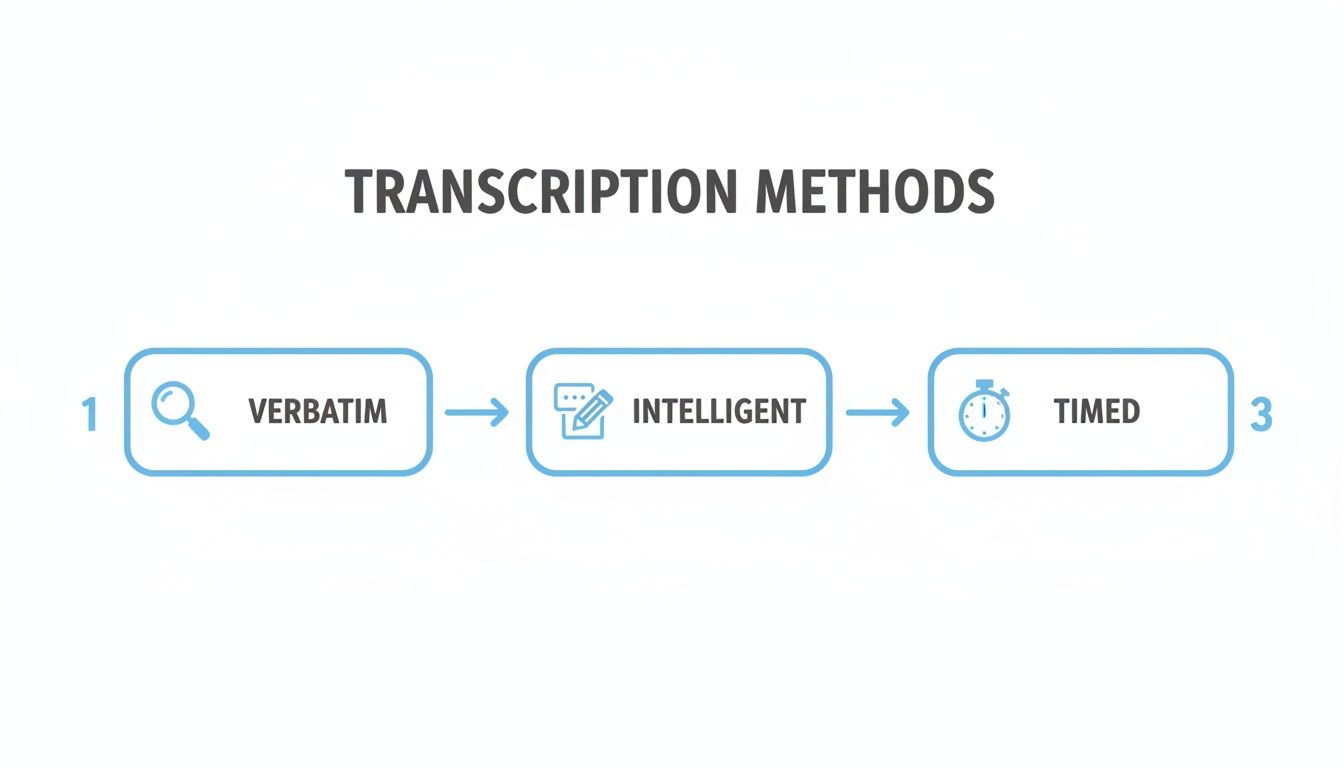
This visual helps clarify how each style captures a different level of detail—from the raw, unfiltered nature of verbatim to the clean, straight-to-the-point style of intelligent transcription.
Step 3: Review and Refine With Human Expertise
This is where you, the researcher, really shine. AI is fantastic, but it can’t pick up on subtle context, inside jokes, or the cultural nuances a person can. This review-and-refine step is absolutely essential for producing high-quality data.
Here’s what your practical checklist should include for this stage:
- Listen and Correct: Press play on the audio and read along with the AI transcript. Fix any mistakes in wording, speaker labels, or punctuation. This is crucial for industry-specific jargon, unique names, or conversations with heavy accents.
- Annotate Non-Verbal Cues: Pay attention to those meaningful pauses, moments of laughter, sighs, or shifts in tone. Adding these observations in brackets—like
[laughs]or[pauses thoughtfully]—adds a rich layer of emotional context to the text. - Ensure Anonymization: Comb through the transcript to remove or replace any personally identifiable information. This means names, specific locations, workplaces, or any other detail that could compromise participant confidentiality. This is a non-negotiable part of ethical research.
The hybrid approach—using AI for the initial grunt work and a human researcher for the nuanced final pass—is the new gold standard in qualitative research. It gives you the best of both worlds: a transcript that's both accurate and full of rich, contextual detail.
Step 4: Format for Easy Analysis
The last step is getting your polished transcript into a format that makes coding and analysis a breeze. A well-structured document is a practical tool that will make your life much easier down the road.
Your formatting checklist should include these essentials:
- Clear Speaker Labels: Use a consistent format (e.g., Interviewer:, Participant 1:) so it's always easy to see who is talking.
- Actionable Timestamps: Don't delete the timestamps from the AI draft! They are incredibly valuable for jumping back to the original audio to double-check a quote or listen again to a participant's tone.
- Ample Margins: Whether you're working on paper or a screen, leave wide margins on the sides. This space is perfect for jotting down initial thoughts, analytical memos, and your first coding notes as you start to analyze the data.
By following this four-step workflow—prepare, generate, refine, and format—you create more than just a transcript. You produce a high-fidelity, analysis-ready dataset that provides the solid foundation you need to uncover the rich, meaningful insights hiding in your qualitative data.
How to Responsibly Use AI Transcription Tools in Research
Let’s be honest: transcription used to be one of the most grueling parts of qualitative research. Thankfully, artificial intelligence has completely changed the game, turning what was once days of painstaking typing into a task that takes just a few minutes.
This shift is huge. It frees us up to spend less time as typists and more time doing what we’re actually here for—digging into the data to find those brilliant insights. But getting the most out of these tools means using them smartly and understanding where they shine, and just as importantly, where they fall short.
What are the real benefits of using AI for transcription?
The arrival of sophisticated AI models was a genuine turning point for researchers. Take OpenAI’s Whisper, for instance. When it was released on September 21, 2022, it wasn’t just another tool; it could transcribe 97 languages and handle a wide range of accents with impressive accuracy. This directly tackled the biggest pain point of manual transcription: the enormous time commitment.
For a broader look at how AI is influencing content creation, which has clear parallels to transcription, you might want to check out these top AI content creation tools.
What this all means is that you can now generate a complete first draft of a transcript in a tiny fraction of the time it would take by hand. Think of it as a solid foundation—a starting point where your real work as a researcher begins.
What are the limitations of AI tools?
As powerful as AI is, it's not a magic button for perfect transcription in qualitative research. The reality is that these algorithms still stumble over the messy, unpredictable nature of human conversation. A human ear can make sense of things that still confuse a machine.
It's crucial to know what to watch out for:
- Thick Accents and Dialects: While AI is getting better, it can still butcher unique accents or regional slang, creating errors that could change the meaning of a statement.
- Overlapping Speech: Focus groups are a classic example. When people get excited and talk over each other, AI often mashes their words into an indecipherable mess.
- Industry-Specific Jargon: If your research involves niche terminology or acronyms, the AI probably wasn't trained on them and will likely get them wrong.
- Non-Verbal Context: This is the big one. An AI can't capture the meaning behind a sigh, a sarcastic laugh, or a long, thoughtful pause. Those are vital data points that only a human can interpret and note.
Because of these blind spots, an AI-generated transcript should never be your final version. It’s an incredibly useful but unpolished draft that requires your expertise to finish.
The best approach is a hybrid one. Let the AI handle the heavy lifting to get the words on the page, then step in with your researcher’s brain to review, correct, and add the rich human context that brings the data to life.
A Practical Hybrid Workflow for Researchers
Adopting a hybrid workflow gives you the best of both worlds: the raw speed of a machine and the nuanced understanding of a human expert. It's a method that protects the integrity of your research without eating up all your time. You can learn more about how this works by exploring our guide on AI-powered transcription software.
Here’s a simple, four-step process you can put into practice right away:
- Generate the First Draft: Upload your audio to a secure AI service like HypeScribe. In just a few minutes, you’ll have a complete, time-stamped transcript ready for review.
- Conduct a Human Review: This is where you come in. Play the original audio while you read the transcript. Your job is to catch any mistakes, fix misattributed speakers, and make sure every word is spot-on.
- Add Contextual Nuance: As you listen, add the human element. Use brackets to note important non-verbal cues like
[laughs],[pauses for reflection], or[voice becomes quieter]. This is how you transform a flat text file into a rich, three-dimensional account. - Anonymize and Finalize: Go through the transcript one last time with a fine-tooth comb. Remove or replace any names, places, or other details that could identify a participant, ensuring their confidentiality is protected.
By weaving AI into your workflow this way, you create a process that’s both efficient and rigorous. You end up with high-quality, analysis-ready transcripts that honor the true depth of your qualitative data, all while reclaiming hours of your valuable time.
How to Ensure Accuracy and Ethics in Transcription
When you're doing qualitative research, the integrity of your entire project hinges on the quality of your transcripts. This isn't just about getting the words right; it's about honoring the trust your participants have placed in you. Think of accuracy and ethics as the two pillars holding up your study's credibility.
Get one wrong, and the whole thing can come tumbling down. An inaccurate transcript leads to a flawed analysis, and unethical handling of the data breaks a fundamental promise to the people who shared their stories with you. For any researcher, getting both right is simply non-negotiable.
Getting the Words Right: A Quality Assurance Checklist
Even the best AI tools produce what is essentially a first draft. It's your job as the researcher to turn that draft into a reliable source of data. This is where a solid quality assurance (QA) process comes in.
The most straightforward and effective method is spot-checking. Don't just skim the text; pick a few random sections of the transcript and listen to the audio while you read along. Does the text truly match what was said? This simple step is great for catching recurring errors, like an AI that consistently misunderstands a particular accent or piece of jargon.
If you're working with a team, everyone needs to be on the same page. A transcription key, or style guide, is your best friend here. It creates a single source of truth for your project and prevents a lot of headaches later on. Your key should clearly define:
- How to handle non-verbal communication: What's the rule for noting laughter, a long pause, or an emphatic sigh? (e.g.,
[laughs],[pause]) - How to format speaker labels: Are you using full names, initials, or generic roles like "Interviewer"? (e.g., Jenna:, P1:)
- How to anonymize data: What's the exact protocol for removing names, places, or other identifying details?
When everyone follows the same guide, your transcripts become consistent, which makes coding and analysis a much smoother process for the whole team.
Protecting Your Participants: Ethics and Confidentiality
At the heart of ethical transcription is a simple idea: protect the people who shared their stories with you. They've offered their experiences in confidence, and it’s your responsibility to guard their privacy from start to finish. This starts with careful anonymization.
Anonymization goes far beyond just swapping out names. It’s the detailed work of finding and removing any piece of information—be it a workplace, a specific street, a date, or a relationship—that could accidentally lead back to an individual.
Securely managing your data is just as important. Audio files and transcripts should always be encrypted, especially if you're using cloud storage. And once your project is complete, you need a clear plan to securely delete all sensitive files so they don't fall into the wrong hands years down the line.
Finally, never forget that transcription itself is an act of interpretation. You are the one deciding how to represent a conversation in text. This requires reflexivity—a constant awareness of your own biases and how your choices shape the final transcript. It’s this self-awareness that ensures your research is not only accurate but also truly fair to the people behind the data.
How to Turn Your Transcript into Research Themes
Getting a clean transcript is a huge step, but it's really just the starting line. The real magic happens during analysis, where that raw text gets transformed into the insights that will shape your entire study. Think of your transcript as the foundation—everything you build from this point on, from coding to thematic analysis, rests on it.

It’s a bit like putting together a puzzle. The transcript gives you all the pieces. Your job is to figure out how they connect to reveal the bigger picture.
Step 1: From Text Snippets to Initial Codes
The very first move in analyzing your transcript is coding. This simply means reading through the text line-by-line and attaching short, descriptive labels (your "codes") to chunks of text that represent a key idea, a strong emotion, or a shared experience. You're basically tagging your data so you can find it again.
For example, you're analyzing an interview about the shift to remote work. You come across a line where a participant says, "I miss the random chats by the coffee machine." You might highlight that and assign it the code "loss of informal social connection." Later, they mention feeling out of the loop on team wins, which you could code as "decreased team visibility."
These first-pass codes are meant to be small and specific, capturing one idea at a time. This level of detail is critical for rich analysis. For instance, researchers studying cancer survivors use precise verbatim transcripts to code for themes of emotional resilience—details that a simple summary would completely miss.
Step 2: Grouping Codes into Meaningful Categories
After you’ve gone through your transcript and have a long list of codes, you’ll start to see patterns emerge. Certain codes will feel like they belong together, all pointing toward a similar idea. The next logical step is to group these related codes into broader categories.
From our remote work interview, you might have codes like these:
- "Loss of informal social connection"
- "Decreased team visibility"
- "Friction in spontaneous collaboration"
- "Feelings of professional isolation"
All of these could be gathered under a single, more meaningful category like "Barriers to Remote Team Cohesion." This is how you begin to move from dozens of tiny data points to a more organized view of what your participants are really saying.
This stage is all about making sense of the chaos. You’re stepping back from the individual puzzle pieces (the codes) to see how they form larger, recognizable parts of the image (the categories).
Step 3: Developing Overarching Themes
The final, and most exciting, step is taking those categories and identifying the overarching themes. Themes are the big-picture stories your data is telling you. They are the core arguments and insights that directly answer your research questions.
Looking at your "Barriers to Remote Team Cohesion" category, you might see how it relates to another category you created called "Appreciation for Work-Life Flexibility." By exploring the tension between these two, a powerful theme could surface: "While employees value the autonomy of remote work, it creates a collaboration deficit that undermines both social bonds and project momentum."
This isn't just a guess; it's a strong, evidence-based insight that grew directly from the painstaking work of coding your transcript. It’s the perfect example of why that initial effort in getting an accurate transcript pays off, giving you the solid ground you need for a deep and credible analysis.
Common Questions About Research Transcription
As you start to map out your own research projects, a few practical questions almost always surface. Getting these details right from the beginning can save you a lot of headaches and ensure your work is smooth, ethical, and built on a solid foundation. Let's tackle some of the most common questions researchers ask.
How accurate does my transcription need to be?
The honest answer? It depends entirely on what you're trying to find out.
If your work involves something like conversation analysis, where every single "um," "ah," and hesitation is a critical piece of the puzzle, then you're aiming for a flawless verbatim transcript. Every sound matters.
But for most qualitative work, like thematic analysis, the focus is on the core ideas and meanings. In these cases, a clean transcript with over 99% accuracy is the gold standard. The priority is making sure the text is a trustworthy reflection of what the participant meant to say, without any mix-ups or misinterpretations.
Can I use AI tools for sensitive research data?
You can, but you have to be incredibly careful about security. It's not something to take lightly. Only trust AI transcription services that offer end-to-end encryption and are fully compliant with major data protection laws like GDPR.
Before you even think about uploading a file, read the service's privacy policy from top to bottom.
Look for one specific feature: the ability to permanently delete your audio files and transcripts from their servers once your work is done. This isn't just a nice-to-have; it's a non-negotiable step for protecting your participants' confidentiality.
What's the best way to handle non-verbal cues?
Ignoring non-verbal cues is like watching a movie with the sound off—you miss half the story. The key is to develop a simple, consistent system for noting them right from the start.
Using brackets is the standard way to capture these crucial moments. For instance:
[laughs warmly][sighs deeply][pauses for several seconds]
Adding these small notes turns a flat wall of text into a living record of a human conversation. This is what adds depth and nuance to your analysis, letting you see the full picture.
Ready to turn your audio into text you can actually analyze, without losing your entire week to typing? HypeScribe uses smart AI to deliver incredibly accurate transcripts in just minutes, along with summaries and key insights. Get out of the weeds and get back to your research. Explore HypeScribe today.



































































































