
How to Use an Online Video to Text Converter for Fast, Accurate Transcripts

Ever found yourself scrubbing through an hour-long meeting recording just to find one specific comment? Or maybe you've tried to turn a great webinar into a blog post, only to give up after manually typing the first five minutes? An online video to text converter is the solution you're looking for. It’s an AI-powered tool that listens to the audio in your video and, in minutes, gives you a fully searchable, editable text document.
For anyone creating or consuming video content—from marketing teams trying to repurpose a webinar to researchers analyzing interview footage—these platforms are a complete game-changer. They turn hours of tedious manual transcription work into a task that takes just a few clicks.
Why Converting Video to Text is a Modern Necessity
In a world where video is the default way we communicate, learn, and market, getting the valuable information out of those video files has become a core productivity hack. It's no longer a niche task for specialized industries. We're all creating and watching more video than ever, and we need a fast, reliable way to unlock the spoken words trapped inside.
The practical benefits are immediate. Instead of re-watching an entire product demo to find that one key feature explanation, you can simply use Ctrl+F to search the transcript. Instead of frantically typing notes during a client call, you get a perfect record of who said what, ready to be summarized and shared.
From Manual Labor to AI-Powered Efficiency
Not long ago, getting a transcript meant sending your files to a human transcriptionist and waiting days for the text to come back. Today, an online video to text converter uses advanced AI to deliver a highly accurate transcript almost instantly. From my own experience, this shift has solved some very real problems for a lot of different people.
Here are a few scenarios I see all the time:
- Content Marketers: They can take a single webinar and effortlessly repurpose it into a dozen blog posts, countless social media snippets, and an entire email newsletter series.
- Students and Researchers: Transcribing lectures or interviews means they can quickly review key concepts and pull direct quotes for their papers without re-listening for hours on end.
- Project Teams: Every meeting—from a daily stand-up to a major project kickoff—can be archived and searched, making it easy to track decisions and action items.
The real power here isn't just about saving time. It's about making your video content more accessible, searchable, and versatile than you ever thought possible.
The Data Confirms the Trend
This shift isn't just a feeling; you can see it in the data. Online video has exploded to become the primary medium for business communication. A recent study found that 91% of businesses now use video as a key marketing tool. That’s a massive jump from just 61% back in 2016.
This flood of video content is precisely why automated transcription has become so critical. As our video output grows, the need to process the information within it grows too. This is why the AI transcription market is predicted to skyrocket, fueled by our collective need to manage all this new video and audio. If you want to dive deeper, you can explore the latest video marketing trends to see just how dominant video has become.
Which Transcription Method Should You Choose?
Getting a transcript from your video shouldn't be complicated. Modern online video to text converters offer a few simple ways to get the job done, and the best one for you really just depends on where your video is located and what you're trying to achieve.
Let's break down the three main methods I use regularly. Each one is designed for a different workflow, whether you're working with public content, private files, or just need to capture your own thoughts.
Method 1: Transcribe a Video from a URL Link
This is usually the fastest way to get started, especially if the video is already online. All you have to do is find the video on a platform like YouTube or Vimeo, copy its web address, and paste it straight into the converter.
I lean on this method all the time for content marketing. Let's say I'm analyzing a competitor's new launch video. I can just pop the YouTube link into HypeScribe and have a full transcript in minutes. This lets me quickly pinpoint their key messages, pull quotes for a report, and see how they've structured their narrative—all without having to type a single word myself. It’s also a lifesaver for repurposing my own content, like turning a detailed video tutorial into an easy-to-read blog post.
Method 2: Upload a Local Video File
But what about videos that aren't public? That’s where uploading the file directly comes in. This is the go-to option for any content that needs to remain private and secure.
For example, a journalist who just recorded a sensitive interview on their phone can't just post that on a public site. Instead, they can securely upload the MP4 or MOV file from their computer. I see corporate teams do this constantly with confidential recordings of strategy sessions or HR interviews.
Key Takeaway: The upload method processes your private videos securely without ever exposing them online. This gives you total control over who sees your data.
This approach gives you all the benefits of AI transcription while keeping your sensitive projects completely locked down. It's the same principle if you're dealing with audio-only files, which you can learn more about in our guide to using an online audio to text converter.
Method 3: Use a Built-In Voice Recorder
Sometimes, the "video" you need transcribed doesn't even exist yet. This is where an integrated voice recorder becomes a secret weapon for capturing thoughts as they happen.
Think about when you're brainstorming a new project. Instead of trying to type as fast as your brain is moving, you can just hit "record" and start talking. The tool captures your audio and turns it into text on the fly. I use this feature for dictating rough drafts of articles or leaving detailed voice memos for my team. It feels more natural than typing and helps me get my ideas down without losing momentum. It's a surprisingly effective way to turn fleeting thoughts into organized, searchable text.
How to Get the Most Accurate Transcript Possible
Getting a near-perfect transcript from an online video to text converter isn't just about the software's magic—it’s about giving that software good material to work with. I’ve learned this the hard way: the old "garbage in, garbage out" rule is absolutely true here. Taking a few moments to prepare your video can be the difference between a 99% accurate document and a jumbled mess that takes hours to fix.
Tip 1: Start with Clean Audio
Your top priority should always be audio clarity. This means eliminating as much background noise as you can before you even start the transcription process.
If you're recording a new video, like a meeting or interview, find a quiet room. Ask everyone to mute their microphones when they aren't speaking. For existing videos with less-than-ideal audio, it's worth trying to clean it up first. You can learn how to remove background noise from video online using simple tools that make a world of difference for the final transcript.
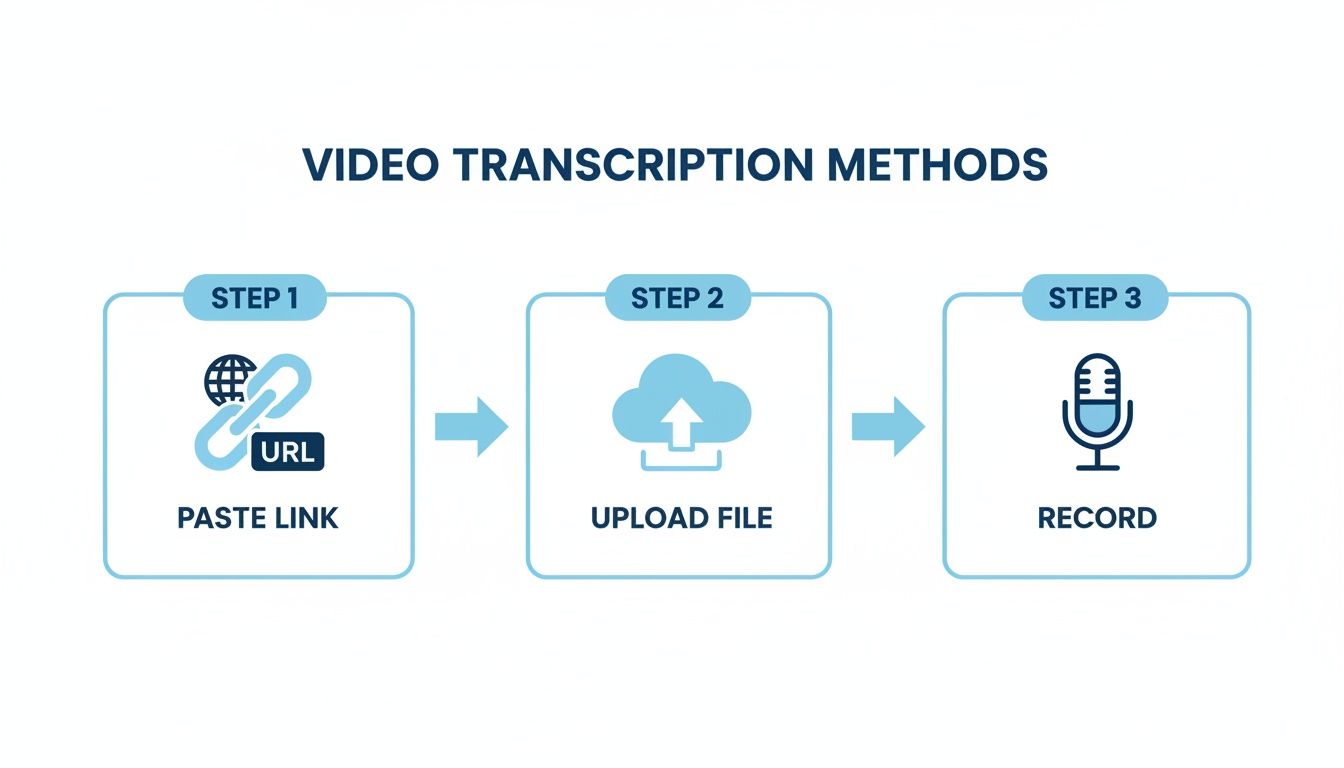
Whether you’re pasting a link from YouTube, uploading a file from your computer, or recording directly into a tool, the quality of that initial audio is what truly dictates the accuracy of the text you get back.
I've put together a quick checklist based on my experience to help you nail this part.
Audio Quality Checklist for 99% Accuracy
Ultimately, a few minutes of prep saves you a ton of editing time later. It's a trade-off that's always worth making.
Tip 2: Configure the Right Settings in the Tool
Once your audio is clean, there are a couple of crucial settings inside the converter itself that you should never skip.
First, always double-check that you've selected the correct language for the video. It sounds obvious, but you’d be surprised how often this gets missed. If your video is in German but the tool is set to English, the results will be complete nonsense. It’s a two-second check that prevents a massive headache.
Next, look for a feature called speaker diarization (sometimes labeled "speaker identification") and make sure it's turned on. This tells the AI to identify and label who is speaking (e.g., "Speaker 1," "Speaker 2"). For meeting notes, interviews, or panel discussions, this feature is an absolute game-changer. It turns a wall of text into an organized, easy-to-read conversation. This principle is just as vital when working with sound-only files, which we cover in our guide on how to transcribe an audio file.
The difference is dramatic. A muffled recording with the wrong settings will spit out a transcript full of "[inaudible]" tags and funky word choices. A clean recording with the right settings gives you a document that’s practically ready to use right away.
The technology behind these tools has come a long way. Modern automated systems now process content at 3–5× real-time speed, with advanced platforms hitting 10× real-time. This means a one-hour video can be fully transcribed in as little as six minutes. With accuracy rates now hitting 95–99% under good audio conditions, it's easy to see why automated transcription has become the standard.
How to Turn Your Raw Transcript into a Valuable Asset
An AI-generated transcript is a fantastic starting point, but its true value comes from what you do with it after the conversion. A raw text file from an online video to text converter is just information; the goal is to shape that information into something genuinely useful that saves you time and drives action.
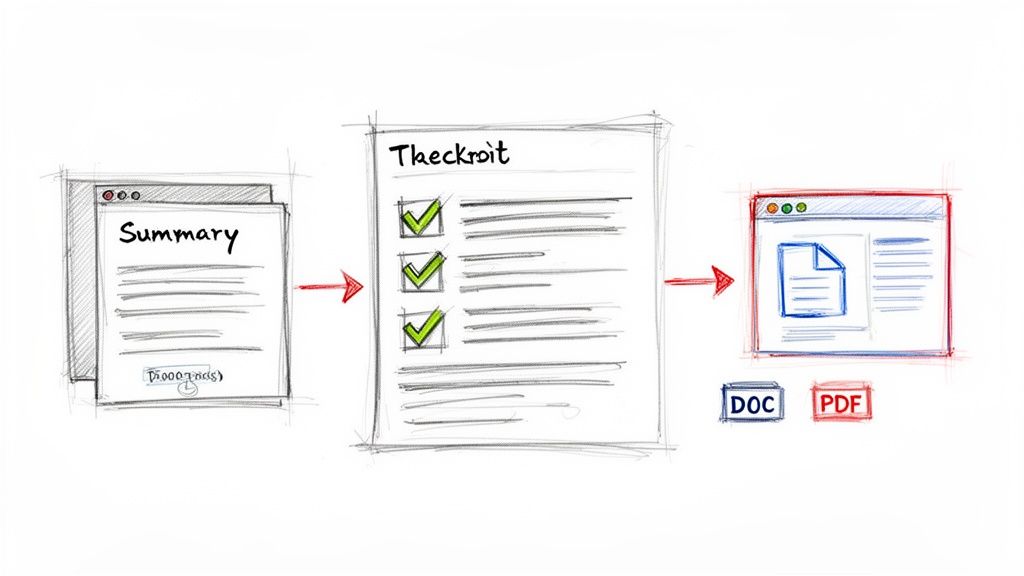
This is where you can get really creative. It’s not about meticulously proofreading every single word. It’s about using smart tools to quickly refine, summarize, and format your text for whatever you need, whether that’s clean meeting notes, a draft for a blog post, or accurate video captions.
Step 1: Polish Your Transcript with an Interactive Editor
Even with 99% accuracy, small errors can slip through. This is especially true with unique names, internal company jargon, or those moments when people talk over each other. A good interactive editor is your best friend here.
Instead of hunting through a static text file, a quality editor syncs the audio playback directly with the words on the screen. With HypeScribe, for instance, you can just click on any word in the transcript, and the audio instantly jumps to that exact spot. This simple feature turns the chore of correcting a name or a technical term into a quick, intuitive fix that takes a few seconds, not half an hour.
Step 2: Generate Instant Insights with AI Summaries
Once your transcript is cleaned up, you can put AI to work analyzing the content for you. This is a massive step up from just having the text. Let's say you just transcribed a 45-minute project kick-off meeting.
With a single click, a tool like HypeScribe can give you:
- A Concise Summary: Perfect for busy stakeholders who need the key highlights without reading pages of dialogue.
- Key Takeaways: A neat, bulleted list of the most important decisions and insights from the conversation.
- Action Items: An organized checklist of tasks, automatically flagging who is responsible for each one.
This is how you transform a long, rambling conversation into a clear, actionable document. It bridges the gap between discussion and action, ensuring no great idea or critical task gets forgotten.
Step 3: Choose the Right Export Format for Your Goal
The final piece of the puzzle is getting your new asset into the tools you already use every day. The format you choose depends entirely on what you plan to do next.
Here are a few common situations I encounter all the time:
- For Blog Posts: Exporting to Google Docs or a Word file (.docx) is the way to go. You get a fully editable document ready for formatting, adding images, and publishing.
- For Meeting Minutes: A PDF export is great for creating a clean, professional, and uneditable record that you can easily share with the team.
- For Subtitles: The .SRT format is the industry standard for video captions. It includes the text and the precise timestamps needed to sync everything up perfectly.
One of the biggest wins from converting video to text is the ability to reuse that content in new ways. You can explore some smart content repurposing strategies to get more mileage out of every piece of material you transcribe. For an even deeper dive, our guide on content repurposing strategies has a ton of ideas for getting the most out of every video.
Making Transcription a Seamless Part of Your Workflow
To truly benefit from an online video to text converter, it can't just be a tool you use on special occasions. The real magic happens when it becomes an invisible, automatic part of your daily routine. This is especially true now, with so many of us working remotely and jumping between virtual meetings all day.
Think about how much more productive your team could be if transcription wasn't an extra step. This is where real-time tools for platforms like Zoom, Google Meet, and Microsoft Teams completely change the game.
Imagine this: you join your morning stand-up, and a tool like HypeScribe's notetaker is already there, quietly transcribing the entire conversation in the background. You're no longer scrambling to jot down notes. Instead, you can actually listen, contribute, and engage, knowing every word is being captured for you.
Turn Your Meetings from Events into Assets
When you start automatically transcribing every important meeting, you're doing more than just keeping records. You’re building an intelligent, searchable knowledge base for your entire company, one conversation at a time.
Each transcript becomes another piece of this library of organizational wisdom. Suddenly, you have a perfect record of every decision, action item, and creative idea. This kind of archive is a lifesaver for getting new hires up to speed or for finding project details from six months ago without having to interrupt a colleague.
The goal is to stop thinking of transcription as a chore. See it for what it truly is: a way to create a permanent, searchable memory for your team that captures every crucial conversation.
Unlock Your Team's Collective Knowledge
This searchable archive quickly becomes an incredibly powerful internal resource. With a tool like HypeScribe, you can even use a chatbot to ask questions about past meetings. You could literally type, "What was the final decision on the Q3 marketing budget?" and get an instant, precise answer pulled directly from the relevant transcript.
This is how modern converters have evolved. They aren't just simple utilities anymore; they're essential knowledge management platforms that connect the dots between conversations, making sure no great idea ever gets lost.
The technology powering this shift—speech-to-text APIs—is booming. The market is projected to hit $5.4 billion by 2026. A huge piece of that growth comes from meeting transcription, with that specific segment expected to jump from $3.86 billion in 2025 to $29.45 billion by 2034. This massive increase is driven by the demands of our modern workflows. You can dive deeper into the speech-to-text API market growth to see just how much this is shaping the future of business tools.
Common Questions About Using Video to Text Converters
As you start exploring online video to text converters, a few practical questions are bound to come up. These tools are incredibly powerful, but you want to make sure you're using them the right way—effectively and securely. Let's walk through some of the most common concerns I hear from people who are just getting started.
Getting these details sorted out from the beginning helps you move forward with confidence.
How secure is my data with these tools?
This is usually the first and most important question, especially if you're working with sensitive content like internal company meetings or confidential research. Any reputable service puts security first, using end-to-end encryption to protect your data during upload and while it’s stored on their servers.
Platforms like HypeScribe go a step further by giving you total control to permanently delete both your original video file and the transcript it generated. This is a critical feature that ensures your private information stays private. Before you upload anything confidential, it's always a smart move to spend a few minutes reading the provider's security and privacy policy.
Can converters handle multiple speakers and different accents?
Yes, they can. Modern AI converters are surprisingly good at this. They use a technology called speaker diarization to automatically detect when a new person is speaking and label their dialogue (e.g., "Speaker 1," "Speaker 2"). For transcribing interviews, panel discussions, or team meetings, this feature is essential.
Additionally, these AI models are trained on massive, diverse datasets filled with global accents and dialects, which makes them far more accurate than older tools. The single best thing you can do for accuracy, however, is to have speakers avoid talking over one another. Overlapping dialogue is still the toughest challenge for any transcription AI.
What should I do if my transcript has errors?
Even with accuracy rates as high as 99%, no AI is perfect. You’re bound to see a few minor mistakes, especially with tricky proper nouns, industry-specific jargon, or if the audio quality wasn't great to begin with.
This is exactly why any top-tier online video to text converter includes a built-in, interactive editor. This isn't just a basic text box; it synchronizes the audio playback directly with the transcribed text.
This means you can click on any word in the transcript, and the audio will instantly jump to that exact spot. This simple feature turns what could be a painstaking proofreading process into just a few minutes of quick, focused edits. It’s a must-have for getting a truly polished final document.
What video formats and platforms are supported?
Flexibility is a key advantage. Most tools are built to handle all the common video file types you’d expect, like MP4, MOV, and AVI. That covers just about any video you might have saved on your computer.
But for true convenience, the best services let you skip the upload process entirely. You can just paste a video link directly from places like YouTube, Vimeo, Google Drive, or even social media platforms. This makes the whole process so much faster, letting you go from a link to a full transcript in just a couple of clicks.
Ready to turn your videos into valuable, searchable text? See how HypeScribe makes transcription fast, accurate, and secure. Start your free trial today!


































































































