
How to Document Business Processes to Drive Team Efficiency

When you document a business process, you’re doing more than just writing things down. You’re defining the scope of the work, mapping it out so everyone can see the flow, writing clear instructions, and building a system to keep it all current. The goal is to create a single source of truth that cuts down on mistakes and gets the whole team on the same page.
Why is Process Documentation Your Secret Weapon for Growth?
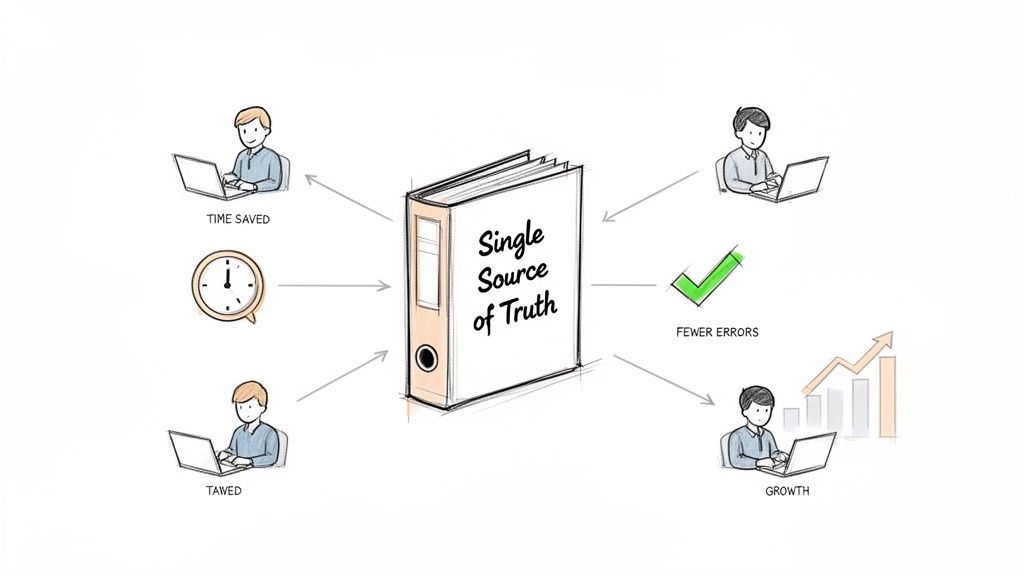
Let's ditch the textbook definition for a moment. Think of process documentation as your company's official playbook for every critical operation. It's the one place everyone can go to get a straight answer to the question, "How do we actually do that here?"
When that playbook doesn't exist, your teams are left to fend for themselves, relying on assumptions, fuzzy memories, and sheer guesswork. This creates a kind of hidden chaos, a constant friction that slows down growth and bakes unnecessary risk into everyday work.
What's the Real Cost of Unclear Processes?
Picture a remote sales team where every rep qualifies leads differently. One person uses a meticulous checklist, another just goes with their gut, and a third is still using a script from two years ago. The result? Total inconsistency. You get lost revenue, a confusing experience for potential customers, and absolutely no way to figure out which approach is actually working.
That’s just one example of the headaches caused by a lack of clear documentation. I've seen these pain points crop up time and time again in my experience:
- Chaotic Onboarding: New hires are dropped in the deep end, feeling lost and constantly interrupting teammates with basic questions. Their ramp-up time tanks.
- Wasted Time: Employees burn hours searching for information or trying to reinvent a process that someone else already figured out ages ago.
- Increased Errors: When steps are missed or done out of order, it leads to expensive mistakes, frustrating rework, and unhappy clients.
The financial hit from these inefficiencies is staggering. Poor documentation isn't just an annoyance; it's a direct leak in your company's budget.
Globally, the lack of documented business processes is costing companies a fortune. It’s hard to believe, but research shows a staggering 97% of organizations have minimal to no digital document processes. The fallout from this is massive, with simple data entry errors estimated to cost businesses over $600 billion each year. If you're curious, you can learn more about these documentation statistics and their impact.
How Can You Build Your Single Source of Truth?
Creating clear, easy-to-find documentation tackles these problems head-on. It sets a standard for performance, makes your team more efficient, and ensures everyone is pulling in the same direction.
Here's the bottom line: when a process is documented, it can be measured. When it can be measured, it can be improved. And when it can be improved, it can be scaled.
The good news is that modern tools have made this easier than ever. Great documentation isn't just for massive corporations with teams of technical writers anymore. With the right approach and the right software, any team can build a reliable playbook that drives consistent results and real, sustainable growth.
Before You Write Anything, Lay the Groundwork
Look, great process documentation doesn't just happen. It doesn’t start when you open a blank document. If you dive in without a plan, you’re setting yourself up for a project that balloons out of control and dies a slow death in a forgotten folder. We've all seen it happen.
To do this right, you need a smart, focused plan. The goal is to set a clear direction from the get-go, so all your hard work actually pays off.
How Do You Pinpoint and Prioritize Your First Processes?
First things first: you can't document everything at once. Trying to boil the ocean is the fastest way to fail. The trick is to start small and be strategic.
Not all processes are created equal, right? Some are way more critical to your daily operations and bottom line than others. When you're figuring out how to document business processes, learning to prioritize is your secret weapon.
Zoom in on workflows that tick one of these boxes:
- High-Impact Workflows: These are your bread-and-butter operations. Think about the processes that directly touch customers or revenue, like your client onboarding sequence or how your sales team qualifies leads.
- Frequently Performed Tasks: What does your team do over and over again? It could be processing customer refunds or publishing a weekly blog post. Getting these down on paper frees up brainpower and locks in consistency.
- Recurring Problem Areas: Where are things always breaking? If the finance team is constantly chasing down missing invoice info, that’s a flashing red light. That process is a prime candidate for documentation.
Pick just one or two critical processes to start. This gives you a manageable project with a clear finish line. Nailing that first one builds momentum and proves the value of this work to everyone else, making it much easier to get support for the next one.
Who Should You Involve from Day One?
Let me be clear: process documentation is not a solo sport. You absolutely cannot do this in a vacuum. The real experts are the people doing the work day in and day out. Getting them involved from the very beginning isn't just a nice-to-have; it's essential.
Your team members are the ultimate source of truth for any process. Their direct involvement is the only way to guarantee the documentation reflects reality, not just theory.
Bring these key players in early. Not only will you get the details right, but you’ll also build a sense of ownership. When people help write the playbook, they’re far more likely to actually use it—and help you keep it current.
Finally, you need to know what you’re aiming for. Set some real goals. Are you trying to cut the time it takes to train a new customer support agent by 30%? Or maybe you need to standardize your invoicing to get ready for an audit. When you can define what success looks like, documentation stops being a chore and becomes a strategic project that pushes the business forward.
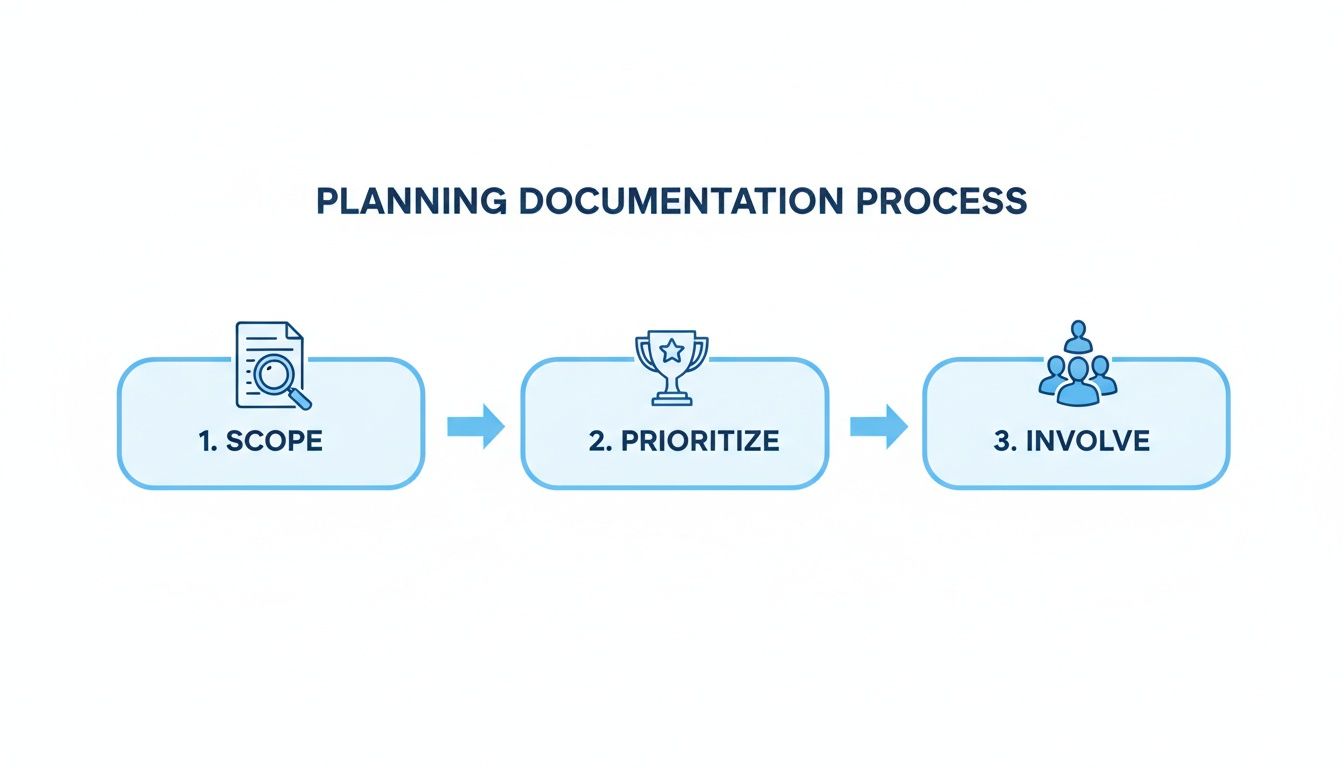
This foundation—scoping, prioritizing, and involving your team—is what separates useful documentation from a binder that just collects dust. You've got to define your scope, figure out what's most important, and get the right people in the room before you even think about drawing a single box or arrow.
How Do You Turn Messy Notes into Crystal-Clear Workflows?
Alright, you've got a plan. Now for the fun part: turning all that scattered team knowledge into something everyone can actually use. This is where we take the conversations, meeting notes, and expert know-how and build a visual workflow—a map that shows exactly how the work gets done, from start to finish.
In my experience, a visual map helps your team see the entire landscape, not just their little piece of it. It’s one of the most powerful ways to spot dependencies, flag potential roadblocks, and understand how everything fits together.
How Can You Use Tech to Get the Real Story?
One of the trickiest parts of documenting a process is getting all the little details right. When you're just talking to an expert, it's easy for crucial steps or "what-if" scenarios to get lost in translation between their brain and your diagram.
This is where a little tech goes a long way. Instead of scribbling notes while someone talks, just record them walking you through the process live.
Here’s a simple but effective way to do it:
- Hop on a screen-share call. Ask your subject matter expert to just do the task like they normally would, explaining their steps as they go.
- Hit record. Use a meeting tool that can capture both the video and a live transcript.
- Let AI do the heavy lifting. Tools like HypeScribe can take that recording and instantly spit out a full transcript, a neat summary, and even a list of action items.
That transcript is now your single source of truth. It's a word-for-word account of the entire workflow, capturing every decision point and nuance you might have otherwise missed. You've got everything you need to build a truly accurate map.
A transcribed expert walkthrough is gold. It gives you an unfiltered look at how the work actually gets done—not an idealized version—which is the only way to create documentation that people will trust and use.
Let's Map a Real-World Example
Theory is nice, but let's get practical. Imagine you need to document how your marketing agency launches a social media campaign. You've just finished a recorded walkthrough with your social media manager and have the transcript ready.
Here's how you'd start building the flowchart:
- Start/End Markers: The process kicks off with a "Campaign Idea Submitted" trigger. It officially ends when the "Final Analytics Report is Delivered." Simple.
- Process Steps: These are the core actions. You'll create boxes for things like "Draft Campaign Brief," "Create Visual Assets," "Write Ad Copy," and "Schedule Posts."
- Decision Points: This is where you use the diamond shape. For example: "Is the budget over $5,000?" A "Yes" leads down the path to "Get Director Approval," while a "No" moves straight to "Submit for Client Review."
Suddenly, the whole thing makes sense visually. Everyone from the copywriter to the account director can see exactly how the work flows. It’s no longer a vague to-do list; it’s a dynamic map of the entire operation.
Of course, once you have these maps, you need a central place to store them. This is where you might decide to build a knowledge base to keep everything organized and accessible.
How to Choose the Right Process Mapping Tool
The tool you choose can make a big difference. You don't always need a complex, enterprise-level solution. Sometimes, a simple diagramming tool is all it takes. The key is to pick something that fits your team's technical skills and the complexity of the processes you're mapping.
Here’s a quick breakdown of the options to help you decide.
Tool TypeBest ForKey FeaturesExample ToolsSimple Diagramming ToolsSmall teams, straightforward workflows, and quick visualization.Drag-and-drop interface, basic flowchart symbols, easy sharing.Miro, Lucidchart, Microsoft VisioBusiness Process Management (BPM) SuitesLarge organizations, complex and interconnected processes, and automation.Advanced modeling (BPMN), simulation, workflow automation, analytics.Bizagi, Appian, PegaAll-in-One Project Management ToolsTeams that want to embed process maps directly into their project boards.Task management, kanban boards, timelines, built-in whiteboarding.ClickUp, Monday.comKnowledge Base SoftwareTeams focused on building a centralized hub for all company documentation.Rich text editor, version control, powerful search, integrations.Confluence, Notion, Scribe
Ultimately, the best tool is the one your team will actually use. Start simple, see what works, and don't be afraid to switch if you find a better fit down the road. Creating these visual guides isn't just about record-keeping—it’s about actively making your business run smarter.
How to Write SOPs People Will Actually Use
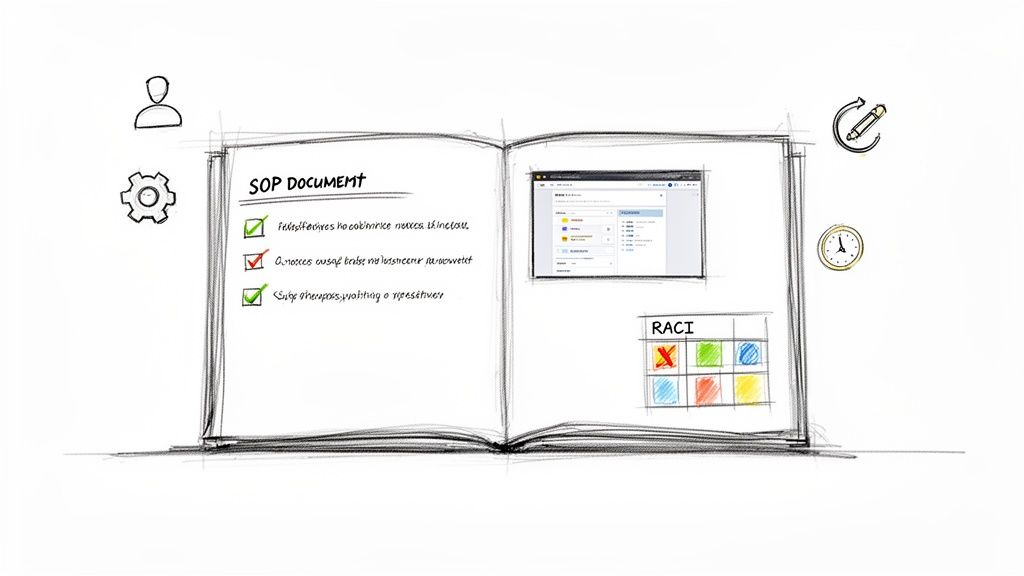
A visual flowchart gives you the 30,000-foot view, but the real work happens on the ground. This is where you translate that high-level map into a Standard Operating Procedure (SOP)—a clear, step-by-step guide that anyone can follow to get the job done right. Every time.
The goal here isn't just to write down instructions. It's to create a resource so genuinely helpful that your team actually wants to use it. The secret? Think like the person who will be using it. Is this for a brand-new hire who needs every single click spelled out, or is it a quick reference for a seasoned pro? Tailoring your SOP to the audience is the first step toward making it truly useful.
What is the Difference Between Good and Great SOPs?
We’ve all seen bad SOPs. They're usually dense walls of text, packed with jargon, and completely disconnected from how the work actually gets done. They get ignored because they create more confusion than they solve.
A great SOP, on the other hand, is a lifesaver. It’s scannable, visually engaging, and answers questions before they're even asked. Let’s look at a common task: processing a customer refund.
- A Bad SOP: A single, five-paragraph block of text explaining the entire refund policy. It mentions the software by name but offers no visuals, forcing the user to toggle back and forth, trying to match dense instructions to a real-world interface. It’s frustrating and inefficient.
- A Great SOP: A well-structured document that starts with a clear purpose statement. It uses a numbered list for sequential steps, includes annotated screenshots for every critical click, and even has a short, embedded screen recording for a tricky part of the process. A final checklist confirms all steps were completed.
The difference is putting the user first. The second example anticipates what the user needs and gives them exactly that, right when they need it.
How Can You Craft a User-Centric SOP?
To avoid creating documents that just collect digital dust, you have to make them incredibly practical. Your team is busy, so their documentation needs to be efficient and easy to digest.
Here’s how to build an SOP that actually works:
- Use Simple, Direct Language: Ditch the corporate-speak. Write as if you're explaining the process to a colleague sitting next to you.
- Show, Don't Just Tell: A picture is worth a thousand words, especially in an SOP. Use screenshots, GIFs, or short video clips to illustrate complex steps. Visuals cut through the ambiguity and make the instructions much faster to follow.
- Structure for Skimming: No one wants to read a novel to figure out one step. Use headings, bullet points, checklists, and bold text to break up information and make key actions pop.
- Provide Context: Briefly explain why a step is important. Knowing the reason behind an action (e.g., "tagging the customer prevents them from receiving marketing emails about a product they returned") improves compliance and helps people make better decisions.
The ultimate test of an SOP is this: can a new team member, with minimal prior knowledge, successfully complete the process using only your document as a guide? If they can, you’ve nailed it.
Building these kinds of resources is especially critical when bringing new people on board. If you want to dive deeper, check out our guide on the best practices for onboarding new employees, where clear documentation plays a massive role.
How Can You Define Who Does What with a RACI Matrix?
A process is more than a series of tasks; it involves people. One of the biggest sources of friction and delay is a lack of clarity around who does what. Who needs to approve this? Who should I ask if I have a question? Who just needs to know this is done?
This is where a RACI matrix becomes an invaluable part of your SOP. RACI is a simple framework for clarifying roles and responsibilities for each task in a process. It stands for:
- Responsible: The person who does the work.
- Accountable: The single person ultimately answerable for the task being completed correctly. This is the "owner."
- Consulted: Subject matter experts who are asked for input before the work is done.
- Informed: People who are kept in the loop on progress or completion. They don't have a direct say in the work.
Let’s apply this to a social media campaign:
Task / DeliverableMarketing ManagerSocial Media SpecialistGraphic DesignerLegal TeamDraft Campaign BriefAccountableResponsibleConsulted-Create Visual AssetsAccountableConsultedResponsibleInformedWrite Ad CopyAccountableResponsibleInformedConsultedFinal ApprovalResponsibleInformedInformedAccountable
Adding a simple RACI chart like this at the beginning or end of your SOP eliminates guesswork. Everyone can see their exact role at a glance, preventing bottlenecks and ensuring the right people are involved at the right time. It transforms a simple list of instructions into a complete operational guide.
How to Select the Right Tools for Process Documentation
The software you choose can make or break your entire process documentation project. I’ve seen it happen. Picking the right tool isn’t just a hunt for the fanciest features; it's about finding something that actually fits how your team works, what you can afford, and the tech you already use.
If you get this wrong, even the most brilliant documentation plan will gather dust. Why? Because if the tool is clunky or disconnected from your team's daily grind, they just won't use it. The whole point is to make documenting and using that documentation feel effortless.
What are the Key Categories of Documentation Tools?
There's no magic "best" tool for everyone. The right choice really depends on what you're trying to accomplish. Most tools fall into one of three buckets, each with its own strengths.
- Dedicated Process Documentation Platforms: Think of tools like Scribe. These are purpose-built for creating step-by-step guides fast. They often have browser extensions that watch you work, automatically grabbing screenshots and writing out the instructions. It’s a huge time-saver for creating standard operating procedures (SOPs).
- Versatile Wikis and Knowledge Bases: Platforms like Notion and Confluence are like a central brain for your company. They’re incredibly flexible. You can write detailed guides, embed flowcharts from other tools, and link everything together into a searchable, interconnected library.
- Visual Mapping and Whiteboard Tools: When you need to see the big picture, tools like Miro or Lucidchart are fantastic. They’re perfect for creating those sprawling flowcharts and process maps that help everyone understand how all the pieces fit together before you get bogged down in the written details.
To really nail this, you've got to compare the best process documentation software tools out there against what your team truly needs. You might be surprised by a feature you hadn't considered that turns out to be a total game-changer.
What is the Role of AI in Your Toolkit?
Let's be clear: modern AI tools aren't just a gimmick anymore. They are a fundamental part of an efficient documentation workflow. AI meeting assistants, for instance, are incredible for capturing raw process knowledge right from the source.
Picture this: you're interviewing a subject matter expert, trying to map out a complex workflow. Instead of frantically typing and hoping you don't miss a crucial step, you use an AI assistant to record and transcribe the call. A tool like HypeScribe can give you a perfect transcript, an AI-generated summary, and a clean list of action items. This becomes the raw, unfiltered source material for your formal documentation, and you know nothing got lost in translation.
AI doesn't just make documentation faster; it makes it more accurate. By capturing the expert's own words and process walkthroughs, you eliminate the risk of misinterpretation and create a resource that reflects reality.
This approach slashes the manual effort needed for information gathering, which, from my experience, is almost always the biggest bottleneck in any documentation project.
How Can You Make the Right Choice for Your Team?
So, how do you decide? As you look at different options, ask yourself these practical questions:
- Where does my team already live? If they're in Slack or Microsoft Teams all day, a tool that integrates smoothly with those platforms will see way more use.
- What’s our budget? You can find everything from free plans to eye-wateringly expensive enterprise suites. Be honest about what you can spend and focus on the tools that give you the most bang for your buck.
- How complex are our processes? A simple checklist app might work for basic tasks. But if you’re mapping a workflow that crosses three departments, you’ll need something more robust with features like version control and formal approvals.
- What's the main goal here? Are you trying to create visual maps, write detailed guides, or build a comprehensive internal wiki? Your primary objective will quickly help you narrow the field.
Ultimately, the best tool is one that helps you build a library of information that people actually use. Thinking about how your software fits into a bigger picture is key. To go deeper on that, check out our guide on what a knowledge management system is and how it can pull all your process documents together. When you choose thoughtfully, you give your team the power to not just create great documentation, but to keep it alive.
How to Keep Your Process Documents Relevant and Trusted
You’ve done the hard work of creating detailed process documentation. That’s a huge win. But here’s the tough part: making sure it doesn't become a digital paperweight.
The single biggest reason this kind of documentation fails is simple neglect. It gets written, tucked away in a folder, and forgotten. Six months later, it’s a relic describing a workflow that no longer exists, and your team rightly stops trusting it.
To stop this from happening, you have to treat your documentation as a living, breathing asset—not a one-and-done project. It needs consistent care to stay useful. This doesn't mean a ton of extra work, just a smart, repeatable system for keeping it fresh.
What is a Practical Framework for Validation and Maintenance?
The best way to see if your documentation actually works is to put it in someone's hands. Ask a team member who doesn't normally do the task to follow your SOP from start to finish. This is the ultimate "usability test." You'll quickly find out which steps are confusing, where the gaps are, and what screenshots are out of date.
Beyond that, you need a proactive review schedule. Simply waiting for someone to complain that a process is wrong isn't a strategy—it's a recipe for failure.
- Quarterly Reviews: For most processes, a quick check-in every quarter is perfect. It's often enough to catch small changes before they snowball into big problems.
- Trigger-Based Updates: Don’t wait for the calendar. If you roll out new software, change a compliance policy, or restructure a team, that’s your cue. Update the relevant documents immediately.
An outdated document is worse than no document at all. It actively erodes trust and encourages people to go rogue, undoing all the hard work you put into creating a single source of truth.
Why Do You Need Version Control and a Culture of Improvement?
As you make changes, a simple version control system is non-negotiable. It prevents total chaos.
Just add a version number and the last-updated date right at the top of the document (e.g., "v2.1 - Updated Oct 26, 2024"). This tiny detail signals to everyone that they’re looking at the right guide.
Ultimately, keeping documentation alive is a team sport. You need to build a culture where anyone feels comfortable pointing out a mistake or suggesting a better way to do things. When people feel empowered to contribute, maintenance stops being a chore and becomes a natural part of continuous improvement.
This kind of upkeep is a key part of any solid operational strategy. To go deeper, you can explore these knowledge management best practices to build an even stronger system. By turning these habits into muscle memory, you ensure your documentation remains a trusted resource that actually helps your team succeed.
Got Questions? We’ve Got Answers
Even the best-laid plans run into a few hurdles. As you start to document your business processes, you'll inevitably have questions. Here are a few of the most common ones we hear from teams just starting out, along with some straight-up advice.
So, How Detailed Do We Really Need to Be?
This is the classic "it depends" answer, but for a good reason. The level of detail you need is all about who's using the document and what's at stake.
Think about it this way: if you're documenting a complex, high-risk financial reconciliation for a brand new junior accountant, you need to spell out every single step. We're talking screenshots, field-level instructions—the whole nine yards. But for a simple, daily task that a senior team lead performs? A high-level checklist will probably do the trick.
Here’s a gut check I always use: Could someone totally new to this job pick up this document and complete the task without asking for help? If you hesitate for even a second, you likely need more detail.
How Can We Get Our Team to Actually Use This Stuff?
This is the million-dollar question, isn't it? Because documentation nobody uses is just a waste of time. The secret to adoption isn't some fancy software; it's ownership.
From the very beginning, involve the people who actually do the work in creating the documentation. When your team helps build the SOPs, they're invested. They know the content is right because they wrote it.
Then, make it ridiculously easy to find. Don't bury it three folders deep on a shared drive. Put it in a central, searchable spot everyone already lives in, like your company wiki or knowledge base.
A huge mistake I see all the time is treating documentation like a stone tablet handed down from on high. It has to be a two-way conversation. Set up a simple feedback channel—a Slack channel or a comment feature in your tool—so people can flag when something is outdated or confusing. It keeps things accurate and makes your team feel heard.
How Often Should We Be Updating Our Processes?
Your process documents should be living, breathing assets, not dusty files in a digital cabinet. The right update schedule really depends on how often the process itself changes.
A good starting point is:
- Quarterly Reviews: This is a solid baseline for most of your core, stable processes. Just a quick check-in to make sure nothing has quietly changed.
- Immediate Updates: Some things can't wait. A new piece of software, a shift in company policy, or a team reorganization should trigger an instant review of any related documentation.
The key to making this work is to assign a clear owner to every single process document. That person's job is to keep it current. Without an owner, documentation almost always becomes outdated and, frankly, untrustworthy.
Ready to capture your team's knowledge with unmatched speed and accuracy? HypeScribe uses AI to transcribe your process walkthroughs, meetings, and interviews, instantly creating the searchable, actionable text you need to build great documentation. Start your free trial at HypeScribe today!



































































































