
What is a Subtitle? A Complete Guide for Creators

A subtitle is a text translation of a video's spoken dialogue, displayed on the screen for viewers who don't speak the video's original language. Think of it as a real-time interpreter. If you've ever watched a foreign film, those lines of text at the bottom of the screen are subtitles. Their primary job is to break down language barriers, making your content understandable to a global audience.
Understanding the Purpose of Subtitles
Imagine you're watching a critically acclaimed foreign film. You hear the actors' voices, the score, and the background sounds, but the words themselves are a mystery. Subtitles bridge that gap by providing a real-time translation, ensuring you catch every line of dialogue and plot twist.
However, subtitles are just one type of video text. They're often confused with captions and transcripts, and while all three convert speech into text, they serve very different functions for different audiences. Understanding these distinctions is the first step to using them effectively.
This diagram shows how these three video text formats relate.
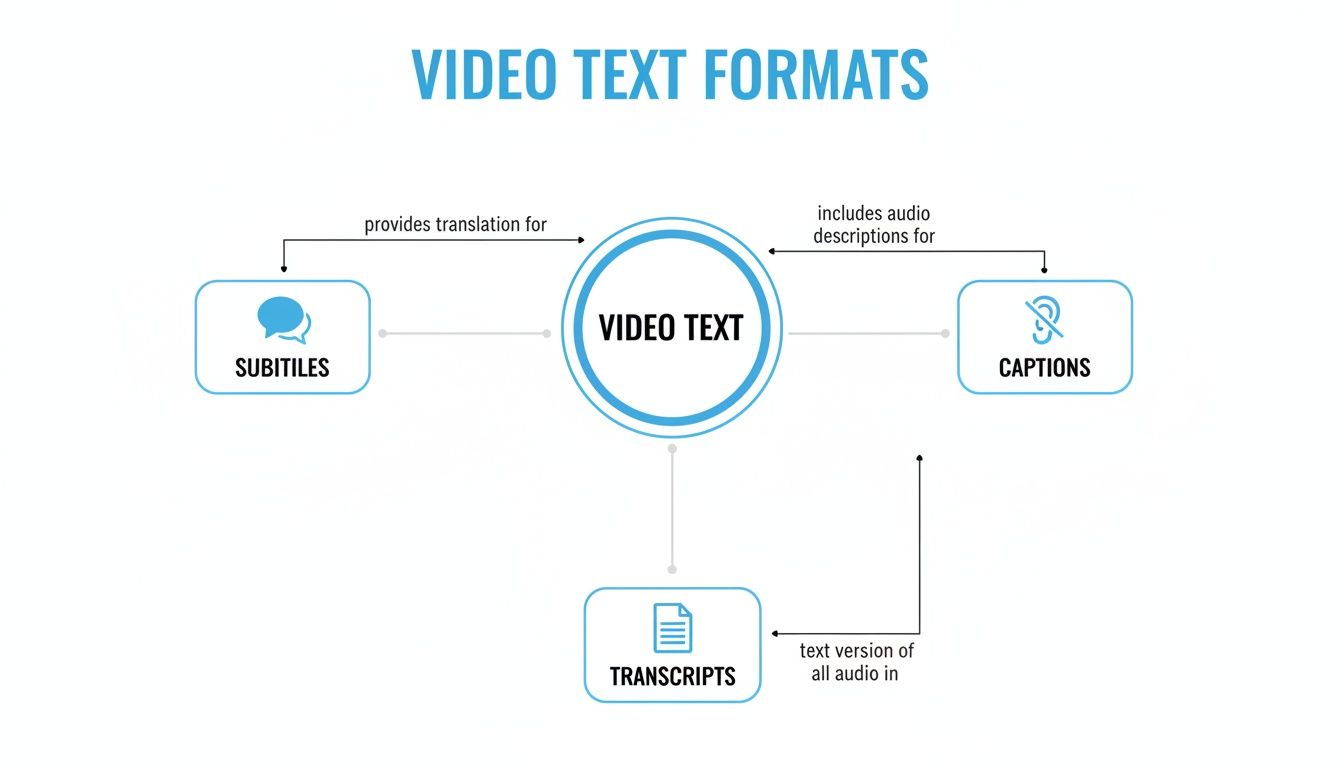
As you can see, their purpose is what sets them apart: subtitles are for translation, captions are for accessibility, and transcripts are for creating a text-only record.
Key Functions of Subtitles
So, what is a subtitle designed to do? Its role is focused on one primary goal: translating spoken words from one language to another. This singular focus is what truly distinguishes it from other formats.
- Language Translation: This is its main purpose. Subtitles make dialogue understandable for anyone who speaks a different language than the one in the video.
- Dialogue-Only Focus: Subtitles stick to the spoken words. They intentionally leave out non-speech sounds like [door slams] or [tense music] because they assume the viewer can already hear those audio cues.
- Global Audience Reach: For content creators, subtitles are a powerful tool for growing an audience beyond geographical and linguistic borders.
One of the most common points of confusion is using "subtitles" and "captions" interchangeably. The key difference is who they're for. Subtitles are for viewers who can hear but don't understand the language. Captions are for viewers who cannot hear the audio at all.
Quick Guide: Subtitles vs. Captions vs. Transcripts
To make it even clearer, here’s a simple table that breaks down the core differences at a glance.
This table is your cheat sheet. When deciding what you need, just ask yourself, "Who am I trying to help with this text?" The answer will point you to the right format every time.
Untangling Subtitles vs. Captions
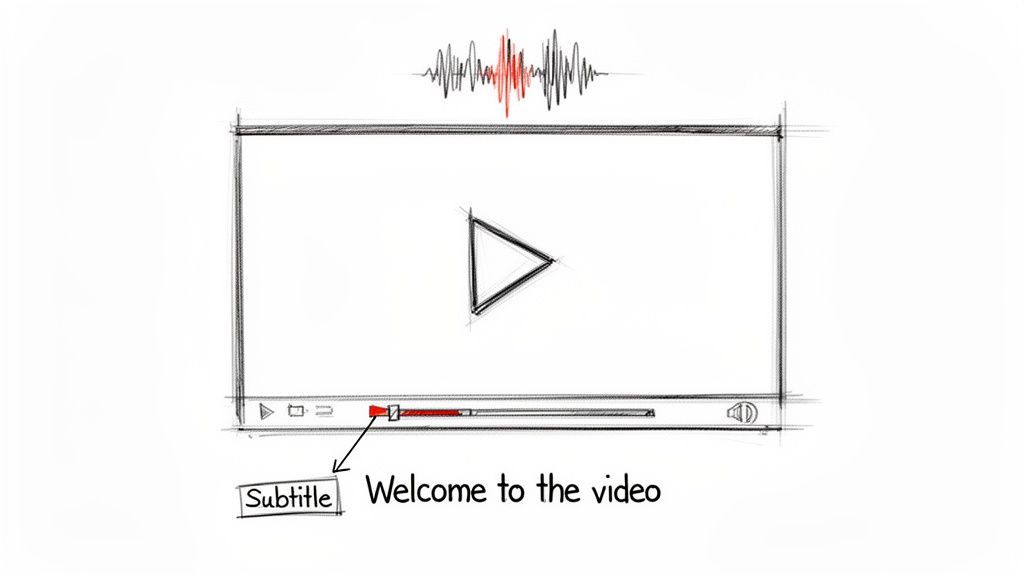
It’s a common mix-up, but "subtitles" and "captions" are not the same thing. While they both display text on screen, they are designed for completely different audiences and solve different problems. Getting this right is essential for creating an effective viewing experience.
The easiest way to remember the difference is to ask who they're intended for.
Subtitles are a tool for translation. They are designed for viewers who can hear the audio but don't speak the language in the video. If you’ve ever watched a French film with English text at the bottom, you’ve used subtitles. Their only job is to translate the spoken dialogue.
Captions, on the other hand, are built for accessibility. They are intended for viewers who are deaf or hard of hearing and assume the person watching cannot hear the audio at all. This is the key distinction that changes everything.
The Defining Difference: Non-Speech Audio
Because captions cater to an audience that can't hear, they must do more than just transcribe dialogue. They need to describe every important sound that adds context, conveys emotion, or moves the story forward.
Good captions will include descriptions of crucial non-speech audio cues, such as:
- Sound Effects: Important noises like
[door slams]or[glass shatters]that are part of the action. - Musical Cues: Notes about the score, such as
[suspenseful music builds]or[upbeat song plays on radio], to convey the mood. - Speaker Identification: Labels like
(Sarah)or(Man offscreen)to clarify who is talking, especially when they are not visible.
Subtitles omit all of this information by design. The viewer is expected to hear the dramatic music or the ringing phone; they just need the dialogue translated. You can dive deeper into this format in our complete guide on what is closed captioning.
My personal rule of thumb is this: Subtitles are a translation dictionary, focused only on the words. Captions are the full script of a play, describing dialogue, sound effects, and who is speaking to paint a complete picture for someone who can't hear.
So, which one do you need? It all comes down to your goal. If you're trying to reach a global audience who speaks other languages, you need subtitles. If you want to ensure your content is fully accessible to everyone, you need captions.
Why Subtitles Are a Strategic Tool for Growth

It’s easy to think of subtitles as just on-screen text, but from my experience, they are one of the most effective tools for growing your audience. By translating your dialogue, you're opening your content to international viewers. A video that was once limited to a single language can suddenly connect with people worldwide.
The benefits don't stop there. Subtitles also provide a significant boost to your video's SEO. Search engines can't watch your video, but they can crawl the text in your subtitle file. This gives them a rich, word-for-word understanding of your content, helping you rank for more relevant search terms.
A key factor is how people watch videos today. A huge portion of social media content is viewed with the sound off. Without subtitles, your message is completely lost on anyone scrolling in a quiet office or on public transit.
Boosting Engagement and Accessibility
Beyond expanding your reach, subtitles create a better, more inclusive experience. They can be a massive help for viewers with neurodivergent conditions like ADHD, who might find it easier to focus on text rather than processing audio alone. It’s a small addition that makes your content more accessible and user-friendly.
This isn't just a niche feature; it's a rapidly expanding market. In 2024 alone, the global captioning and subtitling industry was valued at around USD 351.16 million, and it's projected to keep growing.
When you get right down to it, adding subtitles is a strategic decision that delivers on multiple fronts:
- Go Global: Instantly connect with international audiences and non-native speakers.
- Get Found: Make your video content searchable and visible to search engines.
- Keep Them Watching: Cater to sound-off viewing habits and improve viewer concentration.
For a deeper dive, it's worth exploring how captions improve video SEO and why it's so critical for online visibility. Adding subtitles isn't just an afterthought—it's a core part of a winning video strategy.
Picking the Right Subtitle Format
So you’ve decided to use subtitles—great choice. But now you’re facing a list of acronyms like SRT, VTT, and ASS. It can feel a bit technical, but these are just different file types for holding your time-coded text. Picking the right one is key to making sure they display correctly wherever your video is played.
Think of it like saving a document. You have .docx, .pdf, and .txt files. They all contain words but behave differently and are suited for different purposes. Subtitle formats are the same. Each has its own strengths and is designed for specific platforms or players.
The Most Common Formats: SRT vs. VTT
While many formats exist, you really only need to know about a couple to handle most situations. Understanding these two will save you a lot of headaches.
SRT (.srt): This is the most common and widely supported subtitle format. SRT stands for SubRip Text, and it's universally accepted. Its simplicity is its strength. An SRT file contains just the basics: a number for each line, start and end times, and the text itself. Because it's so straightforward, it works everywhere—YouTube, Facebook, Vimeo, and nearly any video player. If you need a reliable, no-fuss option, SRT is your go-to format.
VTT (.vtt): Think of VTT (WebVTT) as the modern, upgraded version of SRT. It was built specifically for the web and does everything SRT can do, but with powerful extras. With VTT, you can add styling—like bold text, italics, and even colors—and have more control over where the text appears on the screen. It's the standard for HTML5 video, making it perfect for videos hosted on your own website.
Here's a simple rule of thumb from my experience: If you're uploading to social media and need maximum compatibility, stick with SRT. If you want more creative control and styling for videos on your own website, VTT is the better choice.
Other, more niche formats exist, of course. You might encounter ASS (Advanced SubStation Alpha), which is popular in the anime community because it allows for advanced effects like animated text and complex visual styling. But for most creators and businesses, SRT and VTT will cover 99% of your needs.
To get the text you need for these files, a solid first step is creating a transcript. You can learn more about that process in our guide on how to convert video to transcript.
Subtitle Format Comparison: SRT vs. VTT vs. ASS
To make it even clearer, let's break down the key differences between the most common formats. This table should help you decide which one is the perfect fit for your next project.
Ultimately, choosing a format isn't about which one is "best" overall, but which one is best for your specific goal. Start with where your video will live, and work backward from there.
How to Create Subtitles Quickly and Accurately
Let's be honest: creating subtitles by hand is a soul-crushing task. Manually typing out every word and painstakingly syncing it to the video can take hours, even for a short clip. It's so tedious that many creators just skip it, missing out on a huge opportunity to reach a wider audience and boost their SEO.
But what if you could do it all in the time it takes to brew a pot of coffee? That's where AI tools like HypeScribe come in.
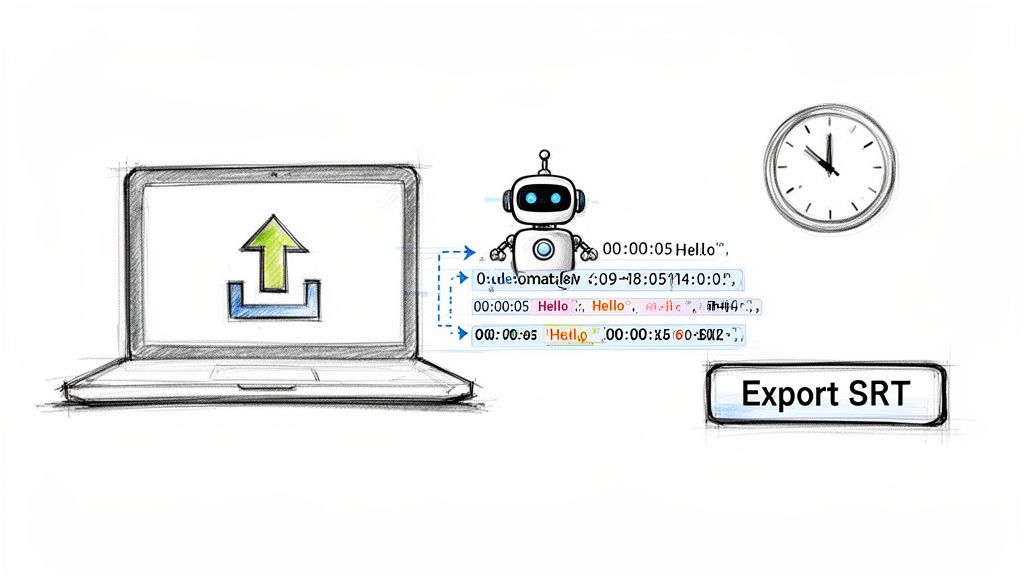
Instead of chaining yourself to your keyboard for an entire afternoon, you can get a perfectly synchronized subtitle file with just a few clicks. You just upload your video, and the AI does the heavy lifting—listening, transcribing, and stamping every line with the correct timing. It’s a complete game-changer.
Your Step-by-Step AI Subtitle Workflow
Getting from a raw video file to a polished subtitle file is surprisingly simple when you let AI handle the grunt work. You're still in the driver's seat, but the journey is a lot faster.
- Upload Your Video: First, just drag and drop your video file into the platform. HypeScribe works with over 100 languages, so you can easily cater to global viewers.
- Let the AI Do Its Thing: The AI gets to work analyzing your audio and generating a complete, time-coded transcript. This is the part that used to take forever, but now it’s often done in less than a minute.
- Review and Polish: AI is incredibly accurate these days—often hitting 99% accuracy—but it's not perfect. It’s always a good idea to give the text a quick once-over to fix any funky spellings of names, jargon, or unique terms. The built-in editor makes this super easy.
- Export Your File: Happy with how it looks? Just hit export.
This entire process turns a multi-hour chore into a quick task you can knock out before your coffee gets cold. If you're new to this, this guide on how to add subtitles to video is a great place to get your bearings.
Choosing Your Export Format
The last step is grabbing your subtitles in the right format. HypeScribe gives you a few key options, like the universally loved SRT file or the more web-focused VTT format.
As you can see, the export options are clean and straightforward. With one click, you can have an SRT file ready for YouTube or a VTT file for your own website. This flexibility means your subtitles will work perfectly no matter where your video lives. You can learn more about how the underlying tech works in our deep dive on AI-powered transcription software.
This kind of speed and efficiency is fueling massive growth in the industry. The market for live captioning alone is expected to hit USD 2,693.95 million by 2035, which tells you everything you need to know about the soaring demand for instant, accessible text on video.
Common Questions About Subtitles
Even with the basics down, a few practical questions always pop up when it's time to actually create subtitles for your own videos. Let's tackle some of the most common ones I hear from other creators.
We'll clear up the technical jargon, explore how subtitles can give your video a serious visibility boost, and show you how to nail the timing without pulling your hair out.
Hardcoded vs. Softcoded Subtitles: What's the Real Difference?
This is a big one, and knowing the difference is crucial for your video strategy. It all comes down to control and flexibility.
Hardcoded subtitles are "burned" into your video file. They become a permanent part of the image itself, like a tattoo on your video. The viewer cannot turn them off.
Softcoded subtitles, on the other hand, are a separate text file that plays alongside your video. Viewers have the power to turn them on or off, making them the more user-friendly and accessible option.
When you use a tool like HypeScribe, you're creating softcoded subtitle files (like SRT or VTT). This is the modern standard for a reason—it gives viewers choice and, as we'll see next, it's a game-changer for SEO.
Do Subtitles Actually Help with Video SEO?
Yes, absolutely. In my experience, it's one of the most powerful and often overlooked benefits of adding text to video.
Think about it: search engines like Google can't watch a video to figure out what it's about. They rely on text. When you upload a softcoded subtitle file, you’re essentially giving the search engine a full, keyword-rich transcript of your content.
This tells Google exactly what your video covers, helping it show up in relevant search results. You're making your video's content readable to the machines that decide who sees it.
How Do I Get My Subtitles Perfectly Timed?
Nothing screams "amateur" like subtitles that are out of sync with the audio. Manually timing each line of text is a tedious, painstaking process that's incredibly easy to mess up. One small slip-up and the entire viewing experience is thrown off.
Honestly, the best way to get perfect sync is to let technology do the heavy lifting. An AI-powered tool analyzes the audio track and matches the transcribed text to the precise moment it's spoken. It completely removes the human error and guesswork, giving you flawless timing every single time.
Ready to create perfectly timed, accurate subtitles in minutes? HypeScribe uses advanced AI to turn your videos into accessible, searchable content with just a few clicks. Stop wrestling with manual transcription and start reaching a global audience today by visiting https://www.hypescribe.com.


































































































