10 Hybrid Meeting Best Practices to Implement in 2026

Hybrid meetings are the new standard, yet executing them effectively remains a significant hurdle for most organizations. The common experience is one of frustration: remote attendees feel disconnected and unheard, technical failures constantly interrupt the flow, and the divide between those in the physical room and those joining virtually stifles genuine collaboration. This disconnect leads to disengagement, miscommunication, and ultimately, wasted time. Successfully navigating this environment requires more than just high-quality webcams; it demands a complete reimagining of the meeting process itself.
The core challenge is creating a single, unified experience where every participant, regardless of their location, has an equal opportunity to contribute and feel included. This guide provides a definitive roundup of hybrid meeting best practices, moving beyond generic advice to offer concrete, actionable strategies. We will detail the specific technology setups, facilitation techniques, and inclusive protocols that transform disjointed calls into highly productive and equitable collaboration sessions. For a broader perspective on establishing an effective hybrid environment, consider these essential hybrid work model best practices which set the foundational culture for success.
In this article, you will learn how to implement advanced yet practical solutions, including:
- Designated Facilitator Roles: Assigning a specific person to bridge the virtual and physical rooms.
- Inclusive Tech Protocols: Establishing clear rules for camera and microphone usage to ensure everyone is seen and heard.
- Strategic Room Setup: Optimizing camera angles and participant positioning for maximum visibility.
- Structured Agendas: Designing meeting flows that intentionally create space for every voice.
These proven techniques are designed to close the gap between participants, fostering an environment where innovation and teamwork can thrive, no matter where your team members are located.
1. Dual-Screen Setup with Presenter View
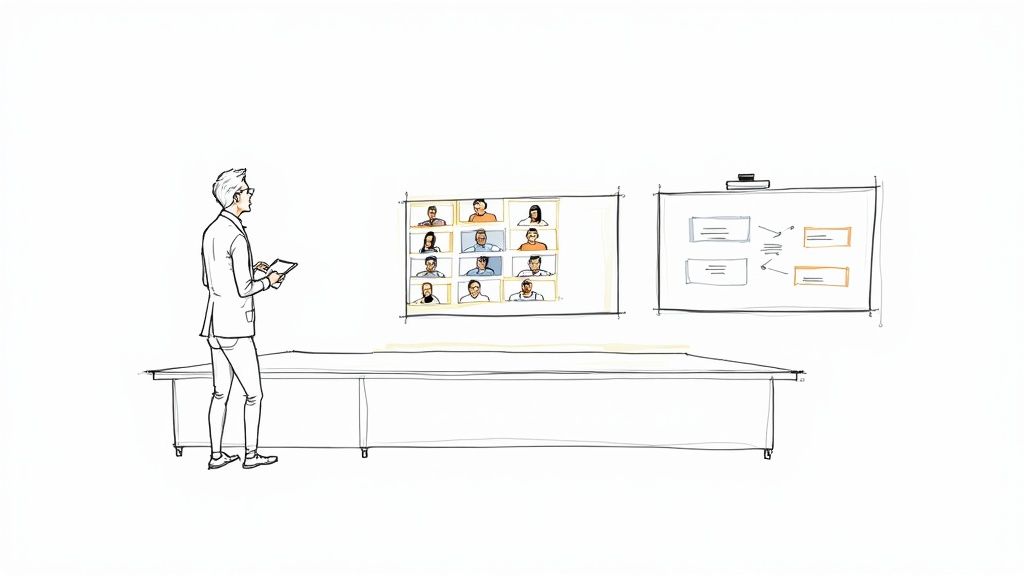
One of the most impactful hybrid meeting best practices is implementing a dual-screen setup in your physical meeting spaces. This configuration dedicates one screen exclusively for displaying remote participant video feeds and another for shared content like presentations or documents. The goal is to eliminate the jarring experience where sharing a screen minimizes or completely hides the faces of remote colleagues.
For the in-person audience, this creates a more immersive and connected feeling, as they can simultaneously see both the content being discussed and the reactions of their remote teammates. For remote participants, it ensures they remain a visible, consistent presence in the room, rather than a tiny thumbnail relegated to a corner. This setup fundamentally promotes equity by giving both groups of attendees equal visual priority.
Why It's a Game-Changer
A dual-screen setup directly tackles proximity bias by making remote attendees feel as present as those in the room. When a presenter shares their screen, remote faces don't disappear, which is crucial for reading non-verbal cues and maintaining engagement. The facilitator also benefits from a private presenter view on their own device, allowing them to see notes, manage slides, and monitor the chat without disrupting the main displays.
How to Implement a Dual-Screen Setup
- Technology: Use integrated systems like Microsoft Teams Rooms or Cisco Webex Board, which are designed for dual-display functionality. Most video conferencing platforms, including Google Meet and Zoom Rooms, support an "extended display" mode.
- Screen Placement: Position both screens at the front of the room at eye level. This encourages in-person attendees to look toward the remote participants, fostering a more natural interaction.
- Camera and Audio: Ensure your room camera can capture the entire group without distortion and that your audio system provides clear sound for all. Test the audio and video sync before every important meeting.
- Lighting: Check for glare on the screens from windows or overhead lights. Adjust lighting or screen positioning to ensure optimal visibility for everyone in the physical room.
2. Designated Hybrid Facilitator Role
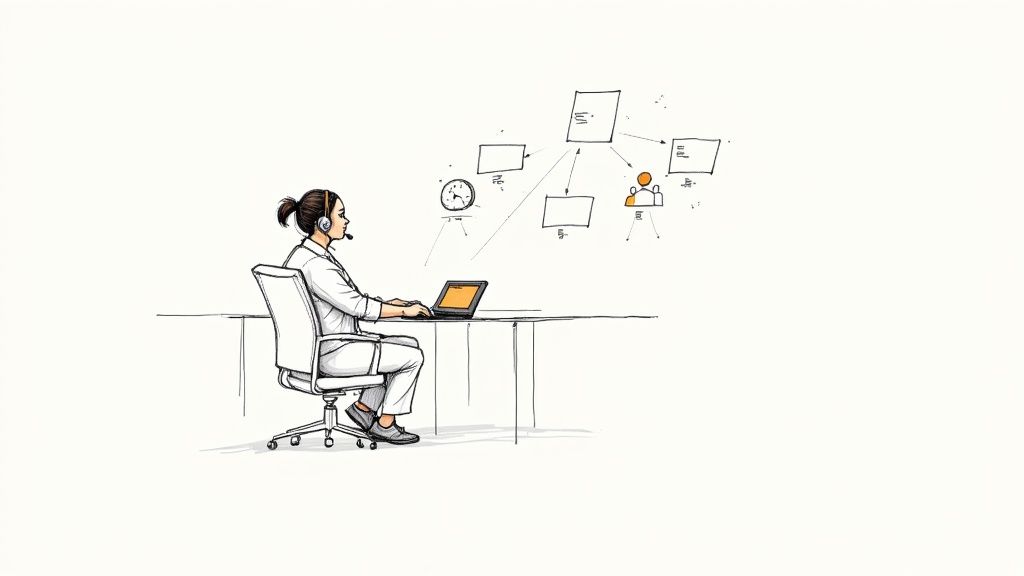
A key hybrid meeting best practice is assigning a dedicated facilitator whose sole responsibility is to manage the meeting's technical and social dynamics. This person acts as the essential bridge between the physical room and remote attendees, ensuring a smooth, equitable experience for everyone. Their focus isn't on the meeting content but on the meeting process: monitoring the chat, managing virtual hand-raises, and advocating for remote participants who may be struggling to break into the conversation.
This role, sometimes called a "meeting producer," elevates meeting quality by allowing the primary speaker or leader to focus entirely on their message. It directly addresses the common hybrid pitfall where remote attendees feel like passive observers. By having a dedicated advocate, their contributions are actively sought and integrated, preventing the in-person conversation from dominating the session.
Why It's a Game-Changer
Appointing a designated facilitator is a powerful strategy to combat proximity bias and create a truly inclusive environment. This person becomes the voice for the virtual audience, ensuring their questions are answered and their presence is acknowledged. For high-stakes meetings, like client presentations or all-hands updates, this role is invaluable for maintaining professionalism and engagement. Companies like Atlassian and GitLab have championed this approach to ensure their distributed teams collaborate effectively, making every participant feel seen and heard regardless of location.
How to Implement a Designated Facilitator Role
- Define Responsibilities: Clearly outline the facilitator's tasks. These should include managing the participant queue, monitoring chat for questions, launching polls, spotlighting speakers, and troubleshooting basic technical issues.
- Pre-Meeting Briefing: The facilitator and meeting leader should connect 15 minutes beforehand to review the agenda, clarify roles, and confirm the technology is working as expected.
- Empowerment: Give the facilitator the authority to politely interrupt the in-person conversation to bring in a remote comment or question. For example, "Pausing for a moment, Sarah (remote) has a related point in the chat."
- Post-Meeting Support: The facilitator can also assist with post-meeting tasks, such as distributing materials or ensuring action items are captured. Tools that generate automatic summaries can streamline this process, and you can learn more about AI for meeting minutes to enhance this workflow.
3. Inclusive Camera and Microphone Protocols
A foundational hybrid meeting best practice is establishing a clear and consistent protocol for camera and microphone usage. This means setting the expectation that all participants, whether joining from a conference room or their home office, should have their cameras on and be prepared to unmute. This practice is about creating psychological equity, ensuring that remote attendees are not just passive listeners but active, visible contributors.
When remote participants see a room full of people and the in-person attendees only hear disembodied voices, it creates a significant imbalance. A cameras-on policy closes this gap, fostering a unified meeting environment where everyone is equally present and accountable. It allows for the crucial exchange of non-verbal cues like smiles, nods, and facial expressions, which are vital for effective communication and building team cohesion.
Why It's a Game-Changer
An inclusive camera protocol directly combats the "out of sight, out of mind" phenomenon that often plagues hybrid work. It ensures remote team members are seen as individuals, not just names on a screen, which is critical for their contributions to be valued equally. This policy reinforces that presence and engagement are expected from everyone, regardless of their physical location, leveling the playing field and preventing remote employees from becoming second-class participants.
How to Implement Inclusive Camera and Mic Protocols
- Explain the "Why": Don't just issue a mandate. Clearly communicate that the policy is designed to enhance connection, equity, and inclusion, not for surveillance. Gaining buy-in is crucial for success.
- Set Clear Expectations: Document the protocol and share it during onboarding and meeting invites. Specify that cameras should be on unless there's a legitimate reason, and microphones should be muted when not speaking to reduce background noise.
- Offer Flexibility and Grace: Acknowledge that life happens. Allow for "camera breaks" during long meetings and create a simple, private way for employees to request exceptions for technical issues, personal emergencies, or accessibility needs.
- Lead by Example: Leadership and meeting facilitators must model the desired behavior. When executives and managers consistently keep their cameras on, it signals the importance of the policy and encourages others to follow suit.
4. Strategic Meeting Room Positioning and Camera Angles
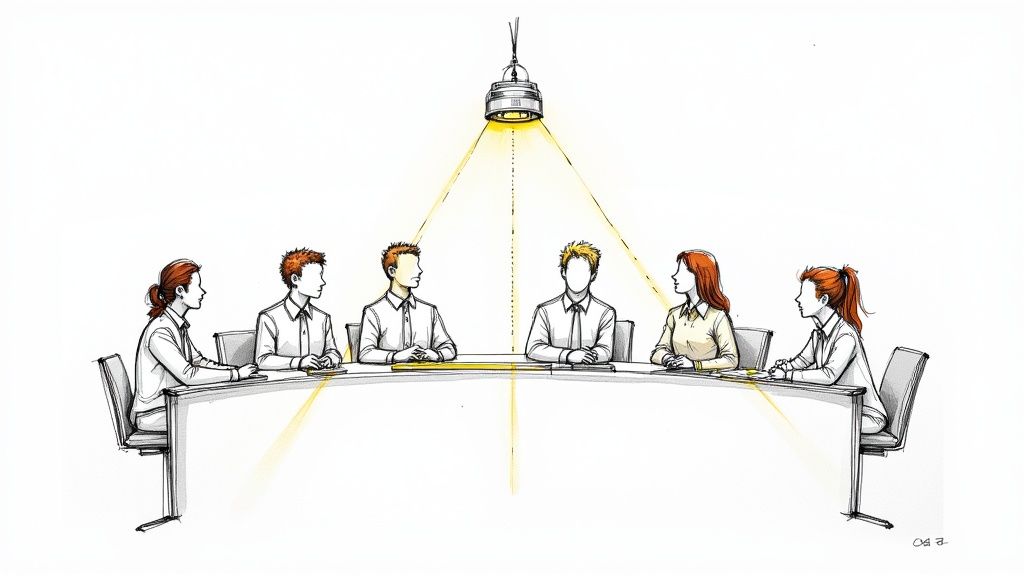
Another crucial entry in our list of hybrid meeting best practices involves thoughtfully designing the physical meeting space to promote visual equity. Strategic room positioning and camera placement ensure remote participants see their in-person colleagues as individuals rather than a distant, indistinct group. The objective is to move beyond the traditional "bowling alley" view of a long conference table and create a setup that captures authentic interaction and clear body language.
This approach deliberately arranges seating and technology to give remote attendees a clear, front-row seat to the discussion. When done correctly, it makes remote team members feel like they are looking at their colleagues, not just looking into a room. This fosters a stronger sense of connection and ensures that subtle, non-verbal cues from in-person attendees are not lost.
Why It's a Game-Changer
Thoughtful camera and seating arrangements directly combat the "out of sight, out of mind" phenomenon that plagues many hybrid meetings. By ensuring every in-person participant is clearly visible, you create an environment where remote attendees can easily identify who is speaking, gauge reactions, and feel more included in the natural flow of conversation. This setup also encourages in-person attendees to be more mindful of their remote counterparts, as they are positioned to face the camera and, by extension, the virtual audience.
How to Implement Strategic Positioning
- Seating Arrangement: Arrange chairs in a semicircle or V-shape facing the camera and main display. This ensures everyone is visible and encourages them to address both the room and remote participants simultaneously.
- Camera Technology: Invest in modern camera solutions. Pan-tilt-zoom (PTZ) cameras can dynamically focus on active speakers, while 360-degree cameras placed in the center of a table provide a panoramic view, as seen in some Google Meet and Cisco Webex Rooms setups.
- Camera Placement: Position the primary camera at eye level to simulate a natural face-to-face conversation. Placing it too high or low can create a disconnect. Aim for a distance that captures body language without making individuals seem too far away.
- Lighting: Use professional lighting principles to eliminate harsh shadows and ensure faces are clearly illuminated. A simple key light and fill light setup can dramatically improve video quality and participant visibility.
5. Structured Participation and Turn-Taking Protocols
One of the most effective hybrid meeting best practices is establishing clear, structured protocols for participation. This involves creating a formal system to manage how contributions are made, ensuring that both remote and in-person attendees have an equal opportunity to speak. The goal is to move beyond a conversational free-for-all, which inherently favors louder voices and those physically present, toward a moderated, equitable discussion.
By implementing virtual hand-raising, round-robin speaking orders, and moderated Q&A sessions, you can prevent dominant personalities from monopolizing the conversation. This structure gives quieter or remote participants a clear, low-friction path to voice their ideas, transforming the meeting from a competition for airtime into a collaborative exchange. It directly addresses proximity bias by making participation intentional rather than opportunistic.
Why It's a Game-Changer
Structured participation levels the playing field, ensuring that valuable insights are not lost simply because someone is less assertive or is participating through a screen. It forces the meeting facilitator and attendees to be mindful of who is contributing and who has yet to speak. This deliberateness is key to inclusive decision-making and fosters a psychologically safe environment where every voice is explicitly welcomed and expected. This approach is fundamental to effective remote team management and ensures all team members feel valued.
How to Implement Structured Participation
- Communicate Guidelines: Announce the participation rules at the beginning of the meeting and include them in the agenda. For example: "We'll be using the 'raise hand' feature for questions and will go in order."
- Use Platform Features: Leverage your video conferencing tool's native hand-raising function. The facilitator should monitor the queue and call on people in the order they raised their hands.
- Implement Round-Robin: For brainstorming or status updates, go around the "room" in a predetermined order, explicitly calling on each person, including those on screen. This guarantees everyone gets a turn.
- Set Time Limits: For larger meetings or specific agenda items, assign brief speaking time limits (e.g., "2 minutes per person") to keep the discussion moving and allow for more voices to be heard.
- Actively Solicit Input: The facilitator should actively scan both the physical room and the virtual gallery, explicitly inviting contributions from those who have been quiet. A simple, "Sarah, we haven't heard from you yet, what are your thoughts?" can make all the difference.
6. Advanced Audio Equipment with Automatic Microphone Management
One of the most critical, yet often overlooked, hybrid meeting best practices is investing in high-quality audio equipment that features automatic microphone management. This technology uses an array of smart microphones to automatically detect who is speaking, amplify their voice, and actively suppress extraneous background noise. The result is crystal-clear audio for everyone, eliminating the common hybrid meeting frustration of asking, "Can you speak up?" or "Who was that?"
This intelligent audio setup ensures remote participants feel as though they are in the room, able to hear every contribution with clarity, regardless of where the speaker is sitting. For in-person attendees, it removes the need to huddle around a central microphone or manually pass one around. The system handles the audio dynamics seamlessly, creating a more natural and equitable conversation flow for all involved.
Why It's a Game-Changer
Advanced audio systems solve the fundamental problem of audio inequality in hybrid settings. Technologies like the Shure MXA series or Sennheiser TeamConnect Ceiling 2 use directional "beamforming" microphones to pinpoint and focus on the active speaker. This isolates their voice from ambient room noise, like rustling papers or coughing, ensuring that remote attendees receive a clean audio feed. It allows for a more fluid and less managed conversation, making the technology feel invisible while dramatically improving the experience.
How to Implement an Advanced Audio System
- Technology: Invest in professional-grade systems like the Sennheiser TeamConnect Ceiling 2, Shure Microflex Advance series, or integrated solutions within products like the Cisco Webex Board. For sophisticated control over sound, understanding the role of advanced digital mixer audio systems can drastically improve the participant experience.
- Professional Installation: Hire an experienced AV integrator who is familiar with your specific room acoustics and video conferencing platform. Proper installation and calibration are crucial for optimal performance.
- Strategic Placement: Work with your installer to determine the best microphone placement. Ceiling-mounted arrays offer clean, out-of-the-way coverage, while table-mounted options can be effective in specific U-shaped or boardroom layouts.
- Regular Audits: Conduct quarterly audio quality checks to ensure the system is still calibrated correctly, especially after any changes to the room's layout or furniture. Document the optimal settings to maintain consistency.
7. Pre-Meeting Technical Rehearsal and Troubleshooting Protocol
One of the most practical hybrid meeting best practices is establishing a mandatory technical walkthrough 15 to 30 minutes before any significant hybrid meeting. This proactive protocol involves key participants and facilitators joining early to identify and resolve potential connectivity, audio, video, and screen-sharing issues. The goal is to ensure a seamless experience once the full meeting begins, preventing delays and building confidence in the hybrid format.
This rehearsal allows the host to confirm that remote attendees can be seen and heard clearly and that in-person equipment is functioning as expected. By troubleshooting in advance, you eliminate the common, frustrating first five minutes of a meeting where everyone is asking, "Can you hear me now?" This creates a more professional, efficient, and equitable environment for everyone involved, regardless of their location.
Why It's a Game-Changer
A pre-meeting tech check directly prevents technical glitches from derailing the meeting's momentum and purpose. It shows respect for participants' time and reduces anxiety for both presenters and attendees. This practice, borrowed from broadcast media and live event production, treats internal meetings with the same level of seriousness as a public-facing event. It ensures that technology serves as an enabler, not an obstacle, to effective communication and collaboration.
How to Implement a Pre-Meeting Technical Rehearsal
- Create a Checklist: Develop a standardized technical checklist specific to your meeting rooms and platforms. Include items like checking microphone levels, camera angles, screen-sharing functionality, and internet connection stability.
- Schedule Rehearsal Time: Formally schedule the tech check at least 20 minutes before the official meeting start time and make it mandatory for all presenters and key stakeholders.
- Test with Participants: Involve at least one remote and one in-person participant in the rehearsal to test the experience from both perspectives.
- Have Support on Standby: For high-stakes meetings, ensure an IT support person is available or on call during the rehearsal period to address complex issues immediately.
- Document and Learn: Keep a brief log of any issues discovered and the solutions applied. This documentation helps refine your checklist and prevent recurring problems in future meetings. For critical events, consider running a rehearsal the day before as well as the day of the meeting.
8. Accessible Closed Captioning and Real-Time Translation
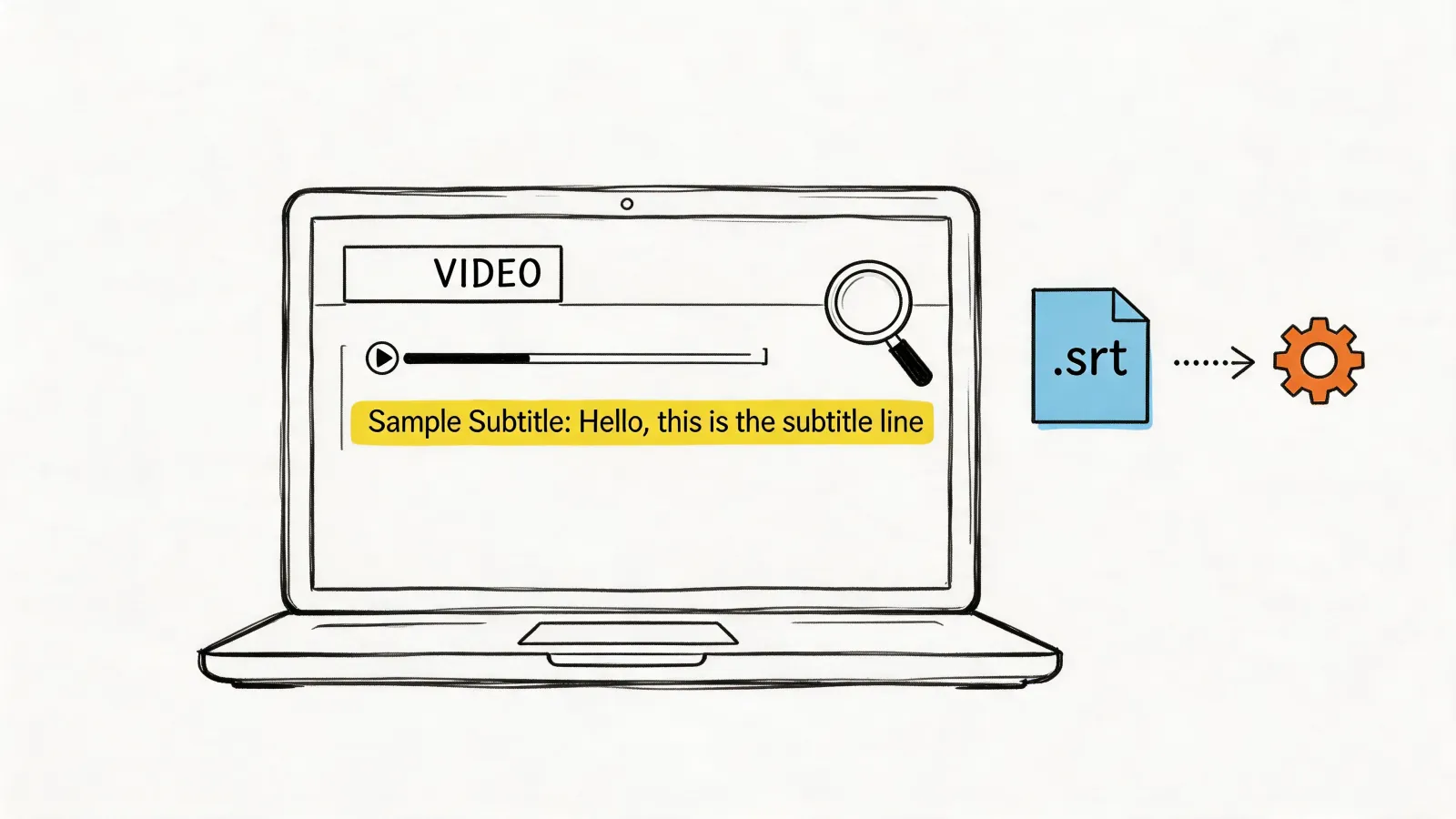
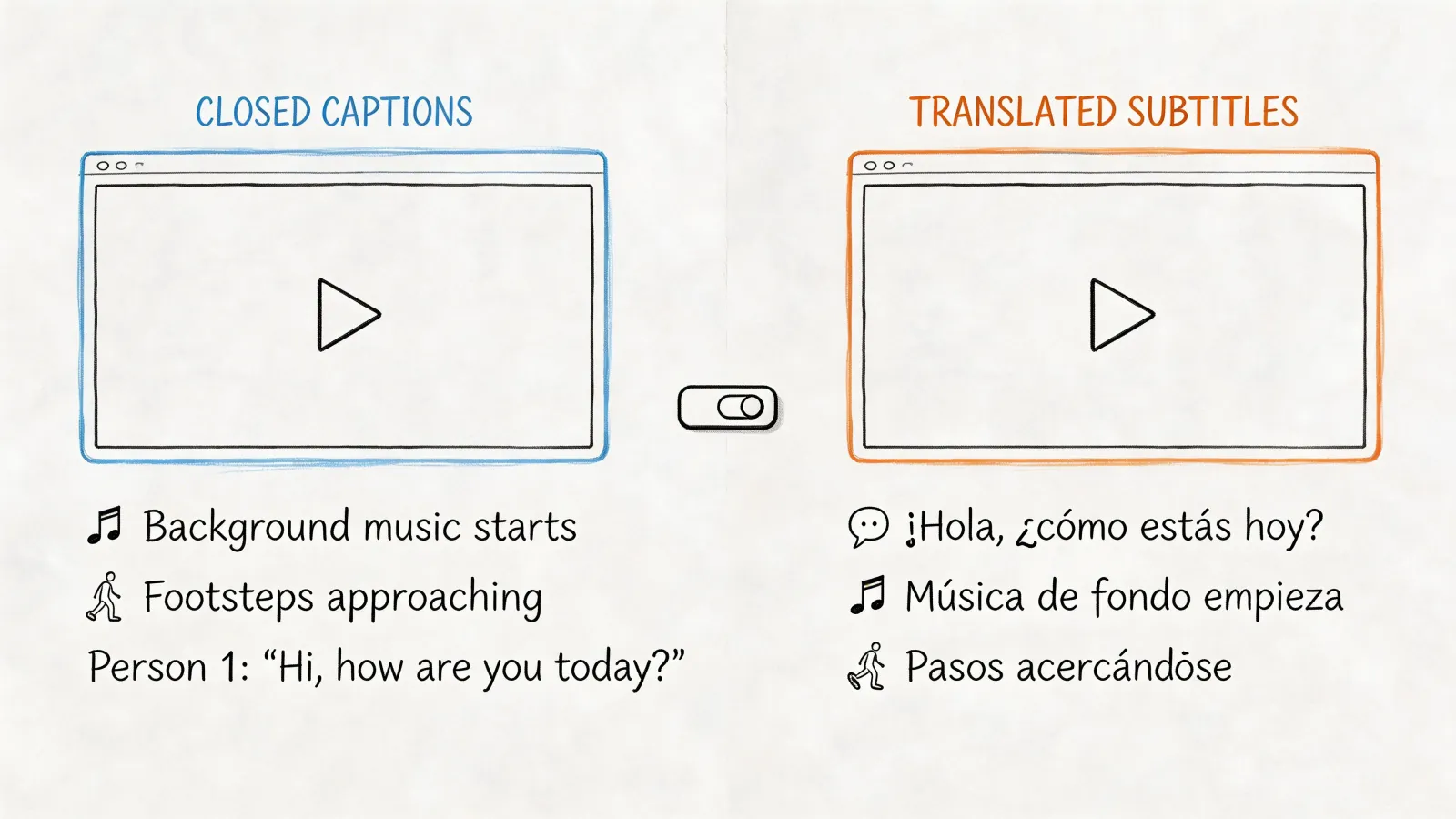
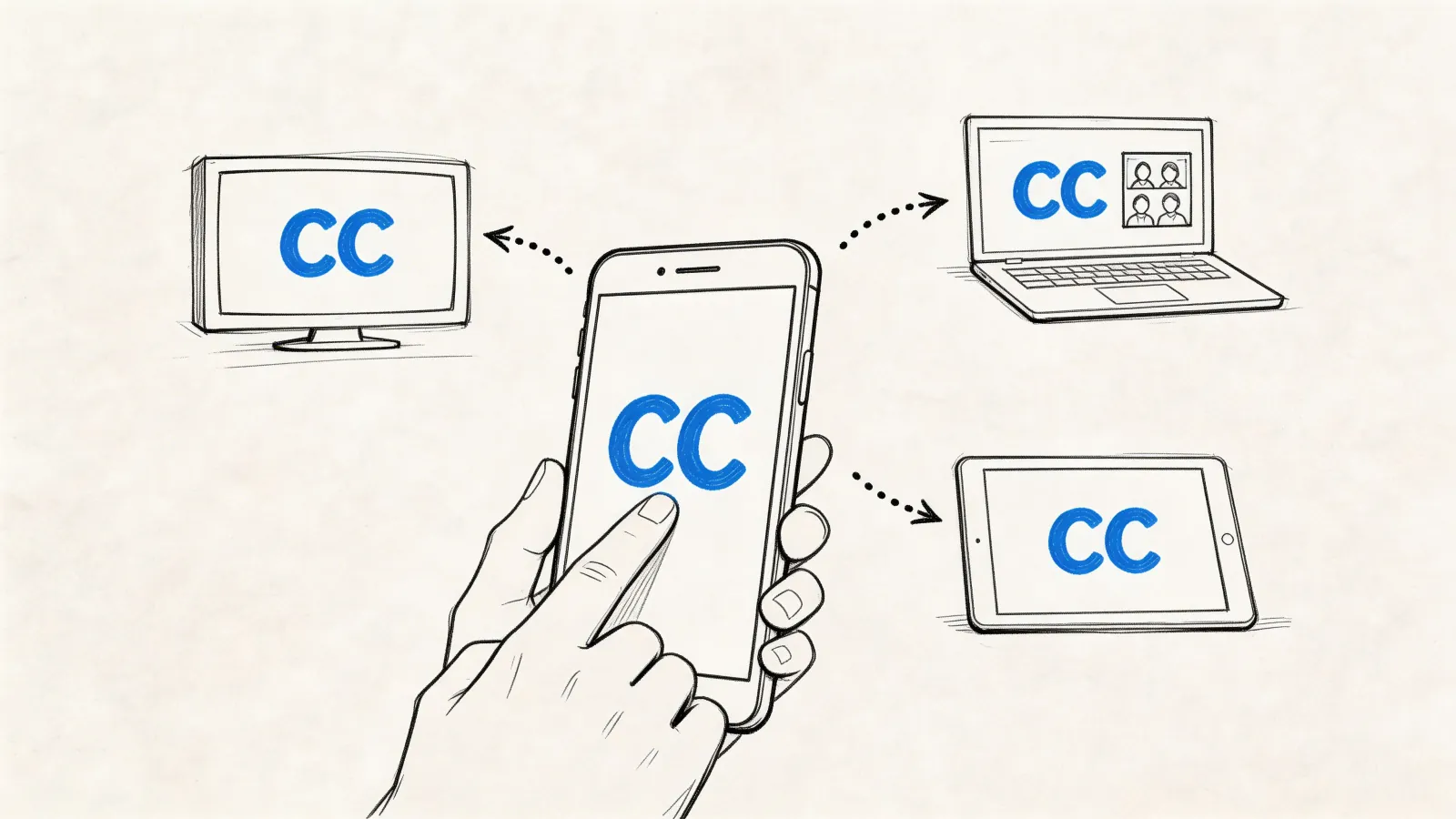
To foster a truly inclusive environment, one of the most important hybrid meeting best practices is to provide accessible closed captioning and real-time translation. This technology actively removes communication barriers for participants who are deaf or hard of hearing, non-native speakers, or even those joining from a noisy environment. By displaying a live, written transcript of the conversation, you ensure every attendee can follow along accurately, regardless of auditory or language challenges.
This practice levels the playing field, allowing for equal participation and comprehension. It transforms the meeting from a passive listening experience into an accessible, multi-modal engagement where everyone has the tools they need to contribute effectively. For global teams, real-time translation is not just a convenience; it is a fundamental requirement for effective collaboration.
Why It's a Game-Changer
Live captioning and translation directly address the diversity and accessibility needs of a modern workforce. It moves beyond basic compliance to create a space where everyone feels valued and understood. Platforms like Google Meet and Microsoft Teams offer robust, AI-powered captioning in multiple languages, making this feature more accessible than ever. This inclusivity boosts psychological safety, encouraging team members who might otherwise remain silent to share their valuable insights.
How to Implement Captioning and Translation
- Technology: Enable platform-native features like Zoom's Live Transcript or Google Meet's auto-captioning as a baseline for all meetings. For high-stakes events, invest in professional human captioners (CART services) or specialized translation services for maximum accuracy.
- Participant Needs: Proactively ask about language or accessibility preferences in the meeting invitation. This shows consideration and allows you to prepare the right tools in advance.
- Display and Format: Ensure captions are displayed prominently, ideally at the bottom-center of the screen in a large, legible font (18pt minimum). If possible, use a dedicated screen area so captions do not obscure important visual content.
- Post-Meeting Resources: Provide a full meeting transcript within 24 hours. The capabilities of modern auto transcribe software make generating and sharing these resources simple, reinforcing key takeaways and supporting accessibility compliance.
9. Intentional Meeting Agenda Design with Clear Role Assignment
A vague agenda is a primary cause of meeting failure, and its negative effects are amplified in a hybrid setting. A core hybrid meeting best practice is designing intentional agendas that go beyond simple topics by assigning clear roles, allocating specific times, and defining participation expectations for every single item. This structured approach forces organizers to think through the meeting's flow and ensures no one, especially remote participants, is left wondering when or how they should contribute.
This level of detail transforms the agenda from a loose guide into an operational playbook for the meeting. By explicitly assigning a presenter, a facilitator, or a key contributor to each segment, you create accountability and structure. Remote attendees can see exactly where they fit into the conversation, empowering them to prepare and participate meaningfully, rather than waiting for an opportune moment that may never come.
Why It's a Game-Changer
An intentional agenda with assigned roles directly combats the "out of sight, out of mind" phenomenon that often plagues remote team members. When someone is listed as the designated speaker for "Agenda Item 3: Q3 Marketing KPI Review," they are automatically given the floor, ensuring equitable participation. This method also dramatically improves meeting efficiency, as it clarifies objectives and keeps discussions focused, preventing the meeting from being derailed by dominant personalities or unfocused conversations.
How to Implement Intentional Agenda Design
- Assign Explicit Roles: For each agenda item, specify the owner or presenter. Also, consider assigning a dedicated timekeeper and a "chat monitor" to voice questions or comments from remote attendees, ensuring their input is integrated into the live discussion.
- Timebox Everything: Allocate a specific number of minutes to each topic and stick to it. Include 5-10 minute buffers for every hour of meeting time to accommodate transitions or slight overruns without derailing the entire schedule. Clearly note time zones.
- Define Participation: Clearly label who is expected to actively participate versus who is attending for informational purposes only. Include a "Pre-work Required" section, detailing any documents to review or questions to consider beforehand.
- Distribute in Advance: Send the detailed agenda to all participants at least 24-48 hours before the meeting. Post it in the calendar invite, a shared document, and a team communication channel to ensure maximum visibility.
10. Network Redundancy and Failover Technology
One of the most critical yet often overlooked hybrid meeting best practices is ensuring your connection is resilient. Implementing network redundancy means having a backup internet connection and a failover system that automatically switches to a secondary line if the primary one fails. This prevents a single point of failure, like a local ISP outage, from derailing an important meeting and disconnecting your entire in-person team.
This practice is the bedrock of professional hybrid collaboration. For in-person attendees, it guarantees the meeting continues without interruption, maintaining momentum and focus. For remote participants, it means the virtual room doesn't suddenly vanish, which avoids confusion and the frustration of having to rejoin. It’s an essential strategy for maintaining business continuity and demonstrating reliability in a distributed work environment.
Why It's a Game-Changer
Network redundancy directly prevents catastrophic disruptions that can completely halt productivity. Imagine a critical board meeting, a high-stakes legal deposition, or a telemedicine session with a patient; an internet outage in these scenarios is unacceptable. A failover system provides a seamless, often unnoticeable, transition to a backup connection, ensuring the conversation continues without losing valuable time or data. This technical safeguard protects the meeting’s integrity and the organization's professional image.
How to Implement Network Redundancy
- Diverse ISPs: Contract with two different Internet Service Providers that use separate physical infrastructure (e.g., one fiber, one cable or 5G). This protects against a widespread outage affecting a single provider's network.
- Failover Hardware: Use a dual-WAN router or load balancer. These devices can manage multiple internet connections and are configured to automatically reroute traffic if the primary connection is lost.
- Power Backup: Install an Uninterruptible Power Supply (UPS) for your modem, router, and other critical network hardware. This keeps your connection live during a short power outage, giving your system time to stabilize.
- Regular Testing: Schedule and perform monthly failover tests. Simulate an outage by unplugging the primary connection to ensure the backup system engages as expected.
- Emergency Plan: Keep a fully charged mobile hotspot as a final, tertiary backup. Additionally, brief all participants on a fallback communication method, such as a conference call dial-in number, before the meeting starts.
10-Point Hybrid Meeting Best Practices Comparison
From Discussion to Action: Mastering the Hybrid Workflow
Navigating the complexities of hybrid work requires more than just new software; it demands a fundamental shift in how we approach collaboration. Throughout this guide, we explored ten foundational hybrid meeting best practices, moving beyond generic advice to provide a strategic blueprint for creating equitable, engaging, and productive sessions. Success isn't about finding a single magic bullet. Instead, it’s about architecting a comprehensive system where technology, process, and people work in harmony.
The journey from a disjointed call to a seamless hybrid experience is built on intentionality. It starts with designing the environment itself, using dual-screen setups to empower presenters and strategically positioning cameras to create a sense of shared space. It continues by establishing clear human-centric protocols, such as appointing a designated hybrid facilitator to advocate for remote attendees and implementing structured turn-taking to ensure every voice is heard. This deliberate approach transforms the meeting from a passive event into a dynamic and inclusive forum.
Key Pillars for Sustainable Hybrid Success
As you begin implementing these strategies, focus on three core pillars that encapsulate the most critical takeaways:
Technological Equity: Your technology stack should actively work to level the playing field. This means investing in advanced audio equipment that captures every voice clearly, providing accessible real-time closed captioning for all participants, and establishing network redundancy to prevent technical glitches from derailing the conversation. Technology should bridge the gap, not widen it.
Procedural Clarity: Ambiguity is the enemy of effective hybrid meetings. Success hinges on clear, documented processes that everyone understands. This includes a robust pre-meeting technical rehearsal, an intentionally designed agenda with assigned roles, and explicit protocols for camera and microphone usage. These structures remove guesswork and allow participants to focus on contribution rather than logistics.
Inclusive Facilitation: A dedicated facilitator is arguably the most crucial element in any hybrid meeting. This role is the human bridge between the physical and digital rooms, actively managing participation, monitoring the chat for questions, and ensuring remote attendees are fully integrated into the flow of conversation. Without active, conscious facilitation, the risk of proximity bias remains incredibly high.
Turning Conversation into Measurable Progress
Ultimately, the true measure of a successful meeting isn't just how smoothly it runs, but what happens after everyone logs off. The most insightful discussion is worthless if its outcomes are forgotten or miscommunicated. This is the final, critical piece of the hybrid workflow puzzle: transforming ephemeral conversations into a permanent, accessible source of truth. Without a reliable system for capturing decisions, action items, and key insights, momentum is lost, and teams fall out of sync.
This is where the power of AI-driven tools becomes indispensable for mastering modern hybrid meeting best practices. By automating the documentation process, you close the loop between discussion and action. An accurate transcript and an intelligent summary ensure that every stakeholder, whether they attended live or not, has immediate access to the same information. This creates a powerful layer of accountability and alignment, turning your well-run meetings into tangible organizational progress. The goal is to build a culture where every meeting moves the needle forward, and a searchable, shareable record is the engine that drives that momentum.
Ready to ensure no key decision or action item from your hybrid meetings gets lost? HypeScribe automatically transcribes and intelligently summarizes your discussions, creating a searchable single source of truth for your entire team. Start turning your conversations into action by trying HypeScribe today.