
12 Best Meeting Note Taking App Options for 2026

Whoever takes the notes participates least. That is the real cost of manual note-taking, and it is why a note-taking app earns its place — not because typing is slow. and important quotes. This mental juggling act means something always gets missed. Key details are lost, action items become ambiguous, and the valuable time spent after the meeting trying to decipher cryptic notes could be spent on actual work. The result is a poor record of what was discussed and a team that isn't fully aligned. This is where modern technology offers a powerful solution.
The core problem is divided focus. Manual note-taking forces you to be a scribe instead of an active participant. AI-powered meeting assistants solve this by automating the entire process. They join your calls, transcribe conversations in real-time, identify speakers, and generate concise summaries with clearly defined action items. This frees up your entire team to engage, brainstorm, and make decisions without the fear of missing a thing. For a comprehensive look at how these smart tools function, consider exploring the capabilities of an AI Notetaker.
This guide is designed to help you find the best meeting note taking app for your specific needs. We’ve gone hands-on with the top contenders, moving beyond marketing claims to test them in real-world scenarios. We'll analyze critical factors like transcription accuracy, integration with platforms like Zoom, Google Meet, and Microsoft Teams, and the quality of their AI-generated outputs. Each review includes screenshots, direct links, and an honest assessment of pros and cons, ensuring you have all the information needed to make a confident choice, whether you're a student, a journalist, or leading a remote enterprise team.
1. HypeScribe
HypeScribe establishes itself as a powerful and exceptionally versatile contender for the best meeting note taking app by combining lightning-fast AI transcription with a suite of productivity tools. From our testing, its core strength lies in turning spoken conversations from meetings, lectures, or interviews into structured, actionable text with remarkable speed and precision. The platform is engineered to process up to an hour of audio in under 30 seconds, delivering a full transcript so you can focus on outcomes, not manual note-taking.
What truly sets HypeScribe apart is its unique token-based pricing model. Instead of tracking minutes, which can be restrictive for users with long recordings, HypeScribe uses a "1 token = 1 file" system. This approach allows for unlimited-length file uploads, offering significant value and predictability for users who frequently handle extensive audio or video content, such as journalists, researchers, or academic professionals.
Core Features & Standout Capabilities
HypeScribe's toolkit is built for efficiency. The platform supports over 100 languages with up to 99% accuracy, making it a reliable choice for global teams. Its integrated note-taker bot can join your Zoom, Google Meet, or Microsoft Teams calls to provide real-time transcription and generate summaries automatically.
Beyond simple transcription, HypeScribe excels at creating usable assets. It automatically generates smart summaries, identifies key takeaways, and pinpoints action items, bridging the gap between discussion and execution. A standout feature we found particularly useful is the file-aware chatbot, which allows you to ask specific questions about the content of your stored recordings, turning your meeting archive into a searchable knowledge base.
- Transcription Engine: Processes 1 hour of audio in under 30 seconds.
- Live Meeting Integration: Note-taker bot for Zoom, Google Meet, and Microsoft Teams.
- AI-Powered Outputs: Generates summaries, key points, and action items.
- Flexible Inputs: Supports file uploads and direct links from YouTube, Vimeo, Google Drive, and various social media platforms.
- Security: Features encryption in transit and at rest, with automatic deletion of source files post-transcription.
Pricing and Plan Structure
HypeScribe’s pricing is transparent and designed for scalability. A free trial offers 3 file transcriptions per month (up to 1 hour each). Paid plans are token-based, and unused tokens roll over to the next month.
- Starter: $6.99/month for 30 files.
- Pro: $7.99/month for 60 files plus the live meeting note-taker.
- Ultra: $12.99/month for 300 files and expanded note-taker capacity.
Ideal User Profile and Practical Tips
HypeScribe is particularly well-suited for remote teams, students, and content creators who require fast turnarounds on long-form audio. To get the best results, ensure your audio source is as clear as possible. While the platform handles background noise well, a clean recording will always yield higher accuracy. For team workflows, utilize the diverse export options (Google Docs, Word, PDF, etc.) to integrate meeting outcomes directly into your existing project management or documentation systems.
Pros:
- Extremely fast transcription speed and high accuracy across 100+ languages.
- Value-driven, token-based system for unlimited-length files.
- Actionable AI outputs like summaries and action items.
- Broad support for various file and link inputs.
Cons:
- Accuracy is still dependent on audio quality.
- Lacks explicit enterprise certifications like SOC2 on its public site.
Website: https://www.hypescribe.com
2. Otter.ai
Otter.ai is one of the most established and recognized platforms in the AI transcription space, making it a strong contender for the best meeting note taking app. It excels by providing a mature, reliable service that integrates deeply into existing corporate workflows across Zoom, Google Meet, and Microsoft Teams. Its standout feature is the "OtterPilot," which can automatically join your calendar meetings to record and transcribe them in real time, even if you can't attend.
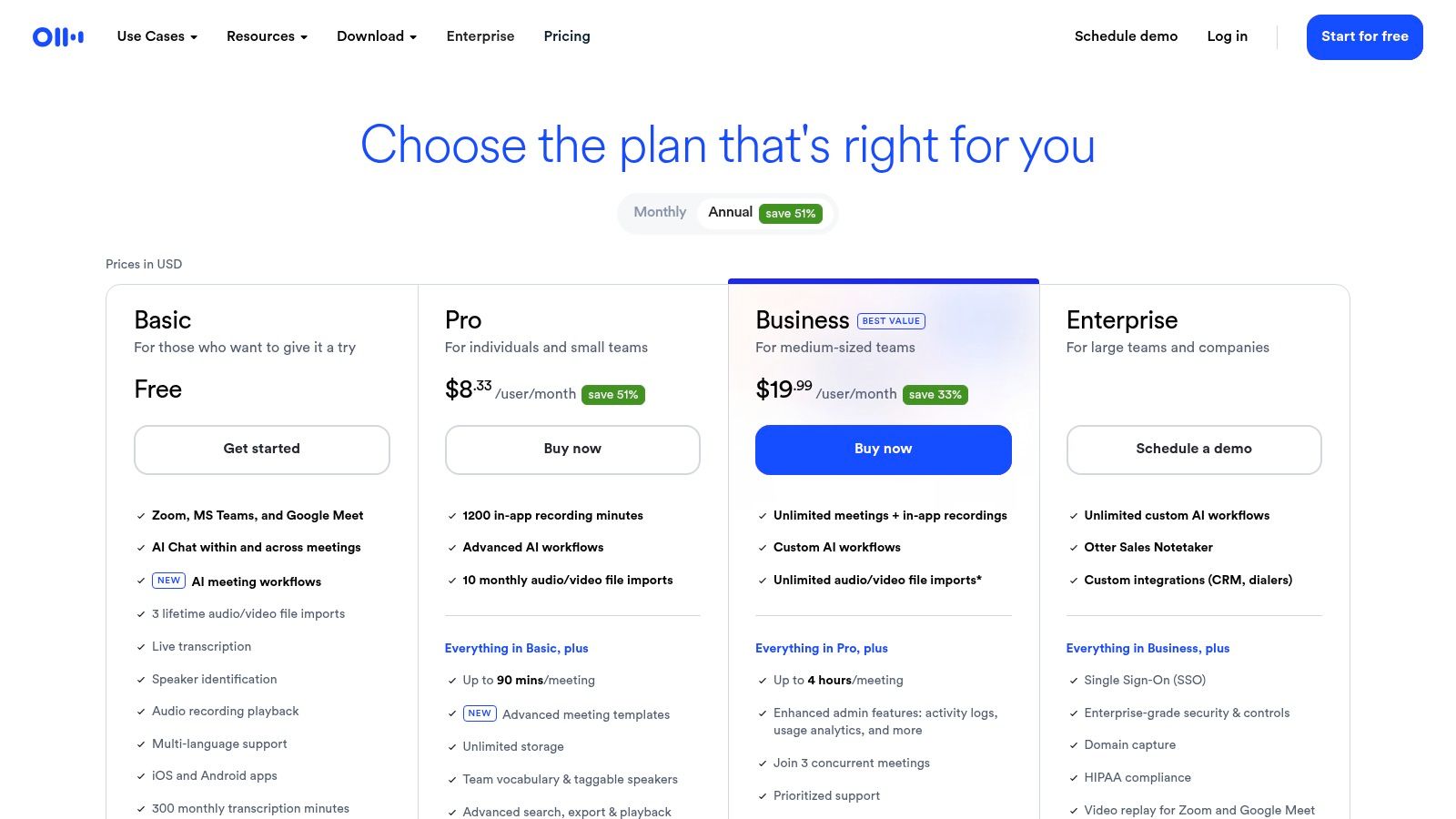
The platform is particularly strong for larger organizations that require robust administrative controls. Higher-tier plans offer features like single sign-on (SSO), centralized billing, and detailed usage analytics, which are essential for managing a tool at scale. Users can also leverage AI Chat to ask questions about past meetings, generating instant insights without needing to review entire transcripts. You can find out more about how Otter.ai and other platforms use AI in our guide to AI meeting note takers.
Key Features & User Experience
- Live Transcription: Provides real-time transcription with speaker identification.
- Automated Summaries: Generates concise summaries and clear action items post-meeting.
- Broad Integrations: Works seamlessly with major video conferencing tools and can auto-join scheduled calls.
- Admin Controls: Enterprise-grade features for security, user management, and compliance are available on Business and Enterprise plans.
The primary limitation we found is its pricing structure. While a free plan exists, it's quite restrictive, and the more powerful features are locked behind progressively more expensive tiers with specific minute caps. This makes it less ideal for users with infrequent but lengthy meetings who may not want to commit to a monthly subscription.
- Best For: Large teams and enterprises needing a mature, scalable, and secure transcription solution with strong admin oversight.
- Pricing: Offers a free Basic plan; paid plans start at $16.99/user/month.
- Website: https://otter.ai/pricing
3. Fireflies.ai
Fireflies.ai positions itself as a powerful AI assistant focused on conversation intelligence, making it a top choice for teams that need to extract analytical insights from their meetings. It goes beyond simple transcription by integrating deeply into a company's tech stack, connecting with CRMs, project management tools, and communication platforms like Slack. Its AI assistant, Fred, can join your calls on Zoom, Google Meet, and Microsoft Teams to record, transcribe, and analyze the conversation.
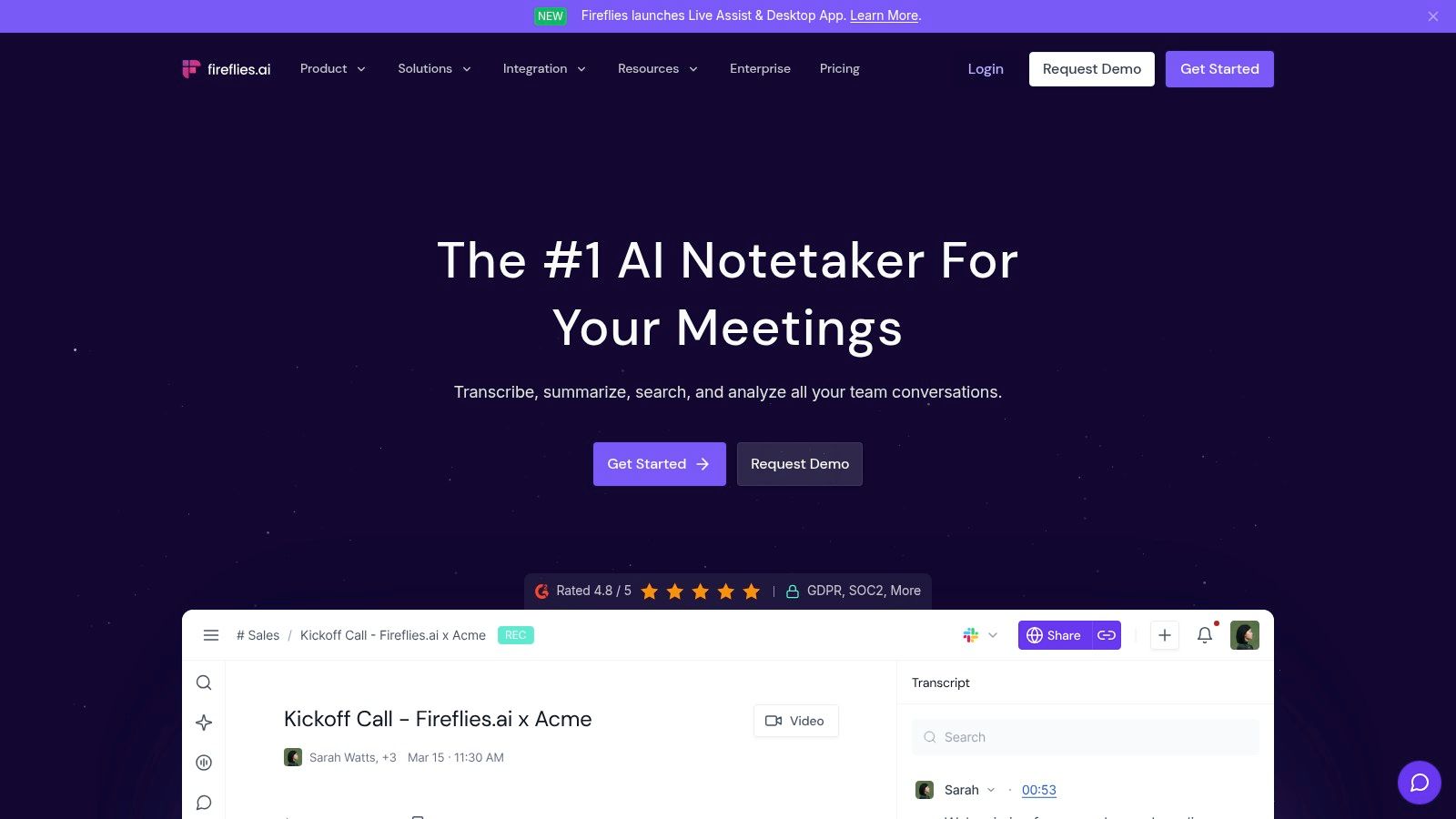
The platform is particularly valuable for sales and support teams who want to track topics, keywords, and sentiment over time. It offers robust analytics and a "Conversation Intelligence" module that provides data on speaker talk time, sentiment, and other key metrics. With support for over 69 languages and a vast integration library, Fireflies.ai is built to automate workflows far beyond just creating notes, making it a comprehensive solution for data-driven organizations.
Key Features & User Experience
- Deep Integrations: Connects with popular CRMs (like Salesforce and HubSpot), Slack, Zapier, and many other tools to automate post-meeting workflows.
- Conversation Intelligence: Provides detailed analytics on talk time, sentiment, and custom topic tracking to uncover insights.
- AskFred AI Assistant: Users can chat with their meeting transcripts to ask questions, generate summaries, and create content like emails or blog posts.
- Broad Language Support: Offers transcription in over 69 languages, making it ideal for global teams.
A primary strength is its generous storage and transcription model on paid plans, with the Pro tier offering 8,000 minutes of storage and the Business tier providing unlimited transcription and storage. However, some advanced AI features rely on a credit system, which may require purchasing add-ons for heavy use.
- Best For: Sales, support, and operations teams that need to integrate meeting data directly into their CRM and other business tools for deep analysis.
- Pricing: Offers a free plan with limited transcription credits; paid plans start at $18/user/month.
- Website: https://fireflies.ai/pricing
4. Avoma
Avoma presents itself as an end-to-end meeting lifecycle assistant, moving beyond simple transcription to offer scheduling, AI-generated notes, and powerful intelligence add-ons. It stands out by focusing on go-to-market and customer-facing teams who need to push meeting data directly into their CRM and other systems. We were particularly impressed by its unique pricing model, which only bills for recording seats, making it an attractive option for teams where many members need to view notes but not actively record meetings.
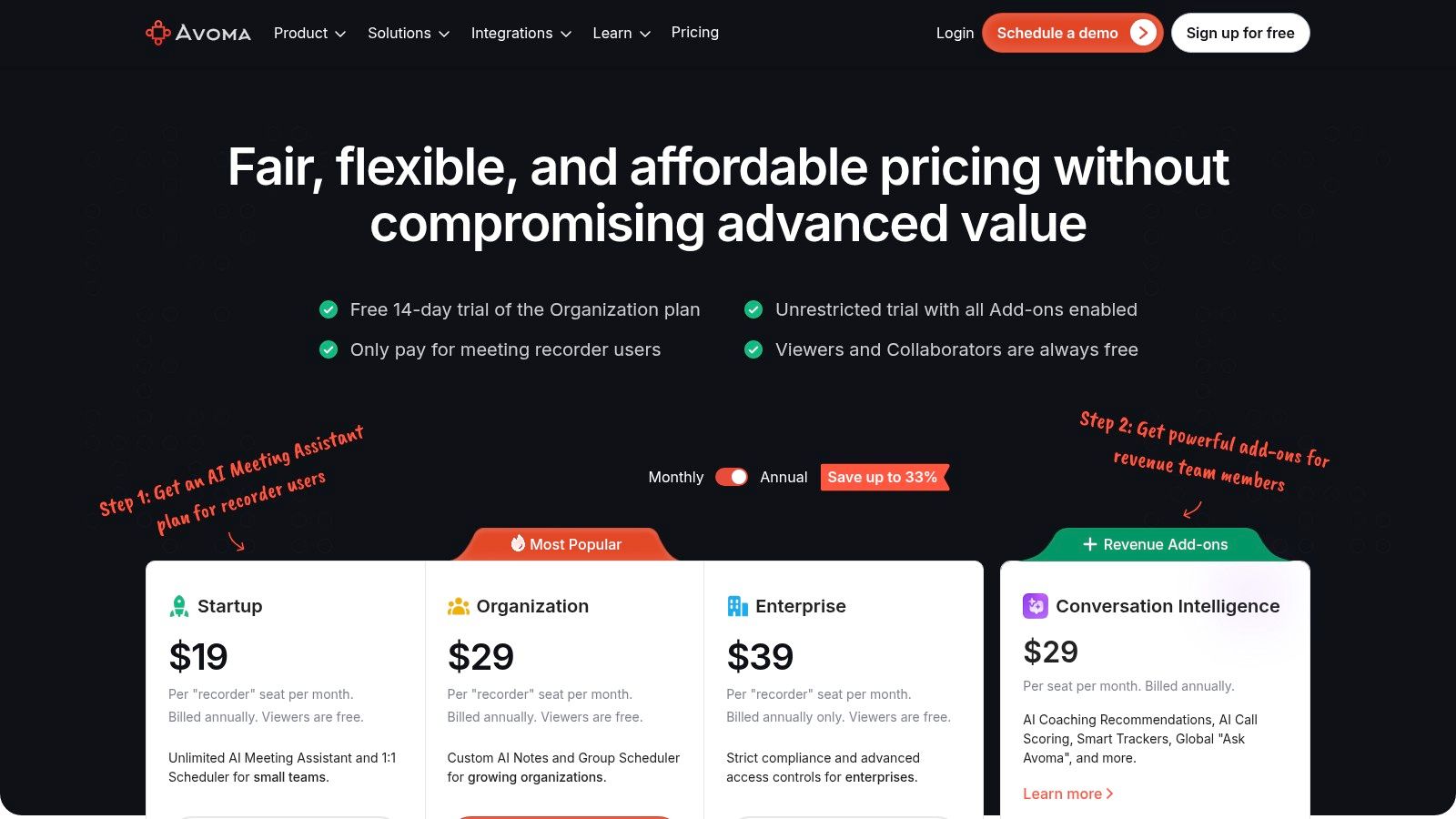
This platform excels at integrating meeting intelligence into existing workflows, particularly for sales and customer success. The ability to add on Conversation and Revenue Intelligence transforms it from a simple note-taker into a strategic tool for analyzing customer sentiment, tracking keywords, and improving team performance. This makes Avoma a strong contender for the best meeting note taking app for revenue-generating departments.
Key Features & User Experience
- AI Notes & Summaries: Automatically generates detailed notes, summaries, and action items from every call.
- Collaborator Model: Only users who need to record meetings require a paid seat; collaborators and viewers are free.
- Built-in Scheduler: Includes a meeting scheduler to streamline the booking process before the meeting even starts.
- Intelligence Add-ons: Optional Conversation and Revenue Intelligence modules provide deep analytics on sales calls and customer interactions.
The main consideration is that its most powerful features are often part of paid add-ons, which can increase the overall cost. Additionally, higher-tier plans may have minimum seat requirements, making it better suited for established teams rather than solo users or very small businesses.
- Best For: Sales, customer success, and other GTM teams that need to integrate meeting intelligence directly into their CRM and workflows.
- Pricing: Offers a free Basic plan; paid plans start at $24/user/month.
- Website: https://www.avoma.com/pricing
5. Fathom
Fathom offers a powerful and accessible AI notetaker, making a strong case as a best meeting note taking app by focusing on a generous free offering and straightforward functionality. It integrates directly with Zoom, Google Meet, and Microsoft Teams to record, transcribe, and summarize your meetings automatically. Its key differentiator is providing unlimited recordings, transcriptions, and storage even on its free plan, which is a significant advantage for individuals and small teams.
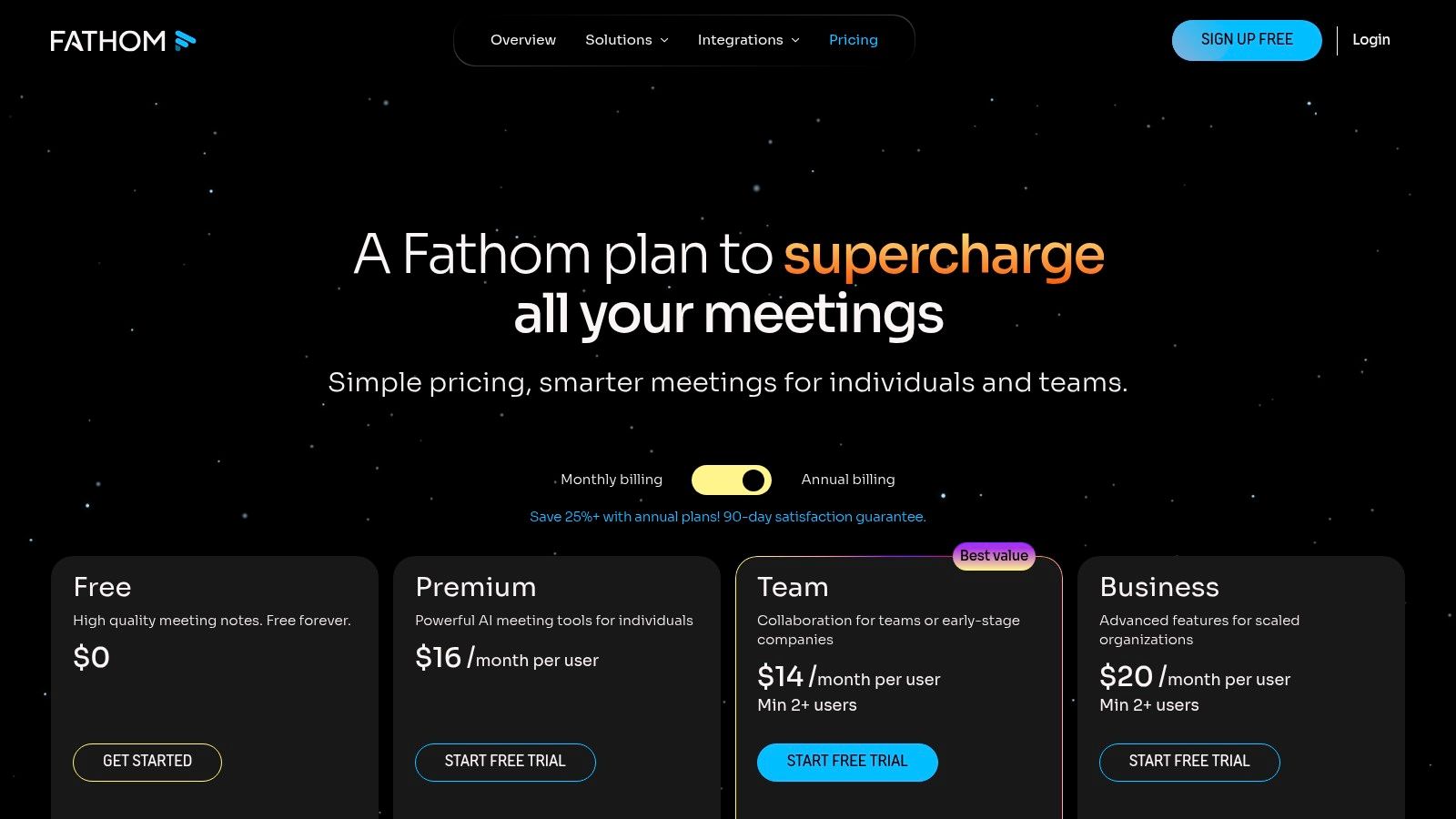
The platform excels at generating highly structured summaries tailored to specific meeting types, such as sales calls or customer feedback sessions. During a call, you can click to highlight key moments, which Fathom then uses to build a more relevant summary and set of action items. This feature helps streamline workflows for customer-facing roles by automatically populating CRM systems like Salesforce and HubSpot with call notes, saving significant administrative time.
Key Features & User Experience
- Generous Free Plan: Offers unlimited meeting recordings and transcriptions at no cost.
- Click-to-Highlight: Allows users to mark important moments during a live call for easy reference later.
- Structured Summaries: Provides multiple summary templates that can be customized for different meeting goals.
- CRM Integration: Automatically syncs call notes and highlights to popular CRM platforms on paid plans.
The primary limitation is that its most powerful team-based features and advanced administrative controls are reserved for its paid Team Edition. Additionally, achieving the best coverage and functionality often requires installing a desktop application or browser extension, which may be a hurdle in some corporate environments.
- Best For: Individuals, small businesses, and sales teams looking for a free or low-cost solution with powerful, unlimited core features.
- Pricing: Offers a free Standard plan; the Team Edition plan is $32/user/month.
- Website: https://fathom.video/pricing
6. Supernormal
Supernormal positions itself as a practical and action-oriented platform, making it a strong candidate for the best meeting note taking app for teams focused on output. It shines by turning meeting conversations directly into structured documentation and tasks. Its key differentiator is the emphasis on templates, which allow users to pre-define the format for notes from recurring meetings like sales calls, one-on-ones, or sprint planning, ensuring consistency and saving significant time on post-call editing.
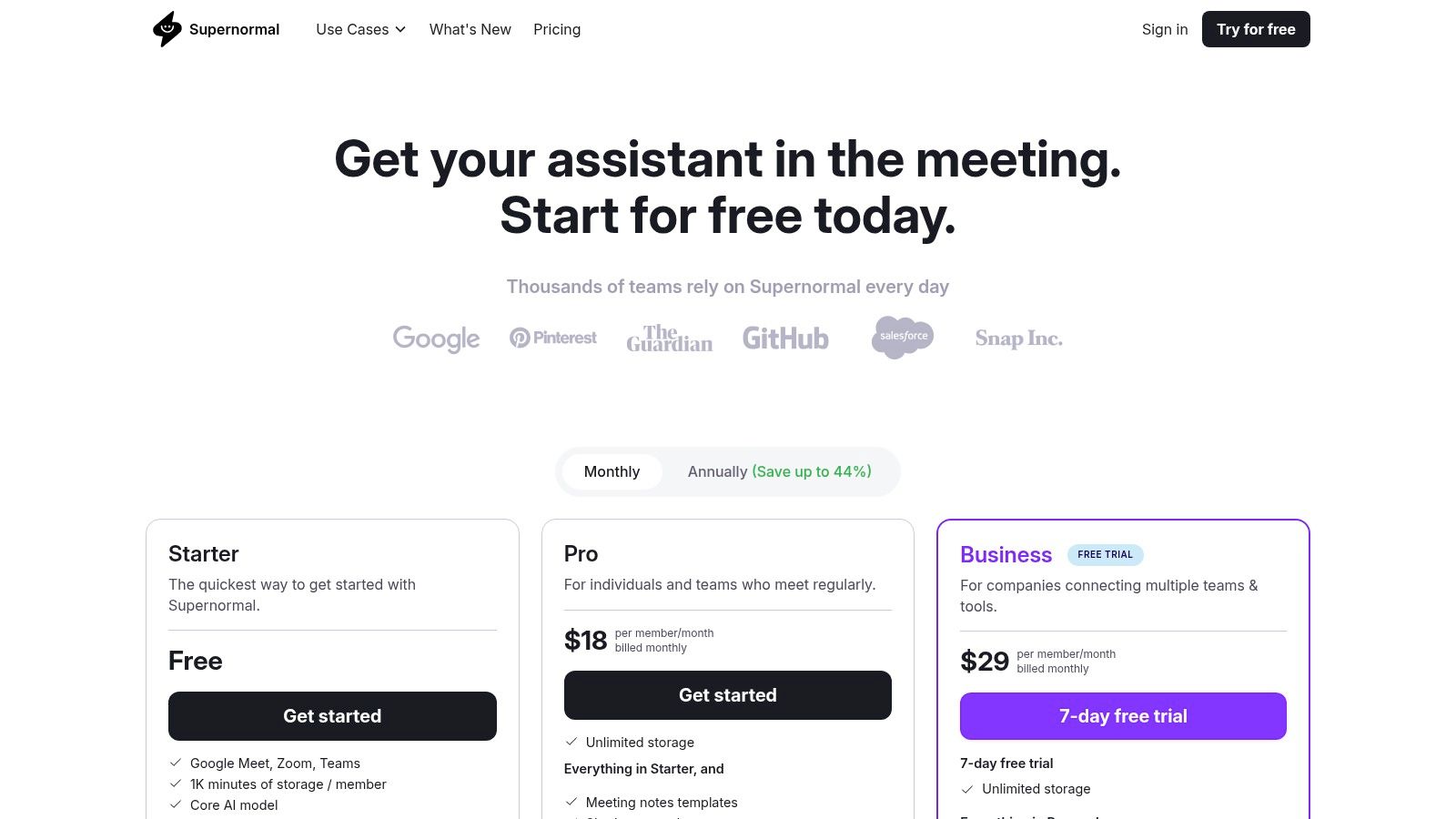
The platform is built around creating a seamless workflow from conversation to action. By integrating directly with tools like Asana, Slack, ClickUp, HubSpot, and Salesforce, Supernormal allows teams to push action items and key insights from a meeting into their existing project management or CRM systems with a single click. This tight integration helps close the loop between discussion and execution, ensuring that important takeaways don't get lost in a transcript.
Key Features & User Experience
- Note Templates: Create and reuse templates for different meeting types to generate consistently formatted notes instantly.
- Deep Integrations: Connects with popular project management and CRM tools to create tasks and update records directly from your meeting notes.
- Video Recording: Offers secure video recording of your meetings, with controls for sharing and privacy.
- Automated Summaries: Generates multi-format summaries, from a quick paragraph to detailed bullet points and action items.
The main limitation is found in the free tier, where storage is based on transcription minutes rather than a set number of meetings, which can be restrictive. Additionally, some of the more advanced AI features and team-wide templates are gated behind the paid Business tier, making it the most practical option for organizational use.
- Best For: Teams that need to streamline their workflow from meetings directly into their project management or CRM tools.
- Pricing: Offers a free Starter plan; paid plans begin at $19/user/month.
- Website: https://www.supernormal.com/pricing
7. Sembly AI
Sembly AI presents itself as a smart team assistant, making it a powerful choice for a meeting note taking app focused on collaboration and analytics. It integrates with major platforms like Zoom, Google Meet, and Microsoft Teams to record, transcribe, and analyze conversations, generating intelligent notes, to-do lists, and key discussion points. Its standout feature is the "Sembly for Teams" functionality, which provides analytics on team performance, topic trends, and participation across meetings.
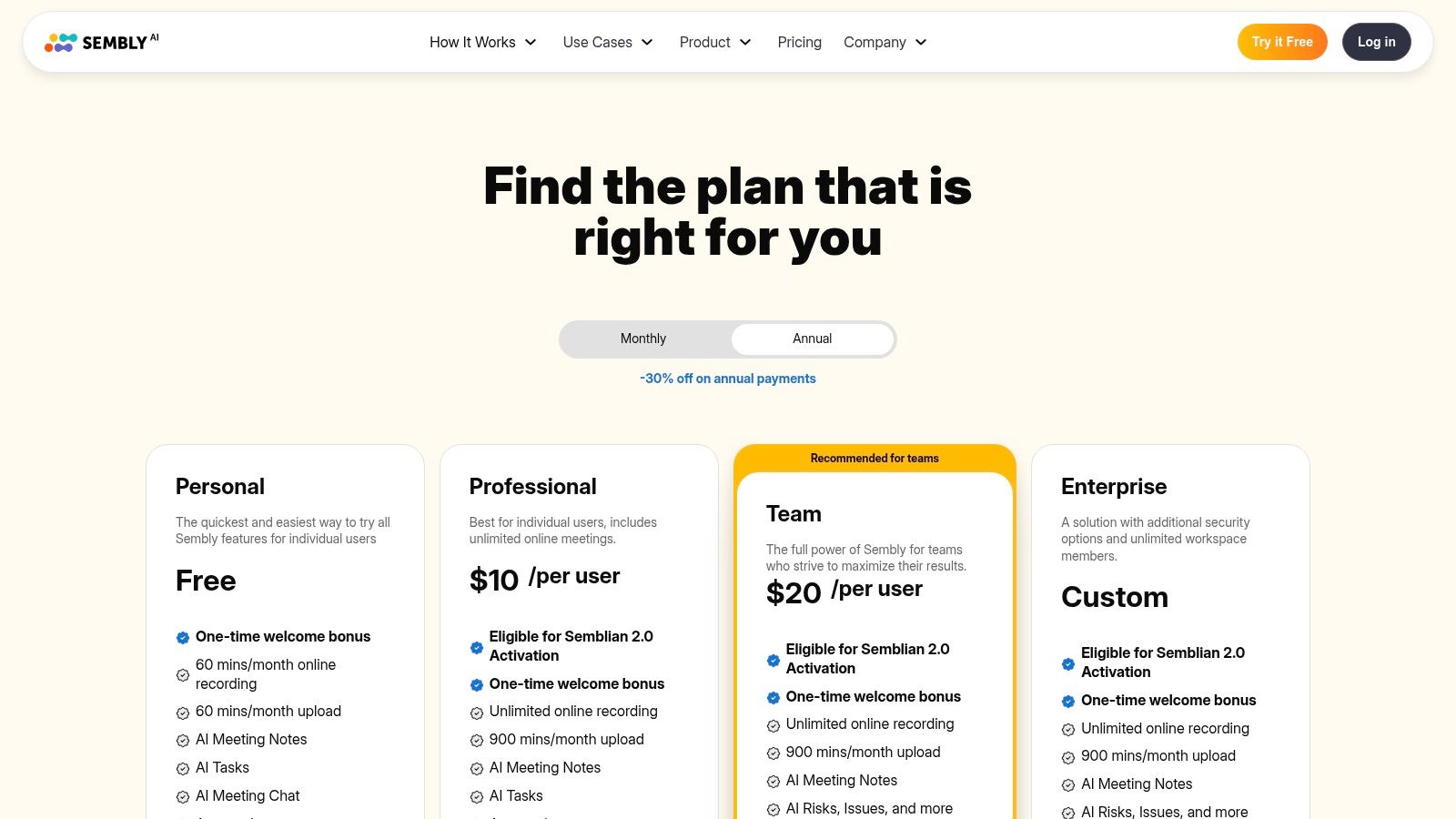
The platform is built for hybrid teams that need more than just a transcript. Sembly offers automations and deeper integrations, such as automatically generating tasks in project management tools like Asana or Trello. Its pricing tiers are transparently broken down, offering clear quotas for both live meeting captures and pre-recorded file uploads, which is a practical benefit for users with varied needs. This makes it a highly functional tool for turning meeting discussions into structured, actionable outcomes.
Key Features & User Experience
- AI Meeting Notes: Delivers structured notes with summaries, action items, and identified key topics.
- Task Extraction & Automations: Automatically identifies and helps export tasks to popular workflow management tools.
- Team Analytics: Provides insights into meeting trends, attendance, and topic prevalence for managers.
- Multi-Platform Capture: Supports major conferencing tools and allows for the upload of existing audio or video files for processing.
The main limitation is that its advanced collaboration and analytics features are reserved for the higher-tier Team plans. As you add more users, the cost can escalate, making it a more significant investment for larger organizations compared to some competitors with different pricing models.
- Best For: Hybrid teams and managers who want to analyze meeting data, track action items, and automate post-meeting workflows.
- Pricing: Offers a free Personal plan; paid plans start at $10/user/month.
- Website: https://www.sembly.ai/pricing-4/
8. Read AI
Read AI is more than just a note-taking app; it's a meeting analytics and coaching platform. This makes it an excellent choice for teams focused on improving meeting effectiveness, not just documenting them. Its unique strength lies in providing live, real-time metrics during calls, such as engagement scores and talk time, offering a dynamic layer of insight that most competitors lack. The platform generates detailed post-meeting reports that go beyond a simple transcript and summary.
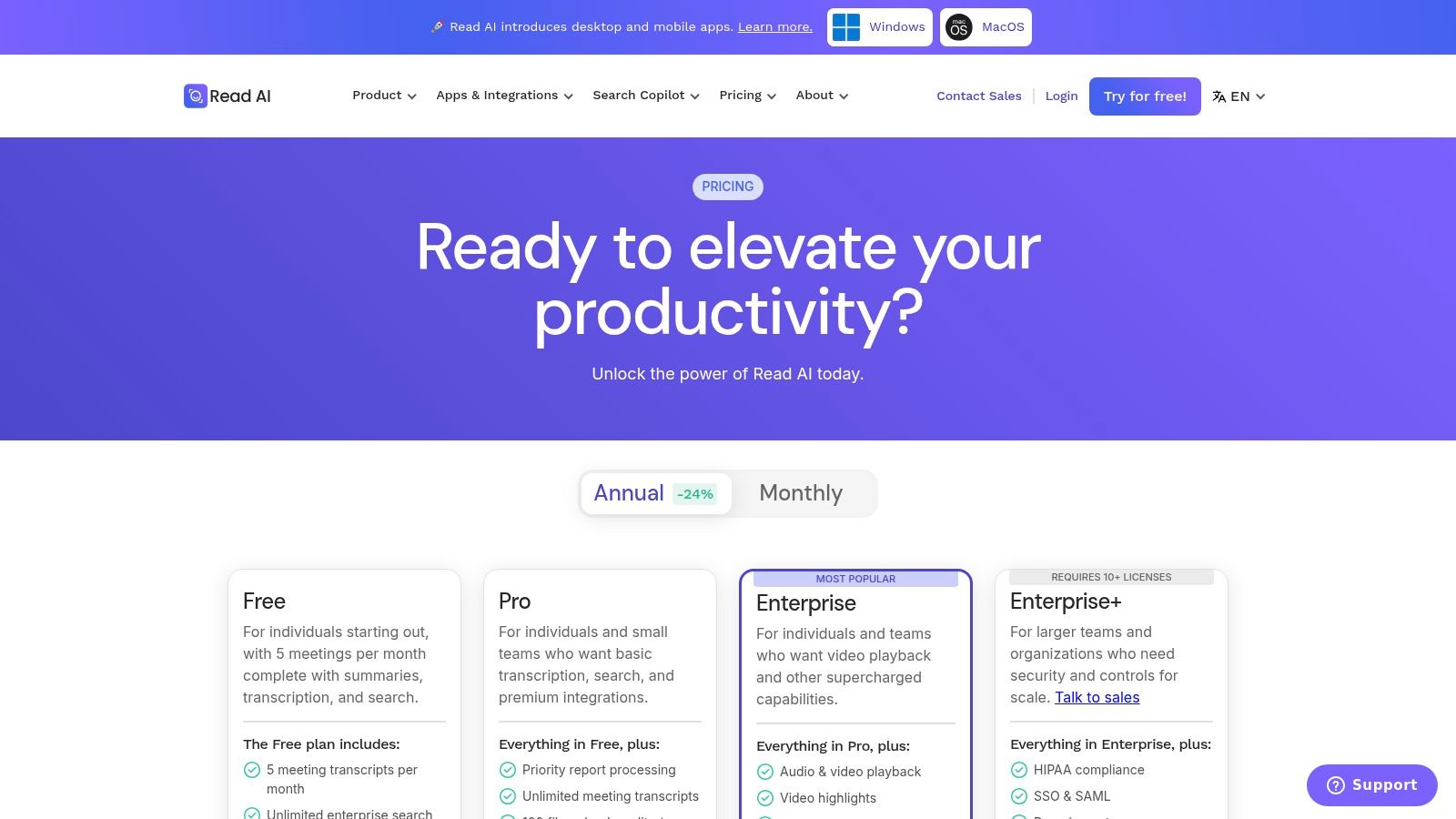
The platform’s "meeting coach" provides personalized feedback and suggestions, helping users run more efficient and inclusive discussions. With deep integrations into tools like Salesforce, HubSpot, and Jira, Read AI is designed to embed meeting outcomes directly into existing business workflows. This makes it a strong contender for the best meeting note taking app for sales and project management teams who need to connect conversation data to business results.
Key Features & User Experience
- Real-Time Metrics: Offers a live dashboard during meetings to track engagement, sentiment, and speaker contribution.
- Personalized Coaching: Delivers AI-driven reports and feedback to help improve meeting habits and outcomes.
- Workflow Integrations: Connects directly with major CRMs and project management tools like Notion, Salesforce, and Jira.
- Generous Free Tier: Provides a robust free plan that includes transcripts and reports for up to five meetings per month.
The primary drawback is that some of its most powerful features, including video playback and advanced analytics, are reserved for higher-tier paid plans. Additionally, the Enterprise+ plan requires a minimum of 10 user licenses, which may be a barrier for smaller teams needing top-tier features.
- Best For: Sales, project management, and leadership teams who want to analyze and improve meeting performance, not just transcribe it.
- Pricing: Offers a free plan; paid plans start at $15.75/user/month.
- Website: https://www.read.ai/plans-pricing
9. tl;dv
tl;dv stands out in the crowded field of AI note takers with its exceptionally generous free plan and powerful multi-meeting intelligence features. It integrates seamlessly with Google Meet, Zoom, and Microsoft Teams to provide automated transcription, summarizing, and the ability to create shareable video clips from key moments. Its main differentiator is the ability to query insights across your entire meeting history, making it a powerful knowledge management tool, not just a single-meeting assistant.
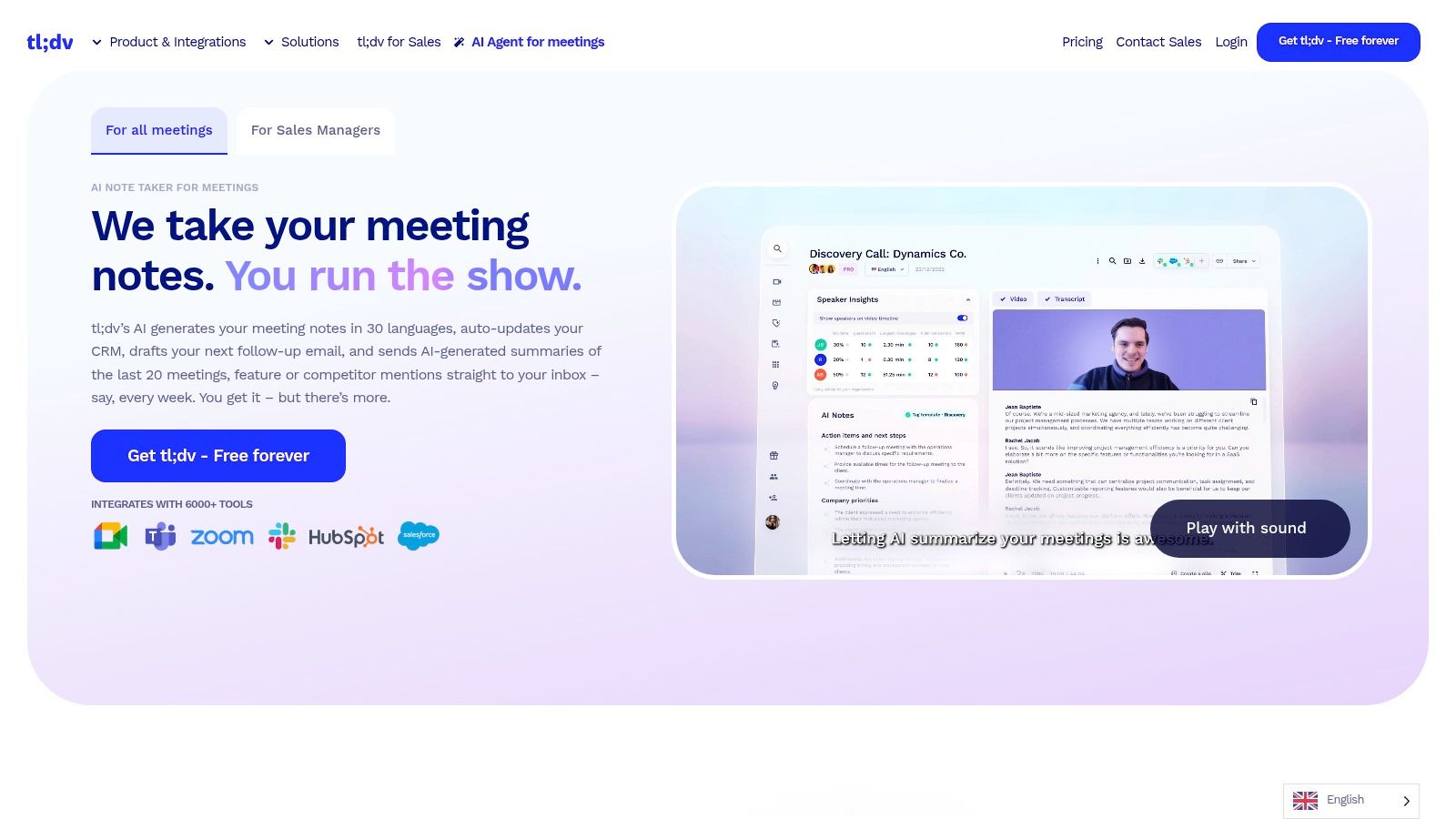
The platform is designed for teams that need to extract value from conversations at scale. With features like global transcript search and scheduled AI reports, users can track recurring topics, action items, and customer feedback across multiple calls. tl;dv also emphasizes its EU-centric compliance and strong privacy posture, making it a compelling choice for organizations with stringent data security requirements. This makes it a strong candidate for the best meeting note taking app for budget-conscious but data-savvy teams.
Key Features & User Experience
- Multi-Language Transcription: Provides accurate transcriptions in over 30 languages, complete with speaker detection.
- AI-Powered Insights: Generates summaries, action items, and allows you to create shareable highlight reels (clips) from recordings.
- Multi-Meeting Intelligence: Users can ask questions and run reports across their entire meeting repository to identify trends and patterns.
- Generous Free Plan: The free-forever tier offers unlimited meetings and transcripts, which is a significant advantage over many competitors.
The primary limitation is that some advanced functionalities, such as downloading recordings, CRM integrations, and coaching analytics, are reserved for paid plans. The pricing structure can also vary, sometimes requiring users to check in-app for the most current details, which might be a minor inconvenience for some.
- Best For: Teams and organizations looking for a powerful, privacy-focused tool with cross-meeting analytics and a robust free offering.
- Pricing: Offers a free-forever plan; paid plans start at $25/user/month.
- Website: https://tldv.io/
10. Fellow
Fellow is a comprehensive meeting productivity platform rather than just a note-taking tool. It excels by integrating AI-powered meeting notes, recordings, and summaries directly into a structured workflow that includes collaborative agendas and action items. This holistic approach makes it a standout choice for teams aiming to improve their overall meeting hygiene and operational cadence, not just capture conversations.
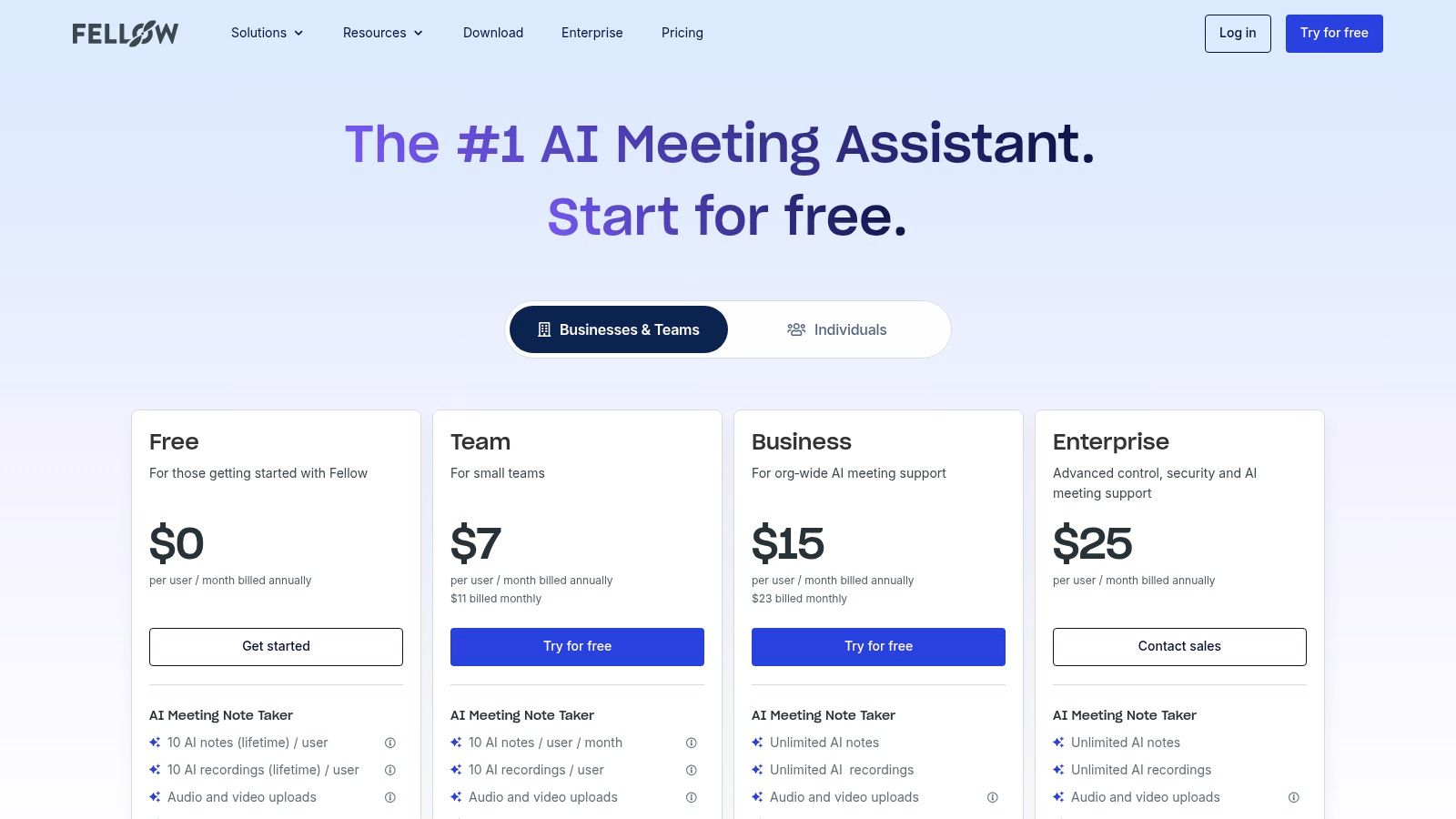
The platform is designed to embed good habits into an organization's culture. Features like shareable agenda templates, automated meeting reminders, and analytics on meeting habits help enforce process improvements. For organizations looking to do more than just transcribe, Fellow provides the framework needed to run more effective meetings from start to finish. You can discover more strategies on how to take better meeting notes in our dedicated guide.
Key Features & User Experience
- AI Meeting Copilot: Records, transcribes, and summarizes meetings, creating clear action items automatically.
- Collaborative Agendas: Enables teams to build and collaborate on meeting agendas in real-time before the call.
- Action Item Tracking: Centralizes all action items, assigning owners and due dates to ensure accountability.
- Meeting Templates & Automations: Provides a library of templates for different meeting types (e.g., one-on-ones, team syncs) and automates follow-ups.
The main limitation is that its most powerful integrations, particularly with CRM tools, and advanced administrative controls are reserved for the higher-priced Business and Enterprise tiers. Additionally, the AI copilot has usage quotas on the lower-tier plans, which might be a constraint for teams with a high volume of meetings.
- Best For: Teams and managers focused on improving overall meeting processes and accountability, not just transcription.
- Pricing: Offers a limited free plan; paid plans start at $7/user/month.
- Website: https://fellow.app/pricing/
11. Zoom AI Companion
For organizations deeply embedded in the Zoom ecosystem, the Zoom AI Companion presents a compelling and seamless option for a meeting note taking app. Rather than a standalone product, it's an AI assistant integrated directly into the Zoom Workplace platform. This native approach eliminates the need for third-party bots and ensures a frictionless user experience, as its core features are included at no extra cost for users on paid Zoom plans.
The AI Companion automates key post-meeting tasks by generating summaries, highlighting action items, and creating smart chapters for easy navigation of recordings. It also enhances the live meeting experience with an in-meeting Q&A feature, allowing participants to ask questions and receive AI-generated answers based on the ongoing conversation without interrupting the flow. This tight integration with Zoom Meetings, Chat, and Docs makes it a powerful, centralized knowledge hub.
Key Features & User Experience
- Native Integration: Functions directly within the Zoom ecosystem, offering a unified experience with no extra software to manage.
- Automated Summaries & Chapters: Delivers concise post-meeting recaps and intelligently segmented recordings for quick review.
- Live In-Meeting Q&A: Allows attendees to privately ask the AI assistant questions about the meeting content in real-time.
- Included with Paid Plans: Core AI Companion features are available to all users on eligible paid Zoom Workplace accounts.
The primary advantage is its cost-effectiveness and ease of deployment for existing Zoom customers. However, its value is almost entirely dependent on your organization's commitment to the Zoom platform. Deeper customization, such as tailoring the AI to specific internal jargon or workflows, requires a paid add-on, which may be a limitation for some.
- Best For: Zoom-centric organizations looking for a fully integrated, no-extra-cost solution to automate meeting notes and summaries.
- Pricing: Core features are included with paid Zoom Workplace plans; a Custom AI Companion add-on is available for a fee.
- Website: https://www.zoom.com/en/products/ai-assistant/
12. G2 — AI Meeting Assistants Category
While not a note-taking app itself, G2’s AI Meeting Assistants category is an indispensable resource for anyone trying to find the best meeting note taking app. This software marketplace provides aggregated, unbiased peer reviews, rankings, and detailed comparison grids for all the major players in the space, including many on this list. It allows you to validate marketing claims with real-world user feedback before committing to a purchase.
The platform’s strength lies in its powerful filtering and comparison tools. You can sort solutions by company size, specific features like action item tracking or multilingual support, and integration capabilities. This makes it easy to create a shortlist of tools that perfectly match your team's unique requirements. For more guidance, you can explore our guide on how to choose the right meeting note taking app to build your criteria.
Key Features & User Experience
- Side-by-Side Comparisons: Allows you to directly compare features, pricing, and user satisfaction scores for multiple vendors.
- Verified User Reviews: Aggregates pros and cons from thousands of verified users, offering authentic insights into each tool's performance.
- Advanced Filtering: Narrows down the extensive list of tools based on specific criteria like integrations, deployment type, or market segment.
- Review-Based Scores: Provides a G2 Score for each product, calculated from user satisfaction and market presence.
The main drawback is that sponsored placements can sometimes influence the visibility of certain vendors on category pages. Additionally, since the feature lists are based on user-submitted data and vendor updates, they may occasionally lag behind the rapid pace of product development in the AI space.
- Best For: Teams and individuals performing due diligence to compare and validate potential meeting note-taking solutions based on peer reviews.
- Pricing: Free to use for browsing, comparing, and reading reviews.
- Website: https://www.g2.com/categories/ai-meeting-assistants
What to Check Before You Commit
Five questions that decide whether a note-taking app survives past the trial.
Run the trial on a real week, not a test call. Every tool handles a clean two-person demo; the differences show up on a noisy six-person call that overruns.
Top 12 Meeting Note‑Taking Apps Comparison
Making Your Final Choice: How to Select the Right App for Your Team
Navigating the crowded market for the best meeting note taking app can feel overwhelming, but the right tool can fundamentally change your team's productivity. We've explored a wide range of options, from comprehensive conversation intelligence platforms like Avoma and Read AI to nimble, focused assistants like Fathom and Supernormal. Each tool offers a unique approach to solving the same core problem: how to capture, understand, and act on the valuable information shared in meetings.
The key takeaway is that there is no single "best" app for everyone. The ideal choice depends entirely on your specific workflow, team size, budget, and primary use case. A freelance journalist transcribing offline interviews has vastly different needs than an enterprise sales team requiring deep CRM integration and conversation analytics.
A Framework for Your Decision
To move from analysis to action, consider these critical factors. Your answers will quickly narrow down the list to a few top contenders.
1. Identify Your Primary Use Case: What is the most common task you need this tool for?
- Live Meeting Transcription: If your main goal is capturing notes from live Zoom, Google Meet, or Teams calls, tools like Fathom, tl;dv, and Otter.ai are excellent starting points.
- Offline File Transcription: For those who work with pre-recorded audio or video files (journalists, researchers, content creators), HypeScribe's versatility and high accuracy with various file types are paramount.
- Sales and Conversation Intelligence: If you need to analyze sales calls, track keywords, and integrate deeply with a CRM, platforms like Fireflies.ai, Avoma, and Read AI are built specifically for this purpose.
- Internal Team Collaboration: For teams focused on improving internal meeting hygiene and action item tracking, tools like Fellow and Sembly AI offer strong collaborative features.
2. Evaluate Your Integration Needs: A great app becomes even better when it seamlessly connects to your existing software stack.
- Do you live in your CRM (like Salesforce or HubSpot)? Prioritize tools with robust, native integrations.
- Is your workflow centered around project management tools like Asana, Jira, or Trello? Check which apps allow for one-click action item creation.
- Does your team rely heavily on Slack for communication? Ensure your chosen tool can push meeting summaries and highlights directly to the relevant channels.
3. Assess Your Budget and Scalability: Pricing models vary significantly, from generous free tiers to per-user enterprise plans.
- Free Tiers: Fathom and Supernormal offer powerful free plans that are perfect for individuals or small teams just starting out.
- Per-User Subscriptions: Most tools, including Otter.ai and Fireflies.ai, use a standard SaaS model. Calculate the cost for your entire team.
- Usage-Based Models: HypeScribe's token-based system offers a unique advantage, allowing you to pay only for what you transcribe without worrying about monthly minute caps, making it highly predictable and cost-effective for teams with fluctuating needs.
When to Choose HypeScribe
While every tool has its strengths, HypeScribe excels for a specific set of users who value accuracy, flexibility, and straightforward pricing. You should strongly consider HypeScribe if:
- Your work involves more than just live meetings. You need a powerful engine to transcribe pre-recorded interviews, lectures, podcasts, or video files with high fidelity.
- You need exceptional accuracy across diverse content. HypeScribe's AI is tuned for high-speed, precise transcription, making it ideal for technical discussions, academic content, and professional recordings where every word matters.
- You prefer a predictable, non-punitive pricing model. The token-based system eliminates the anxiety of "running out of minutes." You buy a bank of transcription credits and use them as needed, whether for a five-minute clip or a three-hour workshop.
Choosing the right tool is an investment in clarity, accountability, and focus. By moving the burden of note-taking from your team to a dedicated AI assistant, you unlock more time for strategic thinking, creative problem-solving, and meaningful collaboration. For a deeper understanding and comparison of these intelligent tools, consider exploring this comprehensive guide to the best AI note taking app.
Take the next step today. Use this guide to identify the two or three apps that best align with your needs and sign up for their free trials. There is no substitute for hands-on experience to see which platform truly fits your team's unique rhythm.
HypeScribe handles live meetings and uploaded files alike, priced per file rather than per minute — so a three-hour workshop costs the same as a standup. Try it free: three files a month, no card required.


































































































