
How to Convert Audio to Text: My Go-To Workflow for Fast, Accurate Transcripts

Turning audio into text used to be a massive headache. If you've ever tried to manually type out a recording, you know it’s a soul-crushing task. Thankfully, automated transcription services have completely changed the game, using AI to turn your audio files into editable, searchable documents in just a few minutes.
Why Bother Converting Audio to Text?
In a world overflowing with podcasts, Zoom meetings, and video content, all that spoken audio is a goldmine of information just waiting to be used. Converting it to text isn't just about having a written record; it's a smart move that makes your content infinitely more useful.
Think about it from a marketing perspective. A team could take a single hour-long webinar and, with a quick transcription, spin it into a detailed blog post, a dozen social media snippets, and content for an entire email campaign. That’s a huge return on investment. For a researcher, it means being able to instantly search hours of interview recordings for specific keywords and themes instead of listening back to every single minute.
Findability is Everything
One of the biggest wins you get from transcribing audio is making it discoverable. Search engines are brilliant at reading text, but they can't listen to your podcast or video. By creating a text version, you're essentially handing Google a roadmap to your content, which is a huge step in optimizing content for search engines.
This isn't just a niche trick; it's a rapidly growing strategy. The market for marketing transcription was valued at a staggering $3.66 billion in 2024 and is expected to hit $7.33 billion by 2032. The fact that speech-to-text technology holds a massive 52% of that market share tells you everything you need to know about where things are headed. For a deeper dive, you can check out the data on the growth of the marketing transcription market on snsinsider.com.
Here's the bottom line: Transcription transforms your audio from a static file into a versatile asset that drives growth, improves accessibility, and makes your team more efficient.
Tools like HypeScribe have made this process incredibly straightforward. What once took hours of tedious work can now be done automatically, letting you finally unlock the true value of all your spoken content.
A Practical Workflow for Automated Transcription
Diving into automated transcription can feel like unlocking a content superpower. Forget those generic "Step 1, Step 2" guides you see everywhere; this is the real-world workflow I've honed over hundreds of projects to quickly and accurately convert audio to text. It’s all about turning that raw audio into a polished, usable asset.
The core idea is simple: transcription isn't the final destination. It's the bridge that makes your audio content accessible, searchable, and infinitely more valuable.
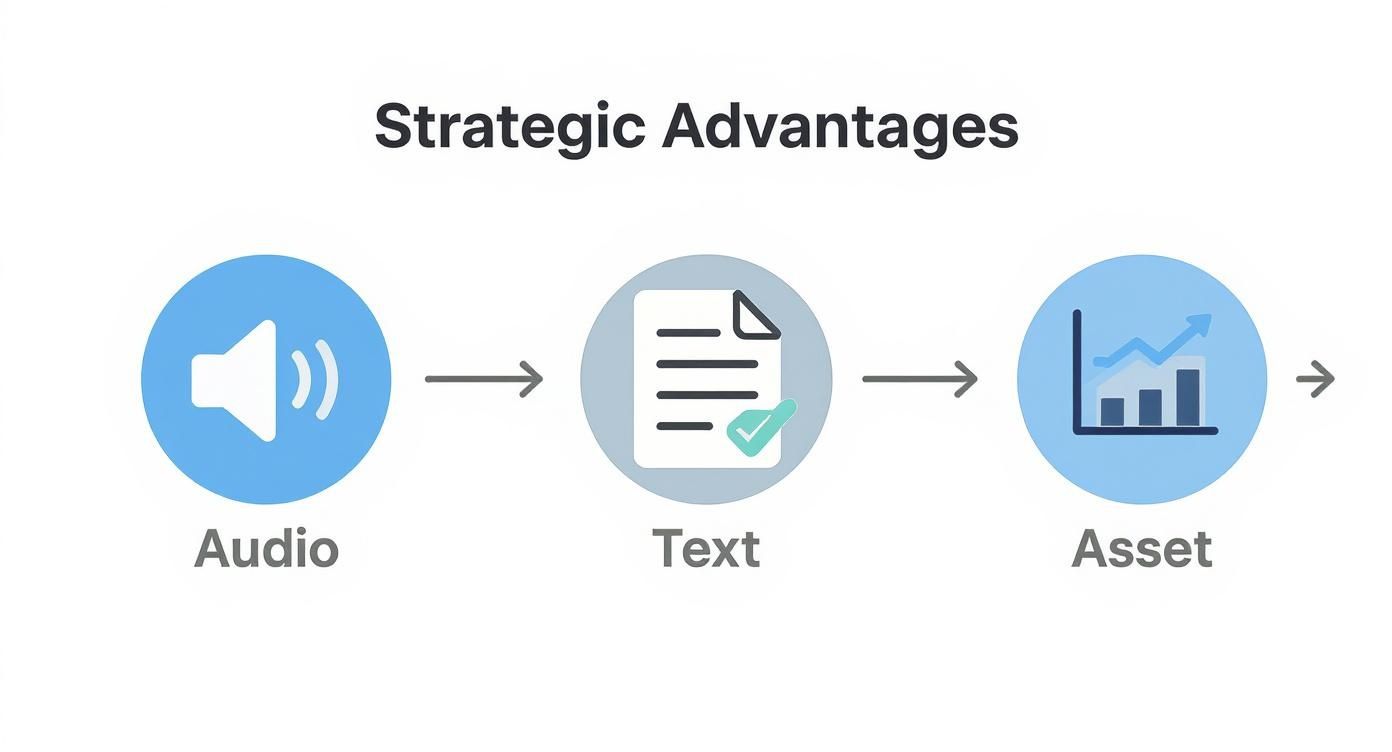
Think of it this way—you’re not just getting words on a page. You're creating a new resource from something you’ve already made.
Getting Your Audio Ready to Go
The final transcript is only ever as good as the audio you feed the machine. Garbage in, garbage out, as they say. While it's tempting to use a highly compressed MP3 to save a little space, my experience has shown that uncompressed formats like WAV or a high-bitrate MP4 almost always produce better results.
When the AI has more data to work with, it makes fewer mistakes. That means less cleanup for you later.
Fortunately, most modern tools like HypeScribe make the upload process painless. You can just drag and drop a file straight from your desktop or even paste a link from a platform like YouTube. The system usually starts analyzing the file right away, giving you a head start.
Dialing in the Right Settings
Before you smash that "Transcribe" button, take a moment to configure the job. This is where you set the AI up for success, and it’s a tiny step that prevents major headaches down the line.
- Specify the Language: Always tell the tool the primary language spoken in the audio. If you have speakers switching between languages, some advanced platforms can handle that, but locking in the dominant one is crucial for accuracy.
- Turn On Speaker Identification: For interviews, meetings, or any audio with multiple people, this is a must. The AI will label each speaker (like "Speaker 1," "Speaker 2"), which makes the editing process so much faster.
Don't ever skip these settings. A properly configured job can be the difference between a 98% accurate transcript and a jumbled mess that takes an hour to fix. It's the single most effective thing you can do to improve your initial results.
The Human Touch: Review and Edit
No AI is perfect, which is where your expertise comes in. The best platforms give you an interactive editor that syncs the text directly with the audio playback. You click on a word in the transcript, and the audio player jumps to that exact moment. It makes finding and squashing errors incredibly efficient.
When I’m in the review phase, I focus on a few key things:
- Correcting Mistakes: I listen and read at the same time, catching any misheard words. I pay special attention to things AI struggles with, like proper nouns, industry jargon, or company names.
- Naming the Speakers: I go through and replace the generic "Speaker 1" labels with the actual names of the participants. This simple change adds a ton of clarity and professionalism to the final document.
- Fine-Tuning Timestamps: Sometimes the AI might split a sentence awkwardly between timestamps. A quick drag-and-drop adjustment ensures the text aligns perfectly with the audio, which is vital if you're creating captions.
For a deeper dive into what makes a great transcription tool, our guide on auto transcribe software breaks down the features that really matter.
Choosing the Right Audio Format for Transcription
Picking the right audio format from the start can significantly impact your transcription accuracy. This table gives you a quick rundown of the most common options and what they're best suited for.
Ultimately, if quality is your top priority, stick with lossless formats like WAV or FLAC. For everyday tasks, a high-bitrate MP3 will often do the job just fine.
Exporting Your Polished Transcript
Once your transcript is perfect, the last step is to get it out in a format that works for your project. What you choose depends entirely on what you plan to do next.
- TXT is perfect for quickly pasting text into emails, notes, or just keeping a simple raw backup. It has no formatting, so it's clean and simple.
- DOCX is what you'll want for turning that transcript into a blog post, a detailed report, or any other shareable document. It keeps all the formatting and works everywhere.
- SRT is the gold standard for video captions on platforms like YouTube, Vimeo, or social media. It includes the precise timestamps needed to sync the text with the video.
For example, if I'm repurposing a podcast episode into a blog post, I'll export it as a DOCX file. But for a client's video project, SRT is the only choice. An accurate transcript is the foundation for adding subtitles to videos, and this workflow ensures you have a rock-solid base to build from.
How to Get Accurate Transcripts Every Time
The secret to a flawless transcript often starts long before you even think about hitting "upload." While AI tools like HypeScribe are remarkably good, their accuracy is directly tied to the quality of the audio you feed them. Think of it as setting the AI up for success—a little prep work on the front end saves a ton of editing headaches later.
Getting clean audio is, without a doubt, the most important thing you can do. Even a little bit of background noise, like an air conditioner humming or people talking in the next room, can trip up the AI and tank your transcript's accuracy. You don't need a pro studio, but finding a quiet space to record is non-negotiable.

Optimize Your Recording Environment
Your microphone is your best friend when you want to convert audio to text accurately. The built-in mic on your laptop or phone will work in a pinch, but a dedicated external microphone makes a world of difference. Even an affordable USB model will capture your voice with far more clarity and cut down on that pesky ambient noise.
Positioning matters, too. Try to keep the mic a consistent distance from your mouth, maybe 6-12 inches away. This simple trick helps maintain a steady volume level, which prevents the audio from peaking (getting too loud and distorted) or being too quiet for the AI to understand.
Pro Tip: If you're recording a meeting or an interview with multiple people, please don't just stick a single microphone in the middle of the table. It's a classic recipe for muffled voices and people talking over each other—a total nightmare for any transcription algorithm.
Master Your Speaking and Recording Technique
It's not just about the gear; how you speak is just as critical. I've seen countless transcripts get butchered because of mumbling or rapid-fire speaking. Make a conscious effort to speak clearly and at a moderate, even pace. Take the time to enunciate, especially when you're using technical terms, acronyms, or proper names.
Now, for recordings with more than one person, like interviews or podcasts, the absolute gold standard is multitrack recording. This is a game-changer. It simply means each speaker's audio is captured on its own separate channel.
- Why it's so effective: When one person is talking, the AI isn't getting confused by another person's coughs, "uh-huhs," or background shuffling.
- The payoff: You get exceptionally clean speaker separation and a massive boost in accuracy. The final transcript is infinitely easier to read and edit.
Most modern recording software and podcasting platforms have this feature built-in. If you're regularly transcribing conversations, it’s well worth figuring out how to use it.
Fine-Tune Your Audio Settings
Finally, a quick look at your recording settings can make a surprising impact. You don't need to be an audio engineer, but knowing two key settings can help.
- Sample Rate: For voice recordings, a sample rate of 44.1 kHz is the standard and more than enough. It captures the full range of the human voice perfectly.
- Bit Depth: If you have the option, recording at 24-bit instead of 16-bit gives you more dynamic range. This helps the AI better distinguish between the nuances in someone's speech and any low-level background noise.
By putting these simple practices into play, you’re giving the transcription AI the best possible source material to work with. Taking this proactive approach means you'll spend less time fixing mistakes and more time actually using your perfectly transcribed text.
Putting Transcription to Work in the Real World
Theory is one thing, but seeing how transcription works in practice is where the lightbulb really goes on. Let's move past the technical stuff and walk through three common scenarios where the ability to convert audio to text turns a chaotic workflow into something beautifully simple. I see people using it these ways every single day.
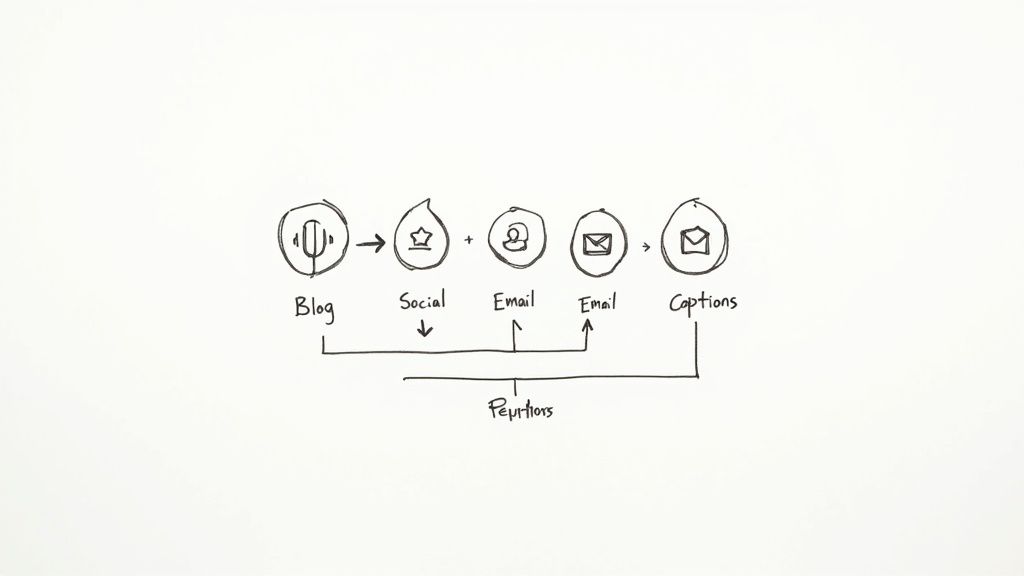
In each of these situations, you’ll see how specific features in a tool like HypeScribe can save you hours and open up brand-new possibilities.
For the Busy Professional: The Meeting Debrief
Picture this: you've just wrapped up a one-hour project kickoff meeting. Seven people were there, all talking over each other. Ideas were flying, decisions were made on the fly, and the person assigned to take notes inevitably missed half of it. It’s the classic recipe for confusion and missed deadlines down the road.
Instead of trying to piece it all together from memory, you record the call. Afterward, you drop the file into HypeScribe. The AI doesn’t just transcribe the whole conversation; it also uses speaker identification to separate who said what. Suddenly, that messy, overlapping conversation is a clean, readable document.
Here's where the magic really happens. You're not just left with a wall of text. You can use the AI summary feature to instantly generate key takeaways and a neat list of action items. John's promise to finalize the budget by Friday is captured perfectly, and Sarah's brilliant suggestion for a new marketing angle is documented word-for-word. You can export this summary and send it to the team in minutes, making sure everyone is on the same page and knows what they're responsible for.
For the Dedicated Student: The Lecture Breakdown
A two-hour university lecture can feel like trying to drink from a firehose. It's almost impossible to furiously scribble down every important detail while also trying to actually understand the complex concepts being discussed. This is where transcribing a lecture recording becomes a study superpower.
A student can upload the audio and get a complete transcript of the entire class. As they review the text, they can add their own notes right in the document, highlighting key definitions or flagging concepts they need to revisit later.
This completely changes the study game:
- Searchable Notes: Forget flipping through pages of handwritten scribbles. Just hit
Ctrl+Fto find every single mention of "quantum mechanics" or "supply-side economics." - Study Guide Creation: You can easily copy the most critical sections and paste them into a separate document, creating a powerful, condensed study guide in a fraction of the time.
- Deeper Understanding: Reading the professor's exact words, without the pressure of a live lecture, often makes complex ideas click into place.
For students, a transcript isn't just a record—it's an interactive study tool. It allows for a deeper, more focused engagement with the material that's impossible to achieve with note-taking alone.
This whole process shifts learning from passive listening to an active, engaged experience, which almost always leads to better understanding and better grades. It's no surprise that the demand for these tools is exploding far beyond the classroom.
The global speech-to-text API market is growing fast, and transcription alone is projected to make up 15.2% of that market by 2025. While huge industries like healthcare are major drivers, the core technology benefits everyone. You can dive deeper into the growth of the speech-to-text market on fortunebusinessinsights.com.
For the Modern Content Creator: The Content Multiplier
Finally, let’s talk about a podcaster or YouTuber. They've just finished recording a fantastic 45-minute interview. In the past, that one audio file was just that—one piece of content. But with transcription, it becomes the seed for an entire content ecosystem.
Once they convert audio to text, the possibilities just explode. That single transcript can be repurposed into a dozen different assets, dramatically stretching its value and reach. For creators who live and breathe video, this workflow is a game-changer. Our guide on how to use a YouTube video to text converter digs into more specific tips for this.
Here’s what a smart creator’s workflow looks like:
- The Full Blog Post: The raw transcript gets a quick edit and becomes a comprehensive, SEO-friendly article that captures every valuable insight from the conversation.
- Social Media Gold: They pull out the five to ten most powerful quotes and turn them into eye-catching graphics for Instagram, X (Twitter), and LinkedIn.
- Email Newsletter: A quick summary of the chat, along with a few key takeaways, becomes the perfect content for their weekly newsletter.
- Flawless Captions: The transcript is exported as an SRT file to create perfect, synchronized captions for the video, boosting accessibility and engagement on platforms like YouTube.
This strategy multiplies the output from one recording session, allowing them to show up for their audience on multiple channels with very little extra effort.
Solving Common Transcription Headaches
Let's be honest: even with the best prep, automated transcription can sometimes miss the mark. The AI might get tripped up by tricky audio, leaving you with a transcript that needs a little TLC. But don't sweat it—most of these common hiccups are surprisingly easy to fix.
One of the most frequent issues I see is garbled text from heavy accents or super-specialized jargon. An AI trained on everyday chatter can easily get confused when it runs into dense medical terms or a company's internal acronyms. This is precisely why a custom dictionary feature is a game-changer.
Advanced platforms like HypeScribe let you build your own custom vocabulary. You can essentially "teach" the AI specific names, words, or industry phrases that will pop up in your audio. Taking a few minutes to add terms like "pharmacokinetics" or your internal project name, "Project Nightingale," makes a world of difference in accuracy.
Fixing Jumbled Speaker Labels
Another classic headache, especially in recordings with multiple people, is mixed-up speaker labels. The AI might assign the wrong name to a voice or, even worse, lump two different people together as "Speaker 1." Thankfully, sorting this out is usually just a quick click-and-edit job in an interactive transcript editor.
Here’s a simple workflow I use to clean this up fast:
- Play the first few seconds of a speaker's turn to confirm who it is.
- Use the "find and replace" feature to change the generic label (like "Speaker 2") to their actual name ("Sarah Chen") throughout the entire file.
- Give the transcript a quick scan to spot any awkward transitions where the conversation doesn't seem to flow right.
Think of this as creating a clear cast list for your conversation. Spending two minutes to assign the right names adds a ton of clarity and makes the final document look far more professional.
The demand for these kinds of smart solutions is exploding. The global AI transcription market hit a value of $4.5 billion in 2024 and is expected to climb to a staggering $19.2 billion by 2034. You can find more stats on the future of automated transcription at sonix.ai.
When Your Source Audio Is the Problem
But what if the issue isn't the AI—it's the recording itself? A file riddled with background café noise, echo, or quiet voices will give any transcription engine a tough time. While you can't magically rescue a terrible recording, you can often clean it up enough to get a decent transcript.
Free audio editing tools like Audacity often have simple "noise reduction" or "normalization" filters. Running your audio through one of these before you upload can give the AI a much clearer signal to analyze. This extra step can save you a ton of time compared to trying to decipher a messy transcript, and it's a key factor to consider when looking at your overall transcription service cost.
Got Questions About Turning Audio into Text? We've Got Answers.
Even after you've got a process down, a few questions always seem to come up when you start converting audio files to text. Let's walk through some of the most common ones I hear from people so you can move forward with confidence.
Just How Accurate Are These AI Transcripts, Really?
This is the big one. While top-tier AI tools can hit 99% accuracy, that number comes with a big asterisk. It all boils down to your audio quality.
If you have a clean recording of one person speaking clearly into a good microphone, you’ll get a transcript that’s practically perfect. But the real world is messy. Things like background noise, people talking over each other, or thick accents can definitely bring that accuracy score down. Think of it this way: good audio in, good transcript out.
What About My Sensitive Audio? Is It Safe to Upload?
A totally valid concern, especially if you're transcribing confidential client meetings or sensitive research interviews. Any reputable service—like our own at HypeScribe—makes security a top priority. Look for platforms that use strong encryption for your files, both while they're uploading and while they're stored.
The best services also give you full control to permanently delete your files and transcripts once you've exported them. Before you upload anything sensitive, do a quick scan of the company's privacy policy. It's worth the peace of mind.
A quick tip on security: Your data's safety is non-negotiable. I always recommend services that not only offer end-to-end encryption but also let you decide when your files are gone for good. This is the only way to be sure your private conversations stay private.
Can the AI Handle Multiple Languages in One Recording?
Working with international teams often means dealing with more than one language, sometimes in the same conversation. Many modern transcription tools are smart enough to detect and transcribe different languages in a single audio file, which is incredibly useful.
That said, for the cleanest results, it's usually best to tell the tool the main language you expect to hear. If you have speakers switching languages every other sentence, the AI can sometimes stumble. My advice? If the transcript is for something important, run a quick test on a short clip first to see how well it handles the language-switching before you commit to a long file.
Ready to stop taking notes and start getting answers? HypeScribe turns your meetings, lectures, and interviews into accurate, searchable text in seconds. Try HypeScribe for free and see how it works for yourself.


































































































