
12 Best Meeting Recap Template Resources for 2026 (Free & Paid)

A recap is not minutes. Minutes record the meeting; a recap tells four or five people what they now have to do. Confusing the two is why recaps go unread. the momentum generated during a discussion can quickly fade, leading to missed deadlines, misaligned expectations, and duplicated efforts. This is where a structured meeting recap template becomes an indispensable tool, transforming a conversation into a concrete plan. It ensures that key decisions, critical action items, and next steps are documented, distributed, and understood by all participants, regardless of whether they were fully attentive or had to step away for a moment.
This comprehensive guide eliminates the guesswork by providing a curated list of the best meeting recap templates and platforms available. We'll move beyond generic lists and dive into practical applications, showing you exactly how each resource functions in real-world scenarios. You'll find downloadable templates for every conceivable situation, from daily stand-ups and client check-ins to formal executive summaries and interview debriefs. To truly make your meeting recaps actionable, it's beneficial to start with well-structured templates, and exploring these essential sales meeting templates can provide valuable insights for various meeting types.
In this article, you will discover:
- Downloadable and Editable Files: Direct access to templates for standups, client meetings, project retrospectives, and more.
- Filled-in Examples: See exactly how to use each template with practical, sample recaps.
- Use-Case Analysis: Understand which template is best suited for your specific meeting type.
- Customization and Integration Tips: Learn how to adapt these templates and connect them with tools like HypeScribe for automated transcription and takeaway extraction.
Each entry includes direct links and detailed guidance to help you select the perfect meeting recap template for your team’s unique workflow, ensuring no critical detail is ever lost again.
1. HypeScribe
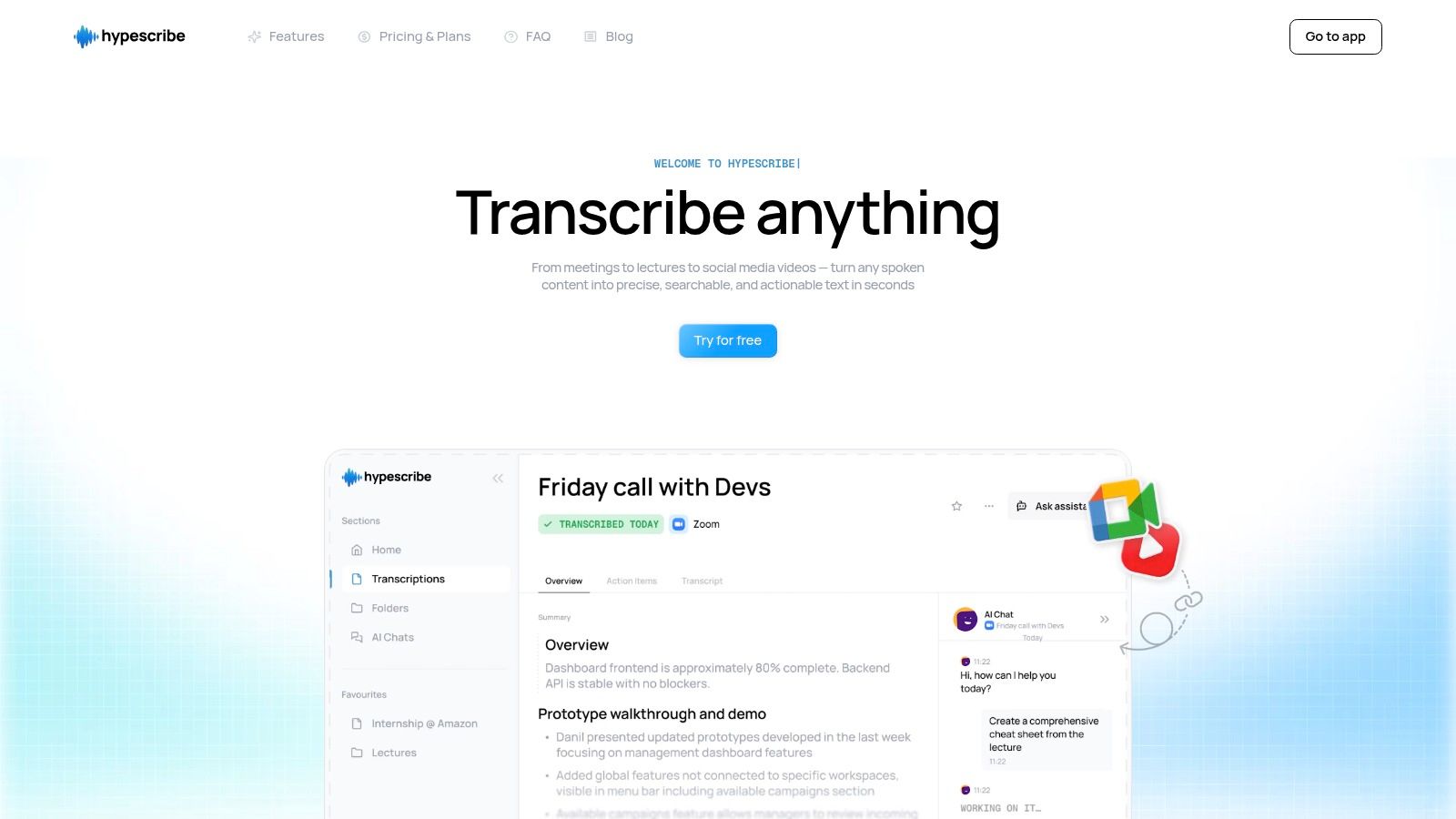
HypeScribe is a standout choice not because it offers a static meeting recap template, but because it automates the entire process of creating one from raw audio or video. This AI-powered platform turns spoken conversations into structured, actionable documents, effectively building a perfect recap for you. Its core strength lies in its exceptional speed and accuracy, transcribing an hour-long meeting in under 30 seconds with up to 99% precision across over 100 languages.
This tool is ideal for teams who need to move from discussion to action without the manual overhead of note-taking. Instead of just providing a blank slate, HypeScribe listens to your meeting, generates a full transcript, and then uses AI to extract key takeaways, decisions, and action items, presenting them in a clean, digestible format. This fundamentally changes the workflow from manually filling out a template to simply reviewing and sharing an AI-generated summary.
Key Features and Use Cases
HypeScribe distinguishes itself with a suite of features designed for practical, real-world application. Its ability to generate summaries and identify action items makes it more than just a transcription service; it's a productivity engine.
- Automated Recap Generation: The platform automatically identifies and lists key points and assigned tasks, forming the foundation of your meeting recap. This is perfect for project managers and team leads who need to distribute clear next steps immediately after a call.
- Real-Time Note-Taker: The HypeScribe bot can join Zoom, Google Meet, and Microsoft Teams calls to capture the conversation live. This ensures no detail is missed, which is invaluable for client meetings or complex technical discussions where every decision matters. To see how this transforms live meetings, you can explore the benefits of an AI meeting note taker in more detail.
- Flexible Input & Export: You can upload audio/video files, paste links from various platforms (YouTube, Google Drive), or record directly. Once processed, you can export the transcript and summary to Google Docs, Word, or Markdown, seamlessly integrating the output into your existing documentation workflow.
Practical Implementation
To get the most out of HypeScribe for your meeting recaps, start by connecting it to your calendar and enabling the real-time note-taker for your recurring meetings. After the call, review the AI-generated summary and action items. You can quickly edit them for clarity or add context before exporting the recap to your preferred format and sharing it with stakeholders. This approach saves significant time and ensures consistency and accuracy across all meeting documentation.
Website: HypeScribe.com
2. Microsoft Word templates (Microsoft Create/Word)
For teams deeply integrated into the Microsoft 365 ecosystem, the official template library within Microsoft Word and Microsoft Create is a gold standard. Instead of starting from scratch, you gain access to dozens of professionally designed, free meeting recap template options that maintain a polished, corporate aesthetic. These templates are perfect for formal contexts like board meetings, client-facing project updates, and official internal announcements where brand consistency and professionalism are key.
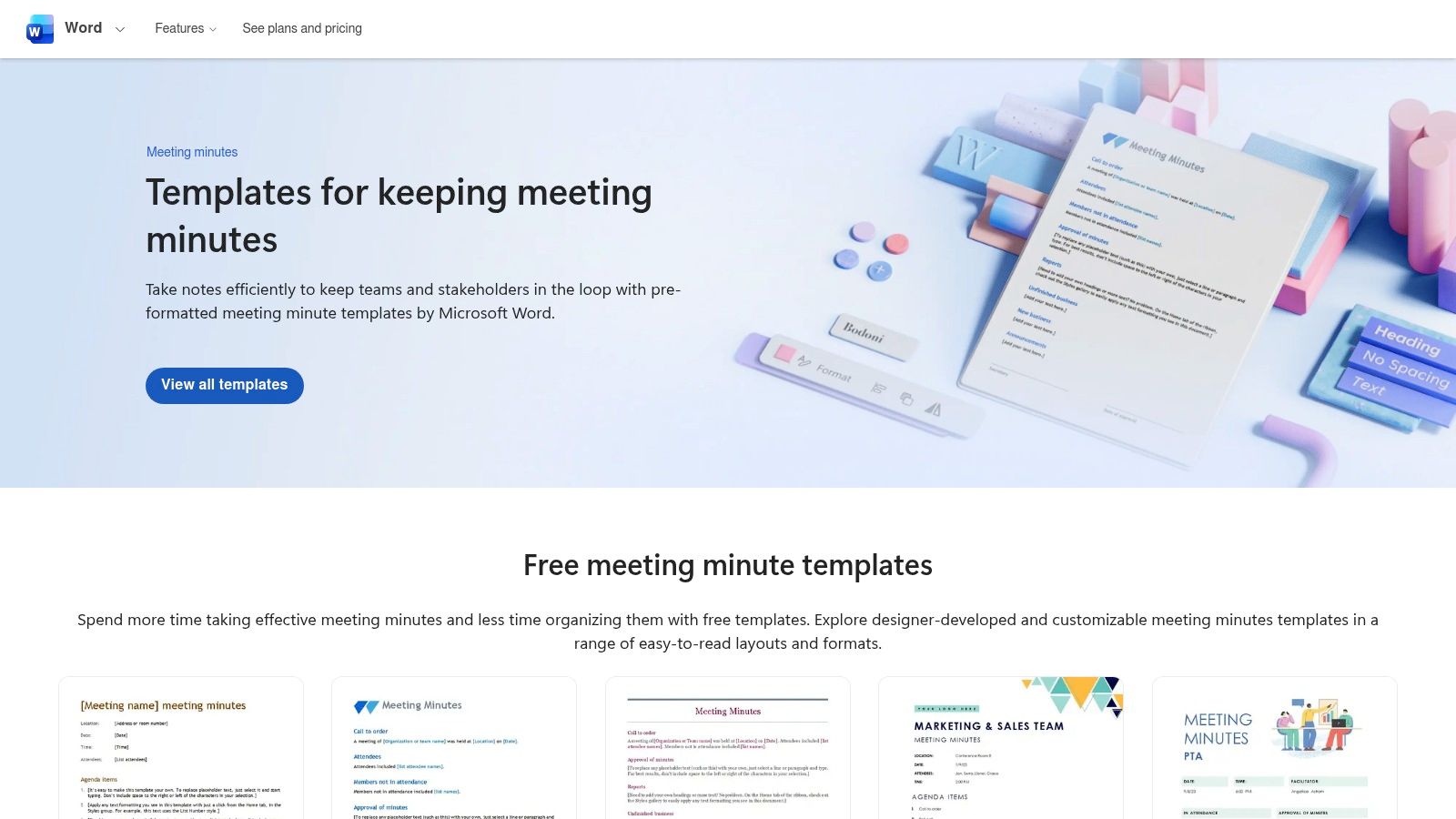
The primary advantage is seamless workflow integration. You can draft minutes in Word for desktop or web, share them directly via OneDrive for collaborative editing, and distribute the final PDF through Outlook with just a few clicks. For users with access to Microsoft Copilot, the experience is even more streamlined, with AI assistance available to help transform raw notes or transcripts into structured meeting minutes. This native integration removes the friction of using third-party tools, making it a highly efficient choice for established Microsoft-based organizations.
Key Features & User Experience
The user experience is exactly what you’d expect from Microsoft: familiar, reliable, and robust. The templates are easily searchable and customizable.
- Access: Completely free with a Microsoft account; best experience requires a Microsoft 365 subscription.
- Variety: Includes formal meeting minutes, informal notes, and agenda templates.
- Integration: Natively connects with OneDrive, SharePoint, and Outlook for effortless sharing and storage.
- Formats: Templates are available in standard Letter and A4 sizes, with simple one-click export to PDF.
While it's a powerful option, it can feel a bit heavy for teams who prefer lightweight, markdown-based tools for quick, informal notes.
Website: Microsoft Word Meeting Minutes Templates
3. Google Docs “Meeting notes” building block
For teams living in the Google Workspace ecosystem, the built-in “Meeting notes” building block is a game-changer for speed and context. This feature, accessible directly within a Google Doc, eliminates the manual setup of a meeting recap template by automatically pulling in key details like the meeting title, date, and attendees directly from a linked Google Calendar event. It is designed for maximum efficiency, making it perfect for agile teams, daily stand-ups, and any meeting where capturing notes quickly is more important than formal presentation.
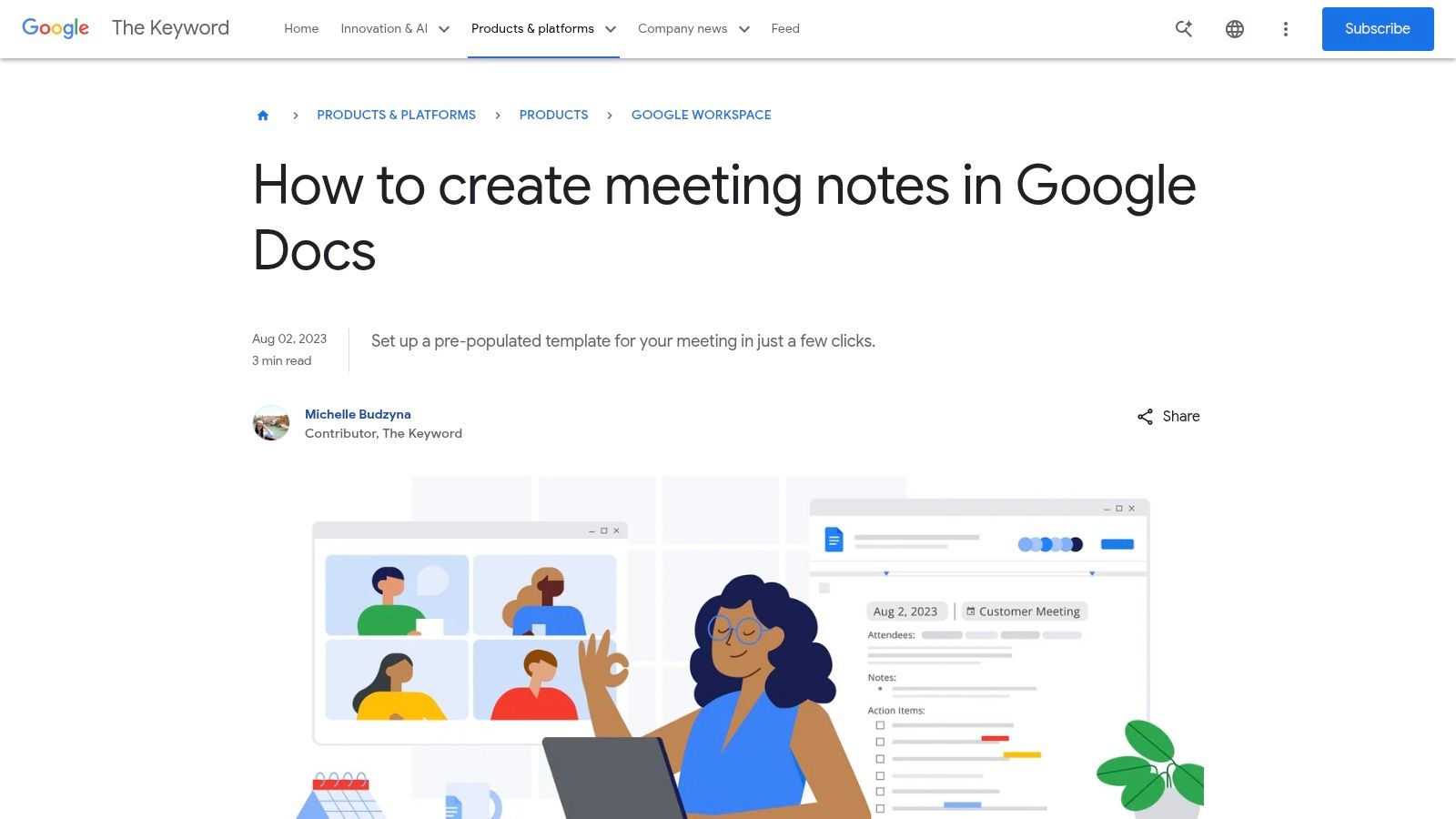
The primary benefit is its seamless integration and incredible ease of use. By simply typing "@" in a document, you can summon the meeting notes template and link it to a specific calendar event. The recap is then pre-populated and ready for notes and action items. With one click, the notes can be attached back to the calendar invite or emailed to all attendees, closing the communication loop instantly. This streamlined process makes it one of the most practical and frictionless options for distributed teams on Google Workspace who need to learn how to write a meeting summary without getting bogged down by formatting.
Key Features & User Experience
The user experience is classic Google: intuitive, fast, and collaborative. The smart chip functionality is powerful yet simple, requiring virtually no learning curve.
- Access: Completely free with a standard Google account.
- Variety: A standardized template focused on Notes and Action Items, optimized for speed.
- Integration: Natively connects with Google Calendar, Gmail, and Google Drive for instant sharing, storage, and distribution.
- Formats: Functions within the Google Docs environment, easily shared as a link, downloaded as a PDF, or converted to other formats.
While it lacks the visual variety of a dedicated template library, its deep integration makes it an indispensable tool for Google-centric organizations.
Website: Google Docs Meeting Notes
4. Notion template gallery (official “Meeting notes”)
For teams already embedded in Notion’s all-in-one workspace, its official and community-driven template gallery is the most logical place to source a meeting recap template. Unlike static documents, Notion treats meeting notes as dynamic database entries. This structure allows you to centralize all recaps, link them to specific projects or team members, and use powerful tagging and filtering to quickly find relevant information from past discussions. This is ideal for agile teams, product squads, and anyone running projects within the Notion ecosystem.
The primary benefit is the deep integration with your existing knowledge base and task management. Action items captured in a recap can be directly assigned to team members, decisions can be linked to project roadmaps, and follow-ups can be given due dates that appear in a master task list. This connected approach transforms meeting notes from a passive record into an active part of your team's workflow, ensuring nothing gets lost. The ability to create relations between meetings, projects, and documents provides unparalleled context.
Key Features & User Experience
Notion's user experience is famously flexible and block-based, giving you full control over the layout and content of your templates.
- Access: The official template is free; available within any Notion workspace (including free personal plans).
- Variety: Features a robust official template plus hundreds of community-created variations for specific needs like 1-on-1s, sprint retrospectives, and client check-ins.
- Integration: Natively connects every note to your projects, tasks, and wikis within the Notion ecosystem.
- Formats: Content is web-based but can be easily exported to PDF or Markdown for external sharing.
While incredibly powerful, it does require some initial setup to align the database properties (like tags and statuses) with your team’s specific taxonomy.
Website: Notion Meeting Notes Template
5. ClickUp Templates (Meeting Minutes)
For teams where meeting outcomes must translate directly into trackable work, ClickUp’s template ecosystem is unparalleled. ClickUp isn't just a document editor; it's a comprehensive project management platform. Its free meeting recap template is designed to live within this environment, turning discussions and decisions into actionable tasks that can be assigned, tracked, and completed without ever leaving the platform. This is ideal for agile teams, project managers, and operational units who need to ensure meeting takeaways don't get lost in a static document.
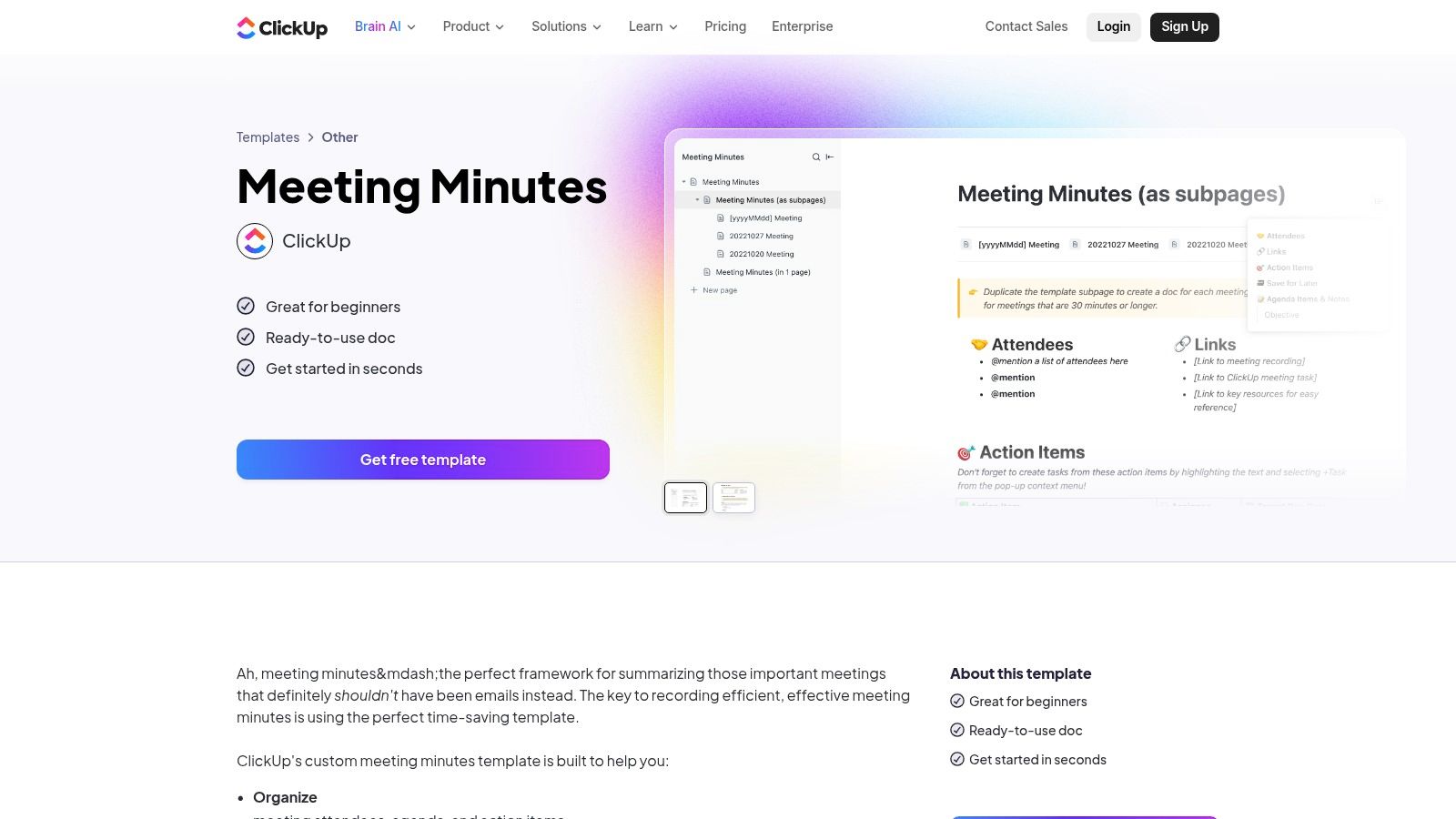
The core advantage of using ClickUp is the seamless integration between its Docs and Task features. You can highlight any line in your meeting notes and instantly convert it into a task, assign it to a team member, and set a due date. This direct workflow eliminates the manual step of transferring action items from your notes to your project management tool. For more insights on effectively managing these deliverables, explore how to create a detailed action item list. This functionality makes ClickUp a powerful hub for turning conversations into measurable progress.
Key Features & User Experience
The user experience is powerful but can have a learning curve due to the platform's extensive feature set. Once familiar, the workflow becomes incredibly efficient.
- Access: A robust free-forever plan is available; paid tiers unlock advanced project management features.
- Variety: Offers a general meeting minutes template plus specialized versions for board meetings, operations, and more.
- Integration: Natively connects with ClickUp's entire suite of tools, including Calendars, Lists, and Dashboards.
- Formats: Templates are built within ClickUp Docs but can be exported to PDF, Markdown, or HTML.
While its power lies in its ecosystem, this can also be a drawback. The templates are most beneficial when your team is already committed to using ClickUp for project management.
Website: ClickUp Meeting Minutes Template
6. Miro Templates (Meeting Notes)
For teams where meetings are a mix of discussion, brainstorming, and visual planning, Miro’s infinite whiteboard templates offer a dynamic alternative. The "Meeting Notes" template is specifically designed to capture outcomes, attendees, and action items directly on a collaborative canvas. This approach is ideal for hybrid or remote teams who use visual aids, diagrams, or sticky notes during their sessions, allowing the recap to live alongside the context it was created in.
The standout advantage of using Miro is its fusion of structured notes with a freeform creative space. You can draft a formal meeting recap template while simultaneously linking it to a user flow diagram, a mood board, or a collection of brainstormed ideas from the same session. This visual-first methodology ensures that nothing gets lost in translation between a whiteboard session and a text-only document, making it a powerful tool for workshops, design sprints, and strategic planning meetings.
Key Features & User Experience
Miro delivers an intuitive, drag-and-drop experience that feels more like a creative studio than a document editor. The collaboration is seamless, with real-time cursors, comments, and mentions.
- Access: A robust free plan is available; paid plans unlock advanced features like unlimited boards and high-resolution exports.
- Variety: Beyond meeting notes, Miro offers hundreds of related templates for agendas, retrospectives, and project planning.
- Integration: Connects with popular tools like Jira, Asana, Slack, and Google Workspace to streamline workflows.
- Formats: Boards can be exported as images (JPG, PNG), PDFs, or embedded directly into other platforms like Confluence.
While exceptional for visual collaboration, it can be overkill for teams who just need a simple, text-based summary. Some export and integration features are also limited to paid tiers.
Website: Miro Meeting Notes Template
7. Atlassian Confluence templates (Meeting Notes)
For software development, product, and engineering teams already embedded in the Atlassian ecosystem, Confluence is the definitive source for meeting documentation. Its native meeting recap template is less about aesthetic design and more about functional, interconnected knowledge management. This approach transforms meeting notes from standalone documents into a permanent, searchable part of a team’s collective brain, ideal for sprint retrospectives, technical planning sessions, and cross-functional project updates.
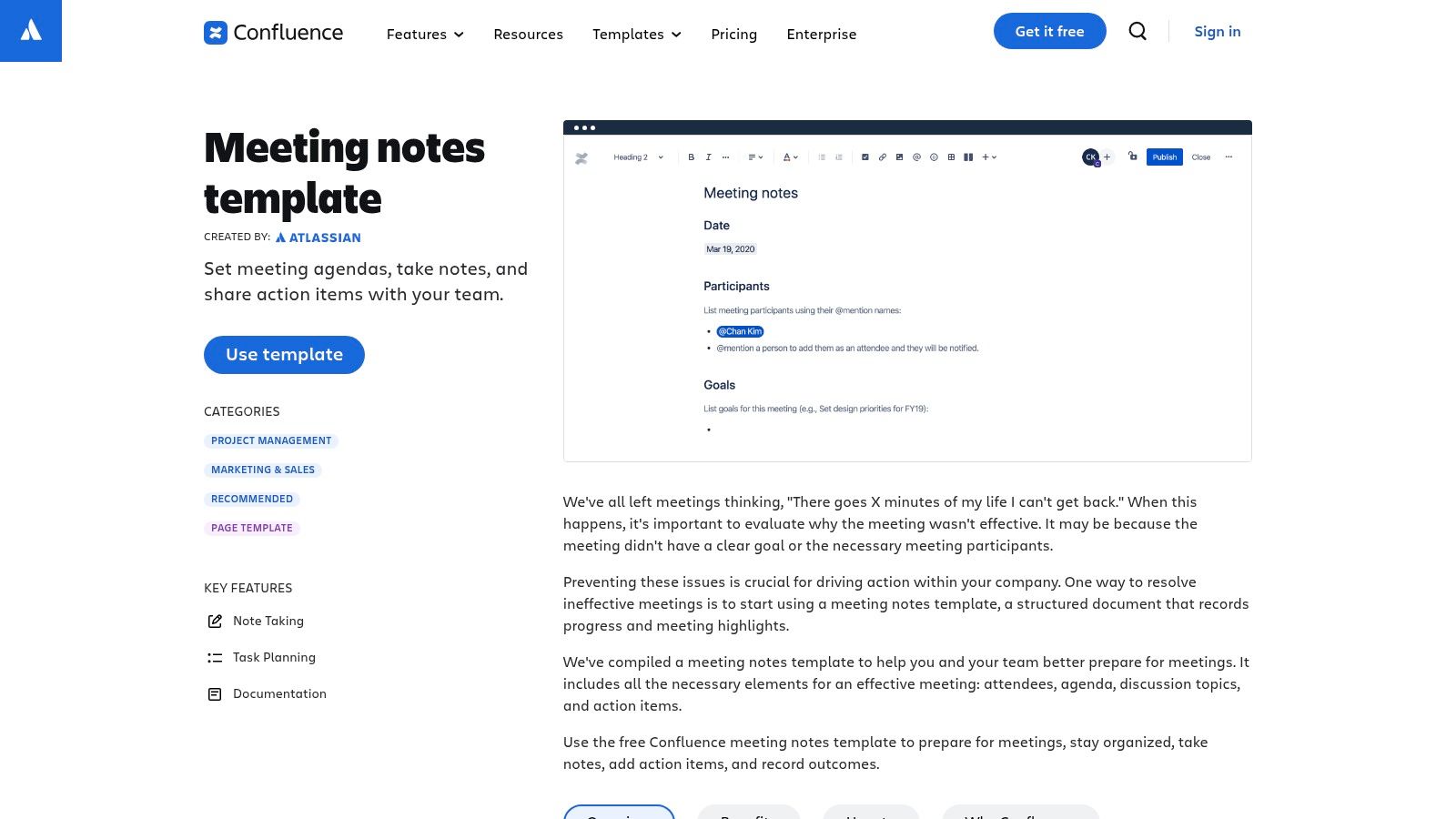
The key differentiator is Confluence's deep integration with Jira. Action items created within a meeting recap can be instantly converted into Jira tickets, assigning ownership and linking them directly back to the discussion for context. This creates an unbroken chain of accountability from conversation to execution. The Meeting Notes blueprint also automatically organizes all recaps onto a central index page, making it effortless to track historical decisions and project progress over time without digging through folders or email threads.
Key Features & User Experience
The user experience is utilitarian and highly structured, prioritizing function over form. It's built for technical teams who value process and clear documentation trails.
- Access: Included with a Confluence subscription (Free, Standard, Premium, and Enterprise tiers available).
- Variety: Provides a core "Meeting notes" template with sections for attendees, goals, action items, and decisions.
- Integration: Natively connects with Jira to create tasks from action items; integrates with Slack and other Atlassian products.
- Formats: All notes are live Confluence pages within a shared space, with options to export to Word or PDF.
While immensely powerful for existing Atlassian users, it can be cumbersome for teams who just need a simple, standalone document and aren't invested in the wiki-style knowledge base.
Website: Atlassian Confluence Meeting Notes Template
8. Evernote Templates (Meeting Notes)
For individuals and small teams who prioritize speed, simplicity, and cross-platform synchronization, Evernote is an excellent choice. Its template gallery, featuring a dedicated meeting recap template, allows users to quickly structure their notes without the overhead of more complex project management or word processing software. This approach is ideal for personal record-keeping, freelance client updates, or internal team huddles where a lightweight, accessible format is more valuable than corporate formality.
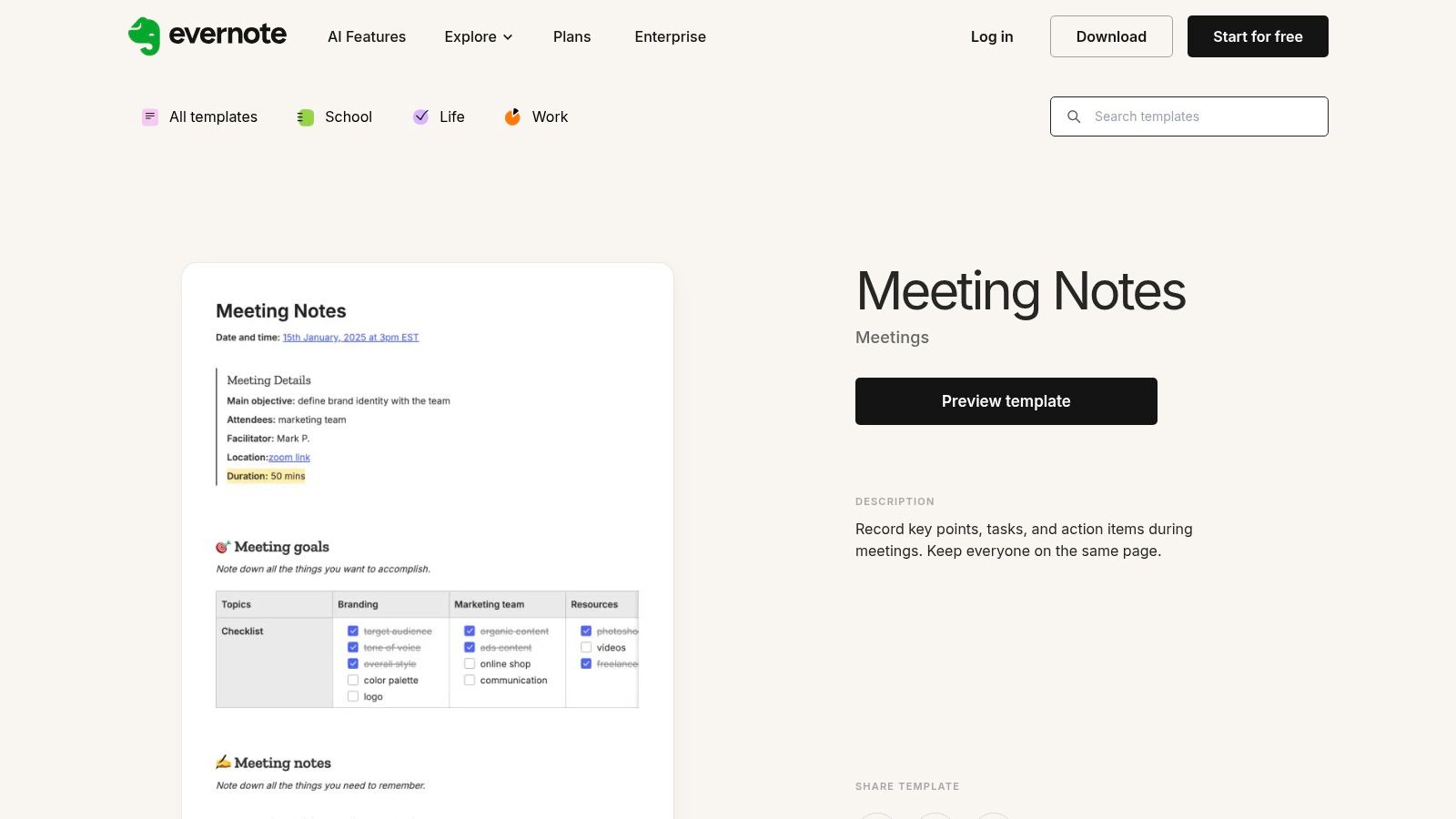
Evernote’s core strength is its ubiquity. You can start a meeting recap on your laptop, add a quick photo of a whiteboard from your phone, and review action items on your tablet later. The template provides a solid foundation with sections for attendees, objectives, notes, and action items, all of which can be customized and saved for future use. This makes it a highly practical tool for capturing information on the fly and ensuring nothing gets lost, regardless of which device you are using at the moment.
Key Features & User Experience
The user experience is built around speed and convenience. Applying a template is a one-click process, and the editor is clean and minimalist, keeping the focus on the content.
- Access: The meeting notes template is free to use with an Evernote account. Heavy users may need a paid plan to overcome device limits and storage quotas.
- Variety: While the gallery is not as extensive as dedicated office suites, the available templates are functional and cover common business needs.
- Integration: Connects with Google Calendar to automatically create pre-formatted notes for upcoming events, streamlining meeting prep.
- Formats: Notes can be shared via a public link, exported as a PDF, or kept within a shared Evernote Notebook for team collaboration.
Its main limitation is in team-wide governance; it lacks the advanced permission controls and structured organization of dedicated wiki or project management platforms.
Website: Evernote Meeting Notes Template
9. Canva Meeting Minutes maker
For teams that prioritize visual branding and presentation-quality documents, Canva is an outstanding choice. It moves beyond simple text-based templates by offering hundreds of professionally designed meeting recap template options that are as visually appealing as they are functional. This makes it ideal for creating polished, client-facing recaps, board presentations, or internal reports where a strong visual identity is crucial. Canva’s strength lies in its ability to quickly transform standard meeting notes into branded, engaging documents.
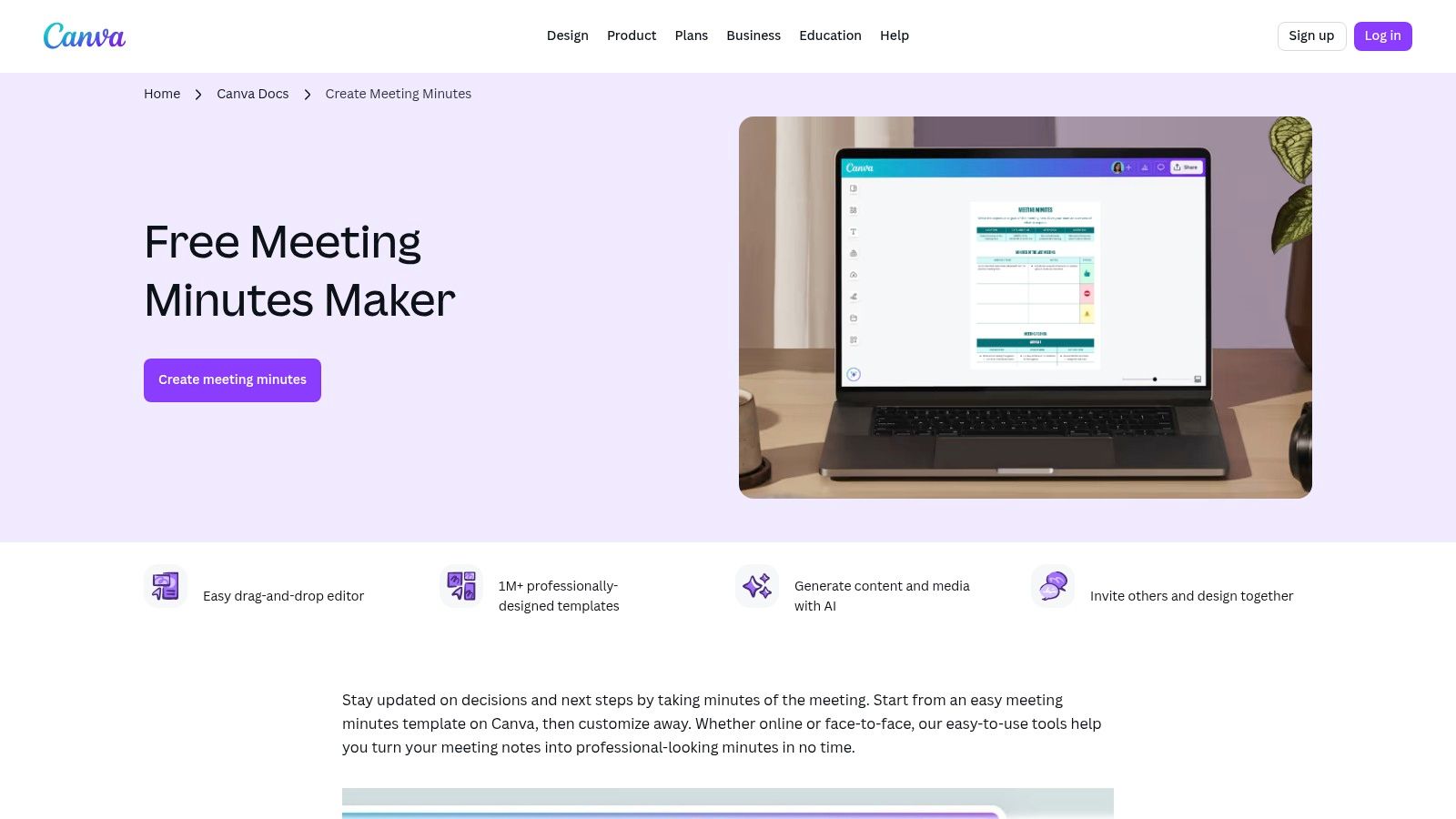
The platform’s drag-and-drop editor and real-time collaboration features make it incredibly user-friendly, even for those without a design background. You can easily add your company’s logo, brand colors, and other graphical elements to ensure every recap is perfectly on-brand. While many templates are free, a Canva Pro subscription unlocks a wider library of premium assets and advanced features like Brand Kits, which streamline the customization process for an entire team.
Key Features & User Experience
Canva’s user experience is famously intuitive, focused on speed and creative flexibility. The platform excels at making design accessible to everyone.
- Access: A large selection of templates is available for free; premium assets and advanced features require a Canva Pro or Teams subscription.
- Variety: Hundreds of templates ranging from formal minutes to creative, infographic-style meeting summaries.
- Integration: Offers seamless real-time collaboration, commenting, and simple sharing via link or export to PDF, PNG, or JPG.
- Formats: Templates are fully customizable in size and can be downloaded in various digital and print-ready formats.
While exceptional for visual communication, Canva is less suited for heavy-duty, structured action item tracking compared to dedicated project management tools.
Website: Canva Meeting Minutes Templates
10. Etsy marketplace (downloadable meeting minutes/recap templates)
For those seeking a more aesthetic or highly specialized template, Etsy offers a surprisingly vast marketplace of downloadable options created by independent designers. This platform is ideal when standard corporate templates feel too generic and you need a meeting recap template with a specific visual style, or one tailored for a niche purpose like non-profit board meetings, creative brainstorming sessions, or PTA committee notes. The templates are often visually appealing and thoughtfully designed, providing a personalized touch to your documentation.
The primary benefit of Etsy is the sheer variety and affordability. For a small one-time fee, you receive instant digital downloads that you can use indefinitely. Sellers typically provide files in multiple formats like Word, Google Docs, fillable PDFs, and even templates for digital note-taking apps like GoodNotes or Notability. This makes it a great choice for small businesses, freelancers, or teams who want a polished look without committing to a software subscription. The key is to vet sellers carefully by reading reviews to ensure the quality and usability of the files.
Key Features & User Experience
The user experience is that of a typical e-commerce marketplace: browse, filter by format or price, read reviews, and purchase for an instant download.
- Access: Digital files are purchased for a low one-time cost, usually under $10.
- Variety: Thousands of unique designs for formal minutes, informal recaps, project updates, and highly specific niches.
- Integration: None. These are standalone files that do not connect to any workflow or collaboration software.
- Formats: Commonly available in Word, Google Docs, PDF, and templates for digital planners like GoodNotes and Notion.
While the selection is unparalleled, the lack of built-in collaboration means these templates are best suited for individual use or for a single person responsible for documenting and distributing notes.
Website: Etsy Meeting Minutes Templates
11. Template.net (Meeting Agenda and Minutes)
Template.net offers a massive library of downloadable templates for nearly every business scenario, and its collection of meeting minutes and agenda documents is a standout. This platform is ideal for users who need a professionally designed meeting recap template quickly without committing to a complex design tool. It bridges the gap between basic word processor templates and more specialized software, offering a great starting point for formal documentation.
The primary advantage of Template.net is its flexibility. You can customize a template directly in their online editor, which includes AI-powered assistance, and then export it to your preferred format like Google Docs, Word, or PDF. This workflow allows for rapid creation and distribution, making it perfect for teams that need to produce polished, consistent-looking documents for board meetings, project kickoffs, or client status updates on short notice.
Key Features & User Experience
The user experience is straightforward, focusing on quick access and editing. The vast library is well-organized, making it easy to find a template that fits your specific meeting type.
- Access: Many templates are free to download after a simple sign-up, while premium designs require a subscription.
- Variety: The collection includes formal minutes, combined agenda-and-minutes documents, and templates for specific industries.
- Integration: While not a direct integration, one-click exports to Word and Google Docs make it compatible with most corporate workflows.
- Formats: Templates are easily exported to DOCX, Google Docs, PDF, and other common file types.
While the selection is extensive, the visual branding can feel generic compared to fully custom designs, and the best templates are often locked behind a paywall.
Website: Template.net Meeting Agenda and Minutes
12. Asana Templates (Meeting Minutes)
For teams that live and breathe project management, Asana's meeting minutes template is less a document and more an action-oriented workflow. This approach is ideal for turning conversations directly into trackable work. It excels at ensuring that discussion points and decisions are not just recorded but are immediately converted into assigned tasks with owners and due dates, creating a seamless bridge from meeting to execution.
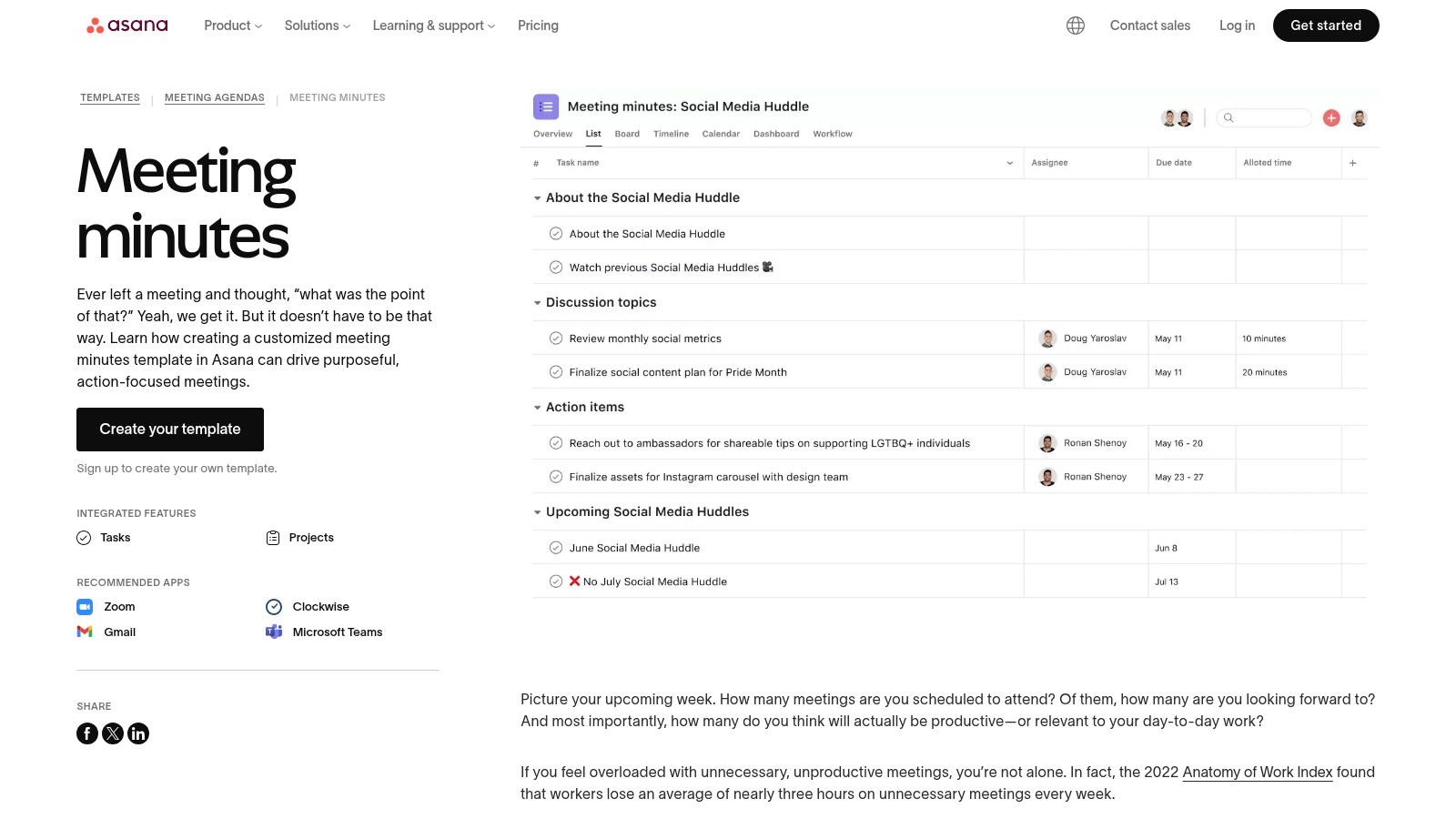
The biggest advantage is the built-in accountability. Instead of a static meeting recap template that lives in a separate document, Asana integrates it into your project board. Action items become tasks that appear in team members' workloads, and their progress can be tracked transparently. This is especially powerful for recurring meetings, as you can easily reference historical minutes and carry over unresolved items to the next agenda, all within the same project view.
Key Features & User Experience
The experience is native to the Asana platform, making it intuitive for existing users. The template provides a clear structure for agendas, attendees, notes, and action items that are instantly convertible to tasks.
- Access: The template is free to use, but requires all participants to have an Asana account. The best value is for teams already using Asana for task management.
- Variety: Focused specifically on meetings that generate tasks, including project kick-offs, stand-ups, and 1-on-1s.
- Integration: Natively connects with Zoom, Gmail, and Microsoft Teams to streamline meeting workflows from start to finish.
- Formats: The recap exists as a project or task within Asana, designed for live collaboration rather than traditional document export.
While excellent for task-driven teams, it may feel restrictive for those needing a simple, shareable document format for external stakeholders.
Website: Asana Meeting Minutes Template
The Five-Line Recap That People Actually Read
Long recaps get skimmed and then ignored. This structure fits in an email preview and covers everything that matters.
Send it the same day, to everyone who was in the room and everyone affected who was not. The second group is the one people forget, and it is where most "nobody told me" comes from.
Top 12 Meeting Recap Template Comparison
From Template to Action: Making Your Meeting Recaps Work for You
We've explored a comprehensive landscape of tools and resources, from the AI-powered automation of HypeScribe to the collaborative canvases of Miro and the structured databases of Notion. The central theme is clear: a generic approach to meeting documentation is no longer sufficient. The right meeting recap template is not just a form to fill out; it's a strategic asset that transforms conversational chaos into clear, actionable intelligence.
The key takeaway is that effectiveness lies in a two-part equation: the right structure combined with the right workflow. A well-designed template provides the skeleton, ensuring consistency and capturing critical information like decisions, action items, and key takeaways. However, the workflow, the process of generating, refining, and distributing that recap, is what brings it to life.
This is where the distinction between static templates (like those from Microsoft Word or Canva) and dynamic, integrated systems becomes crucial. Static templates offer maximum design flexibility but require significant manual effort. In contrast, platform-native templates within tools like Asana, ClickUp, or Confluence link your meeting notes directly to project tasks and broader team knowledge bases, creating a connected ecosystem.
Choosing Your Path: Manual vs. Automated
Your ideal solution depends entirely on your team's specific context and priorities. To make the best choice, consider these critical factors:
- Meeting Volume and Complexity: If your team has back-to-back meetings daily, a manual process will quickly become a bottleneck. The time saved by an automated transcription and summarization tool like HypeScribe is not a small convenience; it's a significant productivity gain that frees your team to focus on high-value work instead of administrative tasks.
- Need for Verbatim Records: For interviews, client discovery calls, or compliance-focused discussions, having an accurate, timestamped transcript is non-negotiable. This is a scenario where traditional note-taking falls short, and automated transcription becomes a necessity for accuracy and liability.
- Integration with Existing Workflows: How will your meeting notes be used? If they need to feed directly into a project management tool, choosing a template within that system (like Asana or Atlassian) makes the most sense. If recaps are for archival or informational purposes, a simple Google Docs or Notion template might suffice.
- Customization and Standardization: How important is it that every meeting recap follows an identical format? If standardization is a high priority for reporting and consistency, investing time to build a master template in a shared platform is essential. The principles behind creating a great recap format are similar to those used in other structured documents. For a deeper dive into structured documentation, exploring the best business process documentation templates can offer valuable insights for designing effective meeting recap formats.
Final Thoughts: The Future of Meeting Documentation
Ultimately, the goal of any meeting recap template is to close the gap between discussion and action. A great recap ensures that momentum isn't lost the moment a meeting ends. It provides clarity, assigns ownership, and creates a historical record that prevents knowledge from evaporating.
Whether you choose a simple downloadable template or a sophisticated AI-powered platform, the most important step is to be intentional. Move away from unstructured, inconsistent note-taking and embrace a system that serves your team’s goals. By selecting the right template and integrating it into a thoughtful workflow, you can transform your meetings from transient events into powerful catalysts for progress and alignment.
HypeScribe writes the recap for you: the bot joins the call and returns a summary with the action items and their owners already separated out. Try it free — three meetings a month, no card required.


































































































