
How to Get a Spotify Podcast Transcript Instantly

Need a Spotify podcast transcript? Good news—it’s easier than ever. While Spotify is slowly adding native transcripts to some shows, my go-to method for speed and accuracy is a dedicated AI transcription service. Sometimes, I’ve even had success just asking the creator directly.
Getting a transcript is the key to unlocking all that amazing audio content. Once you have the text, you can make your podcast searchable, accessible, and incredibly easy to repurpose for other content.
Why a Podcast Transcript is Your Secret Weapon for Growth
From my experience, many podcasters treat transcripts as an optional extra, if they consider them at all. This is a huge missed opportunity. A transcript isn't just a file; it's a powerful tool that transforms your audio from a locked box into a discoverable, accessible, and shareable asset. It's how you unlock growth that audio alone can't provide.
Think about it from Google's perspective: it can't listen to your podcast. Without a text version, all the valuable keywords, expert insights, and brilliant moments shared in your episodes are completely invisible to search engines.
Unlocking SEO and Discoverability
As soon as you publish a transcript, your audio content becomes fully indexable by search engines. Imagine your tech podcast suddenly ranking for a highly specific term you mentioned 40 minutes into an episode. Or your history show popping up in search results because you discussed a niche historical figure. This isn't just a minor adjustment; it fundamentally changes how new listeners can find you. Every word you say becomes a new doorway for an audience to walk through.
This is especially critical if you're serious about building a real presence. For anyone wanting to start a podcast business, transcripts are a foundational step for reaching a wider audience and making your content work harder for you.
Creating the Foundation for Endless Content
Beyond search visibility, a single transcript provides the raw material for an entire content marketing strategy. It’s not just a document; it’s a goldmine of potential content.
- Blog Posts: Easily turn a great interview or solo show into a full-blown article. This helps capture a whole new audience of people who prefer reading.
- Social Media Content: Pull out those punchy quotes, surprising stats, and key takeaways. They make for fantastic graphics, carousels, and video clips.
- Newsletters: Drop a summary or a list of episode highlights directly from the transcript to give your email subscribers instant value.
A clean transcript becomes the ultimate source of truth for your episode. It lets you find specific moments instantly, verify quotes without guessing, and repurpose segments with 100% confidence. You’ll save hours you would have spent scrubbing through audio.
This multi-channel approach is one of the smartest content repurposing strategies a creator can use. With the podcasting market projected to hit $131.13 billion by 2030, creators who embrace transcription are setting themselves up for success. It's no wonder that 40% of podcasters already use AI for their transcription workflow, as highlighted in statistics on podcast transcription growth from Sonix.ai.
What Are the Best Ways to Get a Podcast Transcript?
So, you need a transcript for a Spotify podcast. It sounds simple enough, but there isn't just one way to get it done. I've been down this road many times, and the best path really depends on what you need. Are you looking for a quick, free solution, or do you need a highly accurate, polished document for marketing or accessibility?
Your options generally fall into a few different categories, from the super simple to the more professional.
The Easiest Routes (When They Work)
The most direct approach is to see if Spotify has already done the work for you. They've been rolling out auto-generated transcripts, which is fantastic when you can find them. The catch? It’s mostly for their big-name original and exclusive shows. For the millions of other podcasts, you’re likely out of luck.
Another long shot, but one worth trying, is simply asking the creator. Many podcasters who are serious about growing their audience already create transcripts for their own websites to boost their SEO. A quick, polite email or a DM on social media might just land you a ready-to-go file. It's hit-or-miss, but when it works, it saves you a ton of time.
Taking Control with a Dedicated Service
For a reliable and consistently accurate result, your best bet is to use a third-party transcription service. This is the path I take when I need a transcript I can actually use for something important, like creating content or ensuring accessibility.
This is where AI-powered tools like HypeScribe really shine. They can turn an audio file into a full transcript in minutes, delivering a level of accuracy that other methods just can't match. This is the go-to method for anyone who needs more than just a rough copy of the conversation.
This decision tree gives you a good visual on when it makes sense to invest in a proper transcript versus just making do.
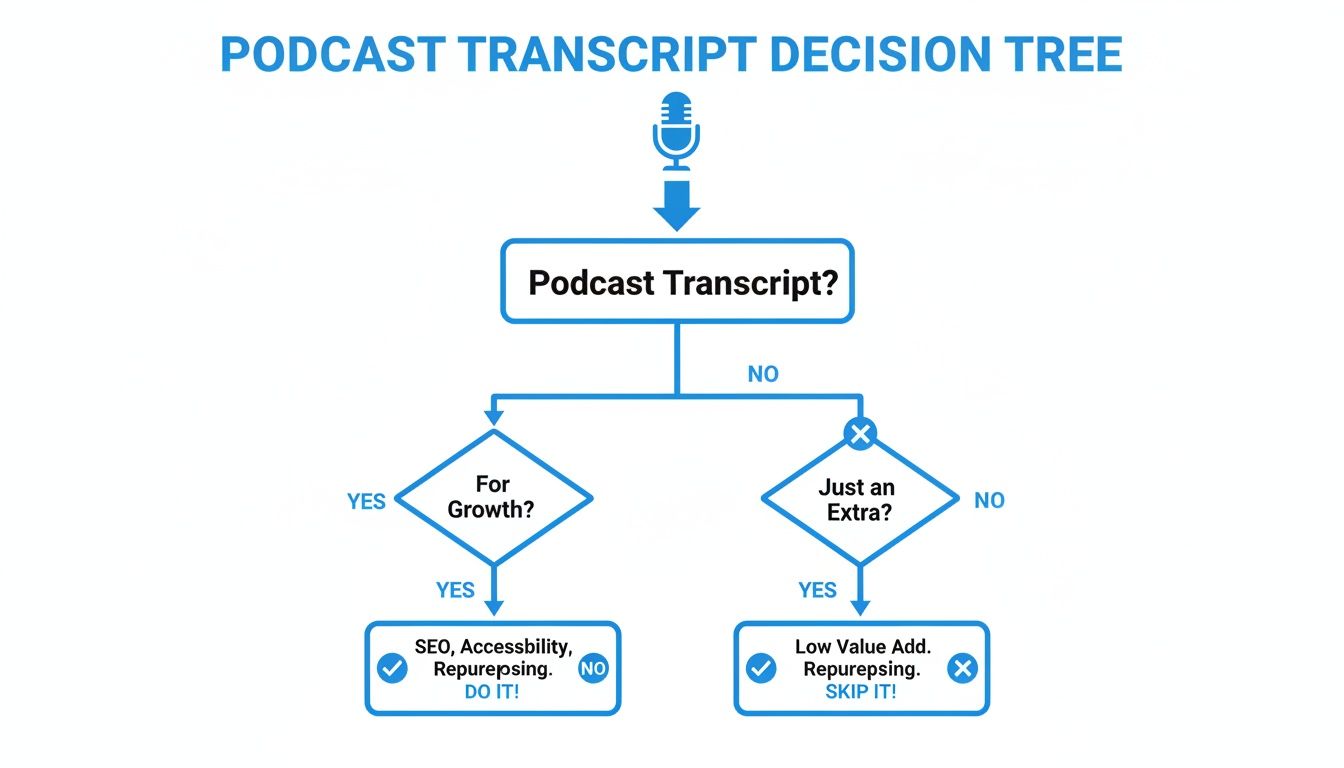
As the chart makes clear, if you're thinking about growth, reaching a wider audience, or turning that podcast into other forms of content, a high-quality transcript stops being a "nice-to-have" and becomes a must-have.
When you move from simply wanting a readable copy to needing an asset for marketing or accessibility, the value of a professional service becomes clear. The time saved and the quality gained are well worth the minimal effort involved.
To help you quickly weigh your choices, here’s a simple breakdown of the main methods.
Podcast Transcription Methods at a Glance
Ultimately, the right tool depends on the job.
If you're serious about getting a transcript that's truly useful, it’s worth looking into the best online transcription service options available. Doing a little research upfront will help you figure out which features—like automatic speaker labels, clickable timestamps, and various export formats—are critical for your project. This small step ensures the final text isn't just accurate, but perfectly formatted for whatever you have planned.
How to Use AI Tools for Near-Instant Transcripts
Sometimes, you just can't wait. When you need a fast, reliable, and highly accurate Spotify podcast transcript, waiting for the creator or relying on native features isn't always the best move. This is where you take matters into your own hands, and frankly, it's often the most efficient way to get things done.
Using a dedicated AI-powered service like HypeScribe can turn hours of audio into a polished, usable document in just a few minutes. This approach puts you in the driver's seat. You capture the audio from any Spotify episode and generate your own transcript, ensuring you get exactly what you need, right when you need it.
Step 1: Get the Podcast Audio File
First thing's first: you need the audio file. Since Spotify doesn't have a big "Download MP3" button on its episodes, you'll have to use a simple workaround.
A great place to start is checking other platforms. Many podcasters distribute their shows widely, so you might find the exact same episode uploaded as a video on YouTube or as a direct audio file on the creator’s own website.
If that doesn't work, audio capture software is your best friend. These tools simply record whatever sound is playing on your computer, allowing you to save the Spotify stream as a local MP3 or WAV file. It's a straightforward process that leaves you with a clean audio source ready for the next step.
Step 2: Turn the Audio File into Actionable Text
Once you have your audio file, the hard part is over. AI transcription platforms are built to be incredibly intuitive — there are even free audio-to-text tools if you just want to test the waters. You can usually just drag and drop your file or paste a link if you found the episode on a public site like YouTube.
Here's a look at the simple upload interface on HypeScribe—it’s designed to get your file processing in seconds.
This simple action kicks off a surprisingly powerful process. The platform gets to work immediately, converting the spoken words into text with impressive speed and precision.
What used to be a full day's work of manual typing can now be done in less than a minute for an hour-long episode. The speed is a game-changer, but the real magic is in the accuracy and the extra features that turn a raw transcript into a strategic tool.
Modern AI transcription is about much more than just converting speech to text; it's about extracting intelligence. The best tools don't just dump a wall of words on you. They provide speaker labels, timestamps, summaries, and key takeaways, which saves an incredible amount of time during analysis and content repurposing.
With Spotify's podcast library projected to feature over 6 million titles and produce around 26 million new episodes in 2025 alone, the ability to process audio quickly is becoming non-negotiable. For creators and marketers trying to cut through the noise, high-quality transcription tools are essential for maximizing reach. You can dig into more of the scale of the podcasting world on beamly.com.
Features That Go Beyond Basic Transcription
The final document you get from a service like HypeScribe is so much more than a block of text. It's a fully formatted, intelligent document designed for immediate use.
- Smart Summaries: Get a quick, concise overview of the entire episode. Perfect for crafting show notes or email newsletters.
- Key Takeaways: Instantly pull out the most important points and memorable quotes without having to reread the whole thing.
- Action Items: Automatically identify specific tasks or recommendations mentioned, which is incredibly useful for team meetings or educational content.
- Speaker Identification: The AI is smart enough to separate and label different speakers, a must-have for interview-style podcasts.
These are the features that elevate a simple transcript into a professional-grade asset. You can explore our guide on how AI-powered transcription software enhances this process from start to finish. This approach gives you not just a record of what was said, but a solid foundation for creating blog posts, social media content, and detailed research notes with minimal extra effort.
How to Polish Your AI-Generated Transcript
An AI-generated transcript is a fantastic head start, often hitting accuracy levels that would've been science fiction a few years ago. But let's be real: "almost perfect" isn't the same as "ready to publish." Based on my own process, a few thoughtful edits can transform that raw text from a functional data dump into a polished, professional asset that truly serves your audience.
This process is more than just a spell-check. It's about layering in the human context, nuance, and clarity that machines still struggle with. The goal is to make your transcript as engaging and easy to follow as the audio itself.
First Pass: Correcting Errors and Boosting Readability
Your first job is a classic proofread. The most effective way to do this is to listen to the audio while you read through the transcript. This is where you'll catch the obvious stuff—AI often stumbles over unique names, industry jargon, or specific brand terms that aren't in its standard vocabulary.
This is also your chance to clean up the flow. AI is brutally literal, capturing every single "um," "ah," and stutter. While keeping a few can maintain the speaker's authentic voice, trimming the excessive filler words makes the final text infinitely more professional and easier to read.
Assigning Clear Speaker Labels
If you’re transcribing an interview or a show with multiple hosts, clear speaker labels are absolutely essential. Modern AI is getting pretty good at speaker diarization (the technical term for figuring out who is speaking), but it's not foolproof. It can easily get confused when voices are similar in pitch or when people talk over each other.
Take the time to manually assign clear, consistent labels. Ditch the generic "Speaker 1" and "Speaker 2" for actual names. The difference is huge.
Before:
- Speaker 1: So we launched the campaign last Tuesday.
- Speaker 2: And the results were incredible.
After:
- Maria: So we launched the campaign last Tuesday.
- David: And the results were incredible.
This simple fix makes the conversation easy to follow, especially for someone scanning the text to find a quote from a specific guest.
Adding Timestamps for Easy Navigation
One of the most valuable additions you can make is timestamps. This turns a static block of text into an interactive guide, letting your audience click and jump to the exact moment in the audio you're referencing. It's a massive win for user experience.
Think of timestamps as a table of contents for your audio. You're respecting your audience's time by helping them pinpoint the exact information they need without scrubbing through the whole episode.
You don't have to timestamp every sentence. Focus on the big moments:
- The start of a new topic or discussion segment.
- When a guest starts answering a specific question.
- Anytime a key takeaway or surprising stat is mentioned.
Taking It to the Next Level
Have a global audience? Translating your polished transcript can be a game-changer. It opens your content up to non-native speakers who might find it easier to read in their own language than to follow a fast-paced conversation. AI translation can give you a decent first draft, but always have a native speaker review it to catch cultural nuances and awkward phrasing.
Finally, don't forget formatting. Use short paragraphs, clear headings for different sections, and bold text for important ideas. A well-organized transcript isn't just more pleasant to read—it's a powerful tool for SEO and makes it much easier to pull quotes for social media, blog posts, and newsletters.
How to Put Your Transcript to Work
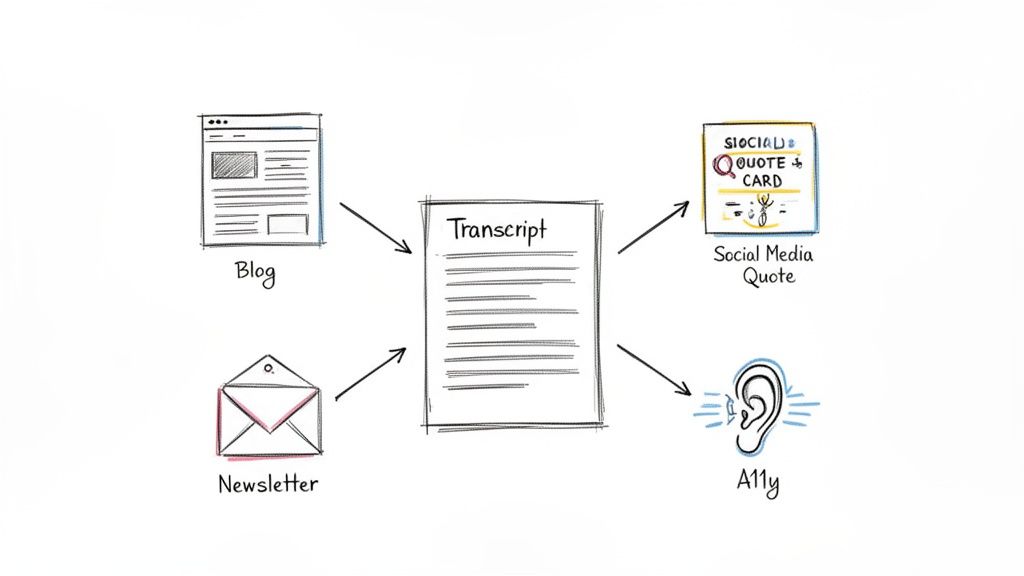
Alright, you’ve got a clean, accurate transcript. Now the fun begins. This document is so much more than a simple record of a conversation; it’s raw material you can spin into gold. The real trick is to stop thinking of it as a single file and start seeing it as the source code for a dozen new pieces of content.
Think about it: that one-hour interview could easily become ten eye-catching quote graphics for Instagram, a deep-dive blog post, and a quick summary for your email list. This is how a Spotify podcast transcript stops being a text file and starts being a core part of your growth strategy. You can reach different people on different platforms, all from one recording.
Boosting Your SEO with Blog Content
One of the easiest and most effective things you can do is turn that transcript into a blog post. By putting the full text on your website, you suddenly make every single word spoken in your podcast discoverable by search engines. People searching for the exact topics you covered can now find your episode through a simple Google search.
But why stop at just one post? A full transcript is the perfect starting point for several different articles.
- Deep Dive Articles: Did you spend ten minutes on a really specific topic? Pull that section out and flesh it out into its own detailed, standalone article.
- Listicles: Go through the transcript and pull out every key takeaway, tool, or tip mentioned. You can easily format this into something like, "The 7 Best Productivity Hacks from Our Latest Episode."
- Expert Roundups: If you had multiple guests, grab their most insightful quotes on a single theme and compile them into a powerful roundup post.
Learning to use various content repurposing tools can really help you get the most out of every single transcript, turning one piece of audio into a full-blown content campaign.
Fueling Your Social Media Calendar
Ever stare at a blank social media calendar, wondering what to post? Your transcripts are the answer. They are a literal goldmine of content just waiting to be shared.
Simply scan through the text and look for punchy one-liners, surprising statistics, or practical tips. These are perfect for turning into quote cards, short video clips, or text-based posts for platforms like X or LinkedIn.
Having a polished transcript allows you to create social content with complete confidence. You'll never misquote a guest or share an inaccurate statistic because the source text is right in front of you.
This method doesn't just save you a ton of time; it also ensures your social media activity is directly connected to the valuable content in your podcast. It creates a seamless experience for your audience, guiding them from a social post right back to your episode.
Expanding Your Reach Through Accessibility
Beyond all the marketing wins, transcripts are absolutely essential for making your podcast inclusive. For members of the deaf and hard-of-hearing community, a transcript isn't just a nice-to-have—it’s the only way they can engage with your show.
It’s also a huge help for non-native speakers, who might find it much easier to read along than to follow a fast-paced, unscripted conversation.
And finally, a quick note on ethics: if you're transcribing someone else's podcast for your own use (like for a blog post or research), always get their permission before you publish any part of it. It’s their intellectual property, and respecting that is just good practice in the podcasting world.
Your Top Questions About Podcast Transcripts Answered
Diving into podcast transcripts, especially on a huge platform like Spotify, naturally brings up a few questions. I get asked these all the time by both creators and listeners, so let's tackle the most common ones head-on.
Can I get a transcript directly from the Spotify app?
You might be able to. Spotify has started to introduce auto-generated transcripts for some of their own shows and exclusives. If an episode has one, you'll find an option to view the transcript right there on the podcast page.
But here's the reality: this feature is the exception, not the rule. With over 6 million podcasts on Spotify, the overwhelming majority don't have this built-in option. For those, you'll need to look at other solutions, like using a dedicated transcription service.
Is it legal to transcribe a podcast that isn't mine?
This is a big one, and the answer comes down to what you plan to do with it.
If you're creating a Spotify podcast transcript for your own private use—maybe for school, research, or just to have notes—you're generally in the clear. This kind of activity is typically considered "fair use."
However, if you want to publish that transcript anywhere, like on your blog, or use it for any commercial reason, you're entering copyright territory. You absolutely need to get permission from the creator first. Skipping this step could land you in hot water for copyright infringement. When in doubt, always ask.
How accurate are AI transcription services?
Honestly, they've gotten incredibly good. The top services today can hit up to 99% accuracy when they're working with high-quality audio. The technology has come so far that for most podcasts, all you'll need is a quick proofread to fix any odd bits of jargon or misspelled names.
Of course, a few things can trip up the AI. Background noise, people talking over each other, or strong accents can lower the accuracy a bit. But even with those challenges, these tools turn hours of manual typing into just a few minutes of cleanup.
For almost any professional or personal project, AI transcription is the way to go. It’s fast, budget-friendly, and delivers a draft that’s remarkably close to perfect.
Ready to get a flawless transcript from any Spotify podcast in minutes? HypeScribe uses advanced AI to deliver highly accurate text, complete with summaries and key takeaways, so you can stop scrubbing through audio and start creating. Try HypeScribe for free and see how easy it can be.
Related reading



































































































