Article

How to Get a Transcript of a YouTube Video (The Easy Way)

November 30, 2025

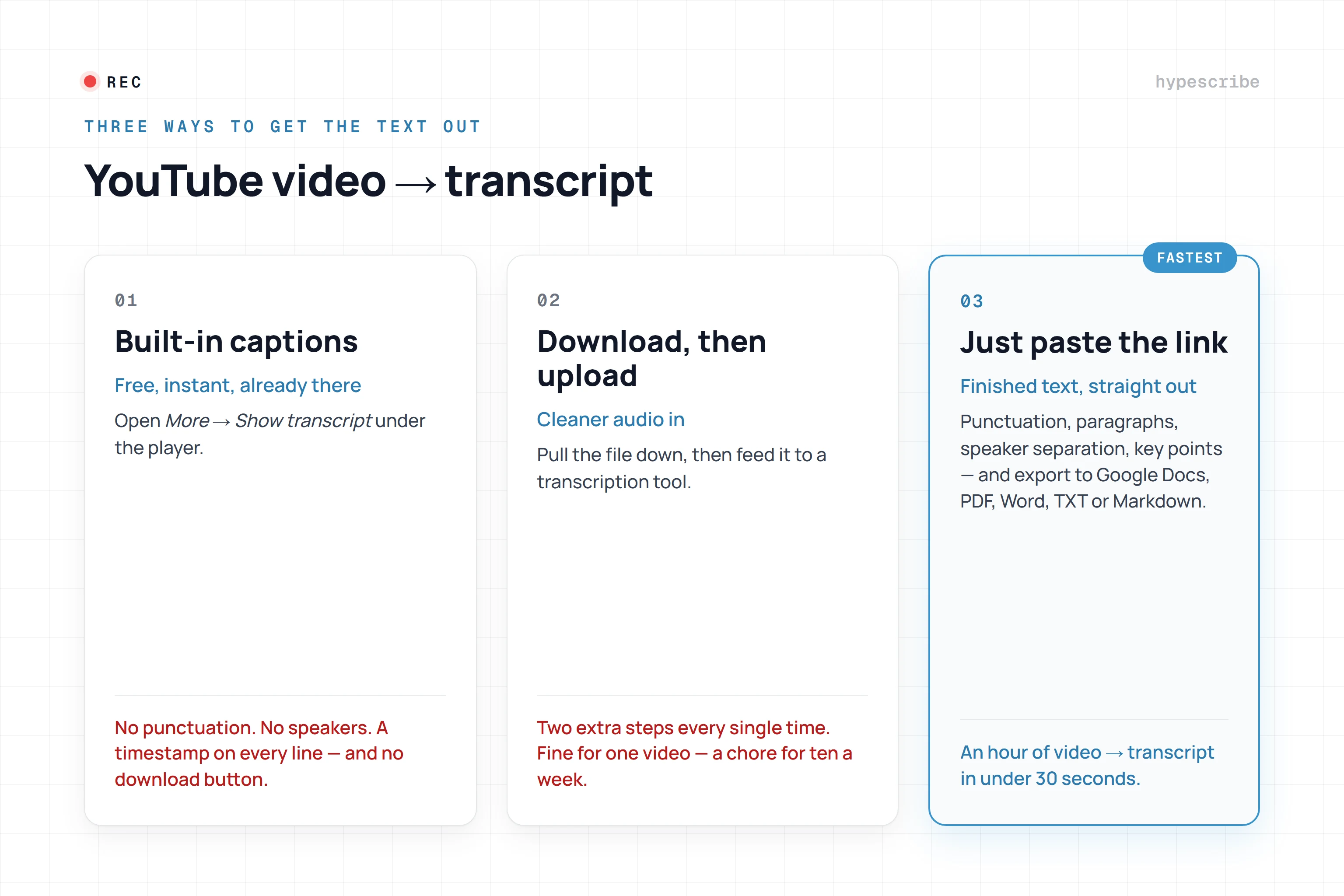
Ever needed to quickly grab the text from a YouTube video? The good news is, it’s surprisingly simple. Just click the three dots below the video player, select "Show transcript," and copy the text. From my experience, this built-in feature is a lifesaver when I just need a quick summary or a few key quotes for my notes. It’s fast, free, and already there.

But when I need something truly polished and accurate for professional use, I turn to specialized AI transcription services. They are the real game-changer.

Why Should You Transcribe Your YouTube Videos?

Turning a video's audio into text might seem like an extra step, but it’s one of the smartest things you can do to get more out of your content. You’re essentially unlocking a hidden layer of value from work you’ve already completed. When you get a transcript of a YouTube video, you transform spoken words into a powerful, searchable asset.

Suddenly, search engines like Google can actually read your video. They can understand the specific topics, keywords, and answers you’ve shared, which opens up a whole new avenue for organic traffic that video-only content just can't access.

Expand Your Reach and Accessibility

One of the biggest wins I've seen from transcribing is making content accessible to more people. It’s an immediate help for viewers who are deaf or hard of hearing, and it's also incredibly useful for non-native speakers who find it easier to read along as they listen.

But the benefits don't stop there:

  • You cater to different learning styles. Some people just absorb information better by reading it. A transcript gives them exactly what they need.

  • It makes your content portable. Viewers can "read" your video in a quiet library or on a noisy train without needing headphones.
  • It improves the user experience. A transcript lets people quickly scan for a specific point or grab a direct quote without having to scrub back and forth through the video timeline.

By making your content universally accessible, you're doing more than just meeting standards. You're building a more inclusive and loyal community that feels seen and valued. It's a powerful way to show you care about every single person in your audience.

The Content Repurposing Goldmine

Beyond accessibility, a transcript is your secret weapon for content repurposing. That 30-minute tutorial you filmed doesn't have to live and die as just a video. With a clean text file, you can spin it into a detailed blog post, a series of shareable social media updates, or an in-depth email newsletter.

This is how you multiply your content output without having to constantly come up with brand-new ideas. It’s a game-changer for staying efficient, especially with the explosion in video consumption.

Take YouTube Shorts, for example. By 2023, they had attracted 2 billion monthly active users across the globe, racking up over 70 billion daily views. Transcription tools help both creators and audiences make sense of this massive amount of content. If you're curious about these numbers, you can dive deeper into this detailed analysis of YouTube statistics.

How to Use YouTube's Built-In Transcription Tool

Often, the quickest way to get a transcript is right on the YouTube page itself. This is the first place I always check. It’s a free, no-fuss method that doesn't require any other software, making it perfect when you just need the text fast.

Finding it is simple. Just head to the video you want to transcribe, look for the ... (three dots) button right below the description box, and click on "Show transcript."

Just like that, a new panel will pop up—usually on the right side of the video—with the full, automatically generated text.

How to Save and Use the Transcript

You'll notice the transcript appears with timestamps next to every line. This is great for following along, but if you just want a clean block of text, those numbers get in the way. Thankfully, YouTube has a simple fix.

  • Look for the three vertical dots at the top of the transcript panel.
  • Click them and select "Toggle timestamps."

The timestamps will vanish, leaving you with just the text. From here, it's a simple copy and paste job. Highlight everything (Ctrl+C or Cmd+C) and drop it into a Google Doc, Microsoft Word, or even a basic notepad. This is my go-to method for grabbing a few key quotes or creating a quick draft.

For creators, managing subtitles and captions happens on the backend in the YouTube Studio dashboard, which looks something like this:

This is where a creator can upload their own accurate caption files or clean up the auto-generated ones. The quality of the transcript you see is directly tied to the work (or lack thereof) done in this interface.

Understanding Its Limitations

While this built-in tool is incredibly handy, you have to be realistic about its quality. YouTube's transcripts are created by speech recognition AI, and let's just say it's not foolproof. I've found the accuracy can be all over the place.

Key Takeaway: Based on my experience, the quality of the original audio is the single biggest factor affecting transcript accuracy. A video with one person speaking clearly into a good microphone will give you a much better result than one with loud music, people talking over each other, or strong accents.

Because of this, I consider the native transcript "good enough" for personal use or getting the general gist of a video. But if I need something polished for a blog post, official subtitles, or any professional purpose, I know I'll need to do a lot of editing. For those cases, a more dedicated tool is almost always necessary.

And if you’re looking to work with the audio file directly, you can learn how to get audio from YouTube in our detailed guide.

Taking Transcription to the Next Level with AI Services

While YouTube's built-in transcript feature is handy for a quick look, there are plenty of times when "good enough" simply isn't. When you need a highly accurate, polished, and professional transcript of a YouTube video, dedicated AI-powered services are the answer. These platforms are built from the ground up to do one thing exceptionally well: turn audio into text with impressive speed and precision.

Think of it like hiring a specialist. If you're a podcaster turning an interview into a blog post, a marketer analyzing a competitor's webinar, or a creator who needs flawless captions, the small investment in a third-party service pays for itself almost instantly. In my workflow, the process is as simple as pasting a YouTube URL or uploading an audio file. In minutes, I have a document ready for whatever I need.

How a Modern Transcription Workflow Looks

Getting started with these services is incredibly simple. My typical process just involves pasting the video's link directly into their platform. From there, the AI takes over, often delivering a full transcript much faster than the video's actual runtime. It's not uncommon for an hour-long video to be transcribed in just a few minutes.

But the real magic is in the features that go far beyond a simple block of text:

  • Speaker Identification: The AI can actually tell who is talking and label them accordingly (e.g., "Speaker 1," "Speaker 2"). This is a complete game-changer for interviews, panel discussions, or any video with multiple speakers.
  • Custom Vocabulary: You can "teach" the AI specific jargon, company names, or technical terms it might otherwise misinterpret. This is fantastic for ensuring accuracy in niche content.
  • Multiple Export Formats: Need a plain text file (.txt) for your notes? Or a subtitle file (.srt) with precise timecodes for your video editor? These services let you export in a variety of formats to fit exactly what you're doing.

This flowchart gives you a quick visual guide for deciding when to stick with YouTube's tool versus when it's time to bring in a specialist.

Flowchart asking 'Need a transcript?', with options 'Yes YouTube Auto' or 'Done'.

As you can see, for most quick, informal needs, YouTube's own feature is fine. But when professional quality is on the line, specialized tools are the answer.

When Is a Paid Service Really Worth It?

So, when should you open your wallet? For me, the decision to use a paid transcription service comes down to a simple cost-benefit analysis. While free tools get the job done on a basic level, professional platforms offer a quality and efficiency that hours of manual editing just can't compete with.

The global AI transcription market is booming for a reason, projected to grow from $4.5 billion in 2024 to a staggering $19.2 billion by 2034. These tools can hit accuracy rates well above 95% with clear audio, which drastically reduces the time you spend fixing errors. For a deeper look into these tools, we've put together a guide on finding the right YouTube video to text converter.
Comparing Transcription Methods

To make the choice clearer, here’s a quick breakdown of how I see YouTube's native tool stacking up against a dedicated AI service.

FeatureYouTube Native TranscriptAI Transcription Service
AccuracyDecent, but often struggles with accents & jargon.High (95%+), with options for custom vocabulary.
SpeedInstant, but only for videos with captions enabled.Very fast, often transcribing an hour of video in minutes.

FeaturesBasic text output with optional timestamps.Speaker labels, custom dictionaries, multiple export formats.
Best Use CaseQuickly grabbing quotes or reviewing video content.Creating professional subtitles, blog posts, and research material.

Ultimately, choosing a paid service is a smart business decision if you create content regularly and want to squeeze every bit of value out of it.

A high-quality transcript is a foundational asset. It's the raw material for creating accessible subtitles, SEO-rich blog posts, and shareable social media content. Paying a few dollars for a near-perfect transcript saves hours of tedious correction work down the line.

And transcription is just the beginning. There are tons of other best AI tools for content creators out there that can help with video editing, script writing, and optimizing your content for better reach.

How to Edit and Format Your Transcript for Maximum Impact

A white notebook page with handwritten notes in black ink, next to a red and black pen.

Getting that raw text file from a transcription tool is a great first step, but the real work is just getting started. I always think of that initial output as a rough draft, not the final product. A clean, thoughtfully formatted transcript is a powerful asset; a messy wall of text is just digital noise. The magic happens when you transform that raw data into something polished and genuinely useful.

Your first pass should be all about cleaning up the basics. You'll be correcting obvious misspellings, adding in the punctuation that the AI missed, and fixing any glaring grammatical errors. Automated systems are notorious for creating long, breathless run-on sentences, so breaking those up is a top priority.

The First Editing Pass: Core Fixes

The goal here is simple: make the text accurate and readable. Even the best transcription services, which often boast 95% accuracy, still make mistakes. I keep a sharp eye out for homophones—words that sound the same but mean different things, like "their," "there," and "they're." These are classic AI slip-ups.

When I dive in, I focus my attention on these areas:

  • Punctuation and Capitalization: This is ground zero. I go through and add the periods, commas, and question marks that give the text its rhythm and meaning. I make sure every sentence starts with a capital letter, and all proper nouns are correctly capitalized.
  • Misidentified Words: The AI doesn’t always understand context. It might hear a brand name like "Mailchimp" and write "mail chimp," or misspell a person’s name. Correcting industry jargon and specific names is essential for maintaining credibility.
  • Filler Words: You'll have to make a judgment call on filler words like "um," "uh," and "like." If I need a strict, verbatim record of the conversation, I might leave them in. But if I'm repurposing the transcript for a blog post, cutting them out creates a much cleaner, more professional read.

This editing phase is where you bring the human touch back into the process. The AI gives you the clay, but it's your judgment that shapes it into something that actually communicates the intended message.

Structuring Your Transcript for Readability

Once the text is accurate, it's time to think about formatting. Nobody wants to read a massive wall of text. It’s intimidating and makes it impossible to find specific information. Your goal is to make the transcript scannable, searchable, and easy to navigate.

I always start by breaking up long monologues into short, digestible paragraphs—two or three sentences, max. This one change alone makes a world of difference for on-screen reading.

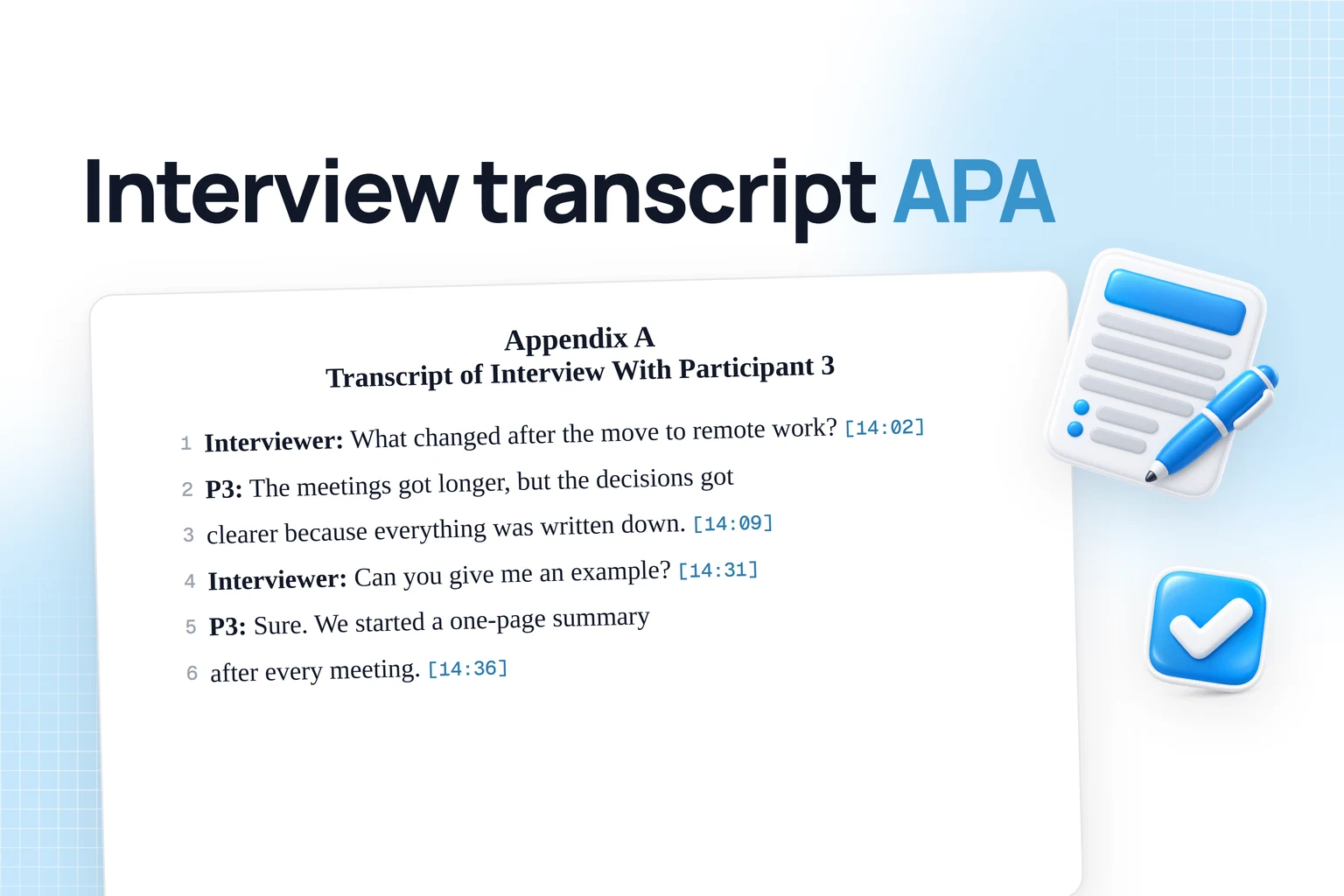
If your video has more than one speaker, you absolutely must label who is talking. It's a non-negotiable step for clarity.

Formatting Speaker Labels

There are a few common conventions for speaker labels. The most important thing is to pick one style and use it consistently throughout the document.

  1. Bold Name with Colon: John Doe: And that’s how we launched the project.
  2. Italicized Name: Jane Smith: I agree, the timeline was aggressive.
  3. Full Caps: SPEAKER 1: Welcome to the podcast.

For longer videos, I also add headings and subheadings directly into the transcript to break up the content by topic. If the video covers three distinct points, I give each one its own heading. This turns a simple transcript into a valuable, quick-reference guide, allowing readers to jump straight to the sections that matter most to them.

How Can You Use Your Video Transcript?

Sketch illustrating a workflow converting a video into various document formats for archiving.

So you've got a polished, accurate transcript. Great. But don't just let it sit there in a folder. Think of it as a content goldmine, your raw material for working smarter, not harder. This is how I multiply my output without being chained to my camera.

One of the most immediate wins is turning that transcript from a YouTube video into a full-blown blog post. All your key points, stories, and takeaways are already written down. Your job is to simply shape that script into a readable article by adding headings, pulling in some visuals, and tweaking the language to flow better on the page.

Multiply Your Content Across Platforms

Why stop at just one blog post? Your transcript is the seed for an entire content campaign. I've seen a single 10-minute video fuel a brand's social media for weeks—it just takes a little strategic thinking.

This is where you can explore various content repurposing strategies. Instead of brainstorming from scratch, you just pull from what you've already created.

Here are a few quick ideas to get you started:

  • Social Media Updates: Pluck out the best quotes, a surprising statistic, or a really practical tip. Each one can be a standalone post for Twitter, LinkedIn, or Facebook.
  • Email Newsletters: Take the main idea from your video and make it the theme of your next newsletter. This lets you give your subscribers a deeper, more personal take on the topic.
  • Short-Form Video Scripts: Find the most punchy, high-impact part of your transcript and chop it down into a script for a TikTok, Reel, or YouTube Short.

By breaking your transcript into smaller pieces, you cater to different audiences on different platforms. Some people want a quick tip on social media, while others prefer a detailed email—and your transcript provides the content for both.

Unlock Deeper Insights and Global Reach

Transcripts aren't just for creating more content; they're also fantastic tools for analysis and expansion. Modern AI can do way more than just convert speech to text. We're talking about tools that use Natural Language Processing (NLP) to scan hours of video in seconds, pulling out key themes, sentiment, and trending topics. This is incredibly useful for keyword research or even generating automatic summaries. You can learn more about how AI is transforming video transcript analysis from VOMO.ai.

And let's not forget about going global. A clean transcript is your first step toward creating subtitles in multiple languages. With your English text as a solid base, you can use various platforms or freelancers to translate it into Spanish, German, Japanese, or whatever languages your audience speaks.

To make this happen right on YouTube, using a dedicated YouTube Caption Generator is a game-changer. It can take your transcript and create perfectly timed captions, making your video instantly more accessible to a worldwide audience.

Common Questions About YouTube Transcripts

Once you start pulling transcripts from YouTube videos, you'll naturally run into a few questions. Getting a handle on the details of accuracy, legal use, and formatting is key to using them well. Let’s tackle some of the most common ones I hear.

How Accurate Are YouTube's Automatic Transcripts?

This is the big one, and the honest answer is: it depends. The quality of any AI-generated transcript is directly tied to the audio it's working with.

If you have a video with crystal-clear audio, one person speaking directly into a good microphone, and zero background noise, a high-quality AI service can hit over 95% accuracy. That’s often good enough for most professional needs, requiring just a quick proofread.

But things can go south quickly when the audio isn't perfect.

  • Thick accents or rapid-fire speech can easily trip up the AI.
  • Multiple people talking over each other is a nightmare for automated systems to untangle.
  • Loud music or background noise makes it tough for the software to isolate the dialogue.

YouTube's built-in tool is a fantastic starting point, but it's generally not as precise as dedicated transcription services. My rule of thumb? If you're using the transcript for anything important—like a blog post, official subtitles, or research—always, always budget time to edit the machine's first draft.

Is It Legal to Transcribe Someone Else's Video?

This is a crucial legal and ethical question. It all comes down to what you plan to do with the transcript.

If it's just for your own personal use—like taking notes for a class, studying a topic, or doing private research—you're almost certainly in the clear. This kind of activity generally falls under the 'fair use' doctrine, since you aren't distributing the creator's work publicly.

The game changes completely if you publish that transcript. Taking someone else's content, transcribing it, and then posting it on your own blog for profit without permission? That can easily land you in hot water for copyright infringement.

When in doubt, the best policy is always to ask the creator for permission before you use their transcribed words in any public way. If it's your own video, of course, you hold the copyright and can do whatever you like with the transcript.

What's the Difference Between a Transcript and Subtitles?

People often use these terms interchangeably, but they serve two very different purposes. A transcript is essentially a block of text, like a script or an article. It’s meant to be read on its own, separate from the video, giving you a searchable, readable document of everything that was said.

Subtitles, on the other hand, are created specifically to be watched with the video. They come in special file formats like SRT (SubRip Subtitle file) that contain not just the text, but also the timestamps. This ensures each line of text appears on the screen at the exact moment it's spoken, synchronized perfectly with the video.

Simply put: transcripts are for reading, and subtitles are for watching.


Ready to turn your audio and video content into accurate, actionable text in seconds? HypeScribe uses advanced AI to generate transcripts, summaries, and key takeaways with up to 99% accuracy. Paste a YouTube link or upload a file and see how easy it is to unlock the full potential of your content. Try it for free at https://www.hypescribe.com.

Read more