
How to Transcribe an Audio File: A Practical Guide

Do you have an audio file that you need to convert into text? You have two main options: the traditional method of manually typing everything out, or the modern, automated approach using an AI-powered service like HypeScribe to handle the transcription for you. The modern workflow is simple: upload your file, let the AI process it, and then give the generated text a quick review.
From Sound to Text: The Modern Way to Transcribe Audio
Anyone who's ever tried to transcribe audio manually understands the challenge. The endless cycle of playing, pausing, typing, and rewinding can be incredibly time-consuming and tedious. It was once a necessary task for students transcribing lectures, journalists documenting interviews, and researchers analyzing focus groups.
This guide will show you how to leave that difficult process behind. We will walk through a modern workflow that prioritizes both speed and accuracy, allowing you to focus on the content of your audio rather than the mechanics of typing it out.
The Major Shift to Automated Transcription
AI has completely transformed the process of transcription. What once required hours of focused effort can now be accomplished in just minutes. Services like HypeScribe handle the labor-intensive work, quickly converting long audio recordings into searchable, editable, and usable text.
This isn't just a minor improvement; it's a fundamental change in how we manage spoken information. The proof is in the data. The global AI transcription market is experiencing significant growth, driven by the high demand for tools that can process audio efficiently. For example, a service like HypeScribe can process an hour-long recording in under 30 seconds, achieving up to 99% accuracy in more than 100 different languages. You can explore insights on the growth of AI transcription to understand the scale of this shift.
Consider this guide your roadmap. We'll cover everything from preparing your audio file for optimal results to exporting a clean, polished transcript. By the end, you'll have a clear and effective process for turning any audio file into valuable, workable text.
How to Prepare Your Audio for Flawless Transcription
A common principle in technology is "garbage in, garbage out," and this is especially true for audio transcription. Even the most advanced AI will produce a messy, difficult-to-edit transcript if it's given a recording filled with background noise and unclear voices.
A few minutes of preparation upfront can save you hours of cleanup work later.
Your main goal is to provide the transcription software with the clearest possible audio signal. Background noise is the biggest obstacle. I learned this firsthand when I tried to transcribe an interview recorded in a noisy coffee shop. The AI struggled, misinterpreting the clatter of dishes as words and even creating a new "speaker" for the barista calling out orders. The result was unusable.
Create a Clean Recording Environment
You don’t need a professional soundproof studio to get high-quality audio. A quiet room is your most valuable asset. Close the windows to block traffic noise, turn off any humming fans or air conditioning, and silence your phone. Even a subtle sound like a refrigerator buzz can degrade a recording.
Next, focus on microphone placement. Whether you're using a high-end USB microphone or the one built into your smartphone, position it close to the speaker. The ideal distance is typically between six and twelve inches from their mouth. This simple adjustment ensures their voice is the most prominent sound, pushing all other noises into the background.
My Experience: For group meetings, I place a single omnidirectional microphone in the center of the table. This setup captures everyone's voice at a similar volume, which greatly improves the accuracy of automatic speaker detection in tools like HypeScribe.
Making small adjustments to your recording setup is crucial. Learning how to improve audio quality by addressing factors like room echo and microphone technique will significantly enhance your final transcript's accuracy.
Perform Basic Audio Cleanup
Even in a controlled environment, your audio might have minor imperfections. Before uploading it for transcription, it’s a good idea to perform a quick cleanup. You don’t need to be a sound engineer; a free program like Audacity is sufficient for basic edits.
A couple of simple adjustments can make a significant difference:
- Noise Reduction: Most audio editors include this feature. You can select a few seconds of pure background hiss, allow the software to learn that sound profile, and then apply the filter to the entire recording to remove it.
- Normalization: If your recording has speakers at different volumes—one quiet and one loud—the "Normalize" function is very useful. It automatically adjusts the entire track to a consistent peak volume, helping the AI hear every word clearly.
If your audio is part of a video file, you'll need to extract it first. This guide on how to get audio from video explains that process. Taking these extra steps provides the AI with the best possible source file, resulting in a more accurate transcript from the start.
A Walkthrough of the Transcription Workflow
With your audio prepared and sounding clean, you're ready for the main step: converting sound into text. Modern transcription tools have streamlined this process significantly. What once took hours of manual typing can now be done with just a few clicks. We'll use HypeScribe as an example to demonstrate how quickly you can get from an audio file to a polished, editable document.
First, you need to upload your audio file. HypeScribe offers a couple of methods. You can upload a file directly from your computer, which is ideal for interviews or lectures you've recorded. Alternatively, you can paste a link from a source like YouTube or Google Drive, and the platform will automatically extract the audio.
Configuring Your Transcription Settings
Before you click the "Transcribe" button, take a moment to configure the settings. This is a crucial step that many people overlook, but it can save a lot of time during the editing phase. Think of it as giving the AI a clear set of instructions.
Inside HypeScribe, you'll find a few key options:
- Language Selection: This is the most important setting. HypeScribe supports over 100 languages, so ensure you select the primary language spoken in your audio.
- Speaker Identification (Diarization): If your recording has more than one speaker, this feature is essential. The AI can detect different voices and will automatically label the dialogue with "Speaker 1," "Speaker 2," and so on.
- Number of Speakers: To improve the accuracy of speaker identification, HypeScribe allows you to specify the exact number of people in the conversation. Providing this detail helps the AI perform diarization more accurately from the beginning.
This entire preparation process is designed to set the AI up for success.
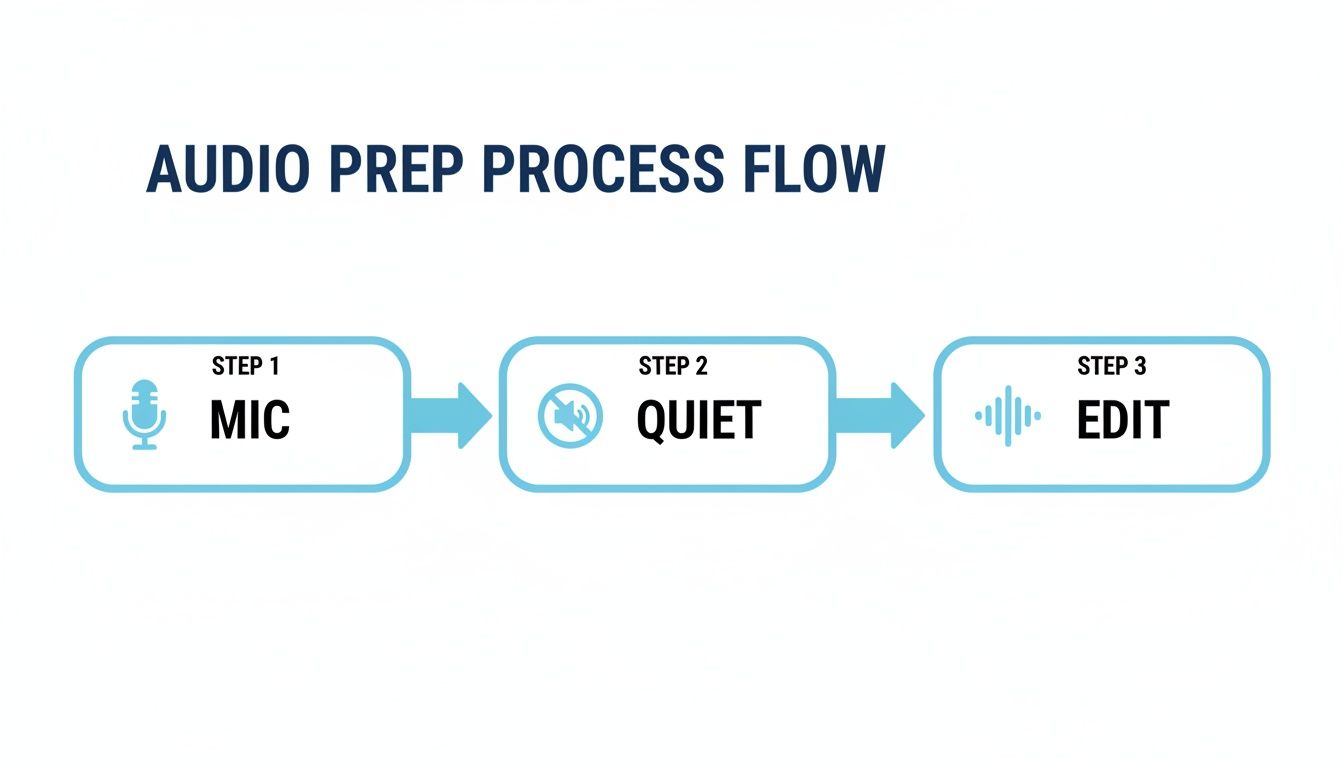
As the chart illustrates, the process relies on a quality microphone, a quiet recording space, and a quick edit. These are the foundational elements of a high-quality transcript.
From Upload to Transcript
Once your settings are configured, the rest of the process is largely automatic. When you click "Transcribe," the AI takes over. I’ve seen HypeScribe process a one-hour audio file in less than 30 seconds. This level of speed is transformative, especially when working under tight deadlines.
As you gain experience, you'll notice that different audio types have unique characteristics. For example, knowing how to efficiently transcribe MP3 to text is a useful skill, as MP3 is a very common format. Most modern tools are designed to handle file types like MP3 without any issues.
The goal of this initial AI pass isn't to achieve perfection. It's to generate a transcript that is 90-99% accurate. Your role then shifts from being a typist to an editor, which is a much more efficient use of your time.
When the tool has finished, you'll receive a full transcript in an interactive editor. You can see the text synchronized with timestamps, click on any section to play back the audio, and see how the AI has labeled the different speakers. To learn more about the capabilities of these tools, it's worth reading about AI-powered transcription software and how it is reshaping professional workflows.
At this point, your raw audio has been converted into a structured, usable document, ready for you to add the finishing touches.
How to Edit and Finalize Your Transcript
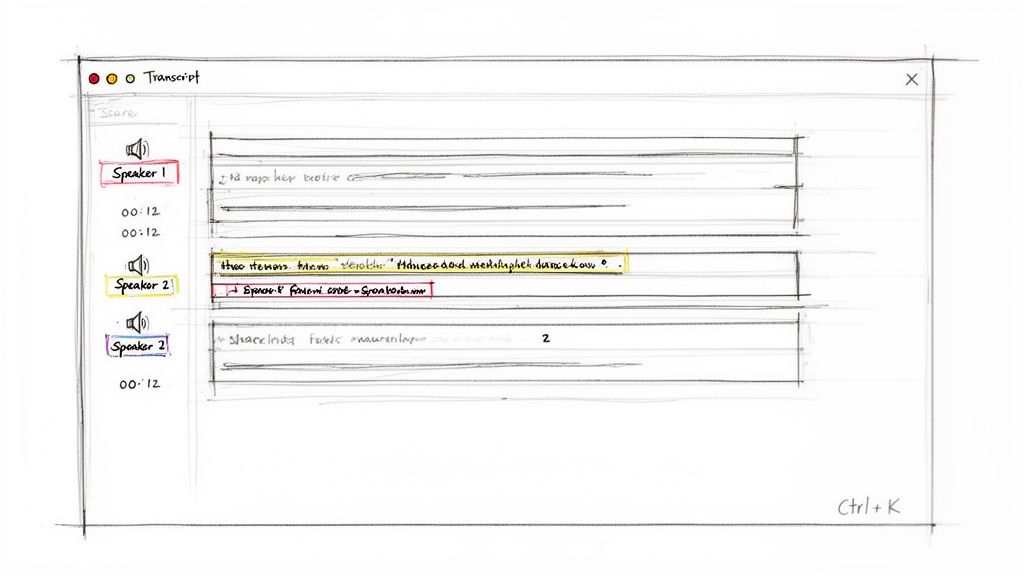
Now that the AI has delivered your draft transcript, it's time for the editing phase. Think of this initial draft as a very good starting point—the fundamental structure is there, but it's up to you to add the final, polished details. This step is what transforms a good transcript into a completely reliable document.
The good news is that you're not starting from scratch. Instead of the laborious task of typing everything out, you are simply proofreading and making small, strategic corrections.
Getting Comfortable with the Interactive Editor
Modern tools like HypeScribe provide more than just a block of text. They offer an interactive editor where every word is synchronized with the original audio. This feature is a game-changer for editing. If you're unsure about a particular phrase, you can just click on it, and the audio will jump directly to that point for you to listen again.
In my own workflow, the first things I check are the key details: people’s names, company-specific terminology, and any numbers or figures. Even the most advanced AI can misinterpret an unfamiliar term, but correcting these minor errors typically only takes a few minutes.
Pro Tip: Spend five minutes learning the keyboard shortcuts. Simple commands for play/pause, rewind, and navigating between speakers can easily cut your editing time in half. This allows you to keep your hands on the keyboard and maintain a smooth workflow.
Tidying Up Speakers and Timestamps
If you used the speaker identification feature (also known as "diarization"), the AI will have assigned generic labels like "Speaker 1" and "Speaker 2" to the dialogue. Your first task is to replace these with the actual names of the speakers. In HypeScribe’s editor, you can simply click on a speaker label, type in the person's name, and the change will be applied throughout the entire document.
This step is essential for creating clear meeting minutes, interviews, or any conversation involving multiple people. You can also adjust timestamps if they seem slightly off, which is particularly important if you're creating subtitles for a video. The ability to properly transcribe an audio file with accurate speaker labels is what distinguishes a basic tool from a professional one.
Exporting Your Transcript for Any Use Case
Once you are satisfied with the transcript, it's time to export it. The best format depends on how you plan to use the document next.
Here’s a brief overview of the most common options:
- Google Docs / Word (.docx): The standard choice for official reports, shareable meeting notes, or any document that requires further formatting and team collaboration.
- Plain Text (.txt): A simple, no-frills format. It's perfect for pasting text into an email, a content management system (CMS), or another application without carrying over complex formatting.
- Subtitles (.srt / .vtt): If you are creating captions for a video, these formats include the necessary timing information to sync the text perfectly with the on-screen action.
- PDF: The best option when you need a final, non-editable version of a document for archiving or sharing.
The demand for this technology is significant. North America currently holds 35.2% of the global market share in the AI transcription industry, largely due to the rapid adoption of these tools by businesses. If you want to learn more, you can read about the trends in the AI transcription market. Choosing the right export format is the final step in ensuring your polished transcript integrates seamlessly into your project.
Putting Your Transcript to Work
A completed transcript is more than just a record of a conversation; it's a valuable source of actionable data. The real benefit comes when you extract that information and apply it to your daily work, turning spoken words into concrete outcomes.
This is where the right tools can make a significant difference. Instead of manually searching through pages of dialogue, a platform like HypeScribe can automatically identify and summarize the important points for you. It's like having an AI assistant that listens to the entire conversation and then provides you with the key highlights.
This capability changes the purpose of transcription. The goal is no longer just to have a record of what was said, but to quickly understand what actions need to be taken next.
From Raw Text to Actionable Insights
Imagine finishing a long project meeting. With a tool like HypeScribe, you don't just receive a transcript. You also get a concise summary, a bulleted list of key takeaways, and a checklist of action items that have already been assigned to team members.
This completely transforms the post-meeting workflow. There's no more debating who agreed to do what or trying to recall a specific decision that was made during an hour-long discussion. Everything is documented and organized for you.
This is especially effective for live meetings. When HypeScribe's notetaker joins your Zoom or Google Meet call, you receive a live transcript as the conversation happens. This allows you to remain fully engaged in the discussion, knowing that every important detail is being captured.
A transcript becomes truly powerful when it is interactive. The ability to ask an AI chatbot questions like, "What were the Q3 budget concerns?" and receive an immediate, context-aware answer based on the meeting audio is a major productivity enhancement.
A Quick Word on Security and Privacy
When you transcribe an audio file that contains sensitive information—such as client strategies, HR interviews, or confidential product plans—security is paramount. You need to be confident that your data is protected.
Reputable services take this very seriously. Always look for platforms that offer end-to-end encryption, which secures your files both during transit and while they are stored on their servers.
Equally important is your control over the data. A non-negotiable feature is the ability to permanently delete both the source audio file and the completed transcript. This ensures that confidential information does not remain after you are finished with it, giving you full control over your business intelligence and helping you maintain compliance.
Common Questions About Transcribing Audio Files
Even with the best tools, you might have some questions when you begin turning audio into text. It’s normal to wonder about accuracy, which file types are most effective, or how secure your data is. Let's address some of the most common questions.
How Accurate Is AI Transcription Compared to a Human?
This is a frequently asked question. Top-tier AI services like HypeScribe can achieve up to 99% accuracy on clear audio, which is comparable to professional human transcribers—but significantly faster.
However, accuracy can decrease with thick accents, significant background noise, or multiple people speaking at once. For highly critical applications, such as a legal deposition, it's still a good practice to have a human review the final transcript. The main advantage of AI is its speed and scalability. It can process an hour-long recording in just a few minutes, a task that would take a person four to six hours to complete manually.
What’s the Best Audio Format to Use?
While you might assume that a large, lossless file like WAV or FLAC is necessary for the best results, that's not always the case. Most modern transcription tools work very well with common formats such as MP3, M4A, and AAC.
The quality of the recording itself is far more important than the file extension.
A clear MP3 recorded in a quiet environment will always produce a better transcript than a noisy WAV file with a lot of echo. Don't spend time converting files—platforms like HypeScribe are designed to handle a wide range of formats.
Can AI Handle Audio with Multiple Speakers?
Yes, absolutely. This is an area where modern AI excels. The technology is known as speaker diarization (or speaker identification), and it is a transformative feature. When you enable this option in HypeScribe, the AI analyzes the audio for distinct voices and automatically assigns labels like "Speaker 1," "Speaker 2," and so on.
After the transcription is complete, you can easily go into the editor and replace these generic labels with the actual names of the participants. This makes transcribing interviews, team meetings, and podcasts much simpler.
Is It Safe to Upload Confidential Audio Files?
Security should always be a top priority, and any reputable service will treat it with the same level of importance. Look for platforms that provide end-to-end encryption, which protects your files both during the upload process and while they are stored on the server.
Another critical feature is control over your data. Ensure that you have the ability to permanently delete both the original audio and the finished transcript when you no longer need them. It's always a good idea to review the privacy policy to understand how your data is managed. Understanding the cost of transcribing should also include an appreciation for the value of robust security.
Ready to stop typing and start analyzing? HypeScribe turns your audio and video into accurate text, summaries, and action items in seconds. Try it for free and experience the future of transcription.



































































































