
Finding the Best Meeting Transcription App for Your Team

Figuring out the best meeting transcription app for your team comes down to what you actually need it to do. After testing the top players like HypeScribe and Otter.ai, it's clear these powerful AI tools can turn any conversation into a fully actionable record. They handle the heavy lifting—capturing discussions, generating summaries, and pinpointing key tasks—so your team can stop scribbling notes and focus on collaborating.
Why Your Team Needs a Meeting Transcription App

We've all been there: a day packed with back-to-back meetings where critical details and decisions seem to vanish into thin air. Team members are stuck trying to participate while also taking detailed notes. It’s a trade-off that hurts both engagement and accountability. This is exactly the problem a good meeting transcription app is designed to solve.
These tools are much more than just voice-to-text converters. Think of them as an automated memory for your entire team. They create a searchable, accurate, and permanent record of every important conversation, ending the "who agreed to what?" confusion that can completely derail projects.
With remote and hybrid work now standard, these apps are essential. When your team is spread across different time zones, having a reliable record of every discussion ensures everyone stays on the same page, whether they attended the live meeting or not.
The Business Case for Automated Transcription
Bringing a meeting transcription tool into your workflow isn't just about convenience—it's a strategic decision to reclaim lost productivity. By handing off the thankless task of note-taking to an app, you free up your team to be fully present in the conversation. The result? Better ideas and more meaningful collaboration.
This shift towards AI-powered assistance is clear in the market trends. The global AI meeting transcription market is valued at around USD 450 million today and is expected to grow to USD 2.07 billion by 2033. This massive growth highlights how much businesses are looking for tools that make them more effective.
The real value goes beyond just saving time:
- Improved Accountability: With automated transcripts and action item summaries, there’s a clear record of who owns what and when it's due. Nothing slips through the cracks.
- Enhanced Knowledge Sharing: Meetings become a rich, searchable knowledge base. New hires can get up to speed by reviewing past discussions, and anyone can quickly find specific decisions or data points from months ago.
- Greater Focus: When an AI meeting note taker is handling the documentation, your team can dedicate their full attention to the conversation at hand.
By capturing every word, an AI transcription app creates a single source of truth. This reduces misunderstandings and ensures that every team member, present or absent, has access to the same information, fostering true alignment.
Ultimately, the best meeting transcription app does more than just record what was said. It unlocks the value trapped inside your team's conversations and turns all that talk into documented progress.
Our Evaluation Criteria for Transcription Tools
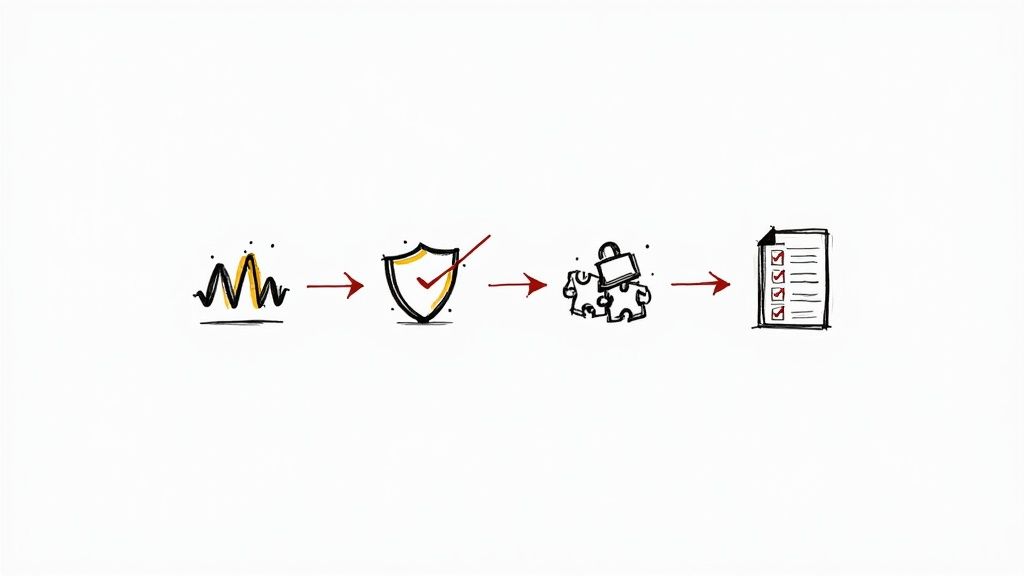
To find the best meeting transcription app, we had to cut through the marketing hype and focus on what actually makes a difference in your day-to-day work. A flashy feature list is one thing, but real-world performance is what truly matters. We developed a clear set of criteria to put every platform through its paces based on our hands-on experience.
This framework isn't just a checklist. It's built around the real jobs you need a transcription tool to do. From getting the words right to making your entire team more efficient, each point reflects a crucial part of a modern workflow. We held every app to these same standards.
Core Transcription Performance
At the end of the day, a transcription tool has one primary job: turning speech into accurate text. If it can't do that well, nothing else matters. A transcript full of mistakes creates more problems than it solves. We looked closely at two fundamental aspects of performance.
First up is transcription accuracy. We didn't just test with pristine studio audio. Instead, we threw real-world challenges at each app—recordings with different accents, background noise, and niche industry jargon. This was all about seeing which tools could keep up when conditions weren't perfect.
Next, we evaluated speaker identification. Knowing who said what is non-negotiable for creating a useful record. We checked how well each platform could distinguish between speakers and keep them correctly labeled throughout an entire meeting, which is harder than it sounds.
AI-Powered Productivity Features
A simple transcript is just a wall of text. The best tools today use AI to help you find the important signals in the noise, turning a long conversation into something you can act on immediately.
We placed a lot of importance on AI-generated summaries. The goal here is to understand a one-hour meeting in just a few minutes. The top apps create genuinely useful, concise summaries that capture all the key points, saving everyone valuable time.
Just as important is action item detection. Meetings are supposed to lead to action. We specifically looked for tools that could automatically identify tasks, deadlines, and decisions from the conversation. The best ones turn talk into a clear, documented to-do list.
The real power of a meeting transcription app isn't just capturing what was said, but understanding what was meant. Tools that can intelligently summarize conversations and pull out actionable tasks fundamentally change how teams operate, shifting focus from documentation to execution.
Integrations and Data Security
A great tool can't exist in a vacuum. It has to connect with the software you already use and, most importantly, keep your confidential conversations secure. These practical points were a huge part of our evaluation.
- Platform Integrations: We looked at how well each app integrates with a typical business tech stack. Does it sync with your Google Calendar or Outlook? Can it automatically join Zoom or Microsoft Teams calls? Can you push tasks to Asana or Slack? Smooth integrations are key to a seamless workflow.
- Data Security: Your meeting recordings contain sensitive information. We dug into the security policies of each provider, checking for strong data encryption (both in transit and at rest), key compliance certifications like SOC 2 and GDPR, and clear rules about how your data is stored and managed.
A Head-to-Head Look at the Top AI Transcription Apps
Now that we know what to look for, let's see how the leading tools perform. A great meeting transcription app isn't just about a long feature list; it's about how it works when you need it most. We're going to dive into four of the biggest names in the space: HypeScribe, Otter.ai, Fireflies.ai, and Fathom, to see where each one truly excels and where they might come up short.
The AI transcription market is booming—it was valued at USD 4.5 billion and is expected to skyrocket to USD 19.2 billion by 2034. That kind of growth leads to fierce competition, which is great for users because it pushes each platform to specialize.
Our goal here is to provide a clear, practical breakdown so you can pick the tool that actually fits how your team works, whether you're running engineering stand-ups or closing a major deal.
HypeScribe: For When Every Technical Detail Matters
HypeScribe has clearly built its platform for teams who can't afford mistakes in terminology. In our tests, its AI engine was remarkably good at nailing complex, industry-specific jargon that tripped up other tools—from software development acronyms to precise medical terms.
This makes it the obvious choice for engineers, researchers, or legal professionals. Imagine an engineering team discussing material science; HypeScribe is the tool that correctly hears "tensile strength" instead of "tensible strain," saving you from a tedious and potentially costly correction process.
Its other huge advantage is its language versatility. Supporting over 100 languages, HypeScribe is built from the ground up for global organizations. It handles meetings with multiple languages spoken in the same call, a challenge where many other apps struggle.
What sets HypeScribe apart?
- Unmatched Jargon Recognition: It excels at capturing technical, scientific, and industry-specific language with precision.
- Global-Ready Language Support: The top pick for multinational teams who need reliable transcription across many languages.
- Incredibly Fast Turnaround: Full transcripts and summaries are often ready just seconds after the meeting ends.
Otter.ai: The King of Live Collaboration
Otter.ai is a well-known name in transcription, and for good reason. It excels at real-time note-taking and collaboration, making it perfect for everyday business meetings, interactive workshops, and university lectures. As the conversation happens, everyone can watch the transcript appear live, adding comments and highlighting key takeaways on the fly.
This live interaction is a game-changer for engagement. A marketing team, for instance, could use Otter during a brainstorm to highlight brilliant ideas as they surface, essentially building their action plan in real time.
The trade-off? Its accuracy can take a slight dip with heavy accents or in a noisy environment. While it’s perfectly reliable for typical business conversations, teams discussing highly technical content might find themselves spending more time editing than they would with a tool like HypeScribe.
Otter.ai’s "OtterPilot" feature is a lifesaver for busy teams. It automatically joins your calendar events on Zoom, Google Meet, or Microsoft Teams, acting as your personal notetaker. It’s a true set-it-and-forget-it solution.
Fireflies.ai: The Sales Team's Secret Weapon
Fireflies.ai has zeroed in on a specific and powerful niche: sales teams. Its standout feature is the deep, meaningful integration with CRMs like Salesforce and HubSpot. Fireflies doesn't just transcribe what was said on a sales call; it analyzes it.
After a product demo, it can automatically log the call, update the contact's record, and even pull key details from the conversation to populate CRM fields. This automation frees up sales reps from tedious data entry, letting them focus on what they do best. It also delivers valuable conversation intelligence, like talk-time metrics and keyword tracking.
While its transcription accuracy is solid, it's not as focused on technical precision as HypeScribe. You truly unlock the power of Fireflies when it's integrated directly into your sales process. When evaluating, also consider what your current tools offer; for instance, the native Zoom Cloud Recording capabilities might cover your basic needs, influencing your decision.
Fathom: Powerful, User-Friendly, and Completely Free
Fathom makes a bold entrance with an unbeatable offer: a powerful, high-quality transcription service that is 100% free. This makes it a go-to for freelancers, startups, and small teams where every dollar counts. Fathom will record, transcribe, and summarize your meetings without asking for a credit card.
The interface is refreshingly clean and designed around one-click highlight creation. During a call, you can tap a button to bookmark an important moment. Afterward, Fathom instantly generates shareable video clips of those highlights—perfect for dropping key customer feedback or a critical decision into a Slack channel.
The catch is that its advanced features and integration library aren't as vast as its paid competitors. It nails the fundamentals, but teams needing deep CRM automation or complex analytics may eventually hit a ceiling. Still, for a top-tier, no-cost transcription tool, Fathom is in a class of its own.
Feature Comparison of Top Meeting Transcription Apps
To make sense of it all, here's a side-by-side look at how these platforms stack up against each other based on their core strengths and target users.
App NameKey Feature HighlightBest ForAccuracy Rating (out of 5)IntegrationsStarting PriceHypeScribePrecision with technical jargon & 100+ languagesEngineering, medical, legal, global teams4.9Zapier, Slack, CRMsTiered plansOtter.aiReal-time transcription with live collaborationGeneral business, students, workshops4.5Zoom, Slack, DropboxFreemium modelFireflies.aiDeep CRM integration & sales call analyticsSales and revenue operations teams4.4Salesforce, HubSpot, major CRMsFreemium modelFathomFree recording, transcription, and summariesStartups, freelancers, small teams4.6Slack, Salesforce, HubSpotFree
Ultimately, there is no single "best" app—it all comes down to your team's day-to-day reality. By looking at these specific use cases, you can choose a tool that doesn’t just record your meetings, but actively makes your entire workflow smarter and more efficient.
Bot in the Call, or Upload Afterwards?
Meeting transcription tools work one of two ways, and the choice affects more than convenience.
Most teams end up using both: the bot for the standing calendar, manual upload for everything unusual. Worth checking your tool supports both before committing.
How to Choose the Right App for Your Team
Choosing the best meeting transcription app isn't about finding the one with the most features. It's about finding the tool that fits so perfectly into your team's workflow that you'll wonder how you ever managed without it. Your decision should be based on what your team actually does all day, not just on a generic list of capabilities.
A one-size-fits-all solution is a myth. The ideal app for a high-energy sales team will likely frustrate a detail-oriented legal department. You have to look beyond the marketing claims and figure out how a tool will solve your specific problems and enhance your team's existing strengths.
Matching App Strengths to Team Needs
First, think about your team's primary function. Are they constantly on client calls, discussing technical specs, or brainstorming creative ideas? Each of these scenarios points to a different set of "must-have" features.
A sales team, for instance, lives inside its CRM. The perfect transcription app for them needs a rock-solid integration with Salesforce or HubSpot, capable of automatically logging call notes and updating records. The transcript itself is secondary; the real value is eliminating manual data entry and shortening the sales cycle.
An engineering team has a completely different set of needs. They deal with complex, specific jargon where one wrong word could derail a project. For them, accuracy is everything. They need a tool like HypeScribe that's built to understand and correctly transcribe technical language, ensuring every detail from a sprint planning session is captured perfectly. For a practical look at this, our guide on how to transcribe Zoom meetings offers steps that work across most platforms.
Scenario-Based Decision Making
Let's ground this in a few real-world examples. Thinking through these scenarios helps turn a confusing list of features into a clear, confident choice.
- Your team manages projects in Asana: You'll want an app that can spot action items in a conversation and turn them into tasks you can assign directly in your Asana board. This closes the gap between talking about work and actually doing it.
- You work in a sensitive industry like healthcare or finance: Security becomes your number one priority. Look for tools that are HIPAA or GDPR compliant and offer strong data encryption and transparent privacy policies.
- Your team is spread across the globe: You need a tool that handles multiple languages and accents without issues. An app that only works well with standard American English is going to cause headaches for everyone else.
The best way to pick an app is to map its key features directly to your team’s biggest pain points. Stop asking, "What does this app do?" Start asking, "What problem will this app solve for my team tomorrow?"
This decision tree helps visualize how different team needs point to different solutions.
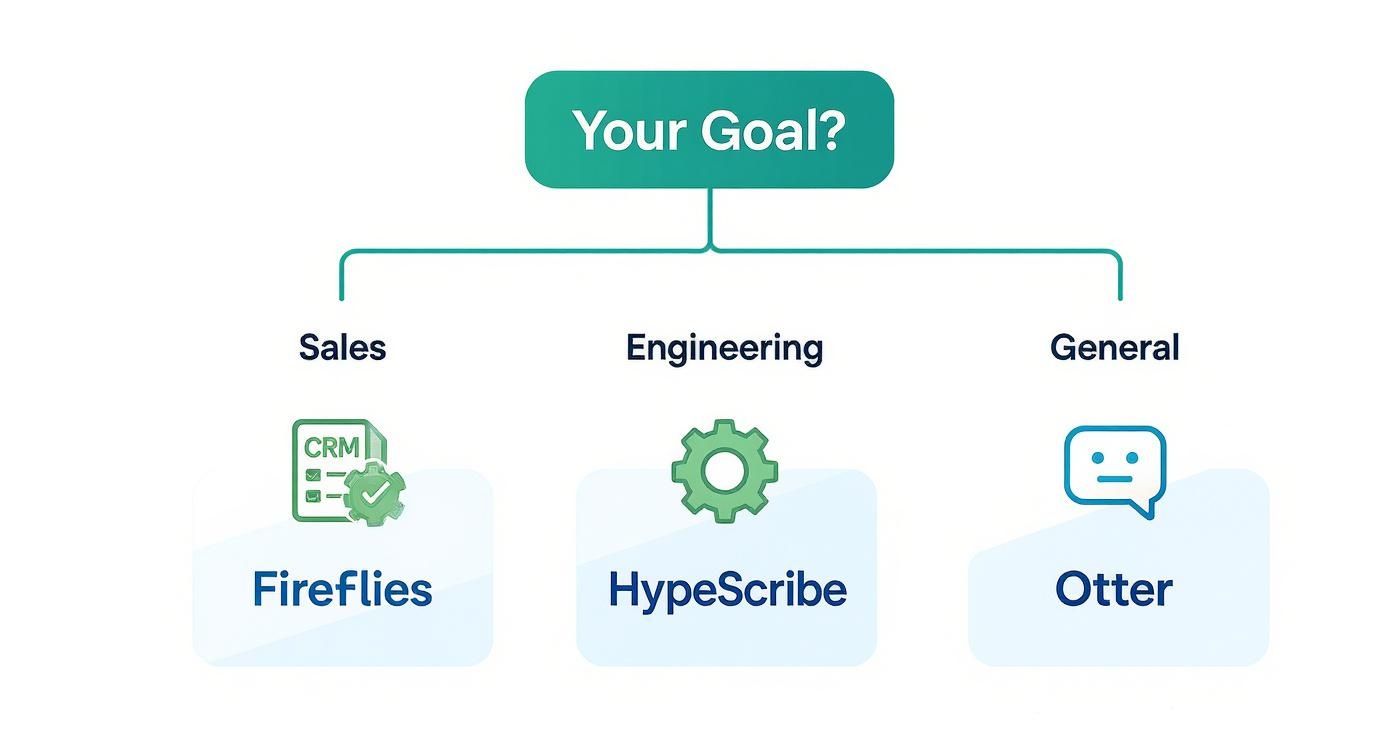
As the flowchart shows, sales-focused teams get the most out of CRM-heavy tools like Fireflies, while technical teams should lean on the precision of a tool like HypeScribe.
When you're choosing, it also helps to think about the bigger picture of how to implement AI in business. This ensures the app you choose doesn't just solve a small problem today but also fits into your company's long-term tech strategy. When you get it right, the app doesn't feel like another piece of software—it feels like part of the team.
Getting the Most Out of HypeScribe
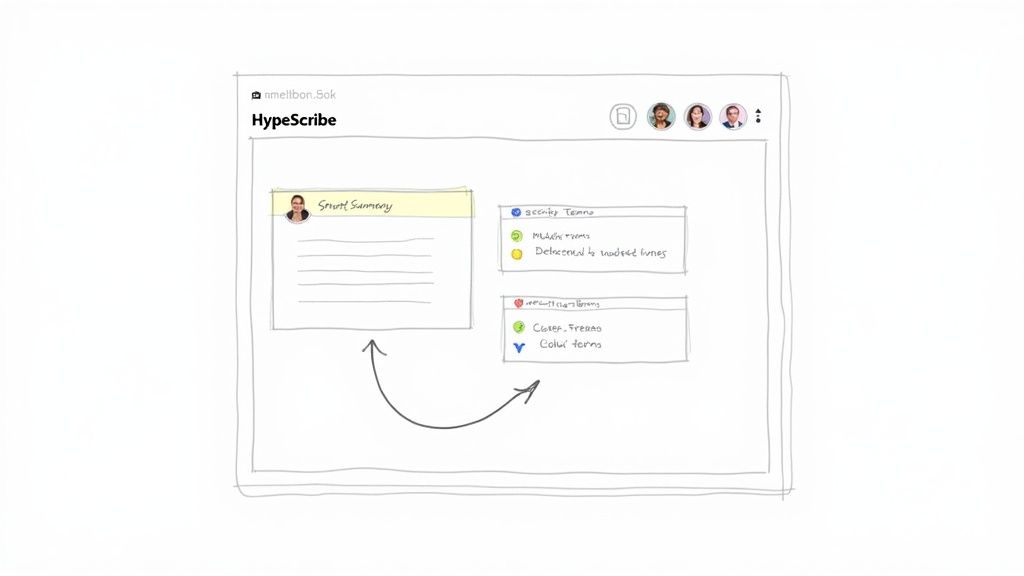
While many apps can transcribe a meeting, the best ones do much more than just convert speech to text. They transform raw conversations into actionable intelligence. This is precisely where HypeScribe excels, with advanced features designed to boost your team's productivity and bring clarity to every discussion.
It all starts with a powerful AI engine. This isn't your standard accuracy. HypeScribe was built to handle the messy reality of business conversations—from dense technical jargon and company-specific acronyms to calls with multiple speakers and a wide range of accents. That precision ensures your transcript is a trustworthy record from the moment the meeting ends.
But a perfect transcript is just the starting point. HypeScribe uses that foundation to automatically create smart summaries and identify key takeaways. Instead of forcing your team to read through pages of dialogue, it provides a concise overview that brings everyone up to speed in minutes. That’s valuable time returned for more important work.
Activating HypeScribe for Peak Productivity
To truly unlock HypeScribe’s potential, you need to weave it into your team’s daily routine. Stop thinking of it as a simple recording tool and start seeing it as an active team member that handles the most tedious parts of your job. The goal is to go from conversation to action without missing a beat.
A great first step is connecting HypeScribe to your calendar. This simple setup allows it to automatically join and record your scheduled meetings on platforms like Zoom, Google Meet, and Microsoft Teams. It’s a "set it and forget it" approach that guarantees no conversation is ever lost and saves you from manually starting and stopping recordings.
Next, make full use of the automated action item tracking. HypeScribe's AI is trained to recognize tasks, deadlines, and decisions as they're discussed during a call. This feature is a game-changer for accountability.
Instead of ending a call with a vague sense of what needs to happen next, your team gets a clear, documented list of who is responsible for what. This one change can drastically cut down on project delays and miscommunication.
Seamless Integration with Your Existing Tools
The real measure of any software is how well it works with the other tools you rely on. HypeScribe was designed to be the central hub for your meeting intelligence, pushing critical information directly into the platforms where your team already works.
- Project Management: Connect HypeScribe to tools like Asana or Jira. When a new task is mentioned in a meeting, you can have it automatically create a ticket on the right project board, complete with a link back to the transcript for full context.
- Team Communication: Integrate with Slack or Microsoft Teams to push meeting summaries and highlights directly into your project channels. This keeps stakeholders who couldn't attend the call in the loop without clogging their inboxes.
This kind of deep integration turns HypeScribe from a standalone app into a core part of your productivity stack. The demand for tools like this is huge; the U.S. transcription market alone was valued at USD 30.42 billion, according to Grand View Research. This growth is fueled by companies looking for tools that don't just record audio but add measurable value to their operations.
At the end of the day, finding the best meeting transcription app means choosing a partner that helps you work smarter, not harder. For teams looking to refine their process, our guide on how to record and transcribe meetings effectively is a great resource. By putting HypeScribe’s features to work strategically, you can reclaim hours every week, get your team on the same page, and make sure every conversation moves your business forward.
Got Questions? We've Got Answers.
Jumping into AI transcription tools for the first time? It's completely normal to have questions. When you're considering a new tool for your team's workflow, you want to be sure about everything from data security to daily use. Let's tackle the most common questions we hear so you can make a smart, confident decision.
We'll get straight to the point on the big topics, explaining how these apps work and what you should really expect.
Is My Meeting Data Actually Secure with These Apps?
This is usually the first question people ask, and it’s the most important one. Your meetings are filled with sensitive information—product roadmaps, client details, and internal strategy. You need to know it's safe. Any reputable transcription app prioritizes security.
The best platforms use multiple layers of protection. This isn't just a marketing claim; it involves concrete measures like:
- End-to-End Encryption: This means your data is scrambled and unreadable from the moment it leaves your device until it's stored on their servers (both in transit and at rest).
- Compliance Certifications: Look for standards like SOC 2 and GDPR. These aren't just logos; they prove a company has passed rigorous third-party audits of its security practices.
- You Control Your Data: Top-tier tools ensure you're in the driver's seat. HypeScribe, for instance, lets you permanently delete both the original audio and the transcript from its system. When it's gone, it's gone for good.
How Accurate Is This Stuff, Really?
AI transcription has become incredibly good, but it's not perfect—yet. The accuracy you get depends on two main things: the quality of your audio and the sophistication of the AI. Clean audio is the secret to a great transcript.
With a clear recording, minimal background noise, and speakers who aren't talking over each other, the best meeting transcription apps can reach 99% accuracy. But that number can dip if you're dealing with:
- Heavy or multiple accents on one call.
- A noisy environment or a low-quality laptop mic.
- Lots of niche, industry-specific jargon the AI hasn't been trained on.
Here’s where the elite tools stand out. Apps like HypeScribe are built to handle complex vocabulary, maintaining high accuracy even during technical, legal, or medical discussions. In those fields, one wrong word can change everything.
How Much of a Headache Is It to Set Up?
Honestly, it should be no headache at all. The whole point of these tools is to make your life easier, and that starts with setup. Most modern transcription apps are designed to integrate with the tools you already use in just a few clicks.
Integration is usually a two-step process. First, you connect it to your Google Calendar or Outlook. This allows the bot to automatically know when to join your calls on Zoom, Microsoft Teams, and Google Meet. It's that simple.
The real magic happens when you connect it to your other work hubs. You can set it up to send meeting summaries directly to a Slack channel or push action items straight into a project on Asana. That's how a transcription app evolves from a simple notetaker to a core part of your team's productivity.
HypeScribe joins the call, transcribes it and returns a summary with action items and owners. One token per meeting regardless of length. Try it free — three meetings a month, no card required.



































































































