What Are SDH Subtitles? A Guide to Accessible Video Content

SDH subtitles, which stands for Subtitles for the Deaf and Hard-of-hearing, do more than just display dialogue. They are a specialized type of on-screen text designed to communicate the entire auditory experience of a video, including crucial non-speech sounds, for viewers who can't hear the audio track.
Understanding What Makes SDH Subtitles Different
Picture this: you're watching a thriller. The main character walks into a dark room, and suddenly, their eyes go wide with fear. A hearing viewer knows why—they just heard a floorboard creak upstairs or the swell of ominous music. Without that sound, the scene loses its tension.
That's the exact problem SDH subtitles solve. They bridge the gap created by silence.
Regular subtitles are built for people who can hear but might not understand the language being spoken. They only cover the dialogue. SDH subtitles, on the other hand, are crafted for viewers who cannot hear the audio at all. If you want a refresher on the basics, our guide on what a subtitle is is a great place to start.
SDH goes far beyond just transcribing words. It adds the contextual layers that a hearing audience perceives naturally. This includes things like:
- Sound Effects: Crucial audio cues like [Glass shatters] or [Distant siren wailing] are described in text to explain on-screen reactions or events happening off-camera.
- Musical Cues: The mood of a scene is often set by music. SDH will note things like [Romantic piano music plays] or [Suspenseful score intensifies] to convey emotion.
- Speaker Identification: When it's not clear who is talking, SDH clarifies with labels like (Maria on intercom) or (NARRATOR). This is vital when a character is off-screen or in a crowded scene.
The goal of SDH is to create an equivalent viewing experience. It's about ensuring the story's emotion, suspense, and critical plot points—all often carried by sound—are accessible to everyone, regardless of their hearing ability.
Ultimately, SDH subtitles transform a video from a simple visual into a complete narrative. They don't just translate dialogue; they translate the entire soundscape, making them an essential tool for truly inclusive and accessible content.
SDH vs. Closed Captions: A Practical Comparison
On the surface, subtitles, closed captions (CC), and SDH all look pretty similar—they’re just text on a screen, right? But if you dig a little deeper, you'll find they each have a specific job to do. Figuring out these differences is the key to understanding what makes SDH subtitles so important for accessibility.
Let's use a quick example. Imagine you're watching a tense spy movie. The hero is hiding in the shadows as an enemy guard patrols nearby.
Here’s how each format would handle the scene:
Standard Subtitles: These are built for people who can hear the audio but don't understand the language. They’d only show the dialogue: "I don't see anything." All the suspenseful sound effects, the music, the footsteps? You'd miss them completely.
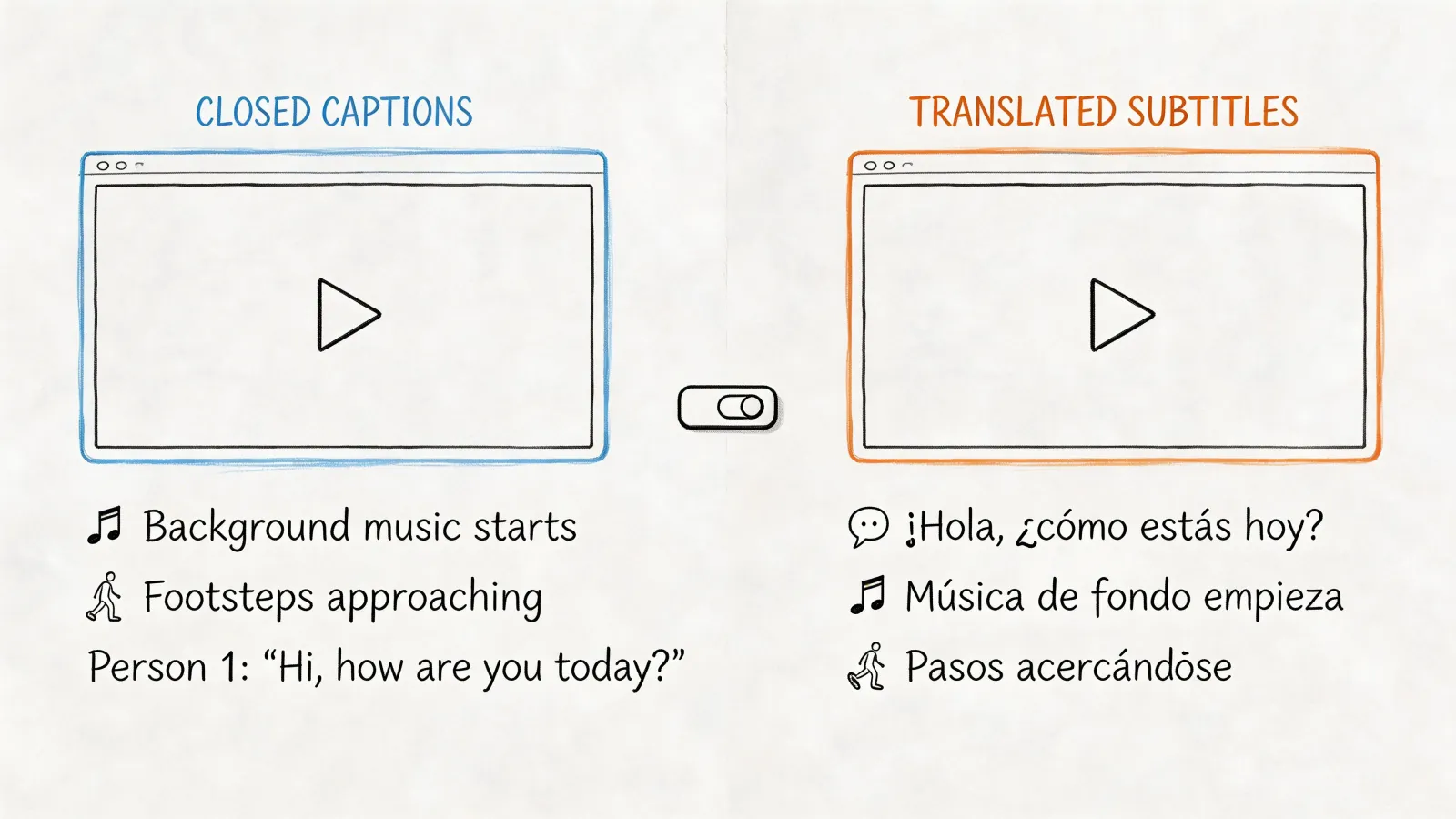
Closed Captions (CC): Created specifically for viewers who are deaf or hard-of-hearing, captions add crucial non-speech sounds. You'd see something like: "I don't see anything. [Footsteps receding]". It’s better, adding a layer of context the dialogue alone can't provide.
SDH Subtitles: This is where you get the full picture. An SDH track paints a complete auditory scene with text. It would read: "[Tense music fades] Guard (muttering): I don't see anything. [Footsteps receding]". Now you have the musical cues, speaker identification, and even the tone of voice. It's the closest thing to actually hearing the scene.
To make these distinctions even clearer, here’s a simple breakdown of how each one stacks up.
Key Differences Between Subtitles, CC, and SDH
This table shows that while standard subtitles are for translation, both CC and SDH are built for accessibility. SDH just takes it a step further by offering a more descriptive and complete experience, making it the superior choice for digital content.
Choosing the Right Format
So, when do you need which one? The main difference comes down to one simple question: can your audience hear the audio? Standard subtitles are for viewers who can hear but need a translation. In contrast, both CC and SDH are designed for viewers who can't, so they include all the other sounds that tell the story.
If you’re still weighing your options, our guide on what is closed captioning offers an even deeper dive.
This flowchart makes the decision process pretty straightforward.

As you can see, if someone can't rely on the audio, SDH becomes the go-to format for giving them the full narrative experience.
Technical and Practical Distinctions
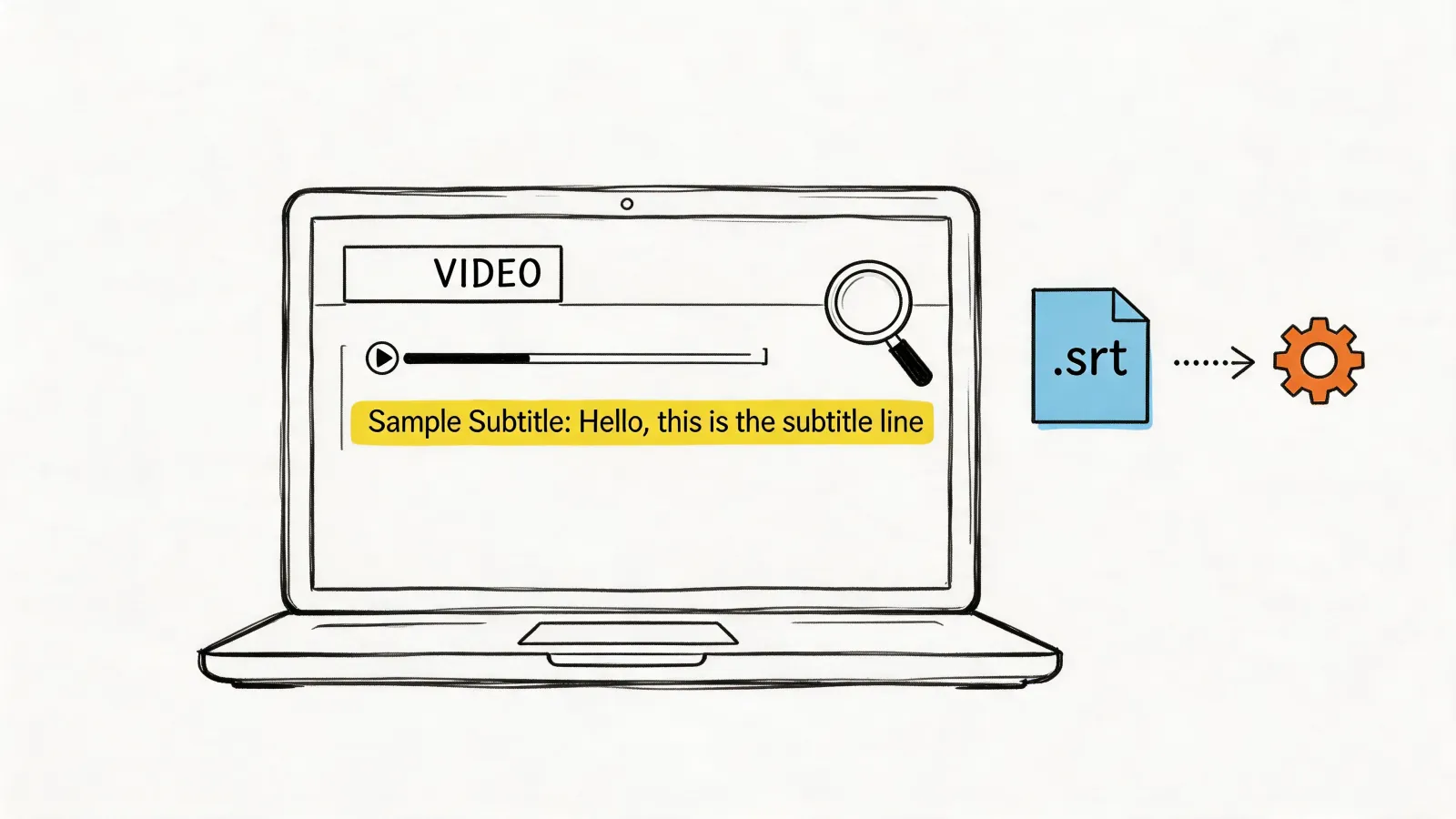
Historically, the biggest split between captions and subtitles was technical. Closed captions were originally encoded right into the broadcast TV signal. SDH, on the other hand, grew up in the digital age and is delivered as a separate, simple text file (like .srt or .vtt) that works with platforms like YouTube and Netflix. This file-based approach gives SDH a ton of flexibility for online video.
Today, those technical lines have blurred quite a bit. You’ll often see streaming services label their SDH files as “CC” in the menu, which definitely causes some confusion. At the end of the day, though, the goal is the same: providing a complete text version of the audio for anyone who needs it.
Because they are so flexible and easy to style, SDH subtitles are now the gold standard for web and streaming accessibility. They perfectly blend the translation function of subtitles with the deep accessibility features of captions.
This makes SDH a powerful, universal solution. It ensures your message is understood by a global audience and is fully accessible to the over 430 million people worldwide who have disabling hearing loss.
Crafting High-Quality SDH Subtitles
![Illustration comparing basic subtitles '[Screams]' to high-quality SDH with detailed sound descriptions and contextual notes.](https://cdn.prod.website-files.com/68c9d69965d26949a7778119/69aff1952397848c2ee51726_what-is-sdh-subtitles-sdh-quality.jpeg)
Creating effective SDH subtitles is an art that goes way beyond just writing down what people say. The real goal is to paint a complete auditory picture with words, giving someone who can't hear the same mood, tension, and crucial story clues that sound provides.
Simply putting [Music] or [Phone rings] is better than nothing, but it barely scratches the surface. High-quality SDH requires a much deeper level of detail and nuance. It’s the difference between a functional-but-boring experience and a truly immersive one.
Describing Sounds with Detail and Intent
This is where the real craft comes in. To create great SDH, you need to use descriptive language that adds emotional weight and narrative context. A vague description just checks a box, but a precise one brings the story to life. The words you choose matter immensely.
Just look at the difference a few extra words can make:
- Basic:
[Screams] - High-Quality:
[Distant, terrified scream]
That second version tells you so much more. It's not just a scream; it's far away and filled with genuine fear. That single detail can completely change how an audience interprets a scene.
Good SDH doesn't just state that a sound occurred; it describes the quality and meaning of that sound. The objective is to convey the same information and emotional response a hearing person would get from the audio track.
This applies to every non-speech sound you can think of. A buzzing phone isn't just buzzing—is it [Phone buzzes urgently] on a desk? A door closing could be [Door clicks softly shut] to show stealth, or it could be [Heavy oak door slams shut] to convey anger. Each description sets a totally different tone.
Handling Speaker and Tone Identification
Now, let's talk about conversations. In any scene with more than one person speaking, things can get confusing fast, especially if a character is off-screen. High-quality SDH clears up that confusion by identifying who is speaking.
Imagine a chaotic family argument. Without speaker labels, it’s just a mess of overlapping lines. With them, it’s a clear conversation:
(MARIA): I never said that!(DAVID, shouting): You absolutely did!
This simple addition is essential for following who's saying what. The same logic applies to a person's tone of voice, which often carries more meaning than the words themselves. Without those cues, sarcasm, humor, or panic can be completely lost.
(SARAH, whispering): I think someone's here.(MARK, sarcastically): Oh, what a brilliant idea.
Adding these small parenthetical notes transforms a flat script into a dynamic, character-driven story. When you combine descriptive sounds, clear speaker IDs, and crucial tonal cues, you're creating a viewing experience that's truly equivalent and engaging for everyone.
How to Create and Add SDH Subtitles to Your Videos
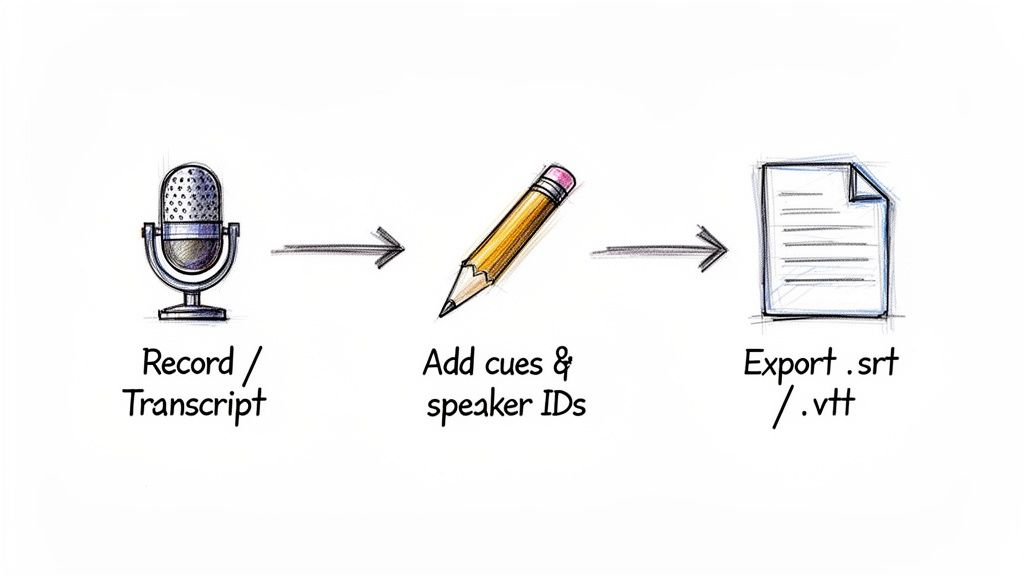
Alright, you see the value in SDH subtitles. But how do you go from a finished video to one with high-quality, accessible subtitles? It might sound technical, but the process is quite straightforward once you break it down.
Everything starts with a clean and accurate transcript. Think of it as the foundation—the blueprint for your final subtitle file. While you could transcribe your video manually, it's a slow process that often introduces errors. A much better starting point is to use an AI-powered tool like HypeScribe, which can generate a highly accurate, time-stamped transcript in minutes. This frees you up to focus on the most important part: the human touch.
The SDH Editing and Refinement Process
With a base transcript in hand, your job is to enrich it with the details that make SDH subtitles so effective. This is where you layer in all the crucial non-speech information and speaker IDs. You're essentially adding the rest of the story that dialogue alone can't tell.
As you edit, keep this checklist in mind:
- Add Non-Speech Cues: Listen for any sound that's relevant to the story. This could be anything from
[phone buzzes]to[somber music begins]. The key is to be descriptive enough to paint a picture with words. - Identify Speakers: If it's not clear who's talking, add a label like
(MARIA)or(NARRATOR). This is essential for following conversations in scenes with multiple people or off-screen voices. - Perfect the Timing: Subtitles need to appear and disappear in perfect sync with the audio. When the timing is right, the subtitles feel like a natural part of the viewing experience, not a clunky distraction.
This refinement stage is where you transform a simple transcript into a truly powerful accessibility tool. It’s also worth noting that mastering this is part of the bigger picture of adding text to video, a skill that can elevate all your content.
Creating Your First SDH File in 3 Steps
Let's walk through a simple, repeatable workflow using an AI tool to do the heavy lifting.
Generate the Base Transcript: First, upload your video file or paste a link into an AI transcription service like HypeScribe. The platform will analyze the audio and produce a time-coded transcript. This automated first draft saves a massive amount of time.
Edit for SDH Context: Next, open the transcript in the editor. As you watch the video, listen for those important non-speech sounds, changes in speakers, and shifts in tone. Add descriptive cues
[in brackets]and speaker labels(in parentheses)right where they happen in the timeline.Export Your Subtitle File: Once you've reviewed everything for accuracy and timing, you’re ready to export. Modern tools let you download your file in different formats. For the best compatibility, stick with SRT (.srt) or WebVTT (.vtt).
The real magic of this workflow is letting technology handle the tedious transcription. This frees up your creative energy to focus on adding the human-powered nuances—the descriptive details that make SDH subtitles genuinely helpful and accessible.
Understanding Common SDH File Formats
Once you've created your SDH subtitles, you need to save them in a file format that video players and platforms can actually understand. It's a lot like saving a document—you wouldn't send an Apple Pages file to a PC user who only has Microsoft Word. The same principle applies here; different platforms have their preferred file types.
The good news is you really only need to know two main formats to handle almost any situation: SRT and WebVTT. These are both simple text files that store the dialogue, non-speech descriptions, and the all-important timestamps that tell the player when to display each line of text.
The Two Most Important Formats
SRT (.srt), which stands for SubRip Text, is the undisputed king of compatibility. It’s a straightforward format that works with nearly every social media platform, desktop video player, and editing software out there. If you’re ever unsure which format to pick, SRT is almost always your safest bet. We dive deeper into its simple structure in our guide on what SRT stands for.
Here’s a quick peek at what an SRT file looks like under the hood:
1
00:00:05,250 --> 00:00:08,100
[Suspenseful music begins]
I don't think we're alone in here.
2
00:00:09,500 --> 00:00:10,750
[Floorboard creaks overhead]
WebVTT (.vtt), short for Web Video Text Tracks, is the modern standard built specifically for the internet. It was designed to work seamlessly with HTML5 video players in web browsers. While it's very similar to SRT, WebVTT offers more advanced options for styling, like changing text color or positioning captions on different parts of the screen.
Key Takeaway: Think of SRT as your reliable, go-to format for maximum compatibility across the board. WebVTT is the newer, web-focused option that gives you more creative control. Great tools like HypeScribe let you export in either format, so you always have the right file for the job.
Platform Compatibility: A Quick Guide
Choosing the right format from the start prevents technical headaches later. Here’s a simple breakdown of which file to use on the major video platforms:
- YouTube: Supports both SRT and WebVTT, but SRT is the most common and trouble-free choice for most creators.
- Vimeo: While it supports SRT, Vimeo actually prefers WebVTT for its advanced features.
- Facebook & Instagram: Stick with SRT files. They are the standard for uploading videos with captions on these platforms.
- LinkedIn: Officially recommends using the SRT format for all videos uploaded to the platform.
By matching the file type to the platform, you can be confident that your SDH subtitles will show up perfectly for everyone.
Why SDH Is Crucial for Accessibility and Compliance
Thinking of SDH subtitles as just an optional add-on is a huge missed opportunity. They're not just a "nice-to-have" feature; they are a fundamental part of a smart, responsible content strategy. In fact, providing SDH is one of the most important things you can do to make your content accessible and, in many places, to stay on the right side of the law.
When you add those descriptive, non-speech audio cues, you're opening up your content to millions. Globally, over 430 million people live with a disabling hearing impairment. Without SDH, that massive audience is effectively locked out of any video that relies on sound to tell the full story. It's about building a more inclusive digital world, one video at a time.
But beyond the clear ethical reasons, there’s a compelling business and legal case to be made. Overlooking accessibility can expose your organization to serious legal trouble and brand damage.
Meeting Legal and Compliance Standards
In many countries, digital accessibility isn't a choice—it's the law. Various regulations require that online content, especially video, is made accessible to people with disabilities. In the United States, for example, courts have interpreted the Americans with Disabilities Act (ADA) to apply to websites and online businesses, making accessible video a must.
Similarly, the 21st Century Communications and Video Accessibility Act (CVAA) mandates that any video programming that was captioned on TV must also have captions when it's put online. And if you have an audience in Europe, the European Accessibility Act (EAA) sets clear standards to ensure users with disabilities get an equivalent experience.
Failing to provide high-quality SDH subtitles can be legally interpreted as a failure to provide "effective communication," a core principle of these laws. This isn't just about checking a box; it's a critical risk management strategy that protects your brand from costly lawsuits.
The Universal Benefits of SDH
Here’s something that gets lost in all the legal talk: SDH makes your videos better for everyone. This is the core idea behind universal design—when you design for a specific need, you often create benefits for all users. Just think about how many times you've watched a video on your phone with the sound off.
SDH subtitles come in handy in all sorts of everyday situations:
- Noisy Environments: Trying to watch something in a loud coffee shop, an airport terminal, or on the bus.
- Quiet Settings: Catching up on content in a library, a quiet office, or late at night when others are sleeping.
- Non-Native Speakers: Helping viewers who are learning the language follow the dialogue and pick up on contextual nuances.
- Enhanced Comprehension: Making it easier for any viewer to understand complex topics, technical jargon, or characters who speak very quickly.
Ultimately, viewing SDH as a mere compliance task completely misses the point. It's a powerful way to grow your audience, make your brand more inclusive, and protect your organization from legal risk.
Tackling Common SDH Challenges
Once you start creating SDH files, you'll quickly run into a few common hurdles. Let's walk through some of the practical questions that pop up when you move from theory to your actual editing timeline.
So, what do you do when multiple people are talking over each other? It’s a classic problem. The best practice is to give each speaker their own line, usually starting with a dash to make it clear who's speaking.
For instance:
- I can't believe you said that.
- I was only joking!
This simple formatting trick keeps the dialogue from turning into a jumbled mess and preserves the rhythm of the conversation.
Tools and Technical Choices
After getting your initial transcript from a service like HypeScribe, you'll probably want to do a final polish. For editing the SRT or VTT file itself, there are some fantastic free tools out there. Subtitle Edit is a really robust, open-source editor that gives you granular control, and Aegisub is another favorite, especially if you need to tackle more complex formatting.
That brings us to another big question: should you "burn in" the subtitles or provide them as a separate file?
Burned-in subtitles are permanently embedded into the video frames, so the viewer can't turn them off. While this ensures they're always visible, it takes away user control. Offering subtitles as an optional track is almost always the better, more accessible choice.
Giving your audience the ability to toggle captions on or off respects their preferences and provides a much more user-friendly experience. When you anticipate these common roadblocks, you’re well on your way to creating SDH subtitles that truly serve their purpose: making your content accessible and enjoyable for everyone.
Ready to create accurate, accessible SDH subtitles in minutes? Let HypeScribe's AI-powered transcription do the heavy lifting for you. Generate a precise base transcript, then easily edit and export it in any format you need. Try it for free at HypeScribe.com.