
The Best Voice to Text Converter Online in 2026

An online voice-to-text converter is a straightforward tool with a powerful impact. I think of it as a personal scribe that listens to my audio or video recordings and types out everything it hears, word for word.
Instead of having to manually transcribe, this technology transforms spoken content—like meetings, interviews, or lectures—into text that’s instantly searchable, editable, and shareable.
What Is a Voice to Text Converter and Why You Need One
Have you ever wasted time scrubbing through a one-hour meeting recording just to find that one specific comment? Or maybe you’ve spent an entire afternoon painstakingly typing out an important interview. I've been there, and I know how frustrating it is. Professionals, students, and creators are practically drowning in audio and video content, and all the valuable information inside is a pain to get to.
A voice to text converter online is the direct answer to this struggle. From my experience, it’s more than just a neat gadget; it’s a productivity powerhouse that closes the gap between spoken ideas and actionable information. By turning speech into text, it finally unlocks all the value trapped inside your audio files.
Why is everyone talking about automated transcription?
This isn't a niche problem—it's a massive, widespread challenge. Manually transcribing audio is incredibly slow, can be surprisingly expensive, and is always prone to human error. As everyone from solo entrepreneurs to massive companies produces more audio and video than ever, the demand for a faster, more reliable solution has simply exploded.
The market numbers back this up. The speech-to-text API market was valued at $1,321.5 million back in 2019 and is on track to hit $3,036.5 million by 2027. Looking at the bigger picture, the entire voice recognition market is projected to skyrocket from $15.46 billion in 2024 to an incredible $81.59 billion by 2032. These figures show that automated transcription is no longer a "nice-to-have" but a core part of modern workflows. You can dive deeper into these speech-to-text conversion statistics and see how they’re shaping business today.
Who actually uses a voice to text converter?
The real magic of a voice to text converter online is how it helps so many different people. It takes a universal problem—too much audio, not enough time—and offers a specific, practical solution for almost any profession.
Here’s a quick look at how different professionals are putting this technology to work every day.
Who Benefits From a Voice to Text Converter?
| Professional | Primary Use Case | Key Benefit |
|---|---|---|
| Project Manager | Transcribing Zoom & Teams meetings | Instantly creates meeting minutes and identifies action items, ensuring accountability. |
| Student | Converting lectures into study guides | Makes hours of course material searchable for keywords and concepts before an exam. |
| Journalist | Transcribing interviews and field recordings | Gets an accurate text record from audio, even with background noise, for faster article writing. |
| Content Creator | Generating captions and blog posts from video | Repurposes video content into accessible formats, improving SEO and audience reach. |
| Researcher | Documenting qualitative interviews | Creates a clean, searchable dataset from hours of participant audio for easier analysis. |
Instead of spending hours just typing, these professionals get to focus on what they do best: analyzing information, creating compelling content, and making smarter decisions.
At its heart, a voice to text converter gives you back your most valuable asset: time. It automates the grunt work so you can dedicate your energy to strategic thinking and creativity.
Ultimately, using a voice to text converter online isn't just about getting a written copy of your audio. It’s about making your information work for you. It turns passive listening into an active resource you can search, reference, and build upon.
How Online Voice to Text Converters Actually Work
Ever wondered what’s happening on the other side of the screen when you talk to your device or upload an audio file? Turning speech into text can feel like magic, but it's a clever, two-part process that has become incredibly accurate over the years. It’s not a black box—it's a system that’s surprisingly easy to understand once you peek behind the curtain.
You can think of a modern voice to text converter online as a highly trained digital linguist. This AI has spent countless hours "listening" to human speech, learning everything from accents and slang to the subtle rhythms of conversation. When you give it an audio file, it puts that training to work.
Step 1: The AI "Hears" Your Voice with ASR
First, the system has to "hear" you. This is the job of a technology called Automatic Speech Recognition (ASR). The ASR component is essentially the digital ears of the operation, responsible for breaking down the raw sound waves of your voice into their smallest components, known as phonemes.
For example, the simple word “speak” is made up of four phonemes: /s/, /p/, /iː/, and /k/. The ASR model meticulously identifies these sounds and then cross-references them against its massive internal dictionary to find the most likely word matches. Early versions struggled with accents or background noise, but today's ASR is fantastic at cutting through the clutter to get the words right.
Step 2: The AI "Understands" Your Words with NLP
Getting the words is only half the battle. Next, the system needs to understand them. This is where Natural Language Processing (NLP), the brain of the system, steps in to figure out context, grammar, and meaning.
Think of it this way: NLP is what helps the converter tell the difference between "I scream for the team" and "ice cream for the team." It’s the part that adds punctuation, fixes capitalization, and arranges the words into clean, readable sentences.
This is the most critical part of the process. The incredible leap in accuracy we've seen in recent years is largely thanks to major strategic shifts in AI models that have made NLP so much smarter.
This infographic shows just how versatile this technology has become for different people in their day-to-day work.

As you can see, whether it's a student capturing lecture notes, a journalist transcribing an interview, or a manager documenting a meeting, the core technology provides real value across many different fields.
This seamless combination of ASR "hearing" the sounds and NLP "understanding" the meaning is what makes a modern voice to text converter online so effective. If you're curious to see how this is changing the game, you can dive deeper into how AI-powered transcription software works. The entire process happens in just seconds, giving you a powerful and reliable tool for almost any task.
What to Look For in a Voice-to-Text Converter
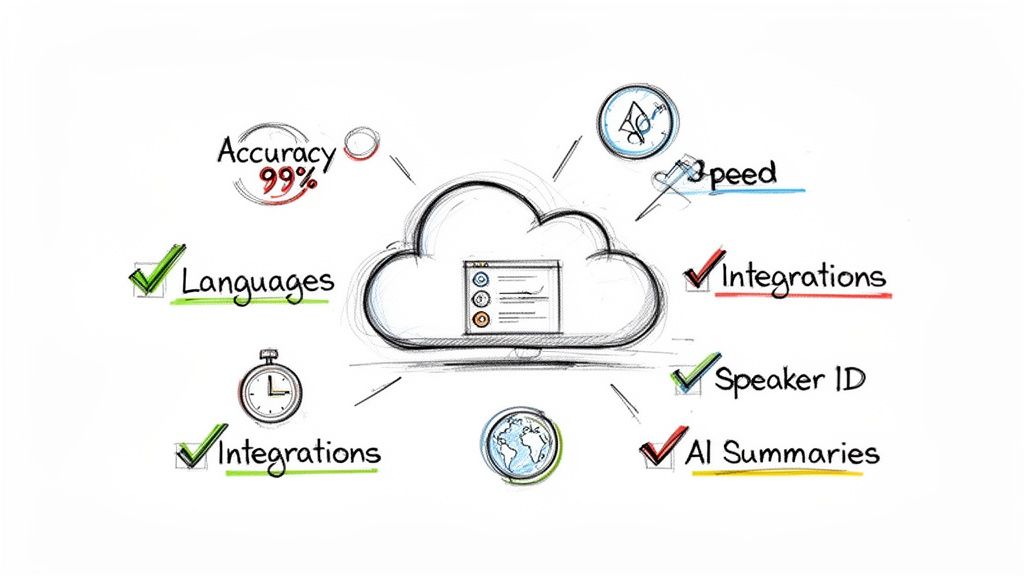
When you start searching for a voice to text converter online, it’s easy to feel a bit lost. There are dozens of options out there, and they all seem to promise the moon. But in my experience, the difference between a genuinely useful tool and a frustrating one boils down to a handful of key features.
Knowing what to look for helps you cut through the marketing noise and find a converter that actually saves you time. Let’s start with the absolute deal-breaker: accuracy.
Accuracy Isn't Just a Feature—It's Everything
Let’s be blunt: if a transcript is inaccurate, it's basically useless. In my own work, I’ve found that inaccurate text doesn't just create a minor annoyance; it can lead to serious miscommunication, bad data, and hours of mind-numbing manual corrections. The whole point of using a converter is to get your time back, not create a new editing project for yourself.
Think about transcribing a one-hour interview. A tool with 60% accuracy leaves you with a messy document that’s so full of mistakes, you have to listen to the entire recording all over again to fix it. On the other hand, an engine that delivers 99% accuracy gives you a transcript that's ready to go with just a quick proofread. That’s the difference between more work and real productivity.
The market is full of claims, but the data tells the real story. Recent analysis shows that many average AI platforms only achieve about 61.92% accuracy in real-world tests. In stark contrast, the best tools hit 99% accuracy—on par with professional human transcribers. That massive 37-point gap has a direct impact on your results, especially when precision is critical. You can read more about AI transcription tool performance on DigitalOcean.com.
The Must-Have Core Features
Accuracy is the bedrock, but a few other features are non-negotiable for a smooth workflow. As you evaluate any voice to text converter online, make sure it nails these fundamentals.
Transcription Speed: Your time is money. A good converter should process audio significantly faster than real-time. Top-tier platforms like HypeScribe can turn an hour-long audio file into a full transcript in just a couple of minutes.
Language and Dialect Support: We work in a global world, and your tools should, too. Look for a service that supports a wide range of languages and, just as importantly, different dialects and accents. This is a game-changer for international teams and researchers.
Workflow Integrations: The best tools don't force you to change how you work; they fit right in. Check for integrations with the platforms you already use, like Zoom, Google Meet, or cloud storage like Google Drive. Automatically transcribing meetings is a huge time-saver.
These are the core functions that separate a basic, free tool from a professional-grade solution. To learn more about what to look for, you can also check out our guide on choosing the right online audio to text converter.
Advanced Features That Make a Real Difference
Once you've got the basics covered, the truly powerful converters offer advanced AI features that go way beyond just turning speech into words. This is where you get a real return on your investment.
To make it clearer, let's break down what separates the standard features from the advanced ones that you'll find in a tool like HypeScribe.
Essential vs. Advanced Features in Online Converters
| Feature | Description | Why It Matters |
|---|---|---|
| Speaker Identification | Automatically detects and labels who is speaking throughout the transcript. | It turns a confusing wall of text into a clear, readable script. This is vital for interviews, panels, and team meetings. |
| AI-Powered Summaries | Generates a concise summary of the entire transcript, highlighting key points. | You can get the gist of an hour-long meeting in 30 seconds. It’s perfect for catching up quickly or briefing stakeholders. |
| Action Item Detection | Scans the transcript to identify and list out tasks, decisions, and next steps. | This transforms your meeting notes from a passive record into an actionable to-do list, making sure nothing falls through the cracks. |
These intelligent features are what separate a simple transcription tool from a true productivity machine.
Ultimately, the best voice to text converter online comes down to your unique needs. But by focusing on top-tier accuracy, speed, and smart features like speaker ID, you’ll be sure to pick a tool that genuinely makes your work easier.
Real-World Uses for Professionals and Students

The true test of any tool isn't its list of features, but how it fits into your real, everyday work. A voice to text converter online really comes alive when you see it solve actual problems, turning hours of tedious work into a few simple clicks. It's not just about turning audio into words; it’s about reclaiming your time and unlocking the valuable information trapped in your recordings.
So, let's step away from the abstract and look at how this technology is a complete game-changer for people in the real world. These aren't just hypotheticals—they're common situations where the right tool makes an enormous difference.
For the Busy Project Manager
Think about Sarah, a project manager juggling three high-stakes projects. Her calendar is a blur of Zoom meetings, stakeholder calls, and team stand-ups. Before, her meeting notes were a mess of half-formed sentences, and critical action items would inevitably slip through the cracks.
Now, her post-meeting routine is transformed. She simply uploads the meeting recording to her voice to text converter online. In minutes, she has a full, speaker-labeled transcript. The AI even pulls out a summary and a neat list of action items, ready to be assigned.
This simple change has solved the chronic problem of disorganized meetings and forgotten tasks. Sarah now has a perfectly accurate, searchable record of every decision made. Her team is more aligned, accountability is clear, and she’s saving at least 3 hours per week previously lost to manually typing notes and sending follow-ups.
For the Dedicated Student
Or take David, a PhD student staring down his comprehensive exams. He’s facing over 50 hours of recorded lectures, and the idea of re-listening to find specific details is daunting. His handwritten notes only tell part of the story.
David starts uploading his lecture audio files. In under an hour, his entire semester of lectures becomes a searchable text database. When he needs to brush up on a specific theory, a quick search for a keyword like "post-structuralism" instantly pulls up every mention across all his lectures.
By converting his audio lectures into text, David transforms passive listening material into an active, dynamic study guide. He can now cross-reference concepts, build timelines, and prepare for his exams with a level of detail that was previously impossible.
This same principle can make studying more effective for anyone. For instance, a student practicing with their GCSE Past Papers could dictate their answers and have them transcribed for easy review, making the revision process more dynamic and efficient.
For the Investigative Journalist
Finally, consider Maria, a journalist on a tight deadline. She’s just wrapped up a key interview in a noisy café and needs to pull a specific, powerful quote. But the clatter of the espresso machine and background chatter are making it impossible to hear clearly.
Instead of struggling, Maria uses a professional-grade voice to text converter online that’s built to handle messy audio. She uploads the file, and its advanced AI tunes out the background noise, isolating the conversation. The result is a clean, stunningly accurate transcript with timestamps.
The nightmare of transcribing inaudible recordings is gone. Maria finds her quote in seconds, without having to replay the same 30-second clip over and over. This speeds up her entire workflow, getting her from interview to first draft in a fraction of the time.
These stories show that the best tools do more than just convert audio to text. They bring order to chaos, make knowledge instantly accessible, and give us back the time and energy to focus on what truly matters.
https://www.hypescribe.com/blog/convert-audio-to-text
Why HypeScribe Is the Best Converter for 2026
With so many transcription tools out there, picking the right one can be a chore. But if you look past the basic features, you’ll find that what really matters is how a tool fits into your actual workflow. While many services can turn audio into text, HypeScribe was designed from the ground up to be more than a transcriber—it’s a partner that helps you process, understand, and act on information.
Let's break down exactly why HypeScribe has become the go-to voice to text converter online for professionals in 2026.
Industry-Leading Accuracy and Blazing Speed
First things first: a transcription is useless if you can't trust it. This is where HypeScribe immediately proves its worth. On clear audio, it consistently hits up to 99% accuracy, which is right up there with professional human transcription services and miles ahead of most automated tools. That level of precision means you're not wasting your day fixing typos; you're spending it putting your information to work.
Speed is the other half of this equation. HypeScribe’s processing is so fast it can feel almost instant. An hour-long interview or webinar is often transcribed in just a few seconds. You can upload a file and have a complete, ready-to-use transcript before you’ve even finished grabbing a coffee.
- 99% Accuracy: Drastically cuts down on manual editing and gives you a reliable record.
- Lightning-Fast Processing: Converts an hour of audio to text in seconds, so you're never left waiting.
- Over 100 Languages Supported: Delivers precise transcription for global teams and content, correctly interpreting a wide range of dialects and accents.
Getting these fundamentals right is the foundation of a productive tool. It means the core job is handled flawlessly, freeing you up for more important work.
Smart Features That Go Beyond Transcription
A wall of text is one thing, but true insight is another. HypeScribe was built on the idea that a transcript should do more than just sit there. It should help you think.
HypeScribe transforms your raw audio and video files from passive recordings into active, intelligent assets. The goal isn't just to document what was said, but to help you understand what it means and what to do next.
This is where the platform’s AI-powered features come into play. For instance, after transcribing a long meeting, HypeScribe automatically creates a concise summary highlighting the key points. It also scans the entire conversation to pull out and list action items, turning a rambling discussion into a clear to-do list.
A True Intelligent Workflow Partner
What really sets HypeScribe apart is how it weaves itself into your daily routine. It’s not just a website where you upload files; it’s an active assistant that helps you capture and make sense of information as it happens.
One of its most powerful features is the HypeScribe Note-Taker, an bot that can join your live Zoom, Google Meet, and Microsoft Teams meetings. As the conversation unfolds, it generates a real-time transcript on the side, ensuring everyone can follow along and that no detail gets lost.
But the real magic happens after the call ends. HypeScribe’s built-in AI chatbot lets you "talk" to your transcripts, turning your entire archive of recordings into a searchable database.
Think about how that works in practice:
- Ask a Question: "What were the budget concerns from yesterday's Q4 sync?"
- Get an Instant Answer: The chatbot immediately pulls the relevant quotes from the transcript, giving you a direct answer in context.
- Find Decisions: "What was the final decision on the marketing campaign launch date?"
- Receive Confirmation: The bot points you to the exact moment the decision was made, complete with a timestamp.
This single feature is a game-changer. It’s like having a research assistant with perfect memory of every conversation you've ever recorded.
Finally, none of this would matter without rock-solid security. HypeScribe uses robust security features, including end-to-end encryption for your files both in transit and at rest. You maintain full control over your data, with the option to permanently delete source files and transcripts at any time. This commitment ensures even your most sensitive conversations remain private.
By blending top-tier accuracy, incredible speed, and truly intelligent features, HypeScribe has proven it's far more than just another voice to text converter online. It’s a complete, secure, and forward-thinking platform built for how we actually work in 2026.
Common Questions About Voice to Text Converters
If you're thinking about using a voice to text converter online, you've probably got a few questions. That's a good thing. When you're dealing with your own valuable work and time, you want to be sure you're picking the right tool for the job.
Let's walk through the big questions we hear all the time from professionals, students, and creators. We'll cover what you really need to know about accuracy, security, and whether those free tools are actually worth it.
How Accurate Is a Voice to Text Converter Online?
This is always the first question, and for good reason. A tool's accuracy can make or break its usefulness.
You'll find that most free or basic converters hover around 60-70% accuracy. That might not sound terrible, but think about what it means in practice: almost a third of your words could be wrong. You end up having to re-listen to the entire recording just to fix the mistakes, which completely defeats the point.
On the other hand, a top-tier AI platform like HypeScribe consistently hits up to 99% accuracy with clear audio. That's right on par with what you'd get from a professional human transcriber. For any work where the details are critical—think business meetings, legal depositions, or academic research—that level of precision is non-negotiable.
An accuracy gap of even a few percentage points has a massive impact on your workflow. A 99% accurate transcript needs a quick proofread, while a 70% accurate one needs a complete rewrite.
Of course, some things can trip up any system. Heavy background noise, people talking over each other, or thick accents are classic challenges. But the best tools are built to handle this. They use smart noise-filtering and dialect-specific training to pull a clean transcript from even the messiest audio.
Is It Safe to Upload My Audio Files Online?
Security isn't just a bonus feature—it's essential, especially if you're transcribing sensitive conversations. This is one of the biggest differences between a throwaway tool and a professional service, so it’s a question you should always be asking.
Any reputable provider will make security a core part of its platform. For example, HypeScribe builds its service on multiple layers of protection to keep your data safe.
- End-to-End Encryption: Your files are scrambled and unreadable from the moment they leave your computer until you access them again.
- Secure Data Centers: Your data is stored in facilities with top-tier security standards, protecting it from both physical and digital threats.
- You're in Control: You should always have the power to permanently delete your audio files and transcripts from a service's servers.
Before you upload a single file to any voice to text converter online, find its security and privacy policy. A trustworthy company will be crystal clear about how your data is handled. If the details are vague or missing, that's a major red flag.
Can a Converter Handle Multiple Speakers or Different Languages?
Real-world conversations are messy. Meetings have a dozen speakers, and in today's global workplace, you're likely dealing with multiple languages. A truly useful converter has to keep up.
The best platforms are designed for this kind of complexity. They use a technology called speaker diarization—a fancy way of saying they can automatically tell who is talking and when. This is a game-changer. It turns a wall of text into a readable script, which is absolutely essential for transcribing interviews, podcasts, or group discussions.
And what about language? The top tools go way beyond simple translation.
- Broad Language Support: Leading services like HypeScribe can accurately transcribe audio in over 100 languages and dialects.
- Specialized Models: Instead of a generic, one-size-fits-all engine, these platforms use unique AI models trained on the specific grammar, syntax, and nuances of each language.
This capability makes a powerful voice to text converter online an indispensable tool for international teams, journalists, and anyone with a global audience.
What Is the Difference Between Free and Paid Converters?
It's the classic question: If there's a free version, why pay? When it comes to transcription, the difference isn't just about a few extra features—it's about getting a tool that actually saves you time instead of costing you more of it.
Let's break down what you're really getting with each.
Free Converters
- Lower Accuracy: They struggle with anything less than pristine audio, leaving you with a lot of editing work.
- Limited Features: You won't find speaker identification, AI summaries, or other smart tools.
- Strict Usage Limits: They'll cap you on file length, the number of uploads, or total minutes.
- Potential Security Risks: Their security protocols are often weaker, and some may even use your data to train their AI.
Paid Converters (like HypeScribe)
- Highest Accuracy: You get near-perfect transcripts that require minimal editing, saving you hours.
- Advanced AI Features: Get intelligent summaries, find key takeaways, and generate action item lists automatically.
- Generous or Unlimited Use: Their plans are built for professional workloads without annoying restrictions.
- Enterprise-Grade Security: Your data's privacy and protection are guaranteed with top-level encryption and user controls.
Ultimately, it comes down to a simple return on investment. A "free" tool often costs you hours of frustrating manual work. For any serious user, the efficiency, accuracy, and powerful features of a paid service provide value that far outweighs the subscription price.
Ready to experience the difference a professional-grade converter can make? With HypeScribe, you get industry-leading accuracy, lightning-fast speed, and intelligent features that turn your conversations into actionable insights. Stop typing and start creating. Try HypeScribe for free today!


































































































