
Translate a Spanish Video to English: 2026 Guide
You’ve got a strong Spanish video. The editing is done, the pacing works, and the message lands. But the audience is capped because the people most likely to share it, cite it, or buy from it can’t follow it comfortably in English.
That’s the moment where translation stops being a formatting task and becomes a distribution decision. If you want to translate a spanish video to english well, the actual job isn’t pressing an auto-translate button. It’s choosing the right workflow, getting a reliable transcript, and then fixing the places where automation sounds technically correct but socially wrong.
After localizing a lot of video content, the pattern is consistent. AI gets you to a usable draft fast. Human review is what makes the final version watchable.
Why Translating Your Spanish Video Matters
Spanish video already has scale. Spanish is the second most spoken language worldwide, with over 500 million native speakers, and translating that content into English opens access to 1.5 billion English speakers, who represent 60% of internet users in major markets like the US, UK, and Australia, according to Opus on Spanish-to-English video translation.
That matters whether you publish interviews, lessons, product demos, webinars, news clips, or short-form creator content. A well-made video in Spanish often doesn’t need to be remade for English. It needs to be localized well enough that the meaning, pace, and tone survive the move.
Reach changes when language stops being the barrier
A lot of creators still treat translation as a nice extra. It’s closer to a multiplier. The same footage can serve a broader audience, support cross-border campaigns, and make archive content usable again.
AI is one reason this has accelerated. The same Opus reference notes a 300% surge in adoption among creators after 2023. That increase makes sense. The barrier used to be time, budget, and production friction. Now the draft stage is fast enough that even small teams can localize videos without building a full post-production pipeline.
Practical rule: If a video already performs well in Spanish, don’t assume you need a new English version from scratch. Start by localizing the winner.
Translation also changes how brands are perceived
English viewers don’t just judge the information. They judge the professionalism of the delivery. Clunky subtitles, mistranslated jokes, and robotic dubbing can make a polished video feel amateur.
That’s why the best teams treat localization as part of production quality, not an afterthought. If you work in brand content, these expert insights on video for brands from Colossal Influence are useful because they reinforce the bigger point: presentation shapes trust.
Here’s where translating Spanish video to English usually pays off fastest:
- Educational content: Lectures, tutorials, and explainers often have a long shelf life.
- Client-facing material: Product walkthroughs and onboarding videos travel well across markets.
- Interview-based content: Journalists, researchers, and remote teams can reuse source material with a much wider audience.
- Short-form clips: Strong hooks often survive translation if the captions and timing are handled carefully.
The opportunity is obvious. The harder question is how to translate a spanish video to english in a way that fits your budget and your audience.
Choosing Your Translation Workflow Subtitles vs Dubbing
An editor gets a strong Spanish interview approved at 4 p.m. The English version is due the next morning. The wrong workflow choice at that point creates extra rounds of review, awkward pacing, and a finished video that feels cheaper than the original.

The core decision is distribution. Do viewers need to read the translation, hear it, or get both? I decide that before touching any software, because the workflow affects review time, budget, speaker handling, and how much human cleanup the project will need.
When subtitles are the better choice
Subtitles are usually the fastest route to publish.
They keep the original Spanish performance intact, which matters for interviews, founder videos, documentaries, and any piece where credibility lives in the speaker’s actual voice. They also give teams a low-risk way to test English demand before spending more on voice work.
Subtitles are usually the right fit when you need:
- Fast turnaround: Fewer production steps and fewer approval points.
- Lower cost: No casting, voice direction, or audio mix revision.
- Original performance: Emotion, timing, and personality stay with the speaker.
- Accessibility: They support sound-off viewing and can support accessibility if you handle captioning correctly.
Teams often blur subtitles and captions together, then discover the deliverable was wrong for the platform or audience. This breakdown of closed captions vs subtitles helps clarify the distinction before you export the wrong format.
There is a trade-off. Subtitles add reading load, and that load gets heavier in fast dialogue, dense tutorials, and multi-speaker scenes where labels and timing have to be precise.
When dubbing is worth the extra effort
Dubbing works best when comprehension speed matters more than preserving the original voice. Training libraries, product demos, sales videos, and mobile-first content usually benefit because the viewer can stay with the visuals instead of splitting attention between reading and watching.
Research from Statista on subtitle use among U.S. viewers supports the bigger point that viewer preferences are situational. Many viewers use subtitles for clarity and comprehension, but that does not mean subtitles are the strongest choice for every translated video. If the goal is native-feeling delivery in English, dubbing usually wins.
It also carries more production risk.
A bad dub stands out faster than imperfect subtitles. Pacing has to match the shot. The sentence rhythm has to sound spoken, not translated. Speaker changes have to be tracked carefully. In multi-speaker videos, you also need to decide whether each person gets a distinct English voice or whether a simpler voice-over treatment will be less distracting. That decision affects cost and quality more than teams expect.
A middle path that works for many teams
For webinars, lectures, internal training, and explainers, I often recommend voice-over instead of full lip-synced dubbing. It is a practical middle option. You still reduce the reading burden, but you avoid some of the editing and performance demands that make dubbing expensive.
Here is the practical way to choose:
| Workflow | Best fit | Main upside | Main downside |
|---|---|---|---|
| Subtitles | Interviews, creator content, early validation | Fast, affordable, preserves the original speaker | Some viewers will not want to read |
| Dubbing | Marketing, training, broad audience distribution | Easier passive viewing, stronger local feel | More review steps, higher cost, more ways to get it wrong |
| Voice-over | Educational, corporate, internal content | Balanced effort and usability | Less immersive than a polished dub |
Choose based on viewing conditions and review capacity.
If viewers are already comfortable watching the original speaker and your team needs speed, subtitles are usually enough. If the video needs to feel built for English viewers, dubbing can justify the extra work. If you need a professional result without a full dubbing process, voice-over is often the smartest compromise.
The AI-Powered Path to Fast Translation
Most of the speed gains now come from one simple fact. The transcript is no longer the bottleneck.

By 2024, AI benchmarks showed a 10-minute Spanish video could be translated in under 5 minutes with synced English captions and natural voiceovers. That represented a 400% faster workflow compared to manual methods, which often took weeks and cost $0.50 to $2.00 per minute, according to this benchmark summary on AI translation speed.
Start with the cleanest source you can get
When people ask how to translate a spanish video to english quickly, the instinct is to jump straight into translation. Don’t. Start with audio quality.
If you feed a tool poor audio, fast output just means fast mistakes. Before uploading anything, check for:
- Background music that competes with speech
- Clipped audio or sudden volume changes
- Cross-talk between speakers
- Strong regional slang that may need manual review later
A clean Spanish transcript is the foundation. Everything after that depends on it.
The practical AI workflow
The fastest modern workflow looks like this:
Upload the file or paste the video link
Most current tools accept direct video uploads or platform links.Generate a Spanish transcript first
Don’t skip this step by asking for direct dubbing immediately. Review the Spanish text before translation starts.Translate the transcript into English
This creates the base layer for subtitles, voice-over, or dubbing.Export editable files
Get the English output as SRT, VTT, TXT, or another editable format.Choose delivery format
Burn in subtitles, publish sidecar captions, or send the script to a voice workflow.
For readers comparing workflows in more depth, this article on translation from Spanish to English with voice is helpful because it shows where voice translation adds convenience and where it adds extra review work.
Use AI for draft speed, not final trust
Tools like OpusClip, Synthesia, Maestra, Happy Scribe, Vidby, and browser-based translators can all get you a fast first pass. Some are better at subtitle generation. Others are stronger for voice synthesis or short-form exports.
The useful mindset is simple: AI should produce the rough English version fast enough that your effort goes into review, not into typing.
A short walkthrough helps if you want to see the general mechanics in action:
What to export before you move on
I rarely consider the first generated English version ready to publish. I consider it production material.
Export these before editing:
- The original Spanish transcript
- The English translation file
- Timestamped subtitle files
- A preview render if dubbing or voice-over is involved
That package gives you something to review line by line. It also prevents one of the most common workflow mistakes: editing only inside a preview window and losing track of the underlying text.
Refining Your Translation for Quality and Nuance
A draft translation can look clean on screen and still fail the viewer the moment a joke lands flat, a speaker sounds out of character, or a subtitle arrives half a beat late. That is the stage where automated speed stops helping and careful editing starts paying for itself.
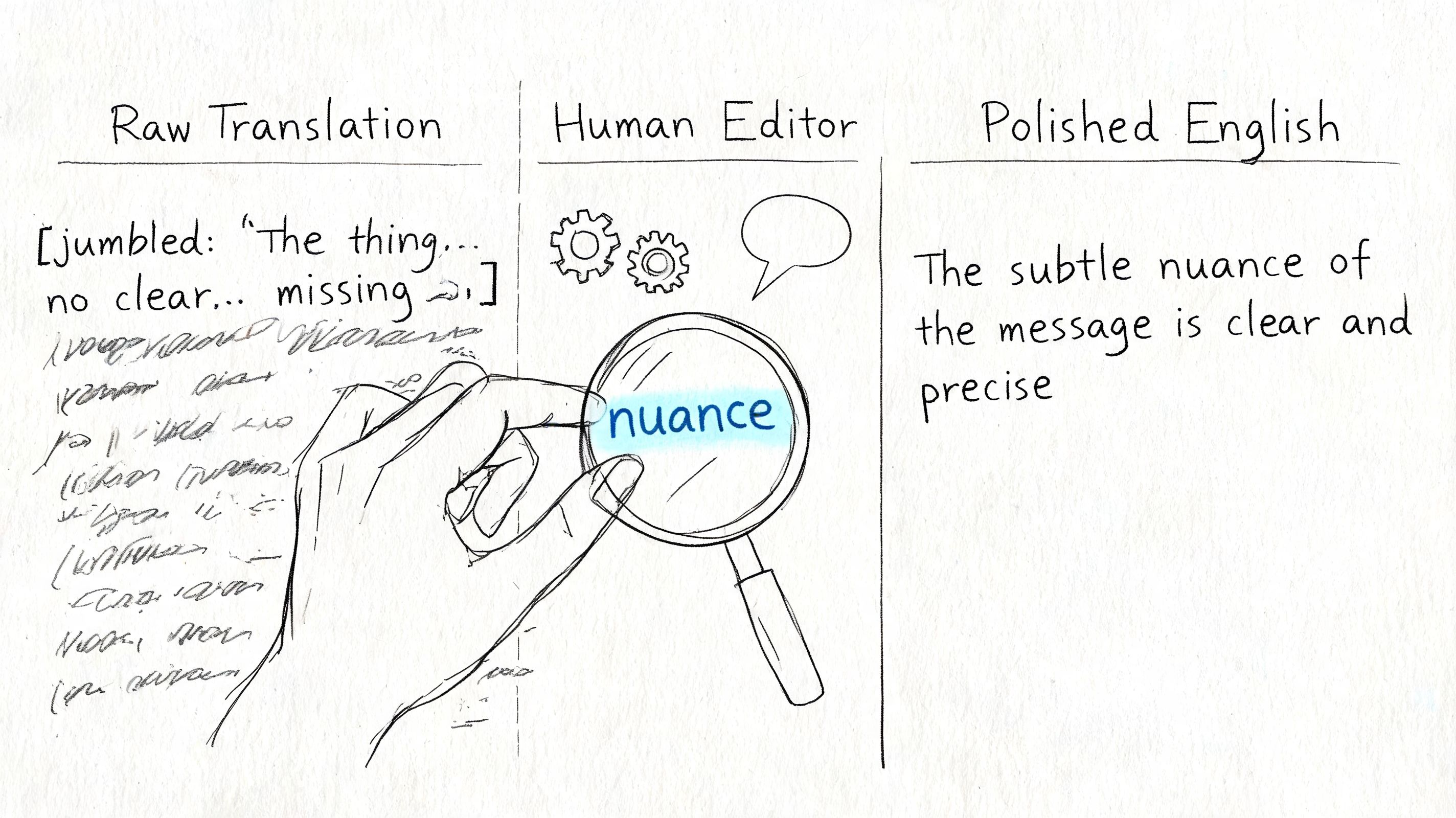
Research from Common Sense Media on responsible AI use in media and entertainment has repeatedly pointed to a practical problem with automated localization: tone and context are often the first things to degrade. In video, that cost shows up fast. Viewers notice when a warm speaker suddenly sounds stiff in English, or when a sarcastic line gets translated as a neutral statement.
Start with meaning. Polish comes later.
Fix intent before wording
My first review pass is simple. I check whether the English line delivers the same intent as the Spanish, even if the phrasing changes.
Literal translation causes the biggest quality drop. If a speaker says estar como una cabra, the job is not to preserve the animal reference. The job is to give the English audience the same meaning and tone in that moment. Depending on context, that might be “he’s nuts,” “she’s out of her mind,” or something softer.
A quick review standard helps:
- What is the speaker trying to do here? Joke, reassure, criticize, sell, warn.
- Is the phrase literal or idiomatic?
- Would this line sound natural from a real English speaker on camera?
- Does the translation match the speaker’s age, role, and personality?
A line can be accurate and still be wrong for the video.
Review subtitles, voice-over, and dubbing as separate edits
Each format breaks differently, so I do not use one review pass for all three.
| Format | What to check first | Failure you will hear or see |
|---|---|---|
| Subtitles | Reading speed, line breaks, cue timing | Text is correct but hard to read in time |
| Voice-over | Spoken rhythm, breath length, phrasing | Script sounds written instead of spoken |
| Dubbed audio | Emotional match, timing against mouth movement, performance consistency | Voice fits the words but not the scene |
Multi-speaker videos need even tighter review. In interviews, podcasts, panel discussions, and street clips, the translator has to preserve who is speaking, how fast they switch, and whether one person is interrupting another. If speaker labels are wrong or missing, nuance disappears before style editing even begins.
Teams also blur related tasks and create avoidable errors. A transcript captures what was said. A translation rewrites that meaning for a new language. Captions add timing and accessibility rules on top. This guide to the difference between transcription and translation is useful if your production process still treats those as one step.
A practical QC pass that catches the usual failures
I use the same checklist on nearly every Spanish-to-English project:
- Idioms translated word for word
- Regional slang that needs neutralization or adaptation
- Humor that needs rewriting, not correction
- Formality shifts that make the speaker sound unnatural
- Subtitle blocks that are too long for the viewer to finish
- Speaker attribution errors in interviews or group conversations
- Tone drift between adjacent lines from the same person
Read the English out loud while the video plays. Then watch once with the sound off and subtitles on. Then listen to the dubbed or voice-over version without looking at the screen. Each pass catches a different class of mistake.
The best English version is not the one closest to the Spanish wording. It is the one that gives an English-speaking viewer the same understanding, pace, and feeling.
Advanced Techniques and Common Pitfalls
Single-speaker demos are the easy case. Real-world videos are messier. Interviews overlap. Meeting participants interrupt each other. Reporters record in loud spaces. Panel discussions include fast turn-taking and inconsistent microphones.
That’s where many AI workflows break.
Multi-speaker content is the stress test
Standard AI translation tools have a 20% to 30% error rate in noisy, multi-speaker scenarios due to poor speaker diarization, and a 2026 study found that only 15% of video translation tools achieve over 85% accuracy in multi-speaker dubbing, a steep drop from the 95%+ accuracy for single speakers, according to this overview of multi-speaker translation limitations.
If you’re translating interviews, meetings, podcasts, or street reporting, assume the automated draft will need heavier intervention.
What actually helps in difficult audio
The best workaround is to reduce complexity before translation starts.
- Separate speakers when possible: If you have original multitrack audio, split and process it before generating the transcript.
- Trim crosstalk manually: Short overlap moments can wreck entire subtitle segments.
- Label speakers early: Even simple speaker labels improve editability later.
- Clean noise before transcription: Background music, room echo, and crowd noise all make speaker separation worse.
- Use subtitles if dubbing becomes unstable: In difficult audio, readable subtitles often outperform a bad English dub.
I’ve seen teams waste hours trying to force polished dubbing out of poor meeting audio. In those cases, a clear subtitle workflow is usually the professional answer.
Don’t ignore accessibility and rights
Two issues get skipped in many tutorials.
The first is accessibility. If your video needs to serve broader audiences, think beyond translation itself. Closed captions carry different expectations from subtitles, and that affects platform delivery and compliance decisions.
The second is permission. Translating third-party content doesn’t automatically make it yours to republish. If you didn’t create the original video, confirm that you have the right to translate, subtitle, dub, and distribute it.
Common mistakes that keep showing up
A lot of failed localization projects aren’t caused by bad translation. They’re caused by weak source audio, no QA pass, and the wrong format choice for the audience.
The mistakes I see most often are predictable:
- Publishing the first AI draft
- Choosing dubbing for chaotic multi-speaker footage
- Leaving idioms untouched
- Ignoring subtitle timing
- Treating translated captions as legal permission to repost
Good workflows don’t just produce English. They reduce the number of things that can go wrong.
FAQ Translating Spanish Videos
Can I translate a spanish video to english for free?
Yes, for a basic first pass. Free tools can generate transcripts, auto-translate captions, or produce a rough English subtitle file. They’re useful for short clips, internal review, or deciding whether a video is worth localizing further.
The catch is consistency. Free workflows usually struggle more with timing, idioms, speaker changes, and final polish. For anything public-facing, expect to review the output manually.
Do I need to be fluent in both languages?
Not always, but someone in the workflow needs strong judgment about meaning and tone. If you’re not fluent, you can still manage the process by starting with AI, then having a bilingual reviewer check key lines, especially humor, terminology, and culturally specific phrases.
That’s the difference between “understandable” and “professional.” A non-fluent producer can coordinate the workflow. A high-quality final version still benefits from human language review.
What does a professional workflow actually look like?
A professional hybrid workflow usually includes 7 steps: content evaluation, automated transcription, context-aware machine translation, human editing for cultural nuance, voice synthesis or cloning, dubbing or subtitling sync, and final QA, and that approach cuts project time by 70% compared to fully manual methods, according to Prime Voices on video and audio translation steps.
In practice, that means professionals don’t choose between AI and humans. They use AI to generate the draft quickly, then use human review to fix the parts viewers notice.
If you need a faster way to turn Spanish video, meetings, interviews, or lectures into accurate text before translation, HypeScribe gives you a practical starting point. You can upload files or paste video links, generate searchable transcripts in seconds, export in multiple formats, and move into subtitle or voice workflows without the usual transcription bottleneck.



































































































