
12 Best AI Note Taking App Choices for 2026: A Hands-On Review
AI note-taking apps all promise the same three things: transcript, summary, action items. Where they differ is length limits, what happens to your data, and whether they work outside scheduled calls. in the shuffle, buried under a mountain of manual note-taking. What if you could reclaim your focus and offload this cognitive burden? My hands-on experience has shown that AI note-taking apps promise just that, acting as intelligent assistants that capture, transcribe, and synthesize every spoken word for you.
This article cuts through the marketing hype to help you find the best ai note taking app for your specific needs. I've personally tested the leading platforms, from HypeScribe and Otter.ai to Fathom and Grain, to give you a real-world analysis. Forget generic feature lists; we're diving deep into what actually matters. In exploring how AI can serve as a powerful assistant, it's worth noting how certain customer support AI agents that handle tedious note-taking are designed to streamline workflows automatically, a principle these note-taking tools apply to meetings and conversations.
You will learn which app excels in:
- Transcription accuracy and speed: Who gets it right, and how fast?
- Meeting integrations: Seamless connections with Zoom, Google Meet, and Teams.
- AI summaries and action items: Quality of automated outputs.
- Security and privacy: How your sensitive data is handled.
- Overall value: The balance between pricing and features.
Each review includes direct links and screenshots, offering a clear, honest assessment based on my hands-on experience. Whether you’re a student transcribing lectures, a consultant managing client calls, or part of a remote team needing perfect meeting records, this guide will help you find the right tool to turn conversational chaos into actionable clarity. Let's find your new assistant.
1. HypeScribe
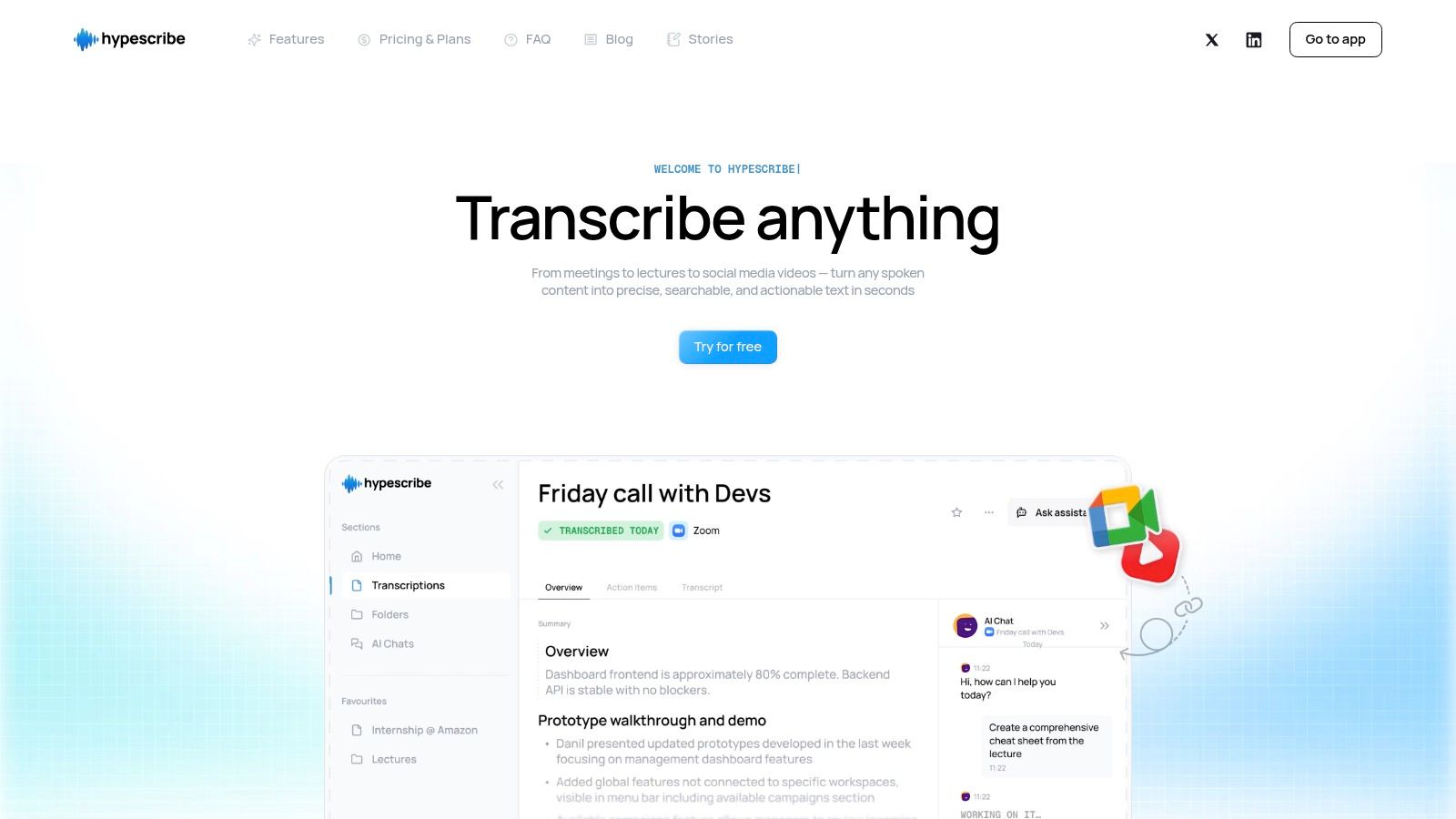
HypeScribe solidifies its position as our top choice by focusing on what matters most in my modern note-taking workflow: speed, precision, and actionable outputs. It stands out as an exceptionally strong, well-rounded solution for anyone who needs to convert spoken words into structured, usable text. At its core, HypeScribe is an AI-first transcription engine built for performance; in my tests, it transcribed up to an hour of audio or video in under 30 seconds.
This platform moves beyond basic transcription by integrating directly into my daily processes. Its value isn't just in the verbatim text but in the intelligent layers it builds on top. The AI automatically generates concise summaries, pulls out key takeaways, and identifies action items with assigned owners and deadlines. This transforms a passive recording into a project launchpad, saving teams countless hours they would otherwise spend re-watching meetings or manually creating follow-up tasks.
Key Strengths & Use Cases
HypeScribe's architecture makes it a powerful contender for the best ai note taking app for professionals across various fields. Its real-time note-taker for Zoom, Google Meet, and Microsoft Teams is a game-changer for remote and hybrid teams, ensuring no critical details are missed during back-to-back calls. The platform supports over 100 languages with up to 99% accuracy, making it ideal for global organizations.
For content creators and researchers, I found the ability to upload files from URLs like YouTube, Vimeo, or Google Drive to be a massive time-saver. Instead of downloading large video files, you simply paste a link to get a full transcript and summary. A journalist can quickly transcribe a two-hour interview, a student can process a semester's worth of lectures, and a marketing team can analyze a competitor's webinar, all within minutes. The file-aware chatbot lets you "ask your transcript" questions, like "What was the final decision on the Q3 budget?" and get an instant answer without scrubbing through the text. To learn more about how these tools work in practice, explore HypeScribe's guide on the benefits of an AI meeting note taker.
Pricing & Implementation
HypeScribe's pricing model is both transparent and flexible, built around a token-based system where one token equals one file upload, regardless of its length. I found this to be a significant advantage over competitors that bill by the minute, as it removes the anxiety of processing long-form content. Unused tokens also roll over month-to-month, adding excellent value.
- Free: 3 files per month (up to 1 hour each).
- Starter: $6.99/month for 30 files.
- Pro: $7.99/month for 60 files + live note-taker for 10 meetings.
- Ultra: $12.99/month for 300 files + live note-taker for 30 meetings.
Getting started is straightforward. You can sign up and immediately use the free tier to upload an audio/video file, paste a URL, or use the mobile recorder. For live meetings, you connect your calendar and HypeScribe’s bot joins automatically.
Website: https://www.hypescribe.com
Pros & Cons
| Pros | Cons |
|---|---|
| Blazing-fast transcription (up to 1 hour in <30 seconds) with high accuracy. | Token-per-file model is less cost-effective for users with many very short clips. |
| Generous, no-minute-cap file limits and tokens that roll over. | Advanced enterprise features like SSO are not detailed and may require a sales call. |
| AI summaries, takeaways, and action items accelerate post-meeting workflows. | |
| Live meeting integrations for Zoom, Google Meet, and Microsoft Teams. | |
| Broad file and URL support for multi-source content ingestion. |
2. Otter.ai
Otter.ai is one of the most established names in the AI transcription space, making it a strong contender for the best AI note taking app, particularly for live meetings. From my experience, it excels at real-time transcription for Zoom, Google Meet, and Microsoft Teams, automatically joining my scheduled calls to capture every word. Its primary strength lies in its reliable, mature platform that delivers live notes with clear speaker identification.
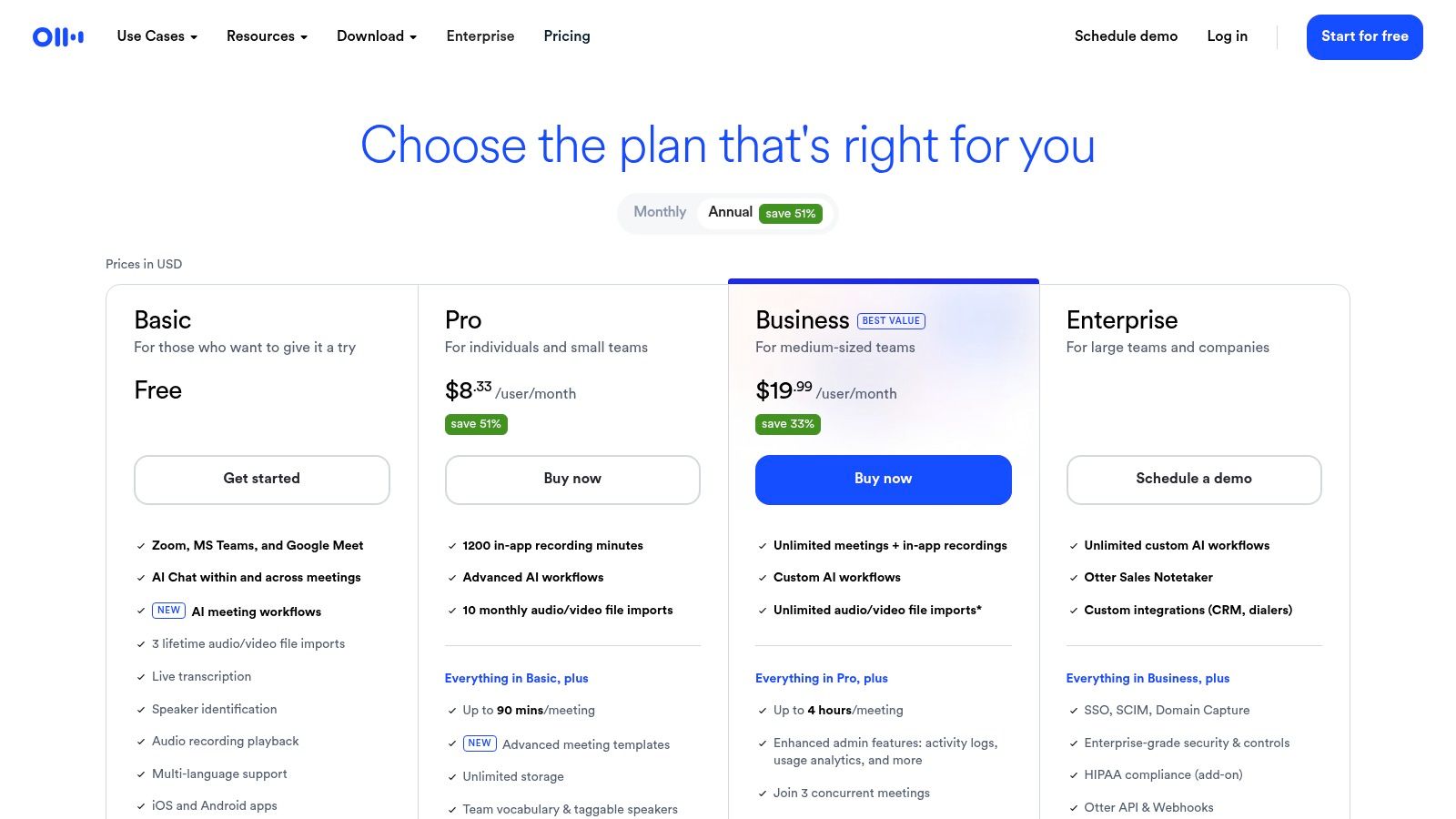
This tool is more than just a transcriber; it creates collaborative workspaces around your conversations. After a meeting, Otter generates automated summaries, outlines, and extracts keywords, making it easy to review key takeaways. Team members can highlight text, add comments, and assign action items directly within the transcript. While Otter is a powerful tool, it's worth exploring how it stacks up against newer services; for a deeper comparison, you can find several strong Otter.ai alternatives available.
Core Features & Use Cases
- Live Transcription & Speaker ID: Get real-time notes during meetings with labels for who said what. This is perfect for teams who need immediate clarity and want to ensure accurate meeting records.
- Automated Summaries: The "Automated Outline" feature provides a quick, digestible overview of the meeting, saving you time on manual recaps.
- Collaboration: Share transcripts, highlight key points, and assign tasks within the Otter platform, turning conversations into actionable workflows.
Pricing and Limitations
Otter.ai operates on a freemium model. The free tier offers a generous amount of transcription minutes per month but has limitations on import and meeting duration. Paid plans (Pro and Business) unlock more minutes, advanced search, and team-focused features. The main drawback I found is that some of the most useful automations and integrations are reserved for higher-cost enterprise tiers.
- Pros: Highly reliable live transcription, mature platform, great cross-platform support.
- Cons: Can become costly for teams, some key features are behind higher paywalls.
Website: https://otter.ai/pricing
3. Fireflies.ai
Fireflies.ai operates as a dedicated AI meeting assistant, positioning itself as an excellent choice for teams deeply embedded in sales and customer-focused workflows. It records, transcribes, and summarizes your calls across major platforms like Google Meet, Zoom, and Microsoft Teams by having its bot, Fred, join your scheduled meetings. My testing revealed its key differentiator is the depth of its integrations, which allow notes and action items to flow directly into CRMs and project management tools.
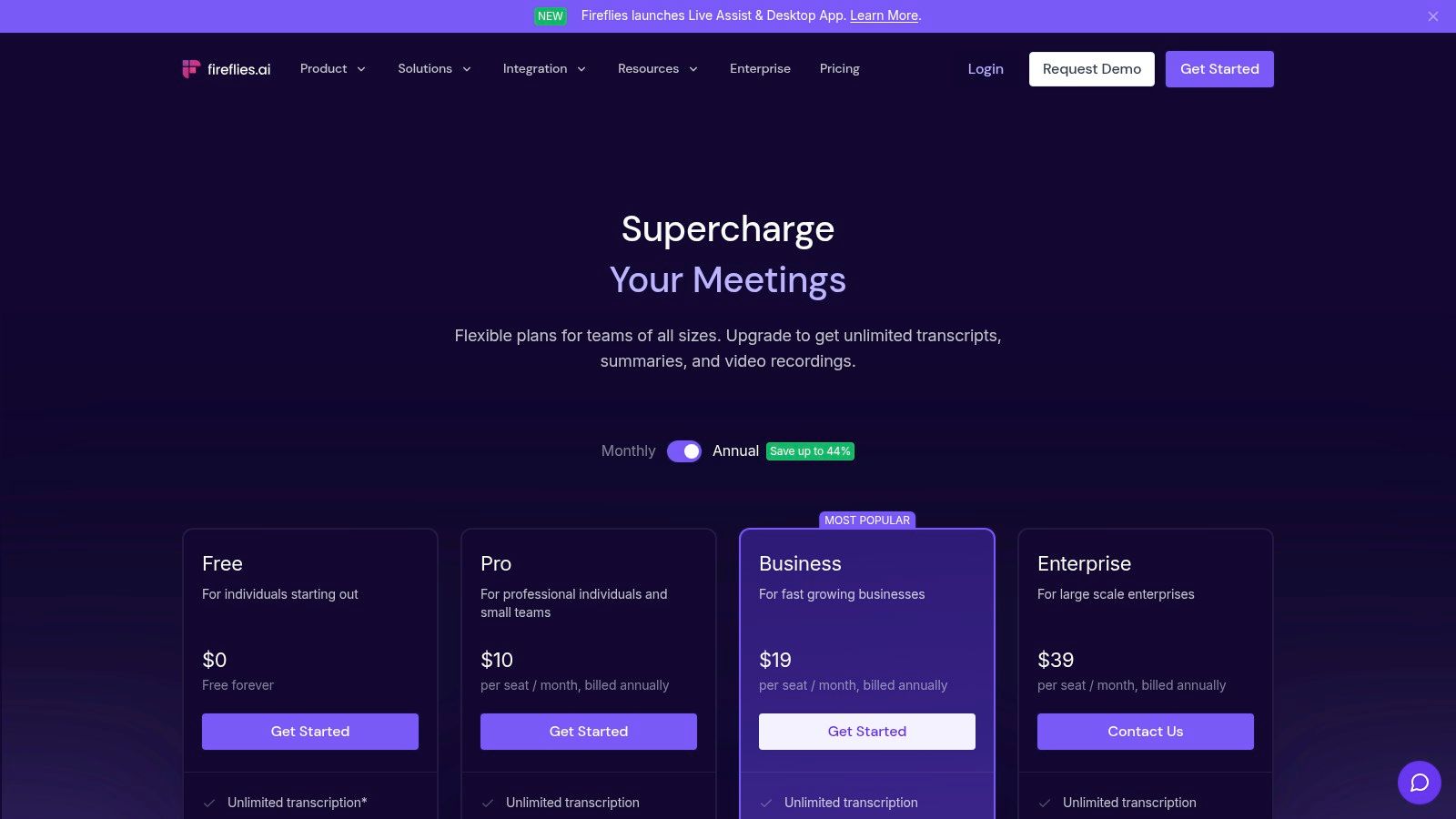
Beyond simple transcription, Fireflies.ai provides robust "Conversation Intelligence," which analyzes meeting data to track topics and sentiment. This makes it a powerful tool for sales coaching and understanding customer interactions. The ability to search for specific topics or keywords across all my past meetings creates a searchable knowledge base, making it a strong contender for the best AI note taking app for data-driven organizations.
Core Features & Use Cases
- Deep CRM & App Integrations: Automatically push meeting notes, summaries, and action items to platforms like Salesforce, HubSpot, Notion, and Slack. This is ideal for sales teams needing to update client records without manual data entry.
- Conversation Intelligence: Analyze speaker talk time, sentiment, and track specific topics across all your meetings to gain insights into team performance and customer conversations.
- Centralized Meeting Search: Use the "Topic Tracker" and search functions to quickly find information from any past meeting, creating a valuable, searchable library of your team's discussions.
Pricing and Limitations
Fireflies.ai offers a free tier that includes limited transcription credits and storage. Paid plans (Pro and Business) provide more credits, unlimited storage, and unlock the powerful integrations and analytics features. A potential issue I've seen is that some corporate security policies may block the bot-style assistant from joining meetings, which is its primary method of capture. Additionally, the most detailed analytics are reserved for the higher-cost plans.
- Pros: Outstanding integrations for sales and CS workflows, scales well from individuals to enterprise teams, powerful cross-meeting search.
- Cons: Bot-style join can be blocked by some organizations, deeper analytics are available only on higher-tier plans.
Website: https://fireflies.ai/pricing
4. Fathom
Fathom is a standout AI notetaker designed for simplicity and accuracy, making it an excellent choice for users who need clean meeting recaps without a complex setup. It automatically joins your Zoom, Google Meet, or Teams calls to record, transcribe, and generate actionable summaries. From my experience, its main advantage is its focus on creating instantly shareable highlights and clear post-meeting workflows.
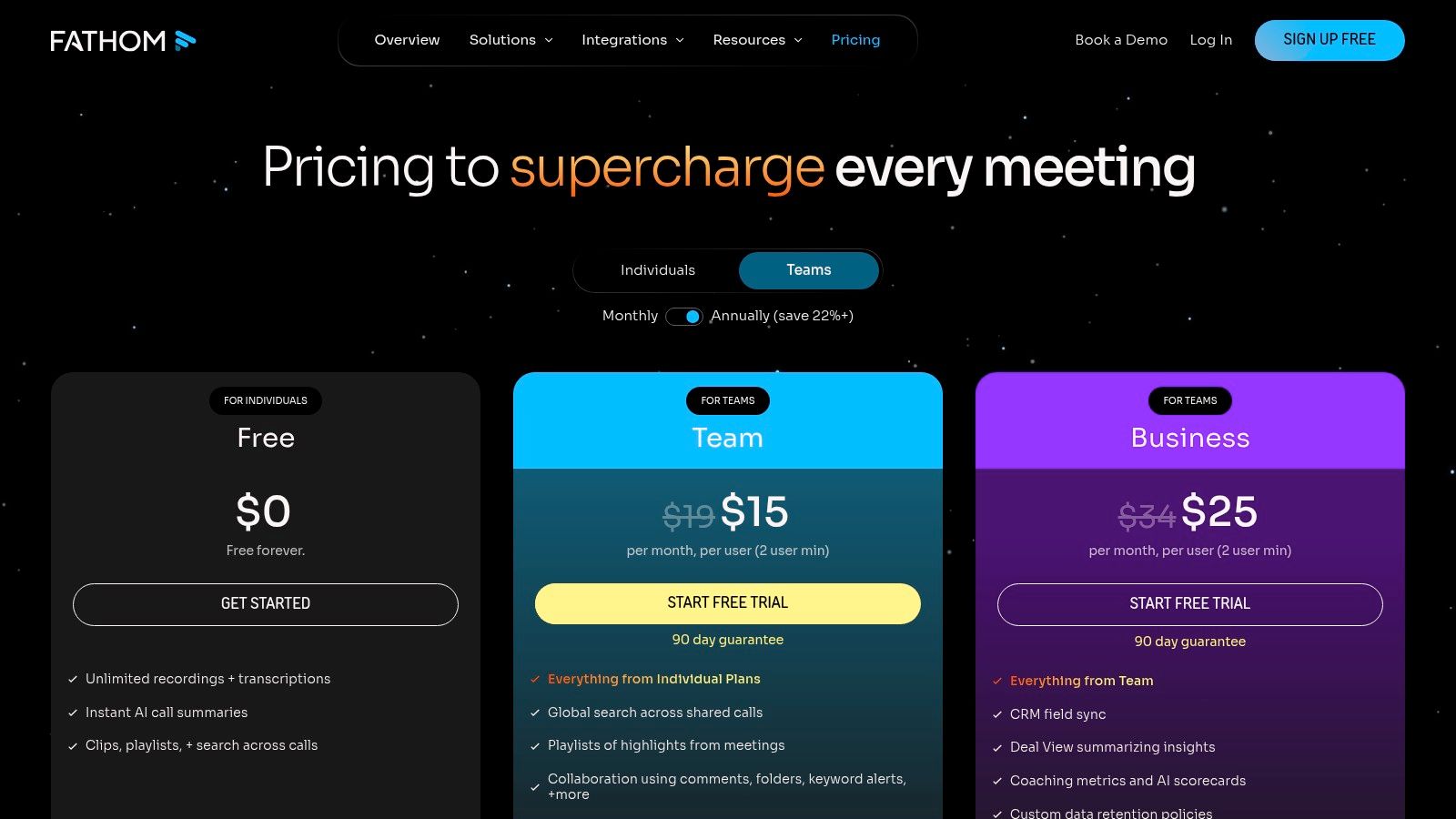
Unlike some tools that require significant configuration, Fathom works smoothly out of the box. During a meeting, you can click to highlight key moments, and after the call, Fathom delivers a full transcript alongside a structured summary with extracted action items. This makes it incredibly easy to share specific clips or the entire summary with teammates or push key details directly into your CRM or knowledge base. For those who prioritize quick, accurate recaps, it is a leading contender for the best AI note taking app.
Core Features & Use Cases
- AI Recaps & Action Items: Fathom automatically generates a summary, identifies key topics, and extracts action items, saving significant time on post-meeting wrap-ups.
- Shareable Highlights: Instantly create and share video clips of important moments from a meeting, perfect for communicating key decisions or feedback without making someone watch the entire recording.
- CRM & Knowledge Tool Integrations: Send meeting notes, summaries, and action items directly to tools like Salesforce, HubSpot, Slack, and Notion to keep your workflows connected.
Pricing and Limitations
Fathom is known for its free-to-start model, which offers substantial value for individuals. The free plan includes unlimited recordings and transcriptions. More advanced capabilities, such as team-based workflows and additional integrations, are part of the paid Team Edition, which may require contacting sales for specific pricing details. My experience suggests that while it's accessible for personal use, unlocking its full collaborative power comes at a cost.
- Pros: Simple and intuitive user experience, accurate summaries and highlights, strong integration capabilities.
- Cons: Team features and advanced workflows are locked behind paid plans, specific team pricing may not be publicly listed.
Website: https://www.fathom.ai/pricing
5. tl;dv
tl;dv positions itself as a meeting recorder that’s built for asynchronous teams, making it a noteworthy player in the race for the best AI note taking app. Its main distinction, which I found particularly useful, is its powerful multilingual support, automatically transcribing and summarizing meetings from Zoom, Google Meet, and Microsoft Teams in over 30 languages. This makes it an essential tool for global teams that need to share insights and action items across different regions and time zones.
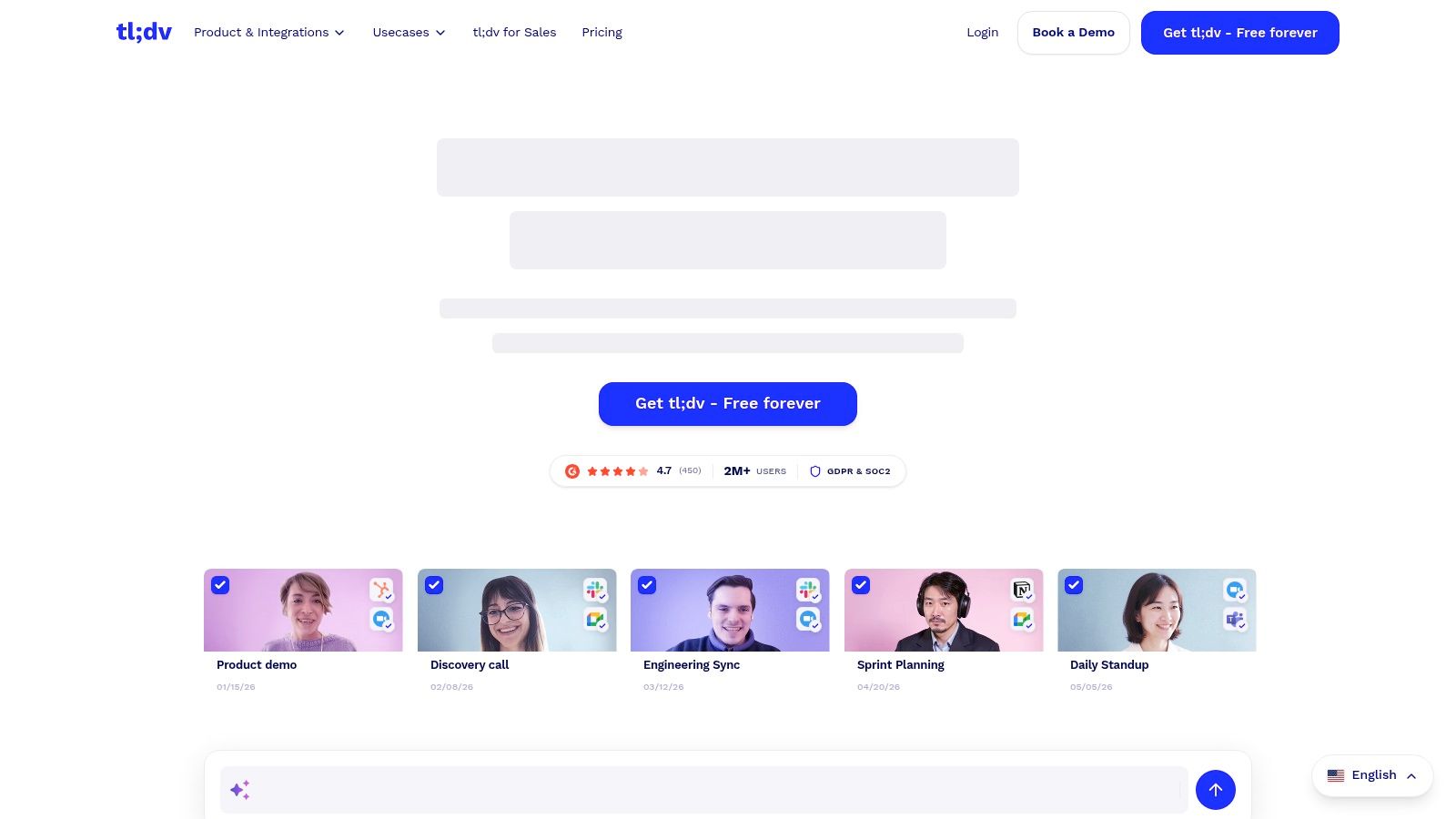
The platform goes beyond simple transcription by allowing users to create timestamped highlights and shareable clips of the most important moments. Instead of making colleagues watch an entire hour-long recording, I can send them a two-minute clip of a key decision. This focus on shareable, searchable moments and strong integrations with tools like Slack and Notion makes tl;dv a practical choice for teams looking to improve their meeting documentation and async communication.
Core Features & Use Cases
- Multilingual Transcription & Summaries: Get accurate transcripts and AI-powered summaries in over 30 languages. This is a critical feature for international organizations and teams working with global clients.
- Shareable Highlights & Clips: Instantly create and share video clips of important meeting moments, perfect for quick updates, onboarding new team members, or building a knowledge library.
- Speaker Recognition: The system automatically identifies and labels who is speaking in the transcript, which is vital for clarity when reviewing conversations.
Pricing and Limitations
tl;dv offers a generous free plan that includes unlimited recordings and transcripts, which is a great starting point. Paid plans (Pro and Business) unlock more AI summaries, remove watermarks, and add advanced analytics and coaching features. A potential drawback from my testing is that its bot-based recording method may face restrictions in organizations with strict security policies that limit third-party bots in meetings.
- Pros: Excellent multilingual support, powerful features for asynchronous sharing, generous free tier.
- Cons: Some organizations may restrict bot-based recorders, advanced analytics are on higher-priced plans.
Website: https://tldv.io
6. Read.ai
Read.ai goes beyond simple transcription by acting as an AI meeting assistant focused on improving meeting effectiveness. In my experience, it offers not only notes and summaries but also a "Meeting Coach" that provides real-time feedback on speaking patterns, engagement, and more. This makes it a unique choice for teams who want to analyze and improve their meeting culture, not just document it.
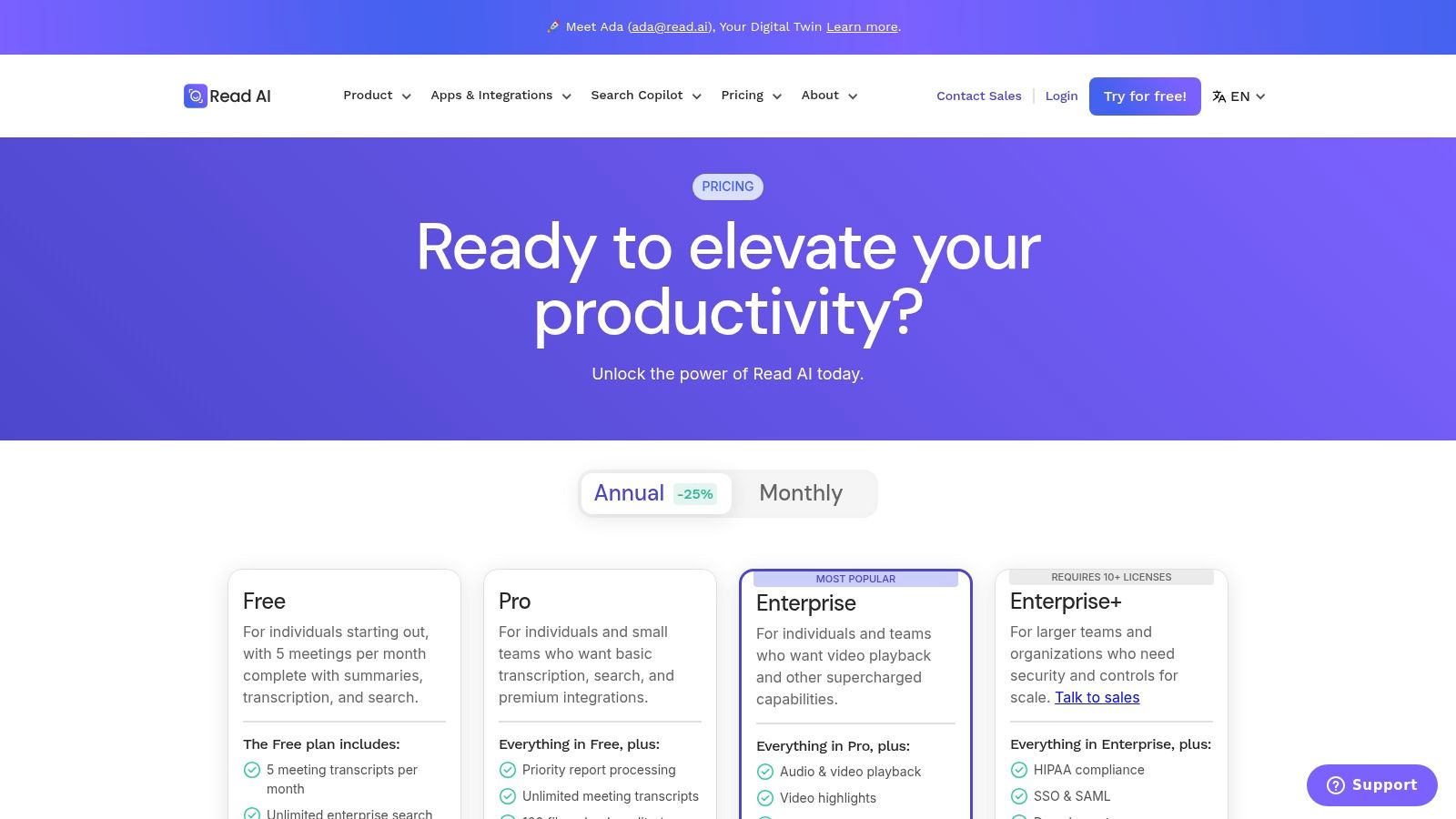
The platform positions itself as a tool for analytics and performance, generating detailed post-meeting reports with speaker talk time, sentiment analysis, and engagement scores. Its "Search Copilot" allows users to ask questions about their meetings using natural language, pulling answers directly from transcripts. Strong integrations with systems like Salesforce, Notion, and Jira make it a powerful hub for connecting meeting outcomes to business workflows, making it one of the more analytics-focused options for the best AI note taking app.
Core Features & Use Cases
- Real-time Meeting Coach: Provides live feedback on participation, talk speed, and filler word usage to help individuals and teams improve their communication skills during calls.
- Advanced Meeting Analytics: Delivers detailed reports on engagement, sentiment, and talk time, perfect for managers and team leads looking to understand and optimize meeting dynamics.
- Search Copilot & Integrations: Users can query past meetings with natural language and push key insights or action items directly into tools like Salesforce, HubSpot, and Jira, closing the loop between conversation and action.
Pricing and Limitations
Read.ai offers a free plan that is useful for individuals but limits the number of meeting reports per month. Paid tiers (Pro and Business) unlock unlimited reports, advanced analytics, and the full suite of integrations. A potential drawback I noticed is that its bot-based approach to joining meetings might face restrictions in organizations with strict security protocols.
- Pros: Includes a unique real-time coach and deep meeting analytics, strong integration ecosystem on paid plans.
- Cons: Free plan has significant limits on monthly transcripts, bot joining method may not be suitable for all company security policies.
Website: https://www.read.ai/plans-pricing
7. Avoma
Avoma positions itself as an all-in-one meeting lifecycle platform, making it a powerful contender for the best AI note taking app for revenue-focused teams. It combines an AI meeting assistant with collaboration tools and conversation intelligence. I've found its main advantage to be its deep integration with sales and customer success workflows, automating everything from real-time notes to CRM updates.
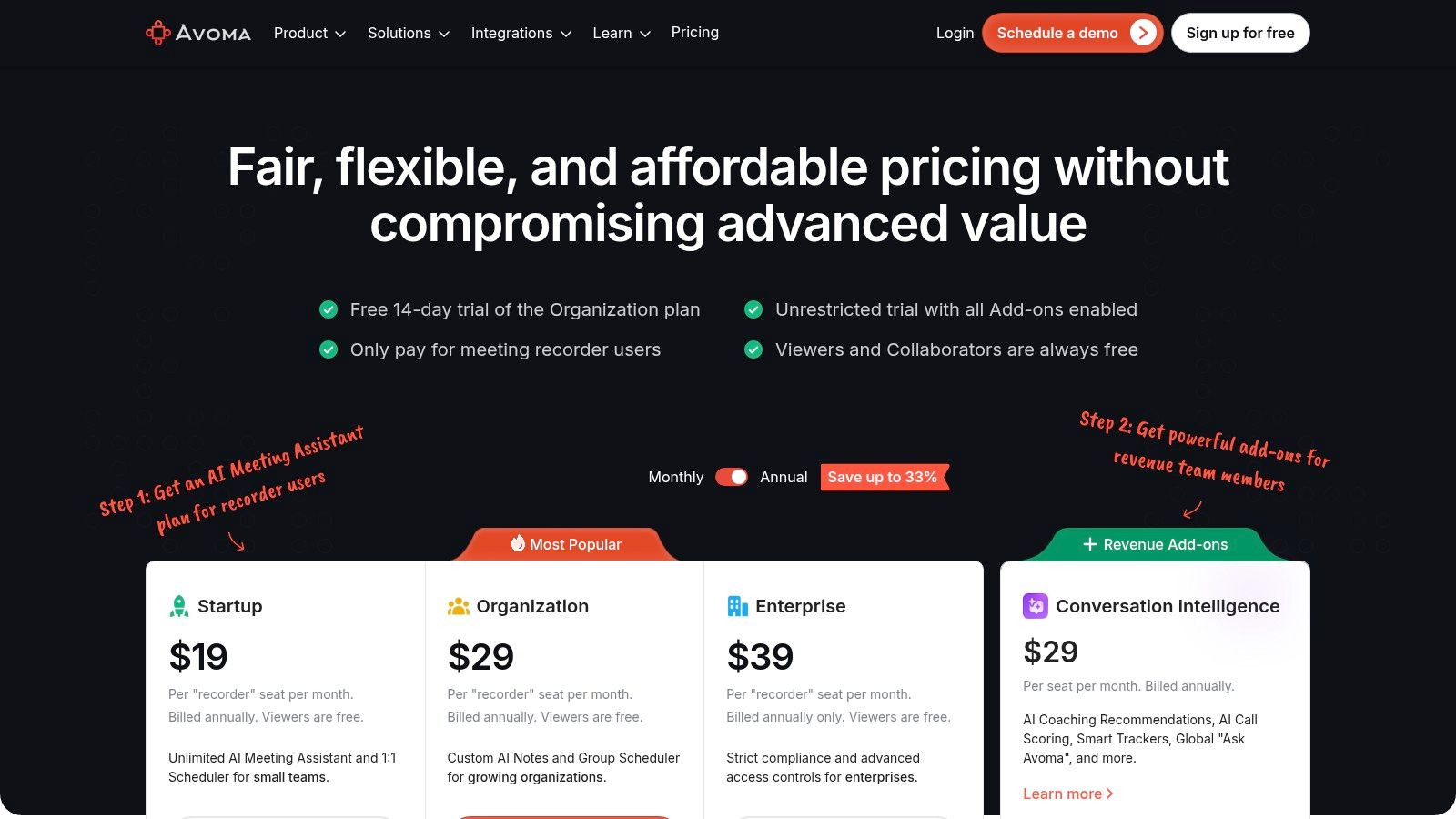
More than just a note-taker, Avoma is designed to manage the entire meeting process from scheduling to follow-up. It provides instant summaries and action items and can automatically save notes to your CRM. One of its standout features is "Ask Avoma," which lets you ask specific questions about your meetings and get direct answers from the transcript data.
Core Features & Use Cases
- AI Meeting Assistant & CRM Automation: Avoma provides real-time transcription and instant summaries while automatically logging notes and action items into your CRM. This is ideal for sales and customer support teams needing to maintain accurate records without manual data entry.
- "Ask Avoma" Q&A: Query your past meetings with natural language questions to find key information, such as "What did the client say about our pricing?" This is perfect for quickly recalling specific details without re-reading entire transcripts.
- AI-Generated Follow-ups: The platform can draft post-meeting email follow-ups based on the conversation, saving time and ensuring key points are communicated consistently.
Pricing and Limitations
Avoma uses a seat-based pricing model, which is transparent and includes unlimited view-only seats on some plans, allowing broader team access to recordings. However, my experience shows its value is most apparent in a team environment that uses a CRM like Salesforce or HubSpot. For solo users or those without CRM integration needs, the feature set may be more than what is required, and the platform can feel complex without proper onboarding.
- Pros: Strong CRM automation and sales workflows, transparent seat-based pricing with free viewer access.
- Cons: Best value is tied to team and CRM usage; its feature richness may require an initial learning curve.
Website: https://www.avoma.com/pricing
8. Sembly AI
Sembly AI distinguishes itself as a powerful AI note taking app designed for global collaboration. Its main advantage is its robust support for multilingual and even mixed-language meetings, making it an essential tool for international teams. Sembly doesn't just transcribe live; I found it can also import existing audio or video recordings, allowing you to generate detailed notes, summaries, and meeting minutes from your entire archive.
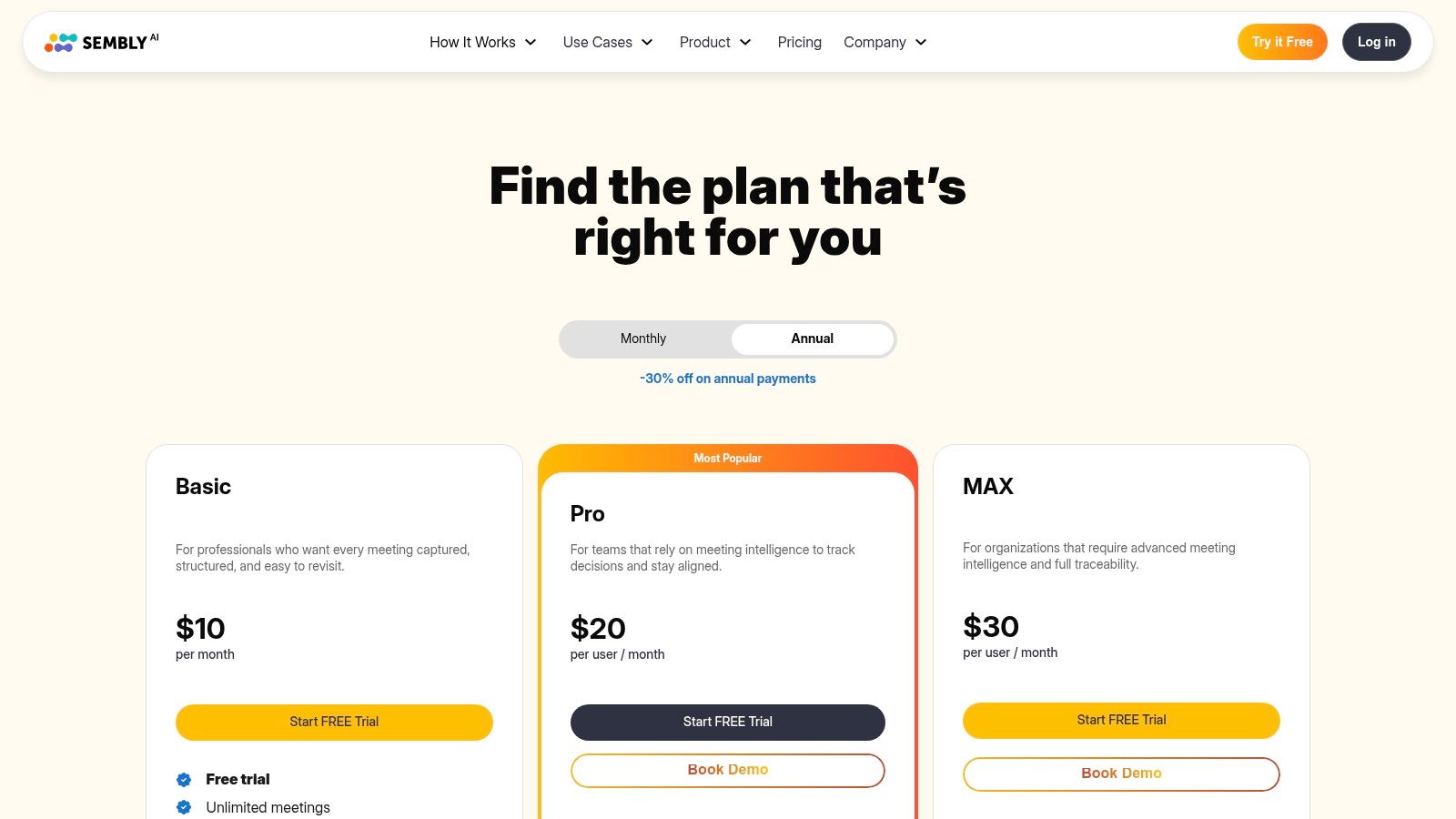
The platform goes beyond simple transcription by creating structured "Glance" summaries that highlight key items, decisions, and action points. This focus on post-meeting analysis helps teams quickly understand outcomes without re-reading the entire transcript. Its ability to process uploaded files is a significant benefit for users who need to document calls or events that weren't captured live, such as field recordings or pre-recorded webinars.
Core Features & Use Cases
- Multilingual Support: With transcription for over 40 languages and the ability to handle mixed-language conversations, Sembly is ideal for international organizations and bilingual teams.
- Import Existing Recordings: You can upload audio or video files to the platform and have Sembly generate notes and summaries, perfect for processing past meetings or interviews.
- AI-Generated Summaries: Sembly produces detailed minutes, including a brief "Glance" summary, topics discussed, and extracted action items to streamline post-meeting workflows.
Pricing and Limitations
Sembly offers several tiers, including a free plan with basic features and limited transcription time. Paid plans (Professional, Team, and Enterprise) unlock higher usage limits, advanced analytics, and team management controls. A potential drawback I noticed is that the most powerful features, such as deep analytics and extensive integrations, are reserved for the more expensive Team and Enterprise plans.
- Pros: Excellent for international teams, can process uploaded files, creates structured and detailed meeting minutes.
- Cons: Full feature set is primarily on higher tiers, recent plan updates may require careful review before purchase.
Website: https://www.sembly.ai/pricing/
9. Supernormal
Supernormal positions itself as a streamlined AI note-taker for Google Meet, Zoom, and Microsoft Teams, focusing on simplicity and actionable outputs. Its major distinction, which I found compelling, is the generous offering of unlimited AI summaries across all its plans, including the free tier. This makes it an excellent choice for users who prioritize getting quick, automated recaps of their meetings without worrying about hitting a usage cap.
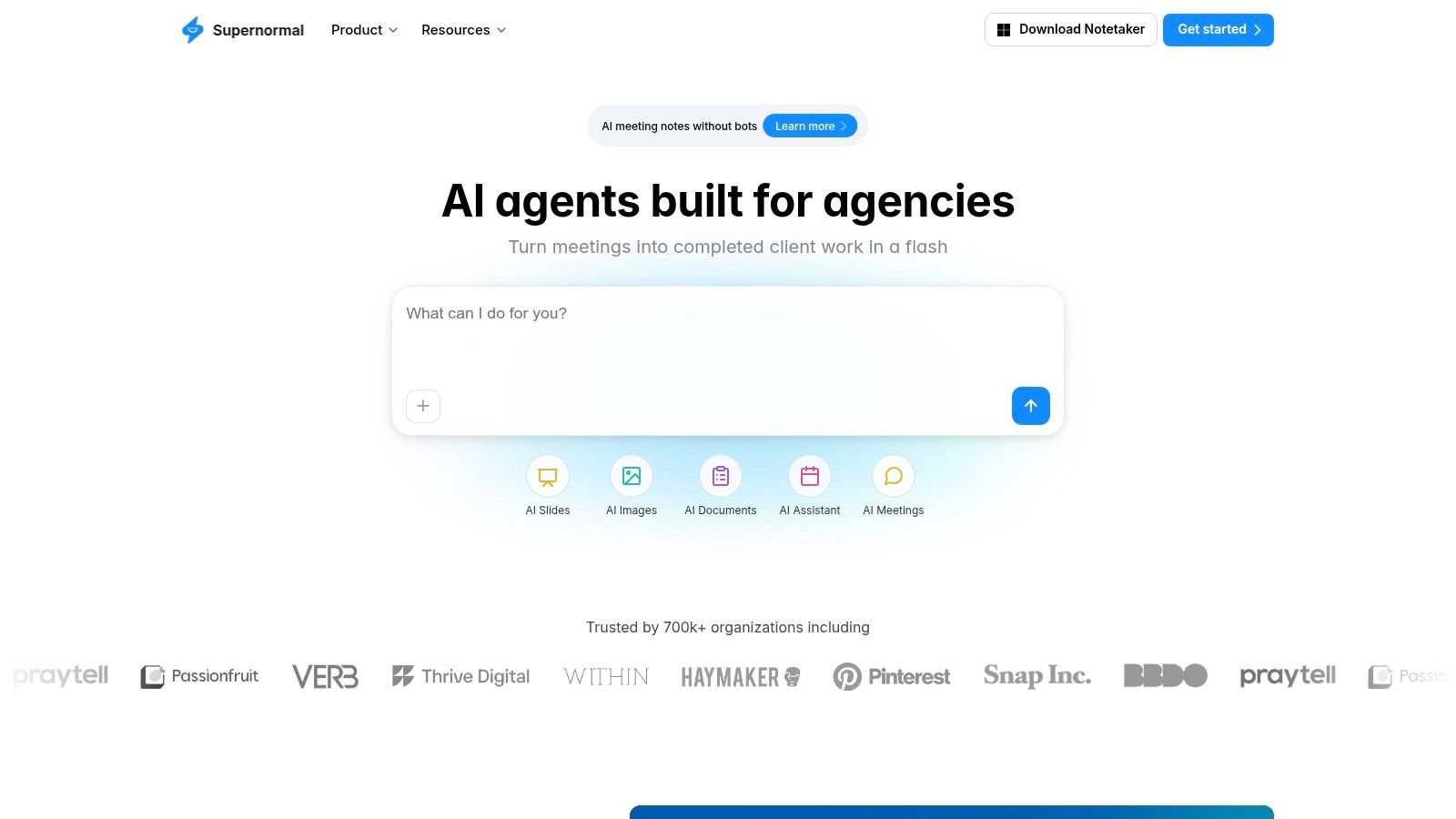
The platform is designed for immediate utility, providing pre-built templates that structure your notes for different meeting types, such as interviews or team stand-ups. Sharing controls are straightforward, allowing teams to quickly distribute key information through integrations with tools like Slack. While it's a strong contender for the best AI note taking app due to its user-friendly model, access to its most powerful AI, GPT-4, is reserved for the paid Business tier.
Core Features & Use Cases
- Unlimited AI Summaries: Every plan, even the free one, allows for unlimited automated summaries, making it ideal for users who have a high volume of meetings and need consistent recaps.
- Templates & Instant Sharing: Use pre-made templates to standardize note formats across your team. Instantly share notes, transcripts, and summaries to keep everyone aligned.
- GPT-4 Access: The Business tier provides access to OpenAI's GPT-4, delivering more nuanced and accurate summaries and action items for professional teams.
Pricing and Limitations
Supernormal offers a free tier along with paid Pro and Business plans. The pricing is transparent and the simple tiering is a key benefit. The primary limitation I found is that certain features, like expanded integrations and advanced governance controls for larger organizations, are only available on the higher-priced tiers. Similarly, storage capacity varies by plan, which could be a factor for heavy users.
- Pros: Simple and clear pricing, unlimited summaries on all plans, GPT-4 access on the Business plan.
- Cons: Some key integrations and advanced security features are gated behind top tiers, storage limits vary by plan.
Website: https://supernormal.com
10. Mem (Mem.ai)
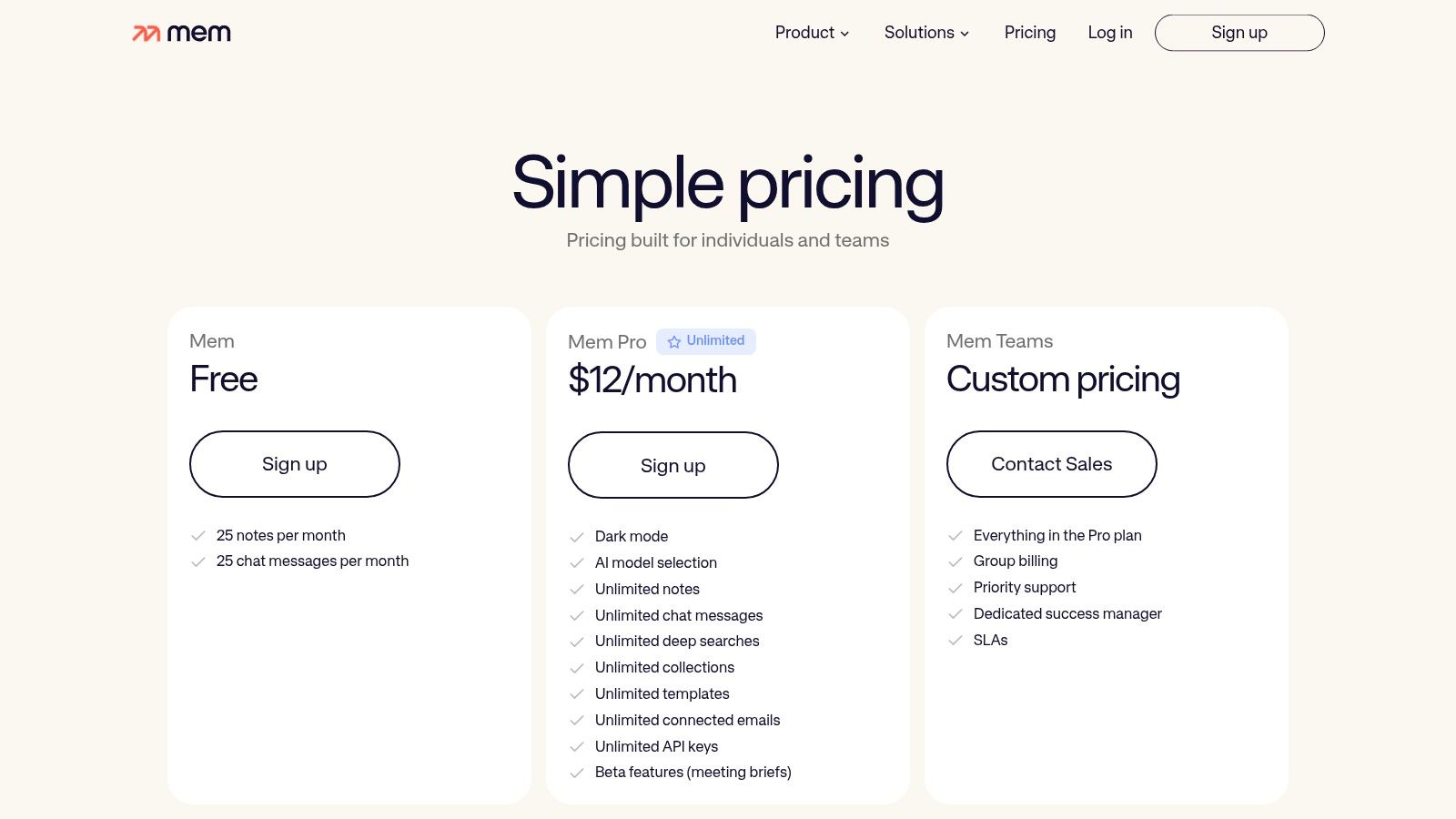
Mem positions itself as an AI-first notes workspace designed for both personal knowledge management and team collaboration. Its standout feature, ‘Voice Mode,’ offers a privacy-focused alternative to traditional meeting bots. Instead of joining your calls, Mem’s desktop app locally records your microphone and system audio, capturing and transcribing meetings on your device without a bot ever entering the call. This makes it an excellent candidate for the best AI note taking app if you're concerned about privacy or work in an environment with strict guest policies for virtual meetings.
After capturing a meeting, Mem's AI generates structured notes, summaries, and action items. The real power comes from its search capabilities; I was able to chat with my entire note library using natural language, asking questions about past meetings, projects, or ideas. While the app is great for creating a personal or team knowledge base, it's important to know how to improve note taking skills to get the most out of any tool.
Core Features & Use Cases
- 'Voice Mode' Local Capture: Record meetings from Zoom, Teams, or Google Meet without a bot by capturing system and mic audio. This is ideal for users who need a discreet and private way to document conversations.
- Natural Language Search & Chat: Ask questions and retrieve information from your entire note repository as if you were talking to a person, making it easy to find buried insights.
- Team Knowledge Workflows: Share notes and create collaborative workspaces where your team's collective knowledge becomes a searchable, intelligent database.
Pricing and Limitations
Mem offers a free plan with limited AI features, with paid individual plans unlocking more advanced AI capabilities. Team and Enterprise plans are available with custom pricing, which is necessary to access collaborative workspaces. A key limitation I discovered is that the bot-free 'Voice Mode' for capturing all meeting audio works best on the desktop app; the web version can only record your microphone audio.
- Pros: Privacy-friendly 'no-bot' meeting capture, strong personal and team knowledge management features.
- Cons: Full meeting capture is best on desktop, team features require more expensive custom pricing.
Website: https://get.mem.ai/pricing
11. Notion AI Meeting Notes
For teams already living and breathing in Notion, my experience confirms that the platform’s native AI Meeting Notes feature is a powerful addition. Instead of exporting notes from a separate app, Notion AI brings transcription and summarization directly into your existing workspace. It can capture and transcribe meetings directly from Notion Calendar or a meeting block, complete with consent prompts. Its standout quality is the deep integration with Notion’s ecosystem of databases and pages.
This tool excels at turning conversations into structured, actionable documents. After a call, it automatically generates summaries and extracts action items, which can be formatted into a custom Notion page. Because the notes live in your workspace, you can immediately link action items to project boards, connect meeting insights to research documents, and maintain a single source of truth for your team's knowledge. This makes it a strong candidate for the best AI note taking app if you prioritize a unified workflow.
Core Features & Use Cases
- Integrated Transcription: Record and transcribe meetings without leaving the Notion app. This is ideal for teams who want to reduce tool-switching and keep all documentation in one place.
- Automatic Summaries & Action Items: The AI extracts key takeaways and tasks, embedding them into structured Notion pages that can be linked to your existing project management databases.
- Deep Workspace Connection: Link meeting notes directly to projects, tasks, and wikis. This creates a connected knowledge base where meeting outcomes are always in context with the relevant work.
Pricing and Limitations
Access to Notion AI Meeting Notes is tied to the Notion AI add-on, which is an extra monthly fee per user on top of your existing Notion plan (Free, Plus, Business, or Enterprise). The main limitation I've observed is that its performance can depend on your device, and it lacks some of the specialized audio-processing features found in dedicated transcription services. It's a fantastic feature, but only for those already committed to the Notion ecosystem.
- Pros: Keeps notes inside your team’s main documentation hub, flexible templates, strong linking to projects and tasks.
- Cons: Access requires a paid Notion AI add-on, real-time performance can be inconsistent.
Website: https://www.notion.so
12. Grain
Grain is an AI notetaker and conversation intelligence platform that focuses heavily on capturing the full context of a meeting, including video. It records video calls, Slack Huddles, and even in-person discussions to generate transcripts, summaries, and shareable clips. This makes it a strong contender for the best AI note taking app for teams that rely on visual communication and video for training, onboarding, and internal knowledge sharing.
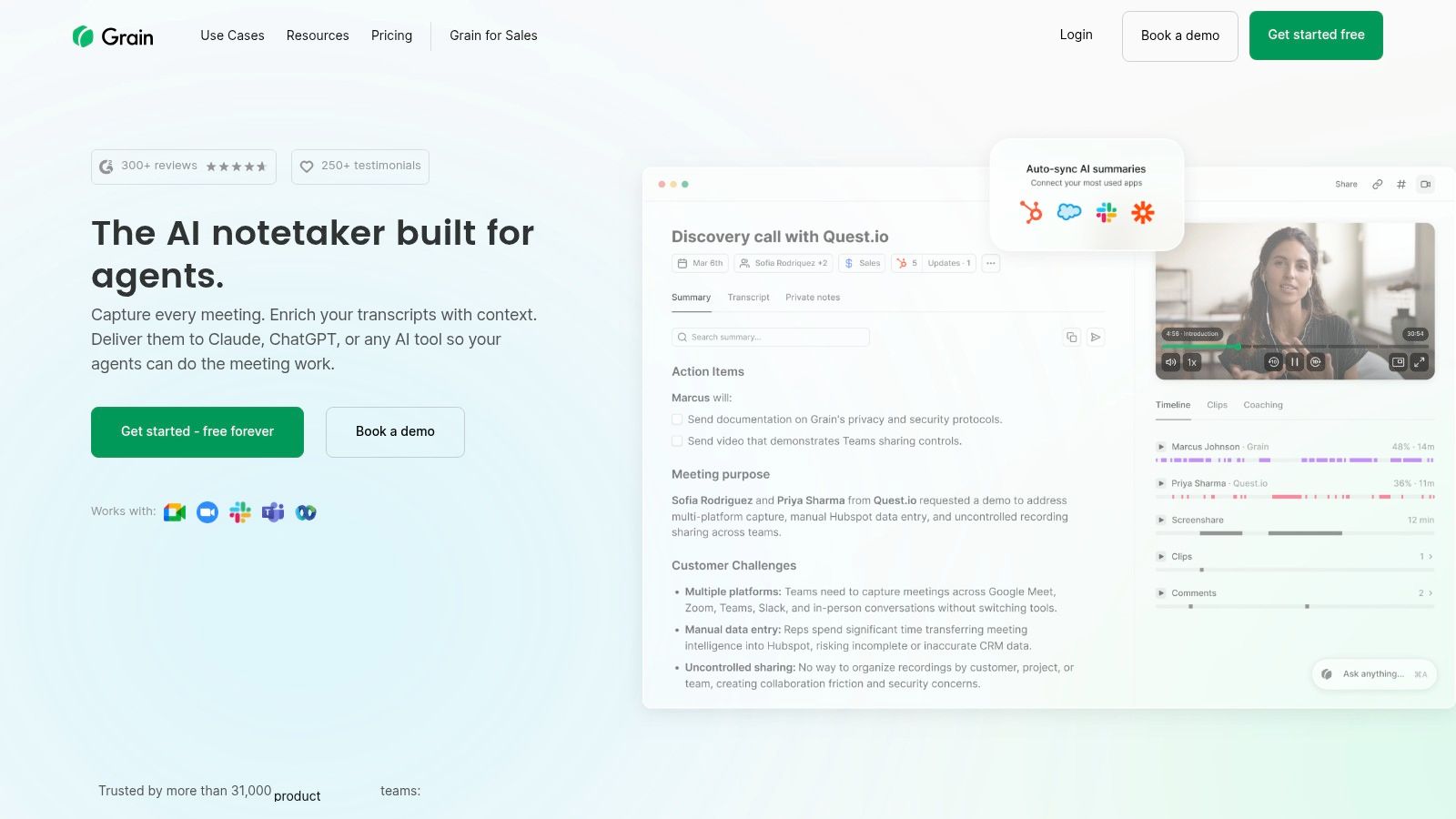
The platform’s strength is turning long video meetings into a searchable, shareable knowledge base. After a call, I could quickly create video highlights and clips to share with teammates, which is ideal for sales coaching or customer success enablement. By capturing both audio and video, Grain provides a richer record of conversations than audio-only transcription tools, making it easy to review non-verbal cues and on-screen presentations.
Core Features & Use Cases
- Video & Desktop Audio Capture: Grain records your entire screen and audio, creating a complete video record alongside the AI-generated transcript and notes. This is perfect for capturing product demos or collaborative design sessions.
- Shareable Clips & Highlights: Easily trim recordings to create short, impactful video clips. This feature is excellent for creating training materials, sharing customer feedback, or onboarding new hires.
- Searchable Knowledge Library: All your recordings are stored in a central, searchable repository, allowing your team to find specific moments from past meetings without re-watching hours of video.
Pricing and Limitations
Grain offers a straightforward pricing model that is easy to trial, with a free plan that includes basic recording and transcription. Paid plans unlock unlimited storage, advanced sharing, and team collaboration features. The main limitation is its focus on video and team coaching; solo users or those who only need text-based notes might find the feature set more extensive than necessary. The most powerful conversation insights are also geared toward team use cases.
- Pros: Full-content capture (video and audio) in one place, simple and transparent pricing.
- Cons: Emphasis on video and coaching may be excessive for solo users, advanced analytics target teams.
Website: https://grain.com/
The Three Questions That Narrow the List
Twelve options is too many to trial. These three answers usually leave two or three worth testing.
Then trial two tools on the same real week of meetings. Comparing them on identical audio takes an hour and settles the question better than any feature table, including the one above.
Top 12 AI Note-Taking Apps: Feature Comparison
| Product | Core features | ★ Quality & Speed | 💰 Price & Value | 👥 Best for | ✨ Standout |
|---|---|---|---|---|---|
| HypeScribe 🏆 | Token-based unlimited-length uploads; multi-format imports/exports; live note-taker; summaries & file-aware chatbot | ★★★★★ — up to 99% accuracy; 1h <30s | 💰 Free (3 files/mo); Starter $6.99; Pro $7.99; Ultra $12.99; tokens roll over | 👥 Teams, podcasters, researchers, creators | ✨ Industry-grade speed & accuracy; auto action items; real-time meeting notetaker |
| Otter.ai | Live transcription, speaker labeling, auto-summaries, calendar capture, collaborative folders | ★★★★ — reliable live transcripts | 💰 Free tier; paid team plans for advanced features | 👥 Education & business teams | ✨ Mature cross-platform live-note workflows |
| Fireflies.ai | Bot/native meeting capture; summaries, action items; deep CRM & app integrations | ★★★★ — strong conversation search | 💰 Free tier; paid plans for integrations & analytics | 👥 Sales & customer‑success teams | ✨ Deep Salesforce/HubSpot integrations; conversation intelligence |
| Fathom | Automatic recording & transcription; AI recaps, highlights & shareable clips | ★★★★ — clear, accurate recaps | 💰 Free/basic; paid for team/advanced workflows | 👥 Users who want simple recaps & highlight sharing | ✨ Easy highlight workflows & shareable meeting clips |
| tl;dv | Recording + transcripts; multilingual summaries; highlights & sharing | ★★★★ — strong multilingual support | 💰 Free tier; paid tiers for advanced features | 👥 Global teams & async sharing | ✨ 30+ language support; async onboarding focus |
| Read.ai | Transcription, meeting reports, real-time Meeting Coach & speaking analytics | ★★★★ — analytics + coach features | 💰 Limited free; paid plans for full analytics & integrations | 👥 Teams seeking coaching & meeting analytics | ✨ Real-time coach & native LLM search copilot |
| Avoma | Real-time transcription, "Ask Avoma" Q&A, auto-save to CRM, AI follow-ups | ★★★★ — rich team workflows | 💰 Seat-based pricing; free viewers on some tiers | 👥 Sales/CS teams needing CRM automation | ✨ Auto-CRM updates + meeting Q&A |
| Sembly AI | Transcription & summaries; 40+ language & mixed-language support; imports | ★★★★ — good for bilingual meetings | 💰 Free/paid tiers; higher tiers unlock full features | 👥 International & bilingual teams | ✨ Mixed‑language meeting processing; upload imports |
| Supernormal | Unlimited AI summaries (all plans), templates, instant sharing, GPT‑4 on Business | ★★★★ — simple, consistent recaps | 💰 Clear tiers; unlimited summaries across plans | 👥 Teams wanting simple unlimited recaps | ✨ Unlimited summaries + template workflows |
| Mem (Mem.ai) | Voice Mode local capture, AI summaries, NL search/chat, team workspaces | ★★★★ — privacy‑friendly capture | 💰 Free/basic; team pricing custom | 👥 Privacy‑minded users & knowledge teams | ✨ "No‑bot" local capture; natural‑language search/chat |
| Notion AI Meeting Notes | In-app transcription with consent prompts; auto-summaries into Notion pages & DBs | ★★★ — varies by plan/device | 💰 Included via Notion AI/features; depends on plan | 👥 Teams already using Notion | ✨ Native embedding into Notion workspace & databases |
| Grain | Video + audio capture, transcripts, searchable repo, shareable clips & coaching | ★★★★ — full content capture & clips | 💰 Free trial; transparent paid plans | 👥 Enablement, onboarding & content teams | ✨ Clip-based sharing + video-centric meeting capture |
The Final Verdict: Choosing Your AI Note-Taking Co-Pilot
Finding the best AI note taking app is less about discovering a single "perfect" tool and more about matching the right technology to your specific workflow. After evaluating twelve distinct platforms, from comprehensive enterprise solutions to sleek, free personal assistants, a clear picture emerges from my testing. The ideal choice hinges on your primary pain point, whether that's managing client relationships, organizing academic research, or simply surviving back-to-back meetings.
The core takeaway is that these tools are not just transcribers; they are becoming intelligent knowledge partners. They sift through hours of conversation to find commitments, create summaries that save you time, and integrate directly into the software you already use. The right app moves from a novelty to a necessity very quickly.
How to Make Your Final Selection
Your decision should be driven by your daily tasks. Before committing to a subscription, consider the friction you most want to eliminate from your work.
- For Sales and Customer-Facing Teams: If your world revolves around CRM data, sales pipelines, and customer follow-ups, your choice is clear. Platforms like Avoma and Fireflies.ai are built for this reality, with deep integrations into Salesforce and HubSpot that turn conversations directly into actionable revenue intelligence.
- For Teams Living in a Specific Ecosystem: If your company's entire knowledge base resides in Notion, adopting Notion AI for its meeting notes is a low-friction, logical step. Similarly, if your team heavily relies on Google Meet, a dedicated tool like tl;dv might feel more native and intuitive.
- For Individuals and Small Teams on a Budget: Don't overlook the power of free tiers. Fathom stands out as a remarkably generous and effective option for individuals or small teams who need core transcription and summary features without an immediate financial commitment. It's a fantastic starting point.
- For High-Volume, High-Accuracy Needs: If your work involves processing large volumes of audio or video content where accuracy is non-negotiable, your criteria shift. Journalists, researchers, students, and content creators need a tool that is fast, precise, and versatile.
This is where a solution like HypeScribe truly distinguishes itself. Its market-leading transcription accuracy and rapid processing speed are critical for professionals who can't afford errors or delays. More importantly, its unique ability to handle diverse media inputs, from live meeting recordings and multi-source uploads to podcast files and YouTube links, makes it a powerful central hub for all your audio knowledge.
The token-based pricing, which is not tied to the length of your files, provides exceptional value for those working with long-form content. For anyone whose core function is to distill insights from spoken words, HypeScribe offers a powerful combination of speed, accuracy, and intelligent summarization that acts as a genuine productivity engine.
The best path forward is to act. Identify your primary use case from our analysis, sign up for the free tier or trial of the most promising candidate, and run it through a real-world test. Record a team meeting, upload an old interview, or transcribe a lecture. Experiencing the automation firsthand is the only way to truly appreciate how an AI co-pilot can fundamentally change your relationship with information, giving you back your most valuable asset: time.
HypeScribe has no length limit: one token covers a file whether it runs five minutes or four hours, with summary and action items included. Try it free — three files a month, no card required.


































































































