
Speaker Identification: AI for Audio & Diarization

Speaker identification is the technology that analyzes an audio recording and automatically labels who is speaking at any given time. Modern speaker embedding models can turn a few seconds of speech into a unique 512-dimensional vector, and using a simple external USB mic instead of a laptop's built-in microphone can reduce speaker identification error rates by up to 40%.
You've probably seen the problem already. A meeting ends, the transcript lands in your inbox, and the words are all there, but the meaning isn't. Someone raised a risk, someone committed to a deadline, someone asked for a follow-up, and now you're trying to reconstruct the conversation from a wall of text.
That's where speaker identification becomes useful. It doesn't just transcribe speech. It helps answer the practical question people care about in real work: who said what.
Who Said That An Introduction to Speaker Identification
A raw transcript without speaker labels can feel strangely incomplete. You can read every sentence and still miss the point of the meeting because you can't tell whether the comment came from the manager, the client, or the engineer pushing back on scope.
Say your team reviews a product launch. The transcript shows, “We can ship next week,” followed by, “That depends on legal approval.” If those lines belong to different people, the exchange tells you there's tension and a decision to resolve. If you don't know who spoke, that context disappears.
Why unlabeled transcripts break down
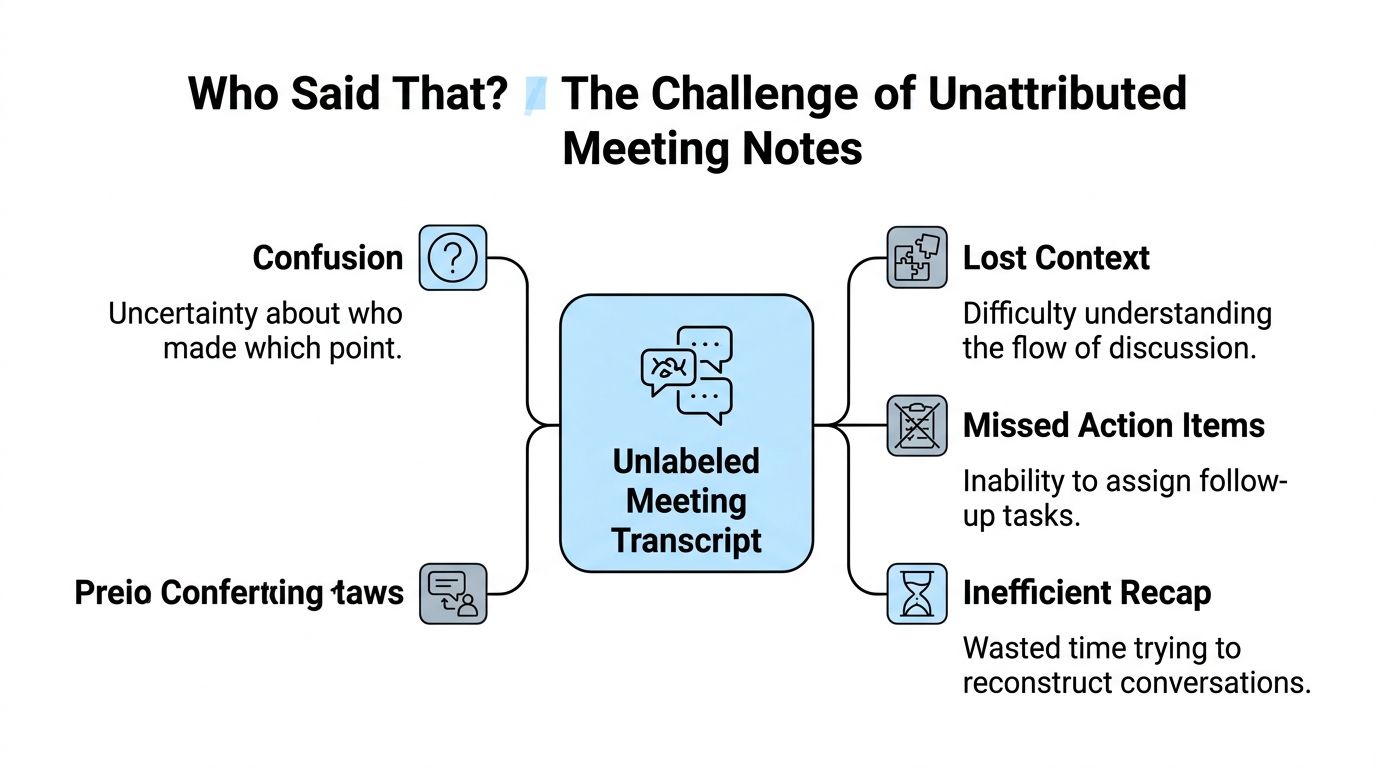
Here's what usually goes wrong when transcripts don't include speakers:
- Confusion about ownership. A task gets mentioned, but nobody knows who volunteered.
- Lost conversational flow. Questions, objections, and decisions blur together.
- Weak recaps. People spend extra time replaying recordings to rebuild the discussion.
- Messy follow-up. Notes become less useful because accountability is fuzzy.
Unlabeled text captures words. Speaker identification captures conversation.
That's the core idea. Speaker identification is the AI capability that attributes spoken segments to a person or to a consistent speaker label such as Speaker 1, Speaker 2, and Speaker 3. In practical terms, it turns a transcript from a text dump into something you can search, review, and act on.
People often encounter this feature inside meeting assistants, call transcription tools, interview recorders, and lecture transcription apps. They may not think about the underlying AI at all. They just notice that the transcript is far easier to use when the system separates each voice correctly.
For anyone using transcription in day-to-day work, that distinction matters more than it sounds. A transcript tells you what was said. Speaker identification helps you understand who said it, which usually determines what the words mean.
Identification vs Diarization A Crucial Distinction
A lot of confusion starts with the vocabulary. People use “speaker identification” as a catch-all phrase, but three related ideas tend to get mixed together.
The easiest way to think about it
Use a conference badge analogy.
- Speaker identification asks: who is this person?
- Speaker verification asks: is this person really who they claim to be?
- Speaker diarization asks: when did each speaker talk, and how should the conversation be segmented?
That sounds subtle, but the difference matters. If a transcript labels chunks as Speaker 1 and Speaker 2 without attaching real names, that's usually diarization. If the system knows that Speaker 1 is Sarah and Speaker 2 is Malik, that moves toward identification.
Speaker AI technologies compared
| Technology | Core Question Answered | Common Use Case |
|---|---|---|
| Speaker Identification | Who is this speaker? | Naming known speakers in recordings or calls |
| Speaker Verification | Are you the person you say you are? | Login, access control, account checks |
| Speaker Diarization | Who spoke and when? | Meeting transcripts with separated speaker turns |
Most transcription products aimed at everyday users are doing some combination of diarization and identification. They first separate the audio into different speaker turns, then assign labels. Sometimes those labels stay generic. Sometimes the software can connect them to names based on meeting metadata, prior corrections, or known participants.
Why people mix them up
The output looks similar from the user's side. You open a transcript and see speakers separated out, so it's natural to call the whole thing speaker identification.
But the distinction helps when something goes wrong. If the software correctly separates two voices but labels them only as Speaker 1 and Speaker 2, the diarization part may be working fine while the identification part is limited. If it merges two people into one label, the segmentation itself may be the issue.
Practical rule: If a tool tells you “who spoke when,” think diarization. If it tells you “that was Sarah,” think identification.
This is also why product pages can sound vague. Some vendors use the simpler phrase because it's easier to understand, while developer docs use more precise terms. For everyday users, the useful mental model is this: diarization separates voices, identification attaches identity.
Once you see that split, transcripts become easier to evaluate. You're no longer asking “does this AI work?” in a vague sense. You're asking more useful questions: Did it separate speakers well? Did it assign the right labels? Did it keep the labels consistent across the conversation?
Behind the Magic How AI Identifies Speakers
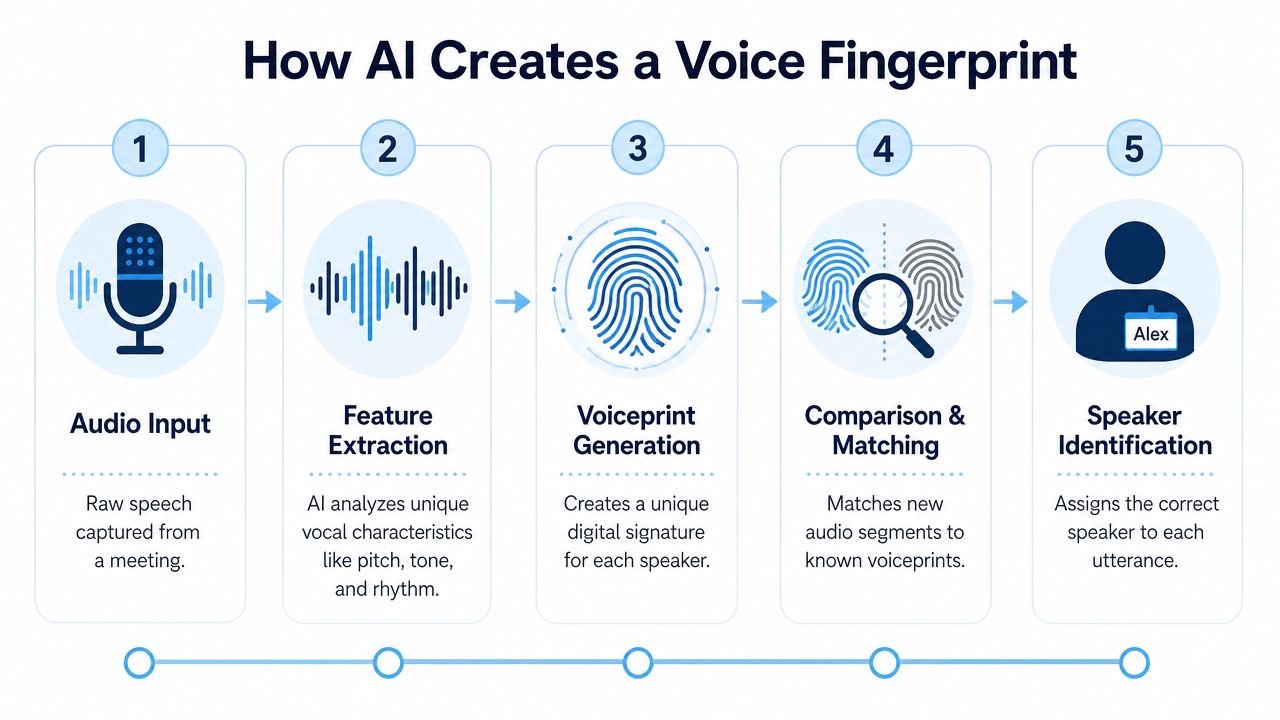
The technical details can get dense fast, but the practical version is simple. The AI listens for patterns in how each person sounds and turns those patterns into a compact representation, often described as a vocal fingerprint.
Modern speaker embedding models like x-vectors can convert a few seconds of speech into a unique 512-dimensional vector, effectively creating a vocal fingerprint that remains resilient to background noise and language, as described in this speaker embedding research overview.
Step one creates the vocal fingerprint
The first stage is usually called feature extraction. The software doesn't “understand” a voice the way people do. It converts short stretches of audio into numbers that represent distinctive vocal traits.
You can think of this like summarizing a face into a set of measurements instead of storing the whole photo. The resulting vector isn't a recording. It's a mathematical profile that helps the model compare one voice segment to another.
If you like seeing how that kind of pattern-learning works more broadly, this comprehensive guide to model training gives useful context on how models learn from examples and improve at classification tasks.
Step two groups similar voices together
Once the system has these vocal fingerprints, it starts looking for clusters. Segments that sound like they came from the same person get grouped together.
This is why the process works even when the software doesn't know the participants' names upfront. It can still infer that all these clips belong to one voice and all those clips belong to another.
A transcript tool may then present those groups as generic labels first. If you want a broader look at where this fits inside the full transcription pipeline, this overview of AI-powered transcription software is a helpful companion.
Step three assigns names or stable labels
The final stage is labeling. Sometimes the label is generic, like Speaker 1. Sometimes it's a real name pulled from meeting participants, past corrections, or user input.
The key thing to understand is that labeling happens after the model has already decided which chunks of audio belong together. That's why mistakes can take different forms. A system might separate speakers correctly but apply the wrong names, or it might mis-group the voices in the first place.
A transcript with perfect words can still be hard to use if the speaker labels are wrong.
That also explains why short interruptions are tricky. A quick “yes,” “right,” or “go ahead” doesn't provide much audio for the model to work with. Longer, cleaner speech segments usually give the system a better basis for comparison.
When users understand these three stages, the feature stops feeling magical and starts feeling manageable. Better input audio creates cleaner fingerprints. Cleaner fingerprints produce better grouping. Better grouping leads to more useful labels.
From Messy Meetings to Clear Action Items
The value of speaker identification shows up after the meeting, when someone needs to turn conversation into action.
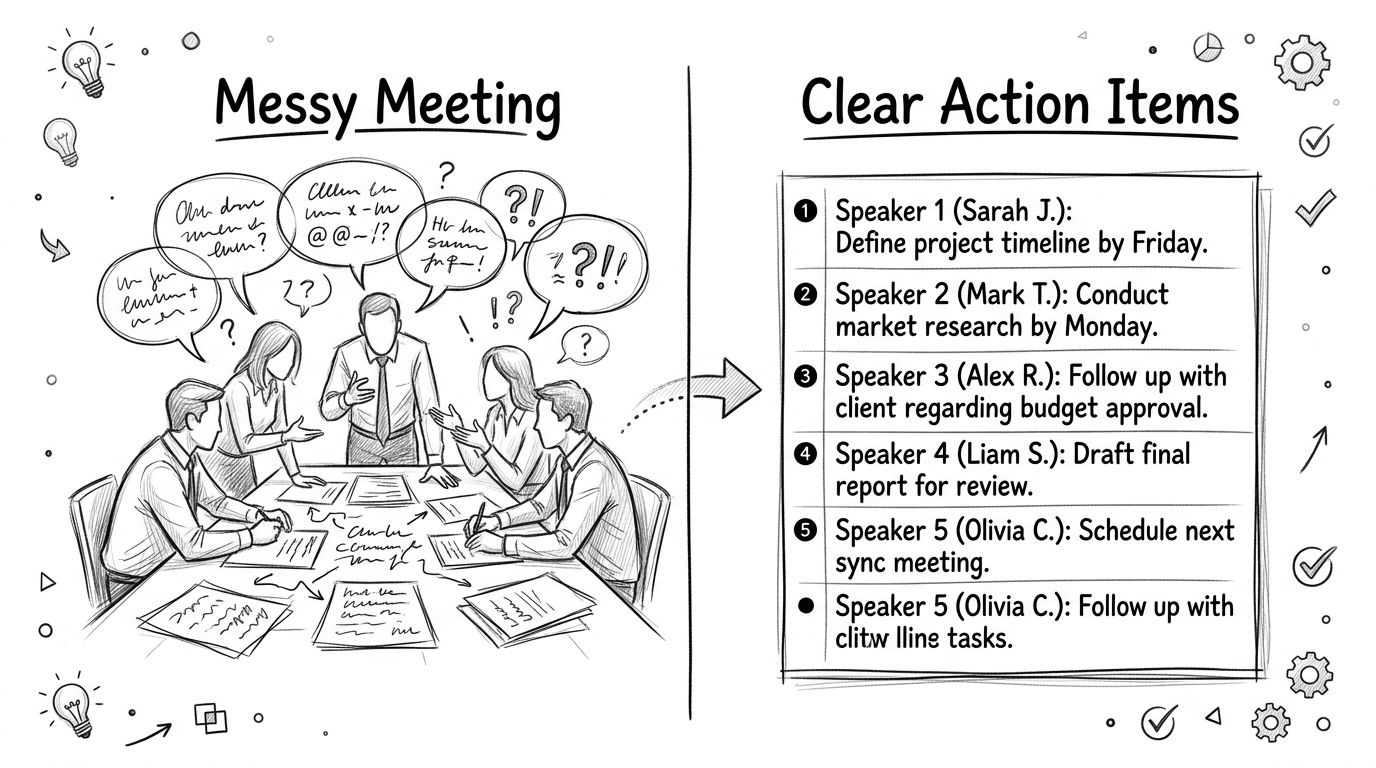
Take a project sync. Without speaker labels, the transcript captures content but hides accountability. You can see that someone flagged a blocker and someone else agreed to follow up, but you still need to replay the call to match names to statements. With labeled speakers, the transcript becomes usable as a working record.
Meetings become easier to recap
A clear transcript lets teams answer practical questions quickly:
- Who committed to the next step. You don't have to infer ownership from context.
- Who raised the objection. That matters when the concern came from legal, finance, or the customer.
- Who needs the follow-up. Action items stop floating around as anonymous comments.
For teams that rely on automated notes, tools such as AI meeting note takers are most useful when speaker labels hold up under real discussion, not just clean monologues.
Interviews become easier to trust
Journalists, researchers, and HR teams benefit for a different reason. During an interview, you want to stay present, ask better questions, and listen for nuance. You don't want to spend half your attention marking every quote manually.
When the transcript separates interviewer from guest, review gets faster and quote verification gets cleaner. That's also why adjacent tools in hiring and assessment, like WorkSignal's voice screening, focus on voice as a structured signal rather than just raw audio.
Lectures and seminars become easier to study
In education, speaker separation changes how students review material. A transcript that distinguishes professor comments from student questions is much easier to scan later.
A student can jump to the explanation, skip side chatter, and spot where a classmate raised the exact question they were too nervous to ask. The transcript starts functioning less like a transcript and more like organized notes.
One product example is HypeScribe, which includes speaker detection in transcriptions so different voices can be labeled within the same recording. In practice, that helps users move from a transcript full of mixed dialogue to a record that can support summaries, search, and follow-up.
How to Get the Most Accurate Speaker Identification
Accuracy isn't only about the model. It's also about the recording conditions and the choices you make before you hit record.
Start with cleaner audio
The biggest practical lever is often the microphone. Studies show that moving from a laptop's built-in microphone to a simple external USB mic can reduce speaker identification error rates by up to 40% because the audio is clearer and less reverberant, according to this audio quality impact study.
That single change matters because the system has less room to confuse room echo, fan noise, and distant voices with the actual speaker traits it needs to track.
A short checklist that improves results
- Use an external microphone when possible. Even a basic USB mic often captures clearer speech than a built-in laptop mic.
- Reduce room echo. Soft furnishings, closed doors, and a quieter room help more than people expect.
- Avoid people talking over each other. Crosstalk makes segmentation harder, especially in fast discussions.
- Ask speakers to say more than a few words at a time. Very short interjections are harder to label reliably.
- Keep microphone distance consistent. If one person leans in and then speaks from across the room, their voiceprint can become less stable.
Cleaner input usually beats smarter post-processing.
Give the software context when you can
Some tools perform better when you provide participant names before or after the recording. Even when a system starts with Speaker 1 and Speaker 2, correcting those labels helps create a cleaner final transcript and can improve consistency in similar workflows.
This matters in recurring meetings. If the same group meets every week, naming speakers promptly is one of the simplest habits you can build. You're helping the tool connect the transcript to the actual people in the room.
Know where the limits are
Speaker identification struggles in predictable situations:
- Heavy overlap. If two people talk at once, the system has to separate voices before it can label them well.
- Tiny utterances. A one-word response gives the model very little material.
- Poor source audio. Old recordings, speakerphone capture, or noisy public spaces lower reliability.
A quick walkthrough can help you spot these issues in practice:
Treat corrections as part of the workflow
Many users assume the transcript should be perfect on the first pass. That's not always realistic, especially in busy meetings. A better approach is to treat speaker labeling like draft-to-final editing.
Review the first few minutes. Fix obvious mislabels. Check action items against named speakers. That tiny bit of cleanup often saves much more time later when someone searches the transcript for commitments, approvals, or open questions.
Understanding the Privacy of Your Voice Data
Voice data feels personal because it is. A transcript captures words, but speaker identification can also involve storing or comparing a voice representation that helps the system distinguish one person from another.
What a stored voiceprint usually means
In plain language, a voiceprint is not the same thing as keeping a raw audio clip forever. Systems often work with mathematical representations that summarize vocal characteristics rather than replayable speech alone.
That doesn't remove privacy concerns. It changes the kind of data involved. If a service retains speaker profiles, users should know what's stored, how long it's kept, and whether it's used only within their account or more broadly.
What to look for in a tool
When you evaluate a transcription platform, check for basics such as:
- Encryption in transit and at rest. Your files and transcripts should be protected while moving and while stored.
- Deletion controls. You should be able to remove source recordings and derived transcripts when you no longer need them.
- Clear retention policies. The service should explain how long data is kept.
- Access controls. Shared transcripts should be visible only to the right people.
Before you worry about AI accuracy, check who can access the recording and how long it stays available.
Consent matters too. In many workplaces, the most immediate legal question isn't the model architecture. It's whether everyone on the call knew they were being recorded.
For that reason, teams should review the recording rules that apply where they work and where the participants are located. This guide on whether it is legal to record a conversation without consent is a useful starting point for that part of the decision.
A practical privacy mindset
The safest default is simple. Record only when there's a real business or educational need. Tell participants clearly. Limit access to the transcript. Delete files you no longer need.
That approach won't answer every compliance question, but it covers the habits teams ordinarily control directly. Responsible use of speaker identification starts long before someone clicks “transcribe.”
Speaker Identification FAQ and Troubleshooting
What if someone has a cold or their voice sounds different
Minor voice changes don't automatically break the system. People still tend to keep many of the vocal traits the model uses for comparison. But if someone sounds unusually hoarse, tired, or distant from the microphone, labeling can become less stable.
Can it work on old or low-quality recordings
Sometimes yes, but expectations should be lower. If the recording has echo, background noise, or compressed audio, the software has less clean signal to work with. You'll often get better results by improving the source audio first rather than expecting the model to recover everything afterward.
Do I need to train the AI for every meeting
Usually not in a formal sense. Many tools can separate speakers without custom setup. But giving names to recurring speakers, correcting labels, and keeping your recording conditions consistent can make future transcripts easier to clean up.
How many speakers can it handle
That depends on the tool and the recording conditions. In everyday use, more speakers and more interruptions usually make the task harder. If you're evaluating broader voice workflows that put a premium on consent, compliance, and operational safeguards, this piece on secure AI voice agents adds useful context around responsible deployment.
Speaker identification works best when you treat it as a collaboration between the software and the recording setup. Good audio, clear turn-taking, and a quick review pass usually matter more than people expect.
If you want to turn recordings into searchable transcripts with speaker labels, summaries, and action items, take a look at HypeScribe. It's a practical option for meetings, interviews, lectures, and other multi-speaker recordings where knowing who said what makes the transcript far more useful.


































































































