
Conversation Intelligence Tools: Your Ultimate 2026 Guide

You already have dashboards, CRM fields, meeting recordings, and a team that talks to customers all day. Yet when a deal stalls or a customer leaves, you still hear the same sentence in leadership meetings: “What happened on the call?”
That gap is the real reason conversation intelligence tools matter. Most companies don't lack conversations. They lack usable visibility into those conversations.
A sales manager sees pipeline stages but can't hear recurring objections. A support lead sees ticket volume but misses the exact moments customers become frustrated. A product manager reads secondhand notes instead of the customer's own words. In remote and hybrid teams, that problem gets worse because the most valuable information is spread across Zoom calls, Google Meet sessions, Microsoft Teams meetings, phone calls, and voice notes.
Your Business Is Having Conversations You Can't Hear
A manager usually notices the problem backwards.
First, a rep says pricing pressure is rising, but nobody knows how often competitors are coming up. Then support reports “more difficult calls,” yet no one can point to the phrases or moments triggering customer frustration. Later, leadership asks for better coaching, but managers can't realistically listen to every meeting.
That's when customer conversations start to feel like a black box. Calls happened. Notes were entered. Deals moved, or didn't. But the company never built a reliable way to turn those conversations into something searchable and teachable.
Conversation intelligence tools fix that by treating customer calls and meetings like game film. Instead of relying on memory, summaries, or whatever made it into the CRM, they capture what was said and make it usable.
The real value isn't the recording. It's the ability to find patterns across hundreds of conversations without manually reviewing each one.
That shift has practical impact. Organizations implementing these tools have shown measurable business results, with sales teams achieving a 15% higher sales win rate, customer service teams seeing a 69% improvement in service quality scores, and operations teams reporting a 90% reduction in manual documentation tasks, according to AssemblyAI's conversation intelligence analysis.
Why managers feel blind without it
Three blind spots show up again and again:
- Coaching blind spot. Managers know some reps perform better, but they can't isolate the talk tracks and habits behind the results.
- Customer insight blind spot. Product, marketing, and support teams depend on filtered summaries instead of raw customer language.
- Execution blind spot. Action items often live in scattered notes, not in a consistent record teams can review later.
If you've ever had a meeting where everyone disagreed about what the customer “really meant,” you've already felt the need for conversation intelligence.
What Is Conversation Intelligence Really
Call recording stores conversations. Conversation intelligence interprets them.
That distinction matters because many teams buy a recorder and expect insight to appear on its own. It won't. A folder full of recordings is just a larger pile of unreviewed information.
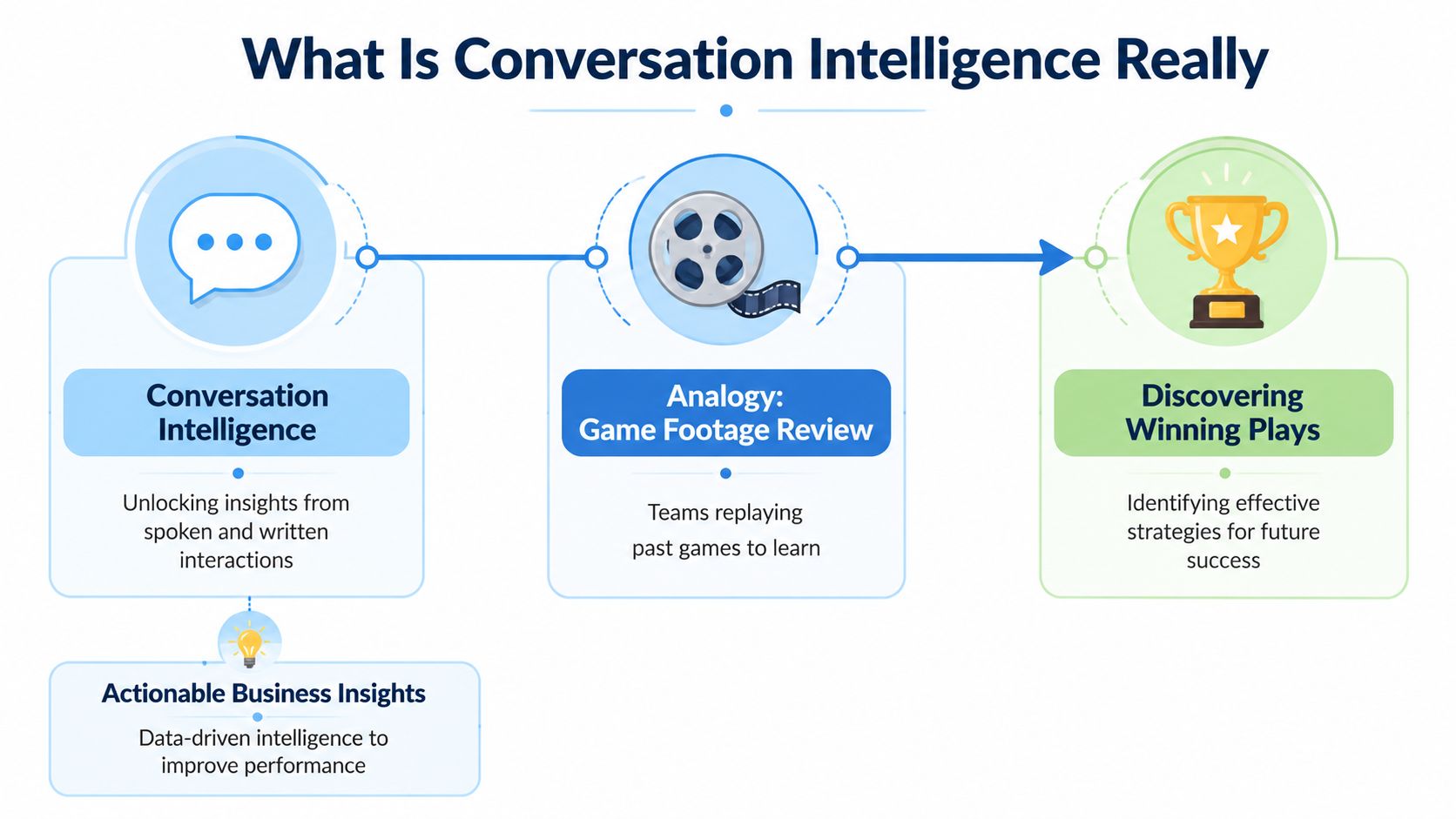
Think of it like game film
A sports team doesn't review footage just to archive the match. Coaches study the tape to answer specific questions. Which play worked? Where did the defense break down? What do top performers do differently?
Conversation intelligence does the same thing for business conversations. It takes calls, meetings, demos, interviews, and support interactions, then turns them into material teams can search, compare, and learn from.
What the intelligence part actually means
The process starts with transcription, but it doesn't stop there. High-fidelity transcription converts audio into text with over 95% accuracy, then sentiment analysis maps tonal shifts to sentiment scores with an 85% confidence interval, which helps managers identify deal risks in seconds instead of days.
That's the operational leap. Without analysis, a manager has to guess which calls deserve attention. With analysis, the system can surface the moments worth reviewing first, such as pricing objections, competitor mentions, hesitation, or a sudden tone shift.
A simple way to picture it:
| Tool type | What it does | What you still have to do |
|---|---|---|
| Call recording software | Stores audio or video | Listen manually, take notes, identify patterns yourself |
| Conversation intelligence software | Transcribes, analyzes, tags, and summarizes interactions | Review surfaced insights and act on them |
Why teams get confused
A common misunderstanding is that conversation intelligence means “listening to every call with AI.” In practice, it means the opposite. The point is to avoid manual review of everything.
Good conversation intelligence tools help managers answer questions like:
- Which calls mention pricing most often
- Where do customers become uncertain
- What language do top performers use
- Which meetings ended without clear next steps
Practical rule: If a platform only records and stores meetings, you still own the hard part. Real conversation intelligence reduces the amount of listening humans need to do.
That's why these tools are better thought of as an operating layer for spoken communication, not a digital filing cabinet.
The Four Core Capabilities of Modern CI Tools
Modern conversation intelligence tools usually look complicated in product demos. Under the hood, most of the business value comes from four core jobs.
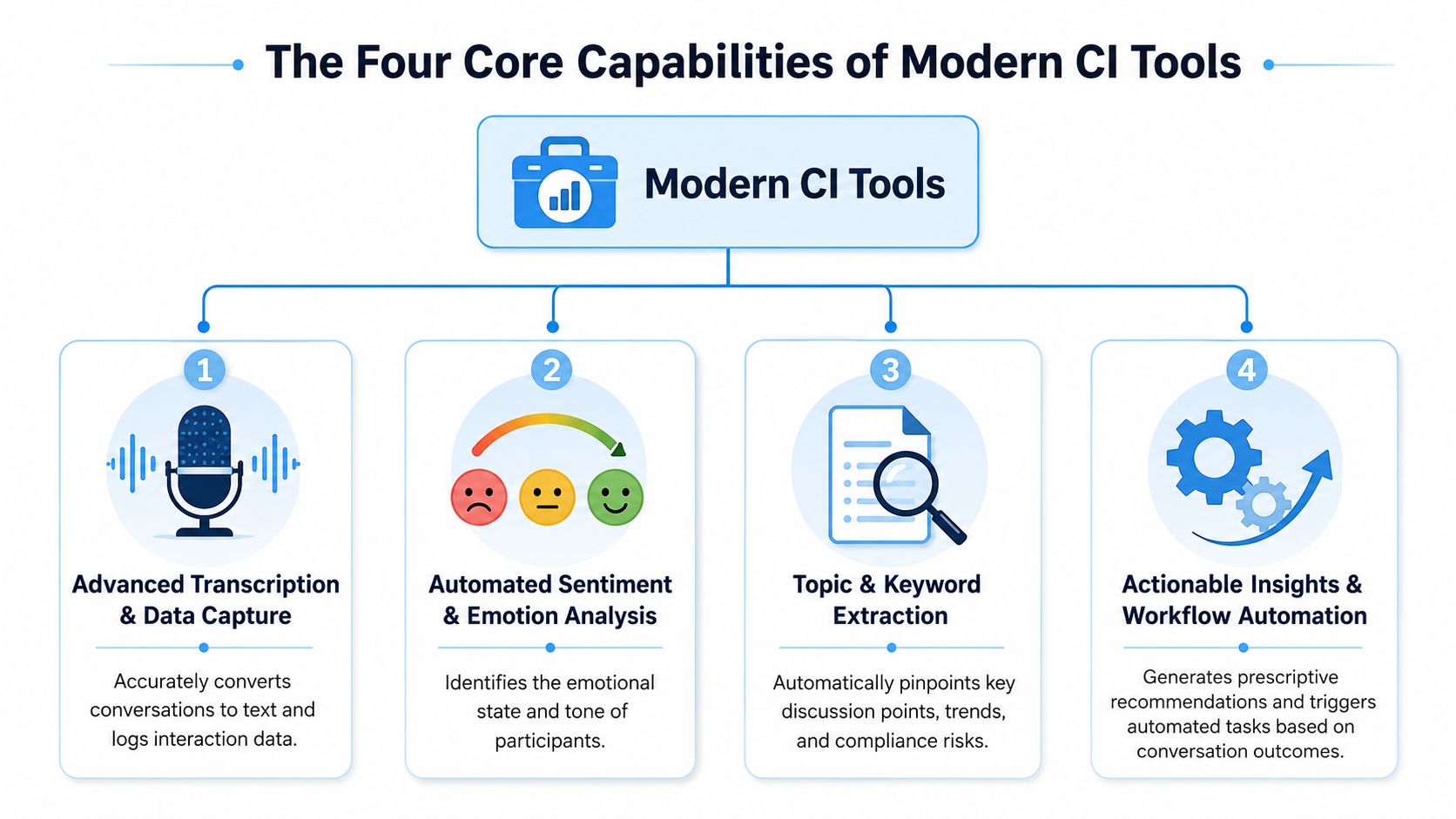
AI-powered transcription
Everything starts with reliable text.
Conversation intelligence tools use NLP to achieve 95–99% transcription accuracy across over 100 languages, which helps sales teams reduce manual data entry time by approximately 40% and improve CRM data completeness by 30% within the first quarter of implementation, according to G2's evaluation of conversation intelligence software.
That matters because unstructured audio is hard to work with at scale. Once conversations become text, teams can search, tag, clip, review, and share them.
If you want a plain-English primer on the bigger picture behind this capability, it helps to discover NLP applications beyond transcription alone.
For teams evaluating this layer in more depth, this guide to AI-powered transcription software is useful because it shows how transcription quality affects every downstream workflow.
Insight and sentiment extraction
Raw words don't tell the whole story. Tone often changes before the content does.
A good platform doesn't just note that pricing was mentioned. It can also detect hesitation, urgency, confidence, or frustration around that topic. That lets managers review a shortlist of risky or high-value conversations instead of relying on rep memory.
Buyers often overestimate simple keyword tools. Keywords alone tell you what appeared. Sentiment and contextual tagging help explain how it landed.
Searchable conversation archive
This is the most underrated capability.
A searchable archive becomes the company's memory. New managers can pull examples of strong discovery calls. Product teams can search for repeated feature requests. Compliance teams can review how sensitive topics were discussed.
A useful archive should make it easy to retrieve conversations by:
- Speaker or team
- Keyword or topic
- Meeting type
- Sentiment or flagged moments
Without this layer, valuable conversations expire as soon as the meeting ends.
A strong archive changes onboarding. New hires don't just get told what “good” sounds like. They can hear and read real examples.
Automated summaries and action items
Here, conversation intelligence moves from analysis into execution.
Teams often don't fail because they had bad meetings. They fail because follow-up gets lost. Summaries and action items close that gap by turning discussion into documented next steps.
The practical benefit is simple:
- The meeting ends
- The system produces a usable summary
- Action items are captured
- Teams follow through faster
When these outputs are accurate, people spend less time reconstructing the call and more time acting on it.
Real-World Workflows for Every Team
The easiest way to judge conversation intelligence tools is to stop thinking in features and start thinking in workflows.
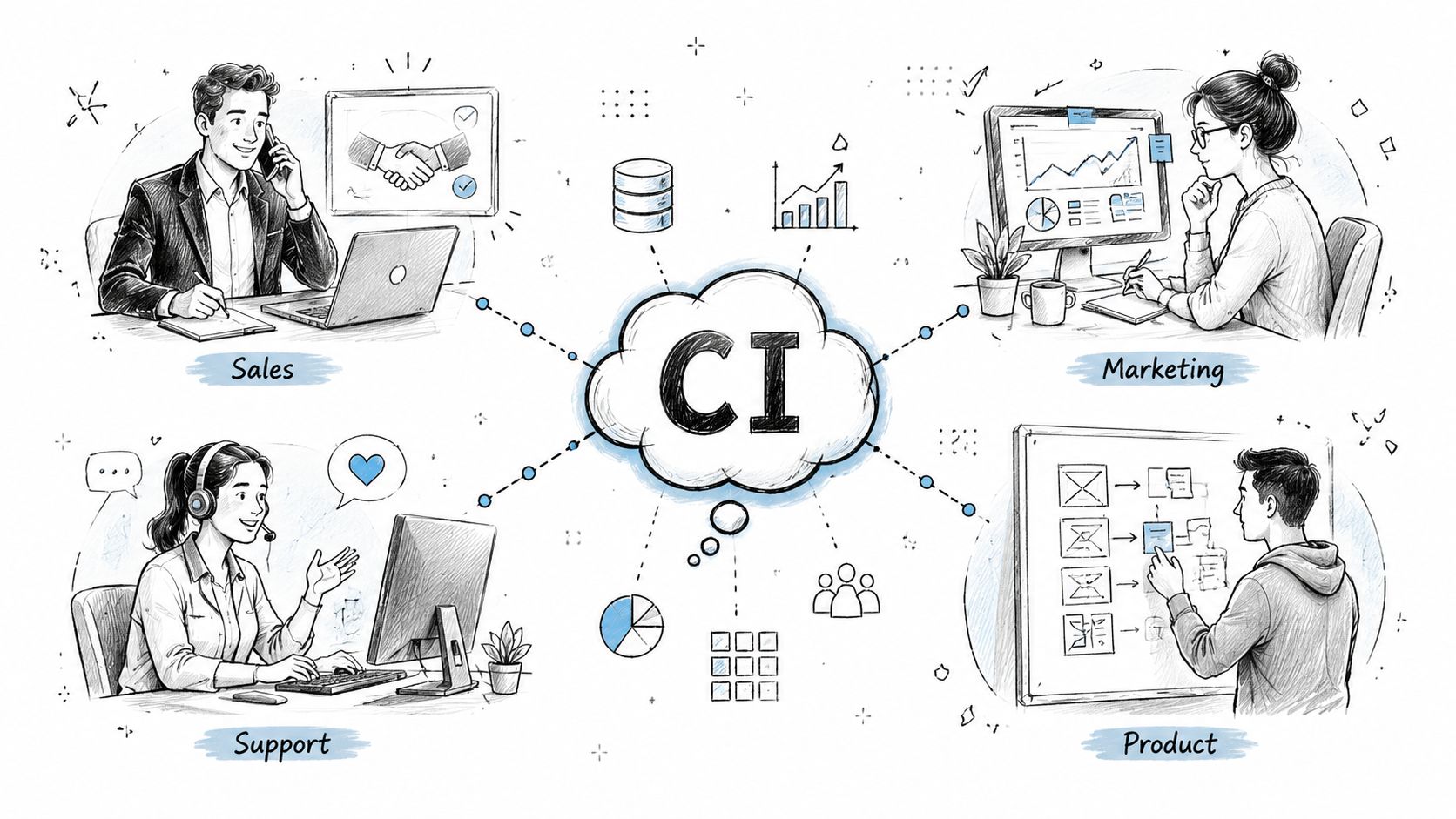
Sales managers cloning what works
A sales manager usually has one problem rep and one top rep in mind at all times. The challenge isn't identifying who performs well. It's figuring out what that person does consistently that others don't.
With conversation intelligence, the manager can review top-performing discovery calls, spot recurring phrasing, and build coaching around real examples instead of opinion. That's much more useful than telling a rep to “ask better questions.”
The best systems also help managers compare how different reps handle the same moment, such as pricing, procurement concerns, or a competitor mention.
Support leaders catching churn signals earlier
Support teams often sense that a customer is going bad before the account churns. The issue is speed and consistency.
Advanced platforms can flag conversations where the customer tone shifts to frustrated with 85% confidence. That shift has been correlated with a 22% increase in call abandonment, and teams can intervene in ways that reduce customer churn by 18%, according to Mindtickle's study of conversation intelligence solutions.
That changes the support workflow from reactive to preventive. Instead of waiting for escalation, leads can review sentiment dips, coach agents on the exact moments where calls went sideways, and refine scripts or handoff rules.
Teams building this motion often benefit from a practical look at AI for customer service, especially when they're trying to connect transcripts, QA, and follow-up workflows.
Product teams mining customer language
Product managers rarely get enough direct exposure to customer conversations. They often receive filtered summaries from sales or support, which means they lose the customer's wording, priorities, and emotional context.
A searchable conversation archive changes that. Product can search for recurring complaints, repeated requests, and moments where prospects say “we expected this to work differently.” That creates stronger input for roadmap discussions and launch messaging.
HR and people teams creating cleaner records
HR teams deal with interviews, training sessions, performance conversations, and compliance-sensitive meetings. In those settings, accuracy matters for fairness and documentation.
Conversation intelligence can help HR teams keep a consistent written record, pull out action items, and review interview patterns across hiring panels. It also reduces the reliance on incomplete notes taken in real time.
The broader lesson is that spoken information becomes more valuable once it's reusable across teams, not trapped inside one person's notebook.
How to Choose the Right Conversation Intelligence Tool
Buying a conversation intelligence platform is less about feature volume and more about failure points. Teams don't regret lacking one extra dashboard. They regret finding out too late that the system struggles with accents, stores source files longer than expected, or produces summaries nobody trusts.

Start with language reality, not vendor demos
If your team is global, this should be your first filter.
Many tools sound strong in polished English demos, then weaken when speakers switch between languages, use regional dialects, or join from noisy remote environments. That's not a small issue. It affects note quality, search reliability, compliance records, and coaching value.
Ask vendors to prove performance on your real meeting mix:
- Non-native English speakers
- Regional accents and dialects
- Multi-speaker overlap
- Industry vocabulary
- Low-quality audio from remote calls
If they can't test against your actual conditions, you're buying hope.
Treat deletion and residency as buying criteria
Security pages often mention encryption first because it's easy to market. The harder question is what happens to the original files after processing.
A 2024 Gartner study found that 42% of CI platforms retain source files indefinitely without user-controlled deletion options, creating major compliance risks for legal, medical, and government teams. It also found that 90% of tool comparisons fail to disclose this detail.
That single issue should change how buyers evaluate vendors. Ask direct questions:
| Question | Why it matters |
|---|---|
| Can users delete source audio and video files? | Some teams need data minimization, not just storage security |
| Can transcripts also be deleted? | Written records can be just as sensitive as recordings |
| Where is data stored and processed? | Residency rules affect cross-border teams and regulated sectors |
| Can admins control retention by policy? | Manual deletion doesn't scale well in larger organizations |
For a practical framework on evaluating this side of the problem, this guide on speech-to-text accuracy is worth reading because accuracy and trust are tightly connected.
Check integration depth, not logo count
A vendor may list Zoom, Google Meet, Microsoft Teams, Salesforce, and other familiar names on the website. That alone doesn't tell you much.
You need to know what flows through the integration. Does the tool only import recordings, or does it sync summaries, action items, speaker labels, and searchable metadata into the systems your team already uses?
A shallow integration creates another dashboard. A deep integration changes daily behavior.
Match pricing to usage patterns
Some teams run dozens of short meetings. Others process long interviews, training sessions, support calls, or multi-hour research recordings. Pricing can get distorted quickly if it assumes one narrow use case.
Look closely at whether the product fits the way your organization works. The right pricing model should support adoption, not punish it.
Common Pitfalls and How to Succeed
Conversation intelligence doesn't fail because the software is useless. It fails when teams treat implementation like a switch they can flip.
The surveillance problem
If employees think the tool exists to catch mistakes, adoption drops immediately. Reps avoid it. Managers use it defensively. Trust disappears.
Handle that risk early with a clear message: the system is for coaching, documentation, and consistency. Use examples that help employees, such as fewer manual notes, easier follow-up, and better onboarding. Don't launch with leaderboard policing.
No operating habits around the tool
Many companies buy a strong platform and then never decide how it fits weekly work. Nobody owns review cadences. No one defines what managers should inspect. Teams keep working from memory and scattered notes.
A better rollout includes a few simple habits:
- Manager review rhythm. Pick a recurring moment to review flagged calls or meetings.
- Coaching focus. Choose a small set of behaviors to inspect first, not everything at once.
- Cross-team sharing. Decide how sales, support, product, and HR will use the same archive differently.
Too much data, not enough questions
This is the most common failure point. Teams capture everything, then drown in transcripts, clips, summaries, and tags.
Start with a short list of business questions instead:
- Which objections appear most often in late-stage sales calls
- Where do support conversations turn negative
- Which meetings end without clear next steps
Those questions create useful filters and reports. Without them, the platform becomes an expensive library nobody visits.
Start narrow. One coaching use case and one documentation use case are enough for an initial rollout.
The teams that succeed usually do something unglamorous. They make conversation review part of routine management, not a side project.
From Conversation to Conversion The Future of Your Business
Most companies already sit on a large body of customer knowledge. It's just trapped in speech.
Conversation intelligence tools turn that speech into something teams can use. Sales leaders can coach from evidence instead of anecdotes. Support managers can catch risk earlier. Product teams can work from direct customer language. HR can keep cleaner records and stronger documentation.
The bigger shift is strategic. Businesses are moving from passive listening to active intelligence. That means less time searching recordings, fewer dropped action items, and better decisions based on what customers and employees said.
For remote and international teams, the hidden dealbreakers matter as much as the headline features. Language accuracy, dialect handling, source file deletion, and data residency aren't edge concerns. They determine whether the tool is trustworthy enough to use across the organization.
Companies that treat conversations as searchable operating data will make faster, clearer decisions than companies that still rely on memory, selective notes, and end-of-quarter guesswork.
If you want a practical way to turn meetings, calls, interviews, and recordings into searchable transcripts, summaries, and action items, take a look at HypeScribe. It's built for teams that need fast transcription, real-time meeting notes, strong language coverage, and user-controlled deletion options without adding another clumsy workflow.


































































































