Podcast Transcript Generator: Boost SEO & Accessibility

You record a strong episode. The conversation flows, the guest brings real insight, and you publish it feeling good about the work. Then the episode lands in the same place a lot of podcast content does. Inside an audio player, hard to search, hard to quote, and easy for potential listeners to miss.
That's the growth wall many podcasters hit. Audio builds loyalty, but text builds discoverability. If your best ideas live only in spoken form, search engines can't easily surface them, readers can't skim them, and your team can't efficiently turn them into blog posts, newsletters, clips, or internal notes.
A podcast transcript generator changes that equation. It doesn't just turn speech into text. It turns one finished episode into a reusable content asset. A transcript gives you raw material for show notes, article drafts, pull quotes, captions, searchable archives, and episode pages that hold more value than a simple embedded player.
That shift is showing up in the market. One industry analysis projects the global AI transcription market will grow from $4.5 billion in 2024 to $19.2 billion by 2034, a projected 15.6% annual growth rate, with top automated systems delivering up to 99% accuracy in minutes according to Sonix's podcast transcription growth statistics. That's not a niche accessibility add-on anymore. It's a standard publishing layer.
Introduction From Audio to Asset
You finish recording, publish the episode, and then a significant bottleneck shows up. The conversation has substance, but every useful moment is buried inside a 45-minute audio file.
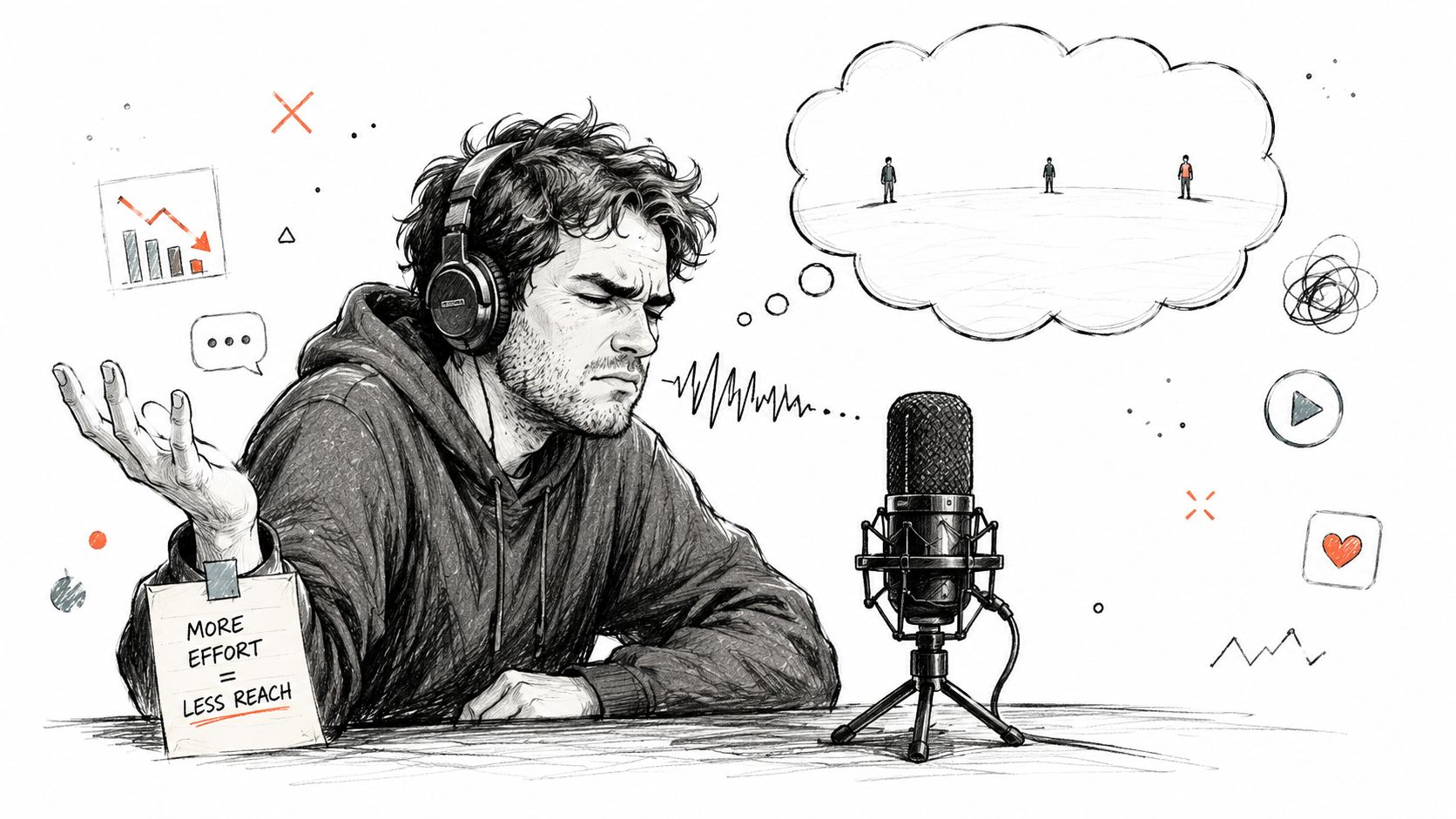
That creates practical problems fast. A listener who wants one takeaway cannot skim for it. A writer covering your guest cannot pull an accurate quote without replaying the episode. A producer on your team cannot turn the interview into a blog post, email, or clip script without first converting spoken ideas into usable text.
Audio is strong at holding attention. It is weak at retrieval.
The transcript changes the workflow
A transcript turns the episode into working material your team can search, mark up, excerpt, and repurpose. That shift matters because growth rarely comes from the audio file alone. It comes from the assets built around it.
Once the transcript is in place, one recording can support:
- A better episode page with substance readers can scan
- Quote banks for social posts, PR outreach, and guest follow-up
- Draft source material for blog posts and newsletters
- Internal reference notes for sales, research, or future episodes
This is why I treat transcription as part of the production system, not a cleanup task after publishing. If the transcript arrives late, every downstream task slows down with it.
If you want a practical view of that handoff after recording, HypeScribe's guide to creating a transcript outlines the basic process clearly.
A good transcript does more than document what was said. It gives you source material you can publish again in other formats without rebuilding the episode from scratch.
From transcript to content engine
The value is not the text file itself. The value is what the text file makes possible.
Clean transcripts give structure to your post-production workflow. They make it easier to spot the strongest story, pull a clean quote, find the section that deserves a short clip, and turn a strong answer into an article section without guessing at the wording. They also expose weak spots. Filler-heavy openings, unclear transitions, and guest answers that need light editing become obvious on the page in a way they often do not in audio.
That changes how experienced creators use transcription. It stops being an accessibility-only task or an administrative extra. It becomes the base layer for SEO, repurposing, team collaboration, and archive value.
Creators who build transcripts into the workflow early usually get more mileage from every episode because they are producing once and publishing in multiple formats from the same source.
How a Podcast Transcript Generator Actually Works
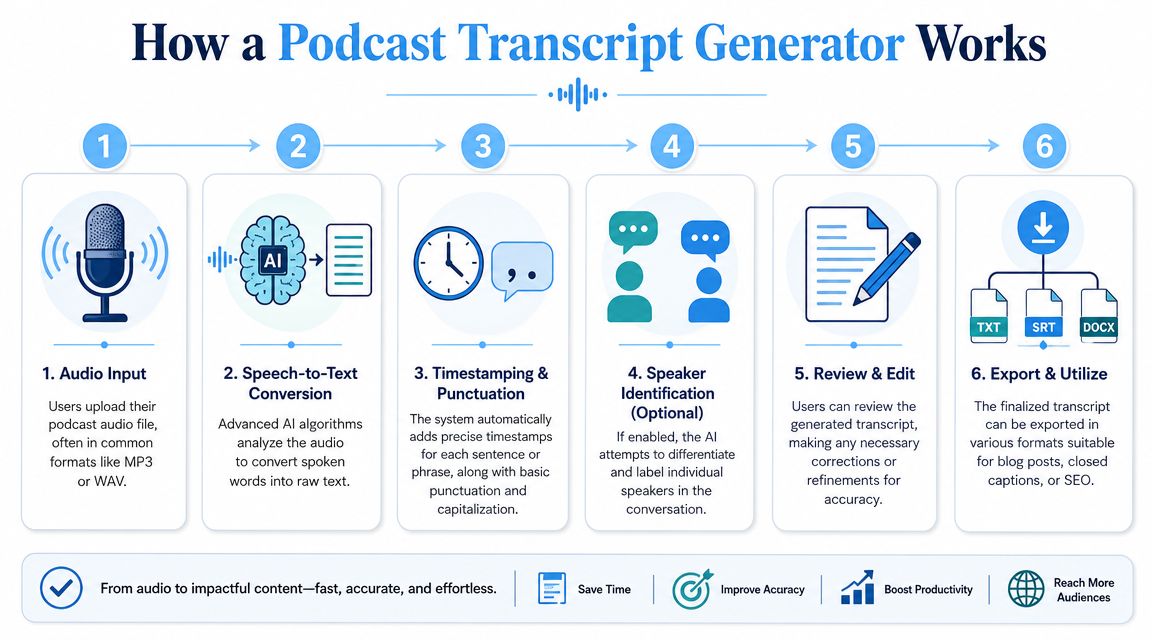
A producer finishes an interview, uploads the file, and expects a transcript a few minutes later. What arrives first is usually a draft. The useful part happens in the processing that turns raw speech recognition into something an editor, marketer, or listener can work with.
It starts with ASR
At the core is automatic speech recognition, or ASR. The model ingests your audio file, detects spoken language patterns, and predicts the words being said. Most podcast tools support common formats like MP3, MP4, WAV, and M4A, so the upload step is usually straightforward.
The first output is rarely publish-ready. It is closer to a machine-generated script of the conversation. If your host talks over guests, your guest has a strong accent, or the recording includes crosstalk and room noise, the draft will reflect those problems immediately. That is why clean recording practices still matter before you ever press upload.
What turns raw text into a working transcript
A usable transcript needs more than recognized words. Good tools add structure so the text can support the rest of your production workflow.
Two features do most of that work:
- Alignment attaches timestamps to segments or individual words
- Diarization identifies who is speaking so interviews and roundtables stay readable
Those two layers affect almost everything that happens after transcription. Timestamps help with clip selection, chaptering, review, and caption syncing. Speaker labels stop an interview from collapsing into a wall of text.
As explained in Den's breakdown of automated podcast transcription with local AI, alignment and diarization are what make transcripts searchable and usable for downstream tasks.
For a plain-language explanation of the underlying process, HypeScribe's guide to AI-powered transcription software gives a practical overview.
Practical rule: If a tool cannot separate speakers and attach reliable timestamps, it will create extra cleanup work on interview-heavy shows.
The output is usually processed again
Most modern transcript generators do more than convert audio to text once. They run additional formatting and cleanup steps that break the conversation into readable chunks, add punctuation, and sometimes flag uncertain words for review.
That sounds minor until you edit one yourself. A transcript without punctuation, paragraphing, or speaker separation is hard to scan and even harder to repurpose. A cleaner draft lets you find the quote worth turning into a social post, spot the section that should become a blog subheading, or hand the file to a freelancer without making them decode the conversation first.
This is also where tool quality starts to separate. Some systems optimize for a fast draft. Others spend more effort on readability, speaker handling, or export options for captions and show notes. The right choice depends on what happens after the transcript is generated.
What still needs human judgment
AI handles the heavy lifting well. It still misses the details producers care about most.
Proper nouns, industry jargon, product names, repeated catchphrases, and subtle edits around tone still need review. A strong workflow is to generate the transcript quickly, then edit with a clear purpose. Correct names and factual terms first. Decide whether you want a verbatim record, a lightly cleaned transcript, or an edited version built for reading on the episode page.
That decision matters because the transcript is not the final asset. It is the source text the rest of your content engine runs on.
Unlocking Content Gold The Benefits of Transcripts
A transcript earns its value after the episode is recorded.
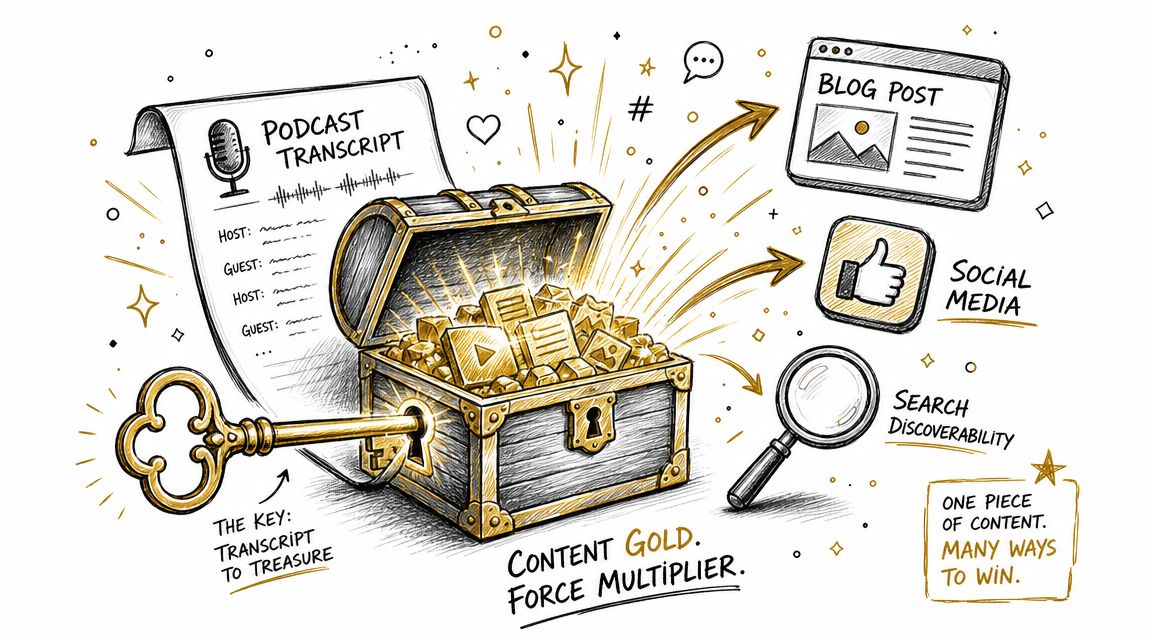
You finish an interview, publish the audio, and still need an episode page, show notes, clips, quotes, a newsletter angle, and something useful to post on social over the next week. If all you have is audio, every one of those tasks starts with more listening. If you have a clean transcript, the episode becomes source material you can search, edit, and repurpose.
Search visibility starts with publishable text
Search engines can index an embedded player, but they cannot interpret a conversation with the same depth they get from readable on-page text. A transcript gives the episode page real substance. It also brings in the exact language your guest and audience use, including narrow questions, product names, definitions, and phrasing you would probably never add if you were summarizing from memory.
That matters because podcast discovery is often specific, not broad. A listener may search for a guest's name, a technical term, or a question raised halfway through the interview. A transcript gives that search a page to land on.
It also improves the archive. Older episodes stop acting like buried audio files and start acting like pages with searchable ideas.
Repurposing becomes an actual workflow
The bigger win for producers is operational. A transcript cuts out the constant backtracking that happens when content teams have to scrub through audio just to find one sentence worth using.
In practice, one transcript can support:
- Show notes built from the actual conversation, with accurate phrasing and cleaner summaries
- Blog posts that pull one argument, story, or teaching point into a standalone article
- Social posts that quote the host or guest without flattening their voice
- Newsletters that frame the episode around a specific takeaway instead of a vague teaser
- Clip selection because timestamps and phrasing make strong moments easier to spot
The actual shift is consistency. Teams that publish regularly do not need more ideas. They need a repeatable input. The transcript becomes that input. If you want a more systematic approach, this guide to content repurposing strategies is a useful reference.
If your publishing model also supports products, stores, or service pages, the logic carries over there too. Structured source material makes follow-on writing easier to produce and easier to optimize, which is part of how AI content generators help Shopify SEO.
Here is what changes in production:
| Before transcripts | After transcripts |
|---|---|
| Re-listen to the episode to find one quote | Search the text and pull it immediately |
| Write show notes from memory | Build them from exact passages |
| Struggle to turn audio into an article | Start with a written draft of the conversation |
| Lose strong ideas inside old episodes | Build a searchable back catalog |
Later in the workflow, video often becomes part of the content stack too. This overview is a helpful visual complement:
Authority builds through the archive
A single transcript is useful. Fifty transcripts change the shape of the site.
Over time, your podcast stops being just a stream of episode embeds and becomes a library people can search by topic, guest, framework, or quote. That helps listeners who want depth, guests who are deciding whether to come on the show, and editors who need to pull past material for a new article or recap.
I have seen this matter most on shows with a long shelf life. If the conversations contain durable ideas, transcripts keep those ideas accessible long after the release week passes.
The strongest podcast sites do more than host episodes. They preserve ideas in a format people can search, cite, and reuse.
Choosing Your Tool Must Have Features
Tool pages love to talk about speed and headline accuracy. That's useful, but it doesn't tell you whether the transcript will survive real podcast conditions.
Accuracy claims need context
A lot of tools advertise 98%+ accuracy. The catch is that those claims often describe clean studio audio, not the messy reality of remote interviews, interruptions, variable microphones, accents, or background music. A more practical benchmark for podcasters is 95%+ accuracy, because lower performance drives up manual correction time, as discussed in PrismaScribe's notes on podcast transcription quality.
That's why I wouldn't evaluate a tool by the landing page claim alone. I'd test it on one of your harder episodes. Use a remote guest. Use a fast speaker. Use a show with overlapping dialogue. That reveals more than any product demo.
Features that actually matter in production
When I'm evaluating a podcast transcript generator, I look for workflow friction first. These are the features that make the biggest difference:
- Speaker labels that hold up: If the tool confuses host and guest throughout the file, editing becomes tedious fast.
- Reliable timestamps: You need them for quote verification, chapters, captions, and clip selection.
- An editor that's built for correction: Good tools let you click, search, scrub the media, and fix text quickly.
- Export flexibility: TXT, Word, PDF, Markdown, and subtitle formats matter because every team publishes differently.
- Support for real input methods: Uploads are useful, but URL imports can be even better when your workflow starts from a hosted file.
A lot of creators also benefit from reviewing a wider stack of essential AI tools to save time. Transcription works best when it fits into your editing, publishing, and repurposing system instead of living as a standalone utility.
A simple evaluation framework
You don't need a scoring spreadsheet. A short comparison is enough.
| Question | Why it matters |
|---|---|
| Can it handle your usual audio conditions? | Clean demos hide real-world failure points |
| Is speaker separation dependable? | Interview transcripts fall apart without it |
| Can you edit inside the tool easily? | Fast drafts still need cleanup |
| Are the exports right for your site and caption workflow? | Bad export options create extra work |
| Does the transcript read well enough for reuse? | Indexing needs are different from quoting needs |
If a tool is fast but creates enough cleanup that you avoid using it, it's not saving time. It's moving the work.
The best choice usually isn't the one with the flashiest homepage. It's the one that fits your show's actual recording conditions and your publishing routine.
Your Workflow From Audio File to Published Transcript
A good transcript starts before you upload anything. The easiest editing time to save is the editing time you never create.
Record in a way the software can handle
Transcription quality improves when the source audio is disciplined. You don't need a perfect studio, but a few habits help a lot:
- Use consistent mic technique. Keep distance from the microphone stable so the voice level doesn't swing.
- Reduce avoidable overlap. Crosstalk is hard for both people and software to untangle later.
- Name guests and brands clearly. Say unusual names cleanly at least once.
- Watch background beds. Music under dialogue can make punctuation and attribution worse.
Those aren't glamorous tips, but they make the transcript cleaner before any AI touches it.
Generate the first draft
Once the file is ready, the process is usually straightforward. Upload the audio or paste a supported link, choose the language if needed, and let the system generate the transcript. Tools in this category often differ less in the basic upload step than in what happens next.
HypeScribe is one example of that workflow. It lets users upload files or paste links from supported platforms, then generate searchable transcripts with summaries, key takeaways, and action items.
Edit for the final use case
At the editing stage, many creators either over-edit or under-edit. The right level depends on where the transcript will live.
If it's for SEO and on-page reading, I usually recommend a cleaned transcript. Fix names, obvious recognition errors, broken punctuation, and speaker labels. Leave the voice intact. Don't rewrite the whole conversation into formal prose unless you're turning it into a separate article.
For publishing, the sequence often looks like this:
- First pass: Correct names, terminology, and speaker assignments
- Second pass: Remove obvious filler clutter if it hurts readability
- Third pass: Add section breaks or timestamps if the page will be long
Clean enough to read beats perfectly polished but delayed.
Publish where people can use it
Once edited, export the transcript in the format your workflow needs. Word and PDF are fine for sharing. Plain text or Markdown can be cleaner for websites. Subtitle formats matter if the same episode will feed video clips.
For the final page, don't bury the transcript at the bottom with no structure. Add a short summary, place key takeaways near the top, and break long text into readable sections. If the transcript is long, a collapsible layout or anchored subsections can help readers skim without feeling overwhelmed.
That's the point where the transcript stops being a draft and starts functioning as a publishing asset.
Beyond Speed and Accuracy Key Considerations
A lot of buying advice stops at “fast and accurate.” That's not enough if you publish regularly, work with clients, or transcribe audio you don't fully control.
Rights come before reuse
The biggest mistake I see is assuming that if a tool can generate a transcript, you're free to republish or store it anywhere. That isn't automatically true.
Apple Podcasts now exposes built-in transcripts and limits copying to 200 words, which signals that transcript use is shaped by platform rules and copyright, as explained in Apple Podcasts support documentation on transcripts. That's a useful reminder for anyone building a content library from third-party audio.
If it's your own show, your rights position is usually clearer. If it's someone else's podcast, a conference recording, or client-owned material, you need to separate these questions:
- Can you transcribe it?
- Can you store it?
- Can you republish it publicly?
- Can you use it to create derivative content?
Those are not the same question.
Privacy and retention matter more than most buyers think
Podcast episodes can include more than public commentary. They can include guest names, personal anecdotes, internal business references, or details that become sensitive out of context. That's especially true for private feeds, paid communities, and interview research.
Before choosing a tool, check whether it lets you control basic handling questions:
| Consideration | What to look for |
|---|---|
| File retention | Can you delete source files after processing? |
| Transcript retention | Can you remove the text when a project ends? |
| Team access | Can you limit who sees the transcript? |
| Data handling | Is storage and transfer protected appropriately? |
A transcript can act like a media file, a written document, and a searchable database entry at the same time. Teams need to treat it with that level of seriousness.
Pricing should match your publishing behavior
The cheapest-looking plan isn't always the cheapest workflow. Some creators publish occasionally and do fine with a pay-as-you-go model. Others need predictable monthly costs. Teams that process mixed audio lengths may prefer token or usage-based systems if those map better to irregular production schedules.
What matters is whether the pricing model fits your reality. Weekly episodes, guest research, short bonus clips, and back-catalog transcription place very different demands on a tool.
The better question isn't “What's the lowest price?” It's “Which pricing model keeps me using the tool consistently without creating friction every time I upload an episode?”
Frequently Asked Questions
Is it legal to transcribe someone else's podcast?
For private note-taking, the risk profile is different from public reuse. Personal reference is one thing. Republishing the transcript, adding it to a commercial content library, or turning it into derivative public content is another. Platform rules and copyright matter, so if you don't own the audio, get clear permission before broader reuse.
What's the best way to display a transcript on my website?
Put it on the episode page, not in a forgotten attachment. Start with a short summary, add key takeaways near the top, and format the transcript for scanning with speaker labels and section breaks. If the transcript is long, use collapsible sections or anchored jumps so readers can skim without getting lost.
Should I publish every word exactly as spoken?
Usually, no. A lightly cleaned transcript is more useful for readers. Correct names, punctuation, and obvious recognition mistakes. Remove clutter that makes the text harder to follow. Keep the speaker's meaning and tone intact unless you're creating a separate editorial piece.
Is a 95% accurate transcript good enough?
For many podcast workflows, yes. A transcript at that level can work well for indexing, internal search, show notes, and repurposing, as long as someone reviews it before publication. It may not be enough for sensitive quotations, legal notes, or anything where exact wording has to be verified carefully.
What should I do if my show has multiple speakers?
Choose a tool with dependable speaker identification, then review labels manually before publishing. Multi-host and interview shows break down quickly when attribution is wrong. If your episodes include frequent interruptions, plan extra editing time even if the initial transcript looks strong.
Can transcripts help with old episodes too?
Absolutely. Back catalogs are often where transcripts create the most hidden value. Older episodes already contain your best ideas, guest insights, and niche search phrases. Once transcribed, they become easier to rediscover, republish, and connect to newer content.
Is a transcript enough, or do I still need separate content assets?
The transcript is the source material, not the final destination. You'll still want a concise summary, clean show notes, and selective repurposed assets for email and social. What changes is that you're no longer creating those assets from memory. You're building from a reliable text base.
If you want a practical way to turn podcast audio into searchable text and then move straight into summaries, key takeaways, and export-ready documents, take a look at HypeScribe. It fits well for creators and teams who want transcription to feed a broader publishing workflow instead of ending at raw text.