
German to English Translation Audio: A How-To Guide
You’ve got a German audio file, and you need usable English text fast. Maybe it’s a recorded lecture, a client call, an interview, a webinar, or an old family voice note that matters enough to preserve properly. The hard part usually isn’t getting a rough translation. It’s getting one you can trust, edit, share, subtitle, or quote.
That’s where time is often lost. Uploading the file and accepting the initial machine output often leads to discovering incorrect names, messy sentence breaks, mixed speakers, and English that reads like a literal conversion instead of natural speech. Good german to english translation audio work doesn’t stop at the upload button. It depends on a clean source file, the right translation path, and a careful review pass.
The workflow below is the one that consistently produces usable results. It treats AI as the fast draft engine, not the final editor.
From German Audio to English Text The Smart Way
You open a 42 minute German interview that needs to become clean English text by the end of the day. The client does not want a rough gist. They want something they can quote, subtitle, and send around without apologizing for it.
That job used to mean a slow chain of manual steps. You transcribed the German, translated it, then repaired everything that broke along the way. If the speakers talked over each other or the recording came from a noisy call, the review time rose fast. Rev estimates for professional transcription have often started around $50 per audio hour, as described by Rev’s transcription pricing page.
What changed is the workflow, not the need for judgment.
Current tools can transcribe German speech and translate it into English in one working session, but the strongest results still come from treating those as two separate stages. First, get the German transcript. Then translate that transcript into English. That gives you a source layer you can inspect for names, technical terms, and sentence boundaries before you approve the final text. If you want a quick overview of that first stage, this guide on converting audio to text is a useful starting point.
| Stage | What happens | Why it matters |
|---|---|---|
| Speech recognition | The system turns spoken German into written German | You can verify terminology, speaker turns, and timing before translation errors spread |
| Text translation | The German transcript is rendered into English | The English reads more naturally because the model is working from text, not guessing from raw audio alone |
I use that transcript-first method on nearly every German to English audio job. It is faster to fix one misheard surname in German than to repair three different English lines downstream.
The trade-off is accuracy versus speed. AI handles first drafts well for interviews, meeting notes, webinars, training recordings, and research material. Human review still matters for legal recordings, medical content, academic citations, branded messaging, and anything with dialect, sarcasm, or dense jargon. If the speaker uses classroom German, scripted dialogue, or learner-focused material, resources like these lesson plans for German dialogues also help clarify expected phrasing and context before you edit the translation.
A practical workflow usually looks like this:
- Clean and prepare the source file so the model hears speech, not noise.
- Generate the German transcript first and check obvious errors early.
- Translate into English with timestamps and speaker labels preserved where needed.
- Edit for meaning, tone, and terminology instead of correcting every line from scratch.
- Export in the right format for subtitles, transcripts, notes, or publication.
The smart way is to use AI for speed, then spend human attention where it improves the result. That is how you get English text that is not just readable, but usable.
Preparing Your German Audio for Translation
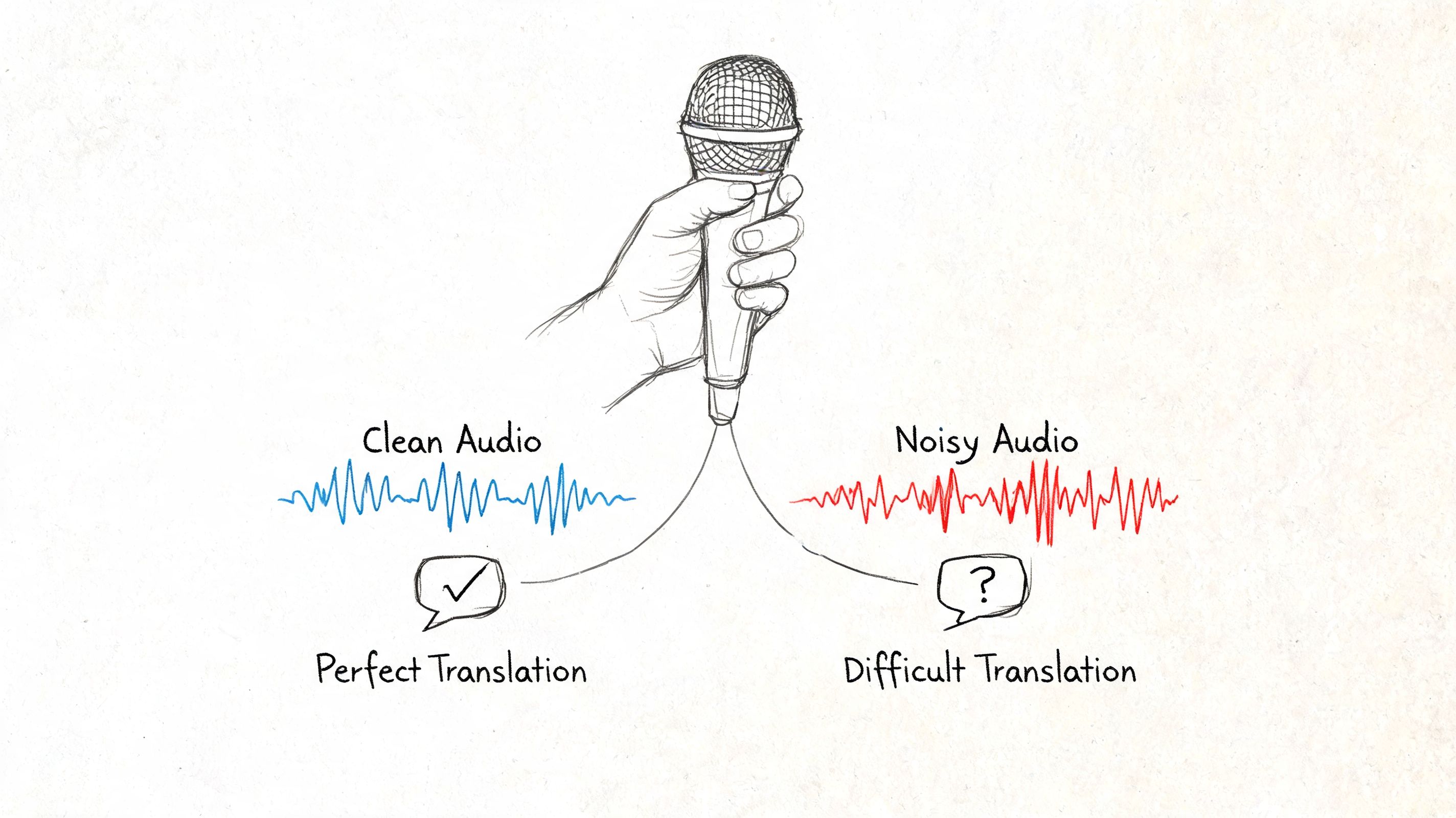
The final English text usually reflects the quality of the original recording. Clean speech gives the model something concrete to work with. Noisy speech forces it to guess.
Fix the source before you upload
You don’t need a studio recording, but you do need usable speech. Before sending audio into any system, check the following:
- Reduce background noise: Fan hum, traffic, café noise, and keyboard clatter all compete with consonants. German compounds and names get hit especially hard when the audio is muddy.
- Separate speakers when possible: If you’re recording a meeting or interview, ask people not to talk over each other. Crosstalk creates transcript errors that carry into the translation.
- Use the best original file you have: Don’t convert a file repeatedly if you can avoid it. Start with the cleanest source version, whether that’s WAV, MP3, or the original video.
- Trim dead air: Long silences won’t usually break the system, but removing irrelevant lead-in and tail sections makes review easier.
- Check whether the speaker uses dialect: If the speaker is using regional German rather than standard High German, flag that mentally now. It will matter in the edit pass.
A simple preflight listen saves more time than one might expect. If you can’t understand a sentence on headphones, the model may not handle it well either.
Clean audio doesn’t guarantee a perfect translation, but weak audio almost guarantees more editing.
Choose the right input method
Different jobs call for different starting points. In practice, these are the most common routes:
- Direct file upload: Best for interviews, lectures, podcasts, webinars, and exported meeting recordings.
- Video or social link: Useful when the German audio lives on a published page and you want the spoken content without manually downloading first.
- Built-in recorder: Good for quick field notes, spontaneous spoken summaries, or language practice sessions.
- Cloud file import: Helpful when teams share media in a central workspace and need a faster handoff.
If you’re working with educational recordings, pronunciation drills, or conversational practice, structured source material helps. Resources like lesson plans for German dialogues can produce cleaner, more predictable recordings than unstructured classroom chatter.
For teams that want the transcript stage first and the translation second, a solid starting point is to review a workflow for converting audio to text before moving into bilingual output.
A short prep checklist
| Question | If yes | If no |
|---|---|---|
| Is the speech clear? | Upload as is | Clean or re-record if possible |
| Are there multiple speakers? | Keep labels and timestamps on | Expect more manual cleanup |
| Is the content formal or technical? | Plan for glossary checks | Standard review may be enough |
| Is dialect present? | Reserve time for closer editing | Standard German usually translates more smoothly |
Generating Your First Draft Translation
A good first draft starts paying for itself within minutes. Instead of translating line by line from scratch, you get an English version you can inspect against the source audio, correct fast, and turn into something usable for subtitles, notes, or a client transcript.
Modern tools usually handle german to english translation audio in two passes. They transcribe the German speech first, then translate that transcript into English. That sounds simple, but the order matters. If the German text layer is weak, the English output will drift on names, sentence boundaries, and technical terms.

The fastest reliable sequence
For a first pass I use a short, repeatable sequence:
- Upload the German audio file or paste the source link
- Set German as the source language
- Set English as the target language
- Run transcription and translation together
- Open the result with timestamps visible
Keep timestamps on from the start. They turn the draft into a working edit file instead of a wall of text. If a sentence sounds wrong in English, you can jump to the exact second, replay the original German, and fix the line without wasting time searching.
What the system is actually producing
The first output is not just translated text. A useful system gives you several layers at once: the source speech as text, the English draft, timing data, punctuation, and often speaker separation. That combination is what makes the draft editable.
In practice, I judge the first pass by three things. Are the names mostly correct. Are the sentence breaks sensible. Can I compare the English line to the original audio without extra setup.
If those pieces are in place, review goes quickly.
If you also handle both language directions, compare your process with this guide to English to German translation with audio. The weak spots often shift depending on which language is the source.
Judge the first draft by editability. Clean timing, usable segmentation, and mostly correct terms matter more than polished phrasing at this stage.
What to inspect right away
A quick scan catches the problems that create slow edits later:
- Wrong language detection: Mixed-language recordings can confuse automatic settings.
- Poor segmentation: Long blocks with no clean sentence breaks are harder to review and subtitle.
- Missing or incorrect speaker labels: This causes trouble in interviews, meetings, and panel audio.
- Terms that stayed in German or changed meaning: Product names, institutions, and specialist vocabulary need a check against the source.
AI saves real time, but only if you treat the output as a draft with structure, not a finished translation. The goal is to get to a reliable working version fast, then spend human attention where it matters.
Editing and Improving Your English Translation
The output reaches a usable state. AI is excellent at producing a draft. It’s less reliable when the recording contains dialect, culture-bound phrases, overlapping voices, or domain language that wasn’t obvious from the surrounding context.

For non-standard German dialects such as Bavarian or Swiss German, AI accuracy can drop by 20% to 40% compared with High German, and idiomatic expressions fail around 30% more often than literal text in automated systems, according to this discussion of German audio translation limitations.
Where machine output usually breaks
Some errors are predictable. I’d group them into four buckets.
- Dialect and accent drift: The model hears a standard form that wasn’t truly spoken.
- Idioms translated too directly: The sentence is grammatical in English but wrong in meaning.
- Proper nouns and specialist terms: Company names, product lines, legal terms, and medical vocabulary often need manual verification.
- Speaker logic: In fast exchanges, attribution can slip even when the words are mostly correct.
If the project matters, edit with audio and text side by side. Don’t edit the English alone. You want to hear what was said, not just react to what the machine guessed.
A practical review pass
Use a focused checklist rather than rereading from top to bottom with no system.
| Review target | What to check |
|---|---|
| Names | People, companies, locations, institutions |
| Meaning | Idioms, jokes, implied context, shorthand references |
| Terminology | Industry words, acronyms, repeated phrases |
| Readability | Whether the English sounds natural to a native reader |
| Timing | Subtitle line breaks and timestamp alignment |
Start with the lines that look suspicious. Short bursts of odd English usually point to a source recognition issue, not just a translation issue.
Editing habit: Correct the source transcript first when the German was heard incorrectly. Correct the English only when the German transcript is right but the translation is awkward.
A short walkthrough helps if you’re building a repeatable review routine:
What deserves a human touch every time
Some content shouldn’t go out after a machine-only pass:
- Client-facing material where tone matters as much as correctness.
- Academic or journalistic transcripts where quotes must track the source closely.
- Compliance-sensitive content where a mistranslated clause creates risk.
- Subtitles for public video where unnatural English is visible immediately.
Human review doesn’t mean redoing the whole job manually. It means spending attention where AI is weakest and leaving the routine lines alone.
Exporting Subtitles Transcripts and Notes
Once the translation is clean, the next question is format. A polished English text isn’t useful if it leaves the tool in the wrong shape for the job.

Match the export to the outcome
Different export formats solve different problems. Here’s the practical version:
- SRT works best for subtitles on video. It keeps timing data so editors and platforms can sync text to speech.
- DOCX or PDF is useful when you need a readable document for colleagues, clients, research archives, or academic notes.
- TXT is better when you want plain raw text for copy-pasting into another system.
- Markdown can be useful for publishing workflows, knowledge bases, or structured notes.
If subtitles are part of your workflow, it helps to know what SRT stands for and how the format works before exporting timed files.
Decide what to keep in the file
Before export, choose whether the output should include these elements:
| Export option | Keep it when | Remove it when |
|---|---|---|
| Timestamps | You’ll review against audio or use subtitles | You only need clean reading text |
| Speaker labels | It’s a meeting, interview, or panel | It’s a solo lecture or narration |
| Paragraph breaks | The text will be read as a document | You need compact machine-ingest text |
| Original German alongside English | Bilingual review is still ongoing | Final readers only need English |
Many teams make avoidable mistakes by exporting one master file and trying to use it for every purpose. This approach usually creates friction later.
One recording, several outputs
A single German recording often needs multiple end products:
- Video team: SRT with timestamps
- Operations team: English meeting notes with speaker labels
- Researcher or student: bilingual transcript for citation checks
- Manager or client: clean PDF without timing clutter
Export the version people will actually use. Editors need timing. Executives usually don’t.
If the translation is being reused across departments, keep one master transcript with timestamps and speakers intact. Then create lighter exports from that source. That avoids re-editing the same recording every time someone needs a different deliverable.
Frequently Asked Questions About Audio Translation
Can I translate a live German conversation in real time
Yes, if the goal is immediate comprehension. Live translation helps during calls, interviews, and meetings when English speakers need to follow the discussion as it happens. It is less reliable as a final record because the system has to decide fast, often before the speaker finishes the thought.
Most live setups still use two steps: speech recognition first, then machine translation. For German to English, Elite Asia’s analysis of AI translation workflows states that WMT24 benchmarks showed DeepL scoring 1.2 COMET points higher than GPT-4o, and the same analysis says an AI plus human post-editing workflow can reduce review time by 50% for business content. In practice, that matches what I see. Live output is useful for access and speed. Reviewed output is what belongs in subtitles, reports, and archives.
How do I protect private recordings
Handle German audio translation like any other sensitive media workflow. Check encryption in transit and at rest, confirm whether source files can be deleted after processing, and make sure access controls are clear before anyone uploads a recording.
For client calls, HR interviews, internal meetings, or research interviews, retention settings matter just as much as accuracy. If the platform keeps files longer than your policy allows, convenience stops being a benefit.
Is AI translation good enough on its own
Sometimes, yes.
For a lecture recap, internal meeting summary, or quick understanding of what was said, AI-only output is often good enough. For subtitles, publishable transcripts, legal review, or quote-level accuracy, human editing still matters because small wording errors can change meaning, tone, or who said what.
That is the practical dividing line. Use AI for speed. Use human review when precision affects the outcome.
What usually causes the biggest errors
The rough spots are consistent across projects:
- Regional dialects and accented speech
- Background noise or poor microphone placement
- Overlapping speakers
- Technical, medical, or legal terminology
- Idioms, jokes, and culturally specific phrasing
German compounds can also create trouble if the first pass segments them badly. Once two or three of these problems show up in the same file, editing time rises fast.
How much does AI audio translation typically cost
Cost depends on the pricing model and on what is included. Some tools charge by minutes processed. Others bundle transcription, translation, meeting capture, and exports into a subscription. The key question is whether you are paying once for a usable workflow, or paying extra at each step.
Traditional human transcription and translation services often cost more than AI-assisted workflows, but exact rates vary too much by language pair, turnaround time, and subject matter to treat one number as a rule. For budgeting, compare the full job cost: upload, draft translation, review time, subtitle export, and any final human polish.
If you regularly turn multilingual recordings into transcripts, notes, subtitles, or meeting documentation, HypeScribe is worth a look. It handles uploaded files, links, recordings, exports, and meeting capture in one place, which makes the full workflow easier to manage when you need accurate text fast.



































































































