
Spanish Transcription Service: Your 2026 Guide
You probably have a Spanish recording sitting in a folder right now. It might be a customer interview, a Zoom call, a lecture, a webinar, or a research session. You know there's useful information in it, but until someone turns that audio into text, it stays trapped.
That's why a good spanish transcription service matters. The transcript isn't just a written copy of speech. It becomes something your team can search, quote, summarize, share, translate, review, and reuse. In modern workflows, that matters more than the transcript alone.
Why Spanish Transcription is Essential for Global Content
A common scenario looks like this. A team runs a product interview in Spanish, records it, then discovers nobody has time to replay the whole hour just to find three important quotes. The file gets saved, vaguely labeled, and forgotten. The insight was valuable, but the format made it unusable.
Spanish content has too much reach for that kind of waste. Spanish gives access to an audience of about 580 million people, which is why transcripts, captions, and searchable text play such a big role in communication and distribution, as noted in Rev's overview of Spanish transcription.
Transcription turns audio into working knowledge
When teams buy a spanish transcription service, they often think they're buying file conversion. In practice, they're buying access.
A transcript helps different teams do different jobs:
- Media teams: pull quotes, build captions, and prep content for publishing
- Researchers: code interviews, compare themes, and track responses
- Educators: turn lectures into study materials and searchable notes
- Operations teams: document meetings and preserve decisions
- Bilingual companies: move from spoken Spanish into translation and cross-border collaboration
That last point gets missed a lot. In many organizations, a Spanish transcript is the first asset in a chain. It may feed summaries, training docs, internal knowledge bases, translated content, subtitles, or compliance records.
A transcript is often the first usable version of a conversation.
The real decision starts after the transcript
I've seen teams focus too much on whether they can get text out of audio. That's only step one. The more useful question is what happens next.
If the transcript sits in a download folder as a plain text file, the workflow is still weak. If it becomes searchable, organized by speaker, easy to summarize, and simple to turn into action items, then the transcript starts creating value across the business.
That's where the market has shifted. Buyers still care about raw accuracy, but they also need a system that supports real work after the transcription is done.
Human vs AI Transcription The Core Decision
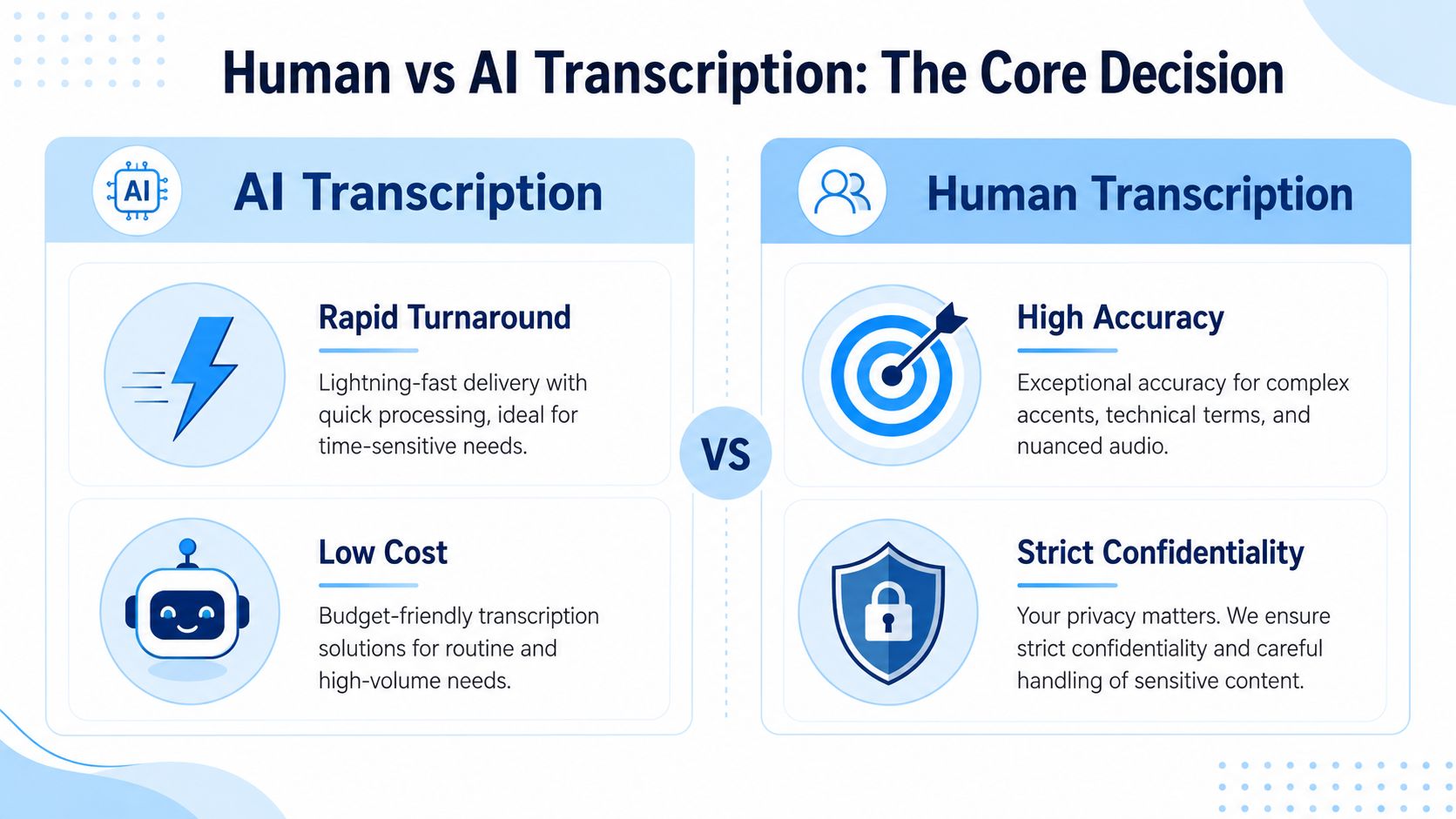
The choice between human and AI transcription is a bit like choosing between a custom-made jacket and something off the rack. One is built for fit and precision. The other gets you moving quickly and usually costs less. Neither is automatically wrong. The mistake is picking one without matching it to the job.
What the tradeoff actually looks like
For Spanish transcription, the three forces are accuracy, speed, and cost. You rarely get the maximum of all three at once.
According to QualTranscribe's Spanish transcription pricing and accuracy guide, human transcription typically reaches 98% to 99% accuracy and can cost around $2.50 per audio minute, while automated transcription can vary from 60% to 85% accuracy depending on conditions and is significantly cheaper.
That gap explains most buying decisions.
| Option | Best fit | Main strength | Main weakness |
|---|---|---|---|
| Human transcription | Legal, medical, research, publication-ready material | Stronger accuracy and context handling | Higher cost and slower turnaround |
| AI transcription | Meetings, lectures, internal notes, large content libraries | Fast delivery and lower cost | More cleanup on difficult audio |
When human transcription is the right call
Choose human transcription when mistakes create downstream risk.
That includes:
- Quoted research interviews: If you'll publish findings or cite exact language, you want tighter control over wording.
- Legal or regulated material: Speaker confusion, missed qualifiers, or garbled terms can create real problems.
- Complex Spanish audio: Heavy accents, poor recording conditions, overlapping speakers, and specialized vocabulary all push toward human review.
- Translation prep: If the transcript will feed another language workflow, weak source text causes compounding errors.
A lot of buyers underestimate this last point. If your Spanish transcript becomes the source for subtitles, translation, or executive reporting, quality matters twice.
When AI is the smarter choice
AI is often the better operational decision when the transcript is mainly for speed, search, and internal understanding.
Use it for:
- Meeting records
- Lecture drafts
- Webinar archives
- Customer call notes
- Content teams that need searchable source material fast
If you're evaluating video-heavy workflows, this ProdShort video transcription guide gives a practical look at how automated transcription fits editing and repurposing use cases.
For teams comparing software rather than traditional service vendors, this overview of AI-powered transcription software is useful because it frames transcription as part of a larger workflow, not just a one-time output.
Practical rule: If a transcript helps people remember what happened, AI is usually enough. If a transcript helps people prove what was said, add human review.
Hybrid is often the operational sweet spot
A lot of teams don't need to be ideological about this. They need a process.
A solid setup is: use AI first for speed, then send only the important files through human cleanup or internal review. That keeps costs under control without pretending every transcript deserves publication-grade treatment.
Why Spanish Transcription Accuracy Varies
People often blame transcription errors on “bad audio,” but Spanish introduces its own complications. Even with a capable platform or a skilled transcriber, accuracy changes based on how people naturally speak, not how clean the language looks in a dropdown menu.
Dialects change the job
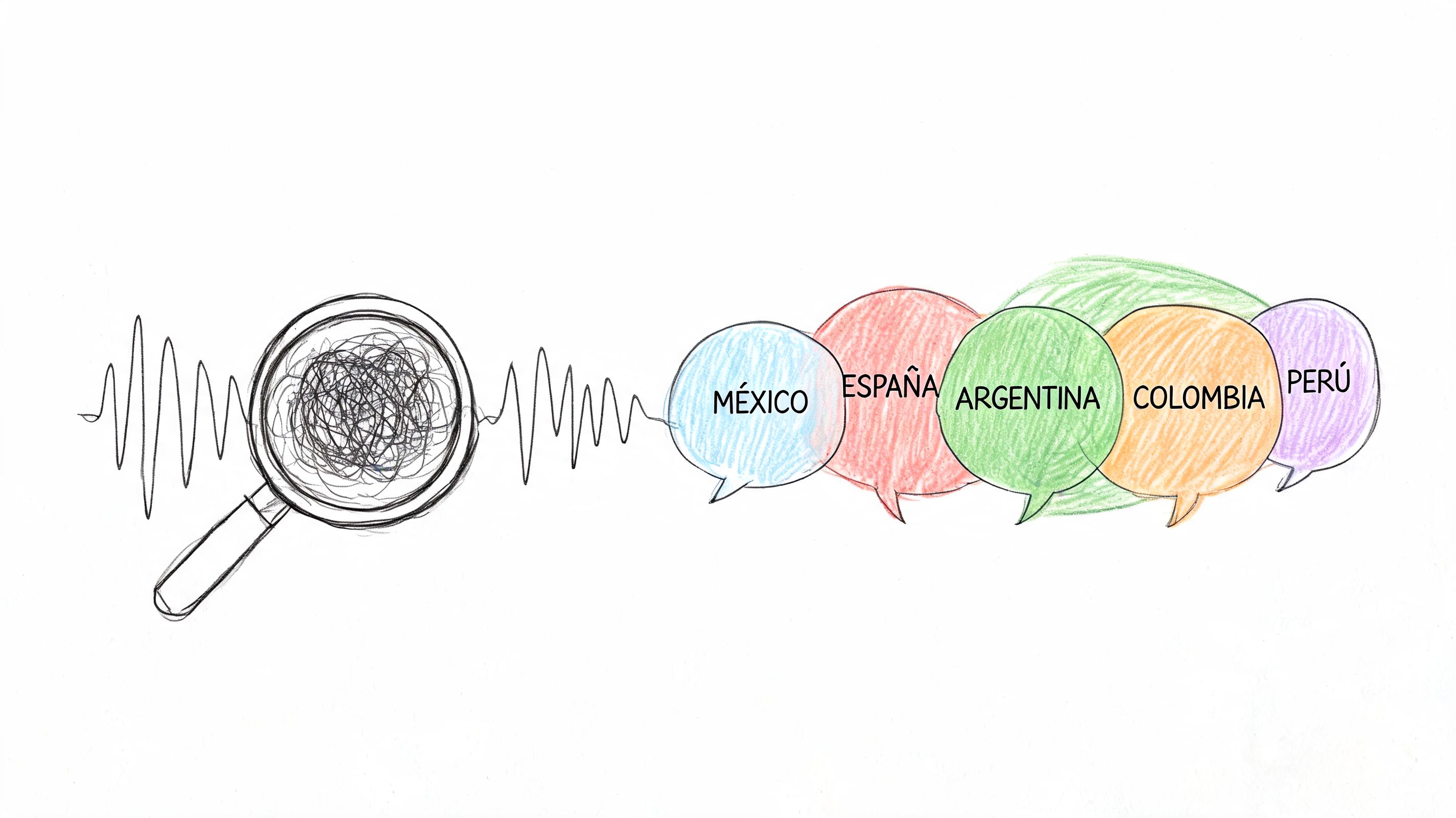
Spanish isn't one uniform spoken system. A recording from Madrid, Mexico City, Buenos Aires, Miami, or Bogotá can differ in pacing, vocabulary, pronunciation, and idiomatic usage.
That matters because some services still present Spanish as if it were a single predictable input. In real projects, it rarely is.
Multilingual Connections notes that real-world usage of Spanish transcription often involves Spanglish, regional vocabulary, and mixed-language calls, yet many services don't explicitly address how their systems handle code-switching or dialectal variation.
Code-switching breaks simple workflows
A lot of business audio flips between Spanish and English without warning. Sales teams do it. Researchers do it. Customer support teams do it. So do bilingual managers speaking to distributed teams.
That creates several failure points:
- Names and brands get mangled: especially when pronunciation shifts between languages
- Sentences split mid-thought: one clause in Spanish, the next in English
- Regional shorthand gets flattened: the transcript may capture words but lose meaning
- Speaker models struggle: especially when multiple bilingual speakers overlap
A basic AI transcript can look acceptable at first glance and still be unreliable in use.
Mixed-language meetings are usually harder than single-language interviews, even when the audio sounds clear.
Audio conditions still matter, but not by themselves
The usual technical issues still apply. Crosstalk, echo, laptop microphones, traffic noise, and inconsistent distance from the mic all reduce quality. But with Spanish, you also have to account for cultural and linguistic texture.
A transcript may fail because the audio was noisy. It may also fail because the service didn't know what to do with a regional phrase, a domain-specific term, or a speaker moving fluidly between languages.
That's why buyers should test with their hardest file, not their cleanest one.
How to Choose The Right Spanish Transcription Service
Most buyers start by comparing price and turnaround. That's understandable, but it's not enough. A useful spanish transcription service has to fit the way your team works after the text is generated.
Start with the deliverable, not the vendor
Before you compare platforms, define what “done” means.
Do you need a readable transcript for internal use? A verbatim record? A file with timestamps for editors? Speaker labels for interviews? A bilingual output for a multinational team? Those are different purchases even if they all fall under transcription.
Espresso Translations explains that professional Spanish transcription quality is improved not just by better acoustic capture, but by structured output options like speaker identification, timestamps, and terminology verification that make transcripts usable for analysis and publishing.
The checklist that actually matters
Use this scorecard when evaluating any service:
- Speaker identification: Essential for interviews, meetings, and focus groups. If speakers aren't labeled well, the transcript becomes much harder to review.
- Timestamp options: Editors, researchers, and legal teams often need time references, not just plain text.
- Terminology handling: This matters for healthcare, legal, technical, and research content where one wrong word changes meaning.
- Export formats: Look for outputs that match your workflow, such as document files, plain text, or formats that your content team can edit easily.
- Mixed-language tolerance: Ask directly how the system handles Spanglish, code-switching, and regional variants.
- Review flow: Can someone edit, comment, and finalize inside the same system, or does everything have to move into another tool?
Don't skip security and compliance questions
Many vendor pages often remain vague. “Accurate” and “confidential” aren't enough if the recordings contain personal data, employee conversations, patient information, or research interviews.
In practical terms, ask:
- Who can access the uploaded file?
- Can transcripts and source files be deleted?
- Is there a retention policy you can understand?
- Does the workflow fit your legal or internal privacy requirements?
- Can the service support auditability if multiple people review the file?
For teams comparing online options, this guide to choosing an online transcription service is useful because it looks at workflow criteria rather than just headline features.
Buy for the review process, not just the first transcript draft.
Good services fit modern collaboration
Traditional transcription vendors often stop at delivery. Modern teams usually need more. They want the transcript to connect with meeting notes, searchable archives, summaries, and reusable documentation.
That difference becomes obvious fast. One service gives you a text file. Another gives you a working knowledge asset your team can use again next week.
A Modern Workflow Example Transcribing with HypeScribe
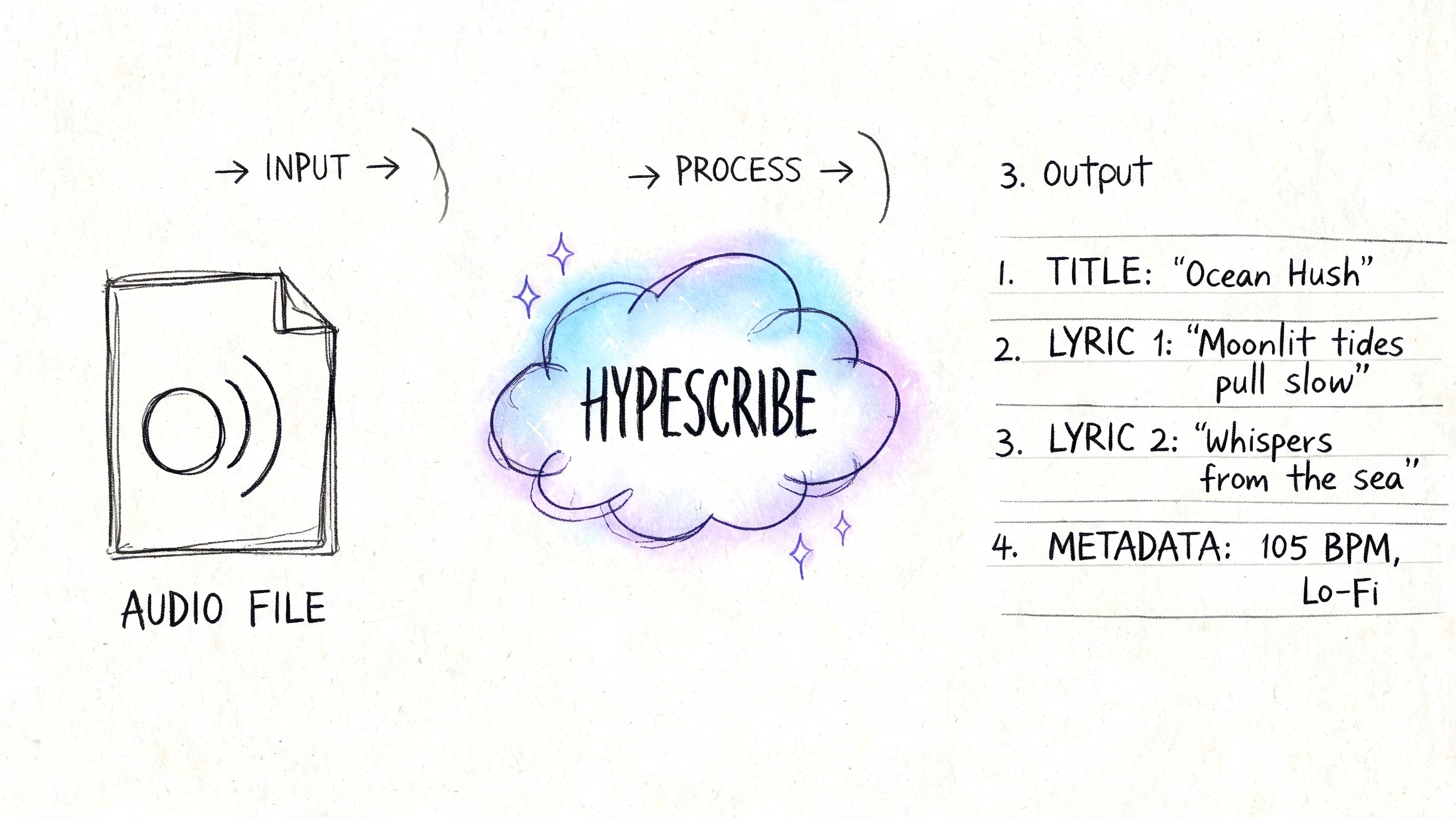
A modern transcription workflow starts before anyone opens a text editor. The goal isn't only to convert speech into writing. The goal is to make the conversation reusable.
A practical meeting-to-knowledge flow
Say you have a Spanish client call recorded on Zoom. In a traditional process, someone downloads the audio, uploads it to a transcription vendor, waits for the text, then manually writes a summary for the team.
A more useful flow looks like this:
Upload the recording or connect the source
Instead of treating every file as a separate job, you move the recording into a tool that can process audio or video directly.
Generate the transcript
The transcript becomes the base layer. At this point, you're checking for speaker separation, obvious term errors, and whether the meeting language shifted between Spanish and English.
Create a summary
The workflow becomes more efficient. Instead of rereading the full transcript, the team gets the main topics and decisions in a form they can use quickly.
Pull action items
Good meeting workflows turn spoken commitments into trackable follow-ups. That's much more valuable than a transcript sitting untouched in storage.
Make the content searchable
Once the transcript is indexed, the call stops being a dead file. Sales, support, research, and management can search for specific terms, objections, decisions, or recurring issues.
- Use a decent microphone: Laptop mics are convenient, but they also capture room noise, keyboard taps, and echo.
- Reduce overlap: One speaker at a time makes a huge difference, especially in bilingual conversations.
- Control the room: Fans, cafés, hallway noise, and hard-wall echo all make review harder.
- Keep mic distance consistent: A speaker who leans in and out creates uneven audio that hurts both AI and human workflows.
- State names and roles early: This helps with speaker identification and later cleanup.
- A glossary of names and terms
- The likely Spanish variant or region
- A note about mixed Spanish and English
- Your preferred output style, such as clean read or closer-to-verbatim
- Any special formatting needs, especially speaker labels or timestamps
- Proper nouns: people, brands, places, product names
- Decision points: approval language, commitments, dates, next steps
- Sections with overlap or fast speech
- Mixed-language passages
- Quotes that will be published or shared externally
- Wrong names: add a glossary next time, then correct globally if your editor supports it
- Speaker confusion: use clearer introductions or separate mics when possible
- Dropped Spanish phrases in bilingual meetings: flag code-switching in advance
- Awkward wording in a final deliverable: switch from raw AI output to edited review for external use
For teams working with meeting recordings specifically, this Zoom AI transcription guide shows how that kind of flow fits live collaboration tools.
Why this works better than file delivery alone
What changes here is not just speed. It's what your team does after the transcript appears.
A tool like HypeScribe fits this model because it handles transcription, searchable text, summaries, key takeaways, and action items inside one workflow, which is more useful than exporting a raw transcript and starting over somewhere else.
If your projects are more video-centered than meeting-centered, this RepurposeMyWebinar tutorial on video transcription is a helpful reference for turning recorded content into text that can be repurposed.
A short walkthrough helps make the workflow concrete:
The main upgrade is what happens next
The transcript still matters. But in day-to-day operations, summaries and action items often matter more. Managers don't want to read every line of a meeting. They want decisions, blockers, owners, and next steps.
That's why modern transcription tools are becoming part of knowledge management, not just media processing.
Best Practices for Improving Transcription Accuracy
Even the strongest service can't fully rescue a poor recording. If you want better results, the cheapest upgrade is usually better input.
Fix the recording before you fix the transcript
These habits improve transcription quality right away:
Give the transcription service context
Teams often skip the easiest accuracy booster. They upload the file with no notes and hope the system figures out every product name, customer name, acronym, and industry term.
That rarely works well.
Provide:
A two-minute prep note can prevent the most annoying transcript errors.
Review smart, not line by line
You don't always need to audit the whole file from start to finish. A better approach is to review the highest-risk areas first.
Check:
If those areas are clean, the rest of the transcript is usually manageable.
Troubleshooting common issues
When a transcript disappoints, the fix is often clear once you identify the pattern.
A good spanish transcription service helps. Better source material helps even more.
If your team needs more than a plain transcript, HypeScribe is worth considering as part of a broader meeting and knowledge workflow. It can turn spoken Spanish into searchable text, then help organize that material into summaries, key takeaways, and action items so conversations don't get lost after the call ends.


































































































