
AI for Customer Service: A 2026 Practical Guide
Support leaders usually hit the same wall before they start looking seriously at ai for customer service. Ticket volume climbs. Agents spend half the day answering the same basic questions. Escalations get messy because context is scattered across chat, email, call recordings, and CRM notes. Then burnout shows up, quality slips, and customers feel the inconsistency.
That's the point where AI stops being a trend piece and becomes an operations decision.
Many organizations don't need a robot that replaces support. They need systems that reduce repeat work, route issues correctly, surface context faster, and help managers coach quality at scale. That's a very different problem, and it's where the value sits.
The Tipping Point for Customer Support Teams
The support teams getting the most out of AI aren't treating it like an experiment anymore. They're treating it like infrastructure. That shift matters because customer expectations haven't slowed down, but most support orgs still run on workflows built for lower volume and less channel complexity.
The market signals are clear. Grand View Research reports that the global AI for customer service market was valued at USD 13,012.4 million in 2024 and is projected to reach USD 83,854.9 million by 2033, implying a CAGR of 23.2%. That kind of growth doesn't happen when a category is still optional. It happens when buyers decide the software belongs in the core stack.
Why teams reach this point
A support organization usually gets pushed toward AI by a combination of pressure points:
- Repetitive demand: Password resets, delivery checks, billing clarifications, and policy questions crowd out more valuable work.
- Inconsistent triage: The same issue lands with three different agents before someone who can solve it sees it.
- Slow onboarding: New agents need time to learn systems, policies, and product nuance.
- Thin QA coverage: Managers can't manually review enough interactions to spot patterns early.
- Fragmented context: Voice calls, ticket histories, and CRM records live in separate places.
Those problems compound each other. Repetition causes fatigue. Fatigue hurts judgment. Poor triage makes wait times worse. Weak QA lets avoidable mistakes repeat.
AI is most useful when it removes operational drag that humans should never have been carrying in the first place.
The practical takeaway is simple. If your team is still debating whether AI belongs in support, you're probably asking the wrong question. The useful question is where it belongs first, and how tightly you want human oversight around it.
What Is AI for Customer Service Really
When AI for customer service is mentioned, a common thought is “chatbot.” That's too narrow. The core system sits underneath and affects how work moves through the entire support operation.
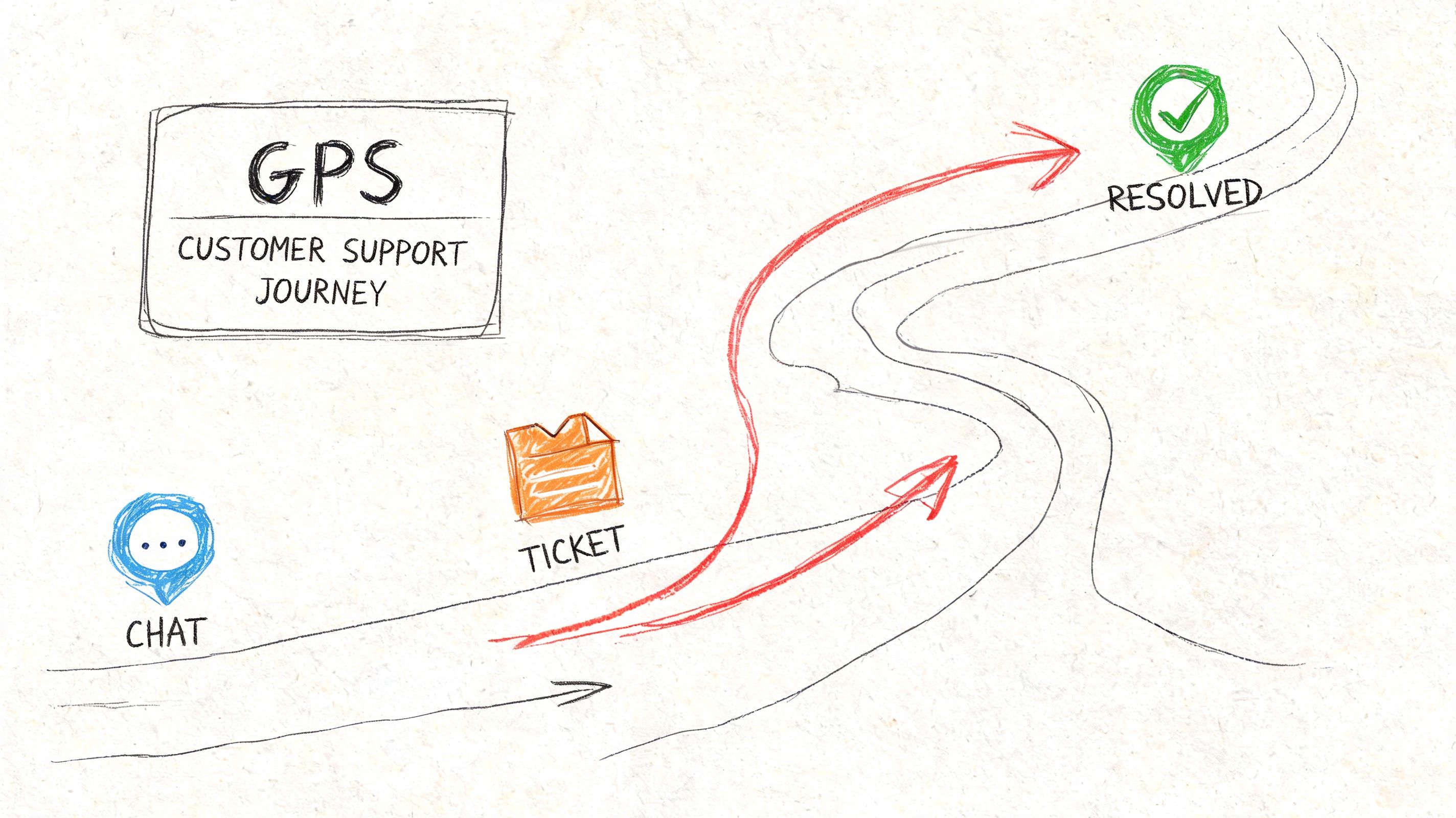
A better analogy is a GPS for your support team. The customer still needs to get somewhere. The agent is still the one driving the interaction. But AI can suggest the best route, flag likely delays, surface the right context, and recommend when to reroute.
It's augmentation first, automation second
The strongest deployments use AI to support human judgment, not erase it. That means the system helps with things like:
- Intent detection: Understanding what the customer is asking
- Knowledge retrieval: Pulling the most relevant answer or policy
- Routing: Sending the issue to the right queue or specialist
- Summarization: Turning a long interaction into a usable case record
- Agent assist: Suggesting responses, next steps, or related history
If you want a useful overview of how the front-end chatbot layer fits into the bigger picture, Mava's customer service AI chatbot guide is a solid companion read.
What it looks like in practice
A common support workflow without AI looks manual at every step. The customer explains the problem. The system creates a ticket. An agent reads it, tries to classify it, searches the knowledge base, checks the CRM, asks follow-up questions, and writes notes after the interaction.
With AI in the loop, several of those tasks can happen in parallel. The issue gets classified earlier. Relevant context is attached automatically. The agent starts with a better picture of the account. The handoff notes are cleaner. QA and coaching become easier because interactions are searchable and structured.
That last part matters more than many teams expect. Once support conversations become searchable, summarized, and analyzable, managers can stop relying on scattered anecdotal feedback and start seeing recurring friction clearly. That's one reason conversation intelligence has become so useful in service environments. This explanation of conversation intelligence is helpful if you're evaluating that layer specifically.
What AI is not
It isn't a cure for broken operations. If your help center is outdated, your macros conflict with policy, and your escalation paths are unclear, AI will scale that confusion faster.
It also isn't an excuse to hide from customers. Teams get into trouble when they optimize for ticket deflection alone. Customers don't care that a bot answered quickly if it trapped them in a loop and made them repeat themselves when a human finally joined.
The Key Technologies Powering Modern Support AI
The easiest way to understand modern support AI is to separate it into jobs. Each technology handles a specific kind of work. When teams buy a platform without knowing which job matters most, they end up with flashy features that don't solve their actual bottleneck.

AI chatbots and self service
This is the visible layer most customers interact with first. A chatbot handles routine requests, asks clarifying questions, and can point a customer toward a relevant article or workflow.
Used well, it reduces repetitive volume. Used badly, it becomes a gatekeeper that blocks access to a human. The difference usually comes down to scope. Chatbots work best when the use cases are narrow, documented, and easy to verify, such as order status, account access steps, or policy lookups.
Intelligent routing and predictive triage
Routing enables many teams to see faster operational gains than they do from a chatbot alone. Routing sounds basic until you look at how much time support teams lose to misclassified tickets and slow transfers.
SAP notes that AI can classify cases using predictive analytics, route tickets to the correct provider, and detect emotional cues via sentiment analysis. A contact-center deployment using this approach increased agent efficiency by 33% and reduced average wait time to 33 seconds.
That result makes sense operationally. Better triage means fewer handoffs. Fewer handoffs means less repeated explanation, less queue churn, and fewer frustrated customers.
Practical rule: Fix routing before you obsess over full automation. A well-routed human conversation often beats a poorly automated one.
Sentiment analysis and urgency detection
Sentiment analysis tries to detect whether a customer is calm, confused, frustrated, or at risk of escalating. It's not perfect, and it shouldn't be treated as final judgment. But it's useful as a prioritization signal.
The most effective use isn't “AI decides who is angry.” It's “AI flags interactions that deserve faster review, stricter QA, or earlier handoff.” In high-volume environments, that helps managers catch trouble before it becomes churn, complaints, or executive escalations.
Summarization transcription and searchable records
This is the layer support leaders often undervalue until they try to coach from raw call recordings. Summaries and transcripts reduce after-call work, preserve context across channels, and make quality review much more scalable.
For teams that handle voice or video support, transcription tools can make AI immediately useful. A platform like HypeScribe can turn support calls or meetings into searchable transcripts, summaries, and action items. That's useful for call QA, coaching reviews, handoff documentation, and spotting repeated friction in customer language.
A related concept worth understanding here is retrieval. AI isn't helpful if it can't pull the right information from your support content and records when it needs it. This overview of information retrieval systems explains that foundation well.
Real time agent assist
This layer supports the human during the conversation itself. It can suggest knowledge base articles, surface customer history, recommend next actions, and help agents stay aligned with policy.
What works is concise guidance tied to the live issue. What doesn't work is flooding agents with generic suggestions they learn to ignore. If the assistant interrupts more than it helps, adoption dies quickly.
A practical way to map the stack
| Technology | Best use | Common mistake |
|---|---|---|
| Chatbots | High-volume routine inquiries | Letting them handle edge cases without guardrails |
| Routing AI | Queue assignment and prioritization | Training on messy ticket categories |
| Sentiment analysis | Escalation signals and QA review | Treating sentiment as certainty |
| Transcription and summaries | QA, coaching, and handoffs | Storing data without a review process |
| Agent assist | Live guidance and context | Overloading agents with noisy prompts |
Tangible Benefits and Calculating Your ROI
Leaders usually ask the ROI question too late or too vaguely. “Will AI save us money?” is not a useful starting point. The better question is which support metrics will move, how quickly, and under what workflow changes.
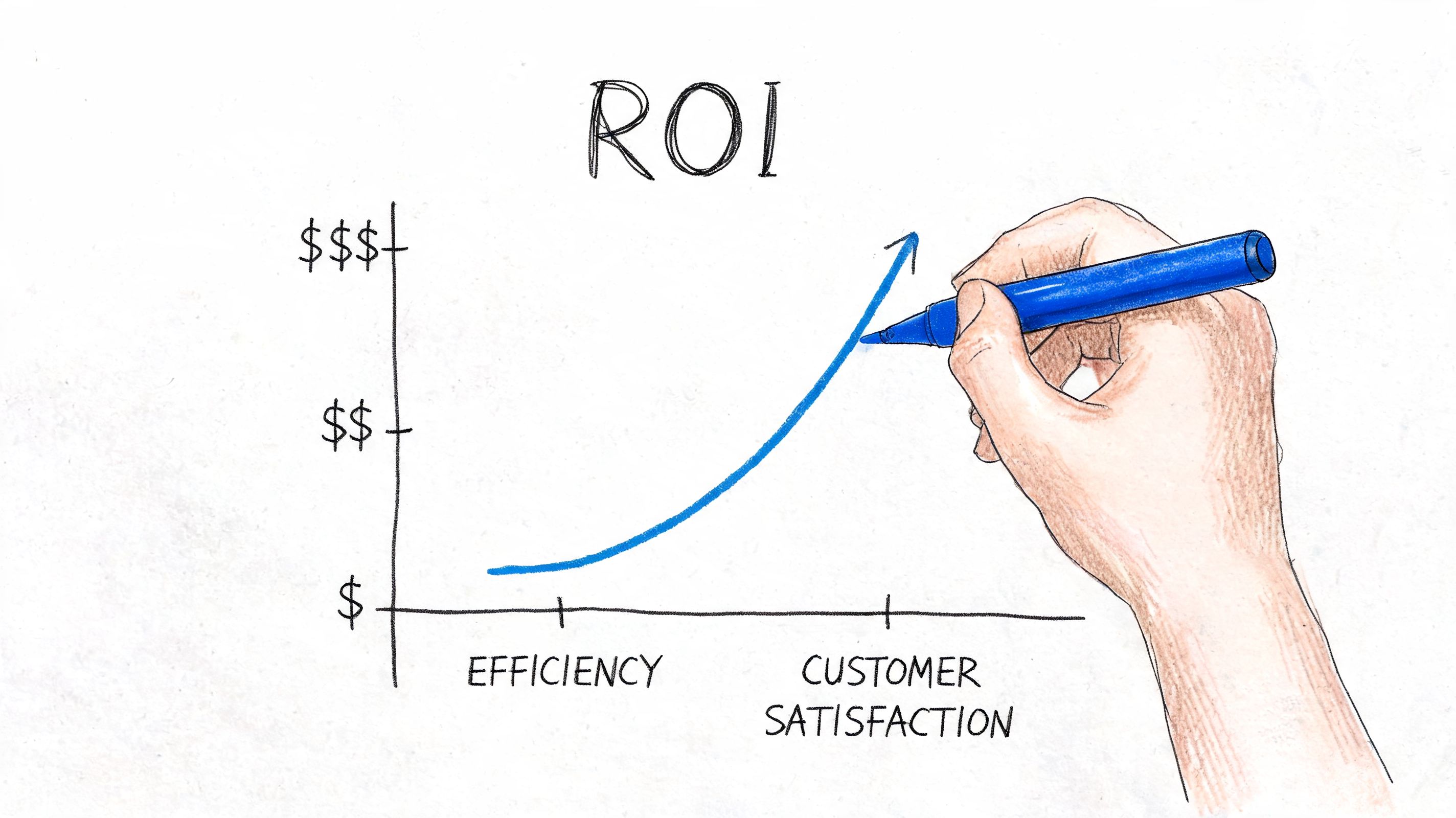
The benchmark data most support operators care about sits around response speed, resolution quality, customer satisfaction, and cost. Zuper reports average response time improving from 24-48 hours to 2-4 hours, first-call resolution rising from 68% to 87%, customer satisfaction increasing from 72% to 89%, and operational costs falling 25% with AI-enhanced service processes.
Where ROI actually shows up
The mistake is focusing only on deflected tickets. Real ROI often appears in several places at once:
- Faster first response: Customers wait less, which reduces duplicate follow-ups.
- Higher resolution quality: Better context and better routing reduce reopen rates.
- Lower handling overhead: Summaries, suggested replies, and automated tagging cut manual work.
- Cleaner management visibility: QA leaders can review patterns instead of isolated anecdotes.
- Better staffing use: Senior agents spend more time on complex cases where judgment matters.
A simple operating model for ROI
Use a before-and-after comparison tied to one workflow, not the whole support org at once.
- Choose one queue with enough volume to show patterns.
- Define baseline metrics such as response time, FCR, CSAT, escalation rate, and manual after-call work.
- Add one AI layer such as triage, summarization, or agent assist.
- Measure workflow change, not just headline outcomes.
- Calculate labor impact and quality impact together.
That last point matters. A deployment that cuts cost but damages trust is a false win. Likewise, a deployment that improves CSAT but creates a hidden admin burden may not scale.
Teams that calculate ROI well look at the full service loop, from intake to resolution to QA, not just the front door.
Don't borrow the wrong finance logic
Support leaders can learn something from adjacent functions here. Marketing teams have spent years refining how they connect operational activity to business return. If you want a useful lens for framing measurement discipline, this piece on ROI in social media is worth reading because the same logic applies. Define the action, track the outcome, and separate vanity metrics from business metrics.
What to measure every month
A lean scorecard works better than an executive dashboard stuffed with noise.
- Resolution metrics: FCR, reopen rate, escalation rate
- Speed metrics: first response time, time to resolution
- Experience metrics: CSAT trends and complaint themes
- Operational metrics: after-call work, queue transfers, agent handle friction
- Quality metrics: policy adherence, summary quality, coaching findings
If those numbers improve together, you're building durable ROI. If one goes up while two others slide, the workflow needs rework.
Common Use Cases and Winning Workflows
The best use cases for ai for customer service usually start in boring places. That's good news. Boring workflows are often repetitive, measurable, and fixable.
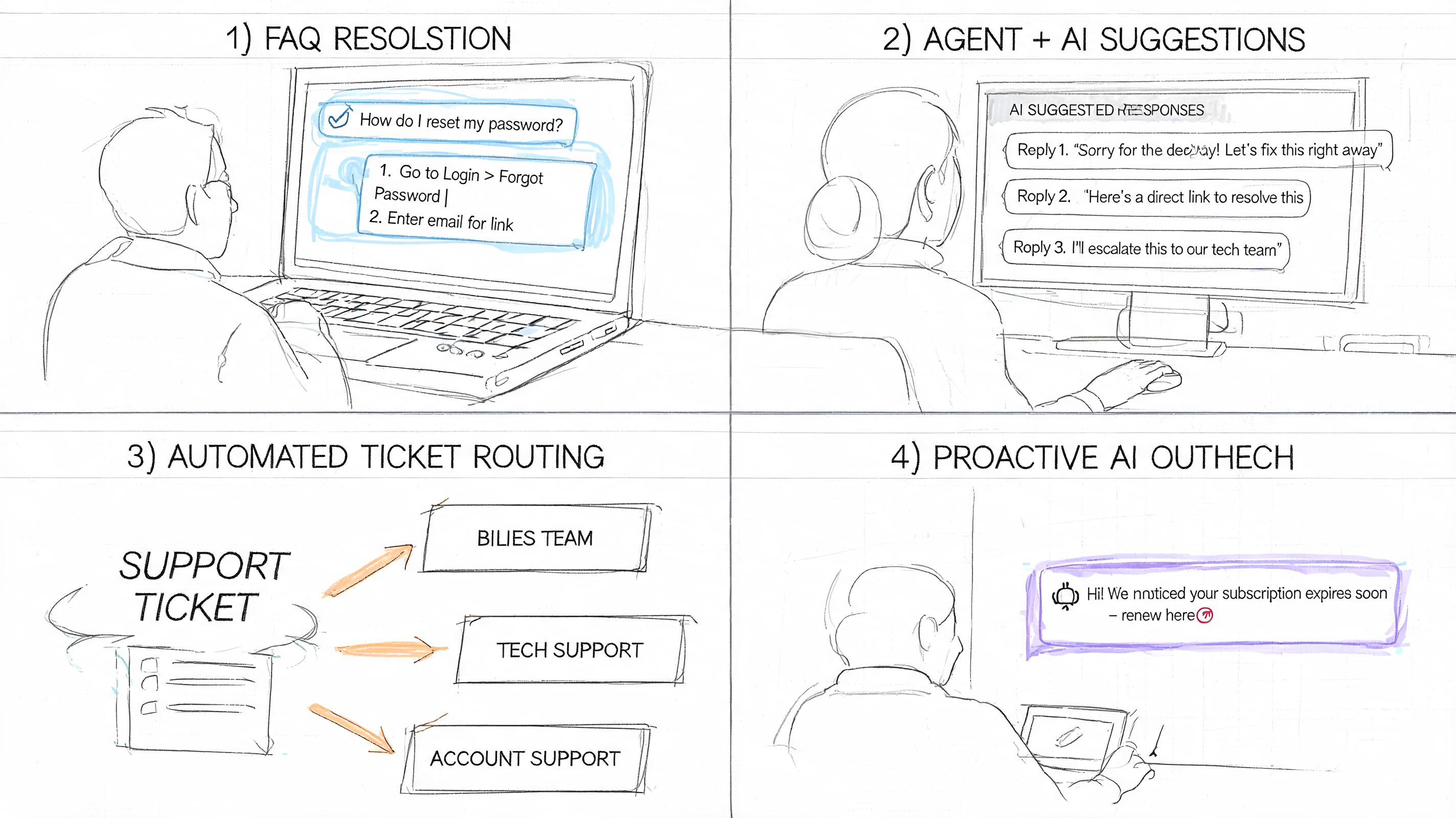
Always on self service for routine issues
Before AI, customers submit a simple question and wait in the same line as everyone else. Agents answer the same account or policy question over and over, which slows response for more complex cases.
After AI, the system handles common requests instantly, or gathers enough information to create a cleaner handoff. This works best when the answer exists in a maintained knowledge source and the workflow has a clear endpoint.
Teams building across channels should think beyond a single bot widget. The core goal is continuity across touchpoints. Formbricks has a useful piece on building seamless customer journeys that aligns well with this operational view.
Real time guidance during live conversations
This use case is less visible to customers but often more valuable to managers. An agent is on a call or in a live chat. AI surfaces relevant macros, recent tickets, policy notes, and likely next steps while the conversation is happening.
That changes the job from “remember everything” to “exercise judgment with support.” Newer agents ramp faster. Experienced agents stay more consistent. Managers spend less time correcting preventable misses.
Here's a quick visual overview of how these workflows show up in actual support tooling.
Smarter routing before the agent ever responds
A lot of support pain starts before the first reply. The wrong queue gets the ticket. The issue gets reassigned. The customer restates the problem. Internal comments pile up.
With AI triage, the case enters the system with more structure. Intent, urgency, account context, and likely ownership are clearer earlier. That doesn't remove the need for human review, but it dramatically reduces preventable operational waste.
Post interaction QA and training
Support organizations often derive the most strategic value. Every interaction creates training material, quality signals, and product feedback if you can capture it in a usable format.
Before AI, managers sample a tiny slice of calls or chats. Coaching becomes subjective. Trends emerge slowly. After AI-assisted transcription and summarization, teams can review more interactions, search for recurring phrases, and identify where scripts, policies, or product explanations break down.
A practical QA workflow often looks like this:
- Transcript capture: Convert support calls or voice notes into searchable text.
- Summary generation: Create a short case recap for faster manager review.
- Issue tagging: Group interactions by theme, friction point, or policy risk.
- Coaching review: Use real examples to coach agents on phrasing, empathy, and process control.
- Knowledge feedback: Update help content based on repeated confusion.
The best support AI programs don't just answer customers faster. They teach the operation where it's weak.
Your Phased Implementation Roadmap
Most failed AI rollouts have the same flaw. The team tries to “launch AI” as if it were one project. It isn't. It's a sequence of operating changes, and each one needs a clear owner, guardrails, and review loop.
Phase one audit the real work
Start with the workflow, not the vendor demo. Pull a representative set of tickets, chats, and call recordings. Look for repetition, routing errors, common escalation triggers, and after-call admin burden.
Your audit should answer questions like these:
- Which contacts are repetitive enough to automate safely
- Which queues suffer most from poor triage
- Where agents lose time searching for information
- Which interaction types require empathy or policy judgment
- What data the AI would need to access to be useful
This phase also forces an uncomfortable but necessary conversation about content quality. If your help center is stale and your macros contradict each other, fix that first. AI needs a trustworthy source of truth.
Phase two pilot one contained workflow
Choose one use case with visible pain and manageable risk. Good pilot candidates include FAQ automation, intelligent routing, or post-call summarization. Bad pilot candidates are edge-case-heavy processes where every interaction requires nuanced policy judgment.
The pilot should stay narrow enough that you can inspect quality closely. Keep human review in place. Read transcripts. Review failed resolutions. Listen for customer confusion, not just system success.
A short pilot scorecard usually includes:
| What to watch | Why it matters |
|---|---|
| Resolution quality | Shows whether AI output is actually useful |
| Escalation pattern | Reveals hidden failure points |
| Agent adoption | Indicates whether the workflow helps or annoys the team |
| Customer friction | Surfaces repeat explanations and dead ends |
| Content gaps | Shows where knowledge sources are too weak |
Phase three build human in the loop rules
Many guides stay too vague. Sensitive cases need explicit fallback design. They cannot rely on “the bot will escalate if needed” as a policy.
Zendesk frames AI mainly as an agent efficiency layer, highlighting the need for governance around human-in-the-loop service, especially where empathy is required.
That should shape your design choices. Create handoff rules for billing disputes, cancellations, vulnerable customers, policy exceptions, repeated frustration, and any issue where a wrong answer carries trust or compliance risk.
What strong escalation design looks like
Use clear triggers, not intuition alone.
- Sentiment trigger: If the customer appears highly frustrated, move faster to a human.
- Repetition trigger: If the customer repeats the same request or correction, stop the loop.
- Policy trigger: If the answer depends on exception handling, hand off.
- Value trigger: If the account is strategically important, route to the right specialist early.
- Risk trigger: If privacy, legal, or regulated topics appear, restrict automation.
A good escalation path preserves context. A bad one makes the customer start over.
When the handoff happens, include the conversation summary, relevant customer history, and what the AI already attempted. That single design choice changes the customer's experience more than support teams typically expect.
Phase four train agents and managers for the new workflow
AI changes how support work gets done, so training has to change too. Agents need to learn when to trust suggestions, when to override them, and how to document issues the model handled poorly. Managers need to learn how to review AI-assisted interactions and how to coach against new failure modes.
Useful training topics include:
- Reading AI suggestions critically
- Handling takeover moments smoothly
- Flagging bad summaries or wrong retrieval results
- Using transcript-based QA in coaching
- Escalating privacy or compliance concerns early
Phase five scale slowly and optimize continuously
Only scale what survives scrutiny. If the pilot improved speed but created hidden quality problems, rework it before expanding. Support teams get into trouble when they widen deployment before the process is stable.
Operationally, optimization usually means tightening prompts, improving knowledge content, refining routing categories, and reviewing where customers still get stuck. It also means looking at what your AI can't do well and protecting those boundaries.
The strongest AI programs are disciplined. They automate routine work, strengthen human performance, and stay honest about where humans still need to lead.
Critical Considerations and The Future of Support
The hard part of ai for customer service isn't adding new features. It's controlling risk while those features touch customer data, internal knowledge, and live interactions.
Privacy comes first. Support conversations often include account details, billing context, health information, legal concerns, or internal notes that should not flow loosely through every tool in the stack. Before rollout, teams need clear rules for retention, access, redaction, and deletion. They also need to know what data enters summaries, what gets stored, and who can review it.
Global complexity changes the evaluation
A system that performs well in one language and one channel can struggle badly once you add voice, chat, email, CRM data, regional policies, and different communication styles. Kustomer notes the challenge of maintaining AI accuracy across multiple languages, channels, and data sources such as voice, chat, email, and CRM, especially when accents, jargon, and mixed-media workflows can raise compliance risk.
That means buyers should test for:
- Language consistency: Can the system hold quality across multilingual interactions?
- Channel continuity: Does context carry across voice, chat, and email?
- Knowledge grounding: Are answers tied to approved content and records?
- Auditability: Can managers review what happened and why?
- Failure recovery: Does the workflow degrade safely when confidence is low?
Integration matters more than feature count
A support AI tool that doesn't connect cleanly to your helpdesk, CRM, telephony, and knowledge environment usually creates more admin work than it removes. The future of support belongs to teams that can unify records, make conversations searchable, and reuse service knowledge across channels.
That also raises the importance of knowledge discipline. If your team is still treating articles, macros, transcripts, and internal notes as separate worlds, it's worth revisiting how a knowledge management system fits into support operations.
The future itself is not mysterious. Support will become more proactive, more context-aware, and more personalized. But the winning teams won't be the ones that automate the most. They'll be the ones that combine speed with control, preserve empathy where it matters, and build review processes strong enough to trust the system at scale.
If your support team wants better call visibility, cleaner summaries, and more usable QA material from customer conversations, HypeScribe can help turn recorded support interactions into searchable transcripts, summaries, and action items that managers and agents can put to work.


































































































