
AI Meeting Summary: From Chaos to Clarity in 2026

You leave a meeting feeling good about the discussion. Ten minutes later, the fog rolls in. Who agreed to send the proposal? Was the deadline this Friday or next Friday? Did everyone approve that plan, or did one person raise a concern right before the call ended?
That after-the-meeting scramble is why AI meeting tools have spread so quickly. In a 2025 survey on AI note-taker adoption, 75% of professionals said they use an AI note-taker in work meetings, but 50% of non-users said privacy concerns are the main reason they hold back. That tells you two things at once. People clearly want help. They also don't want to trade convenience for risk.
An AI meeting summary can be a huge relief when it works well. It can also create problems if you trust it too much, skip review, or ignore where your meeting data goes. Both sides matter.
The End of Forgettable Meetings
Most meetings don't fail during the meeting. They fail afterward.
A manager leaves with one version of the decision. A teammate remembers a different action item. Someone writes rough notes, but they only caught half the discussion because they were also trying to contribute. By the end of the day, the team is working from memory, not from a shared record.
An AI meeting summary helps with that exact handoff. Instead of asking one person to listen, type, participate, and then produce a clean recap, the system captures the conversation and turns it into something readable. That usually means a short summary, a list of decisions, and follow-up tasks.
Why this feels so useful so quickly
The value isn't abstract. It's practical.
- You stop relying on memory: People forget details fast, especially after back-to-back calls.
- You reduce note-taking overload: Participants can spend more attention on the conversation itself.
- You create a common reference point: A shared summary gives everyone the same starting record.
A good meeting summary doesn't just tell you what was said. It tells you what to do next.
Still, hesitation is reasonable. If a tool captures sensitive customer calls, team reviews, hiring conversations, or budget meetings, you need to know how that data is handled. You also need to know whether the summary is accurate enough to trust.
That tension is healthy. It pushes teams to ask better questions.
Where readers usually get confused
Many people hear "AI meeting summary" and assume it means a polished, fully trustworthy replacement for manual notes. That's usually too optimistic.
Think of it more like a strong first draft created at machine speed. It can save real work. But like any first draft, it may need review before you send it to a client, log it in a system, or turn it into assigned work.
What Exactly Is an AI Meeting Summary
You finish a 45 minute call, jump to the next one, and by lunch the details are already blurring together. You remember the general direction. You do not remember who agreed to send pricing, which concern the client raised twice, or whether the deadline was next Tuesday or the Tuesday after.
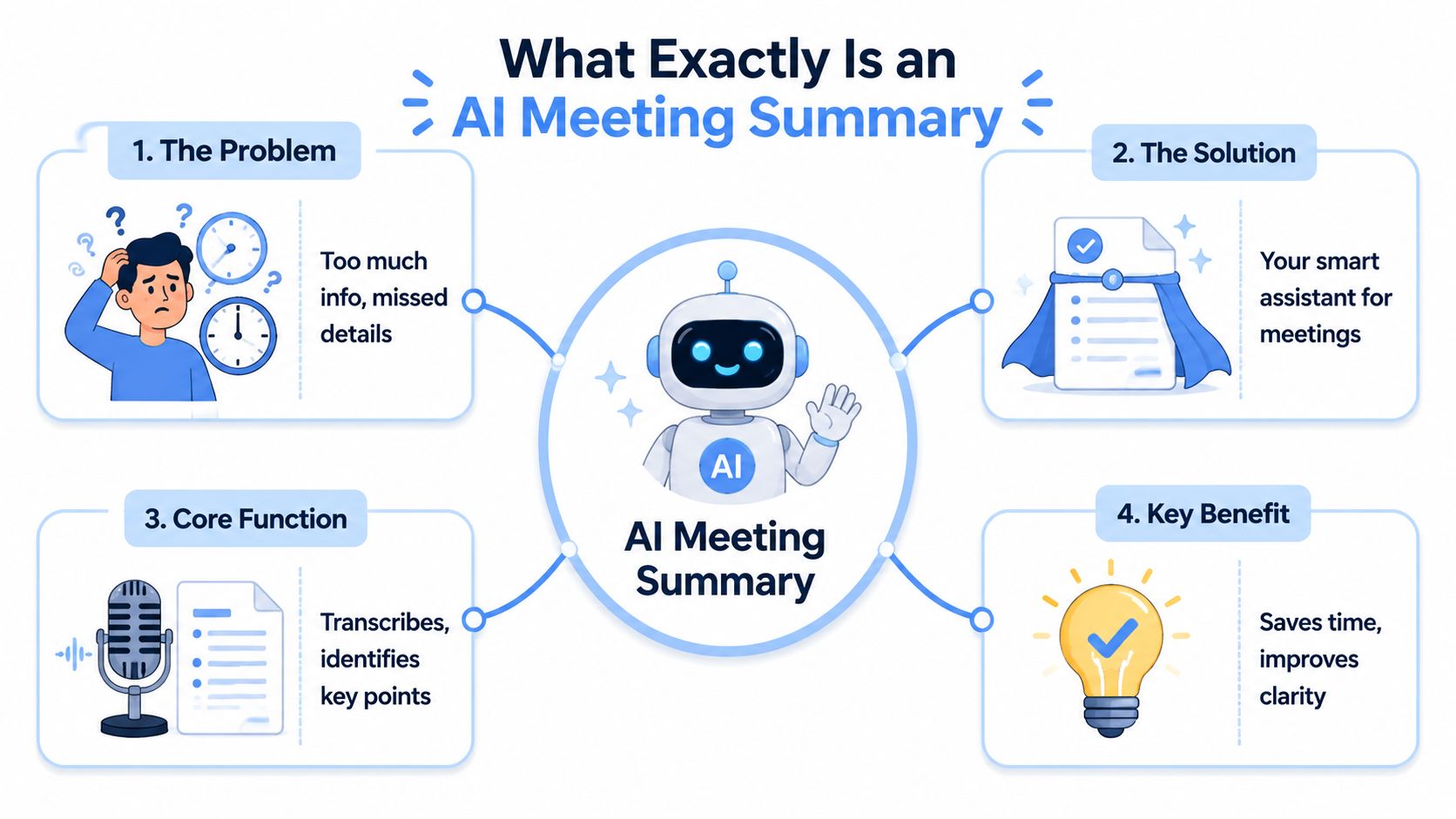
An AI meeting summary is built for that gap. It takes a spoken conversation, converts it into text, and condenses it into the parts people usually need later: the main points, decisions, open questions, and follow-up tasks.
A simple way to understand it is to split the job in two. One part captures what was said. The other part decides what mattered. AI meeting summary tools combine both steps into one workflow, often using the same AI-powered transcription software that first creates the transcript.
A transcript and a summary do different jobs
This is one of the biggest points of confusion.
A transcript is the full record. It is useful when you need exact wording, want to check who said something, or need a searchable archive. A summary is shorter and more selective. Its job is to answer the questions that come up after the meeting, when someone asks what changed and what needs action.
Those questions usually sound like this:
- What did we decide
- What still needs discussion
- Who owns what
- What should happen next
That difference matters because a raw transcript can feel like getting a box of unsorted receipts when what you needed was an expense report.
What a useful AI meeting summary includes
A realistic view is to treat the output as a strong first draft created at machine speed. Good tools do more than shrink the conversation. They try to identify the parts with operational value.
A typical summary may include:
- A short recap: The main discussion in a few bullets or paragraphs.
- Key decisions: What the group agreed to do.
- Action items: Tasks, and sometimes owners, pulled from the conversation.
- Open questions: Issues that still need an answer.
- Speaker context: Labels showing who said what, which helps with follow-up and accountability.
The trust question arises. A clean summary can save real work, but it can also miss nuance, assign a task to the wrong person, or smooth over disagreement that still matters. That is especially important in customer calls, hiring interviews, budget reviews, and other meetings where accuracy and privacy are not side issues. They shape whether the summary is safe to use.
The same pattern shows up outside internal team meetings. Teams exploring AI call review use cases use summaries to spot promises made on calls, track objections, and capture coaching moments without replaying every recording.
Practical rule: A useful meeting summary should tell you what happened, what was decided, and what happens next. If it cannot do that, it is only shorter text.
The Technology Behind Instant Meeting Notes
The process feels like magic the first time you see it. Under the hood, it's easier to understand if you break it into stages.
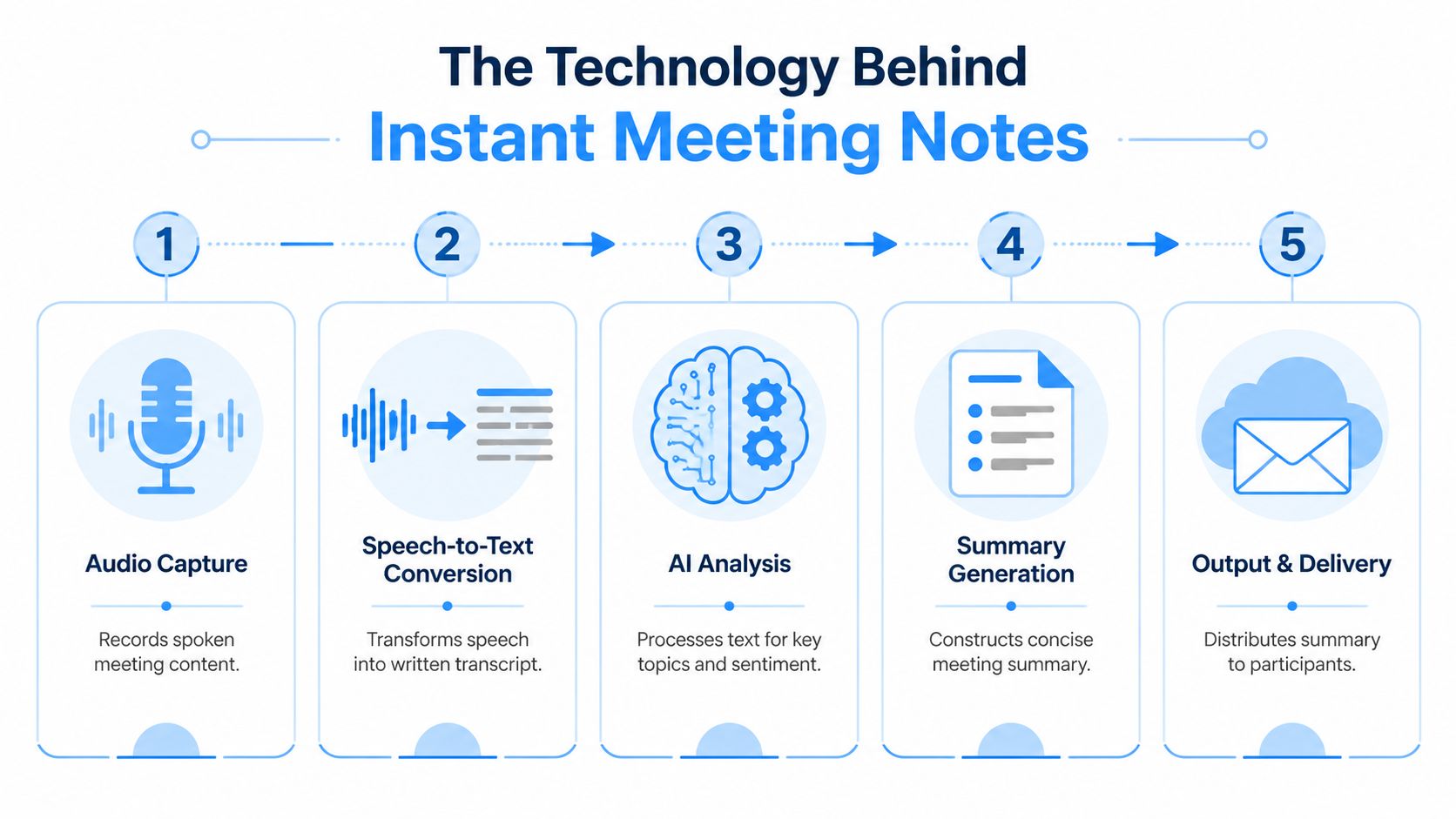
Most systems follow a simple path. They capture audio, convert speech into text, analyze the text for meaning, build a summary, and then send that output somewhere useful.
Stage one is hearing the meeting clearly
Everything starts with audio capture. That can happen in a live Zoom, Google Meet, or Teams call, or through an uploaded recording after the fact.
If the audio is messy, the summary will usually be messy too. Crosstalk, poor microphones, heavy background noise, and people interrupting each other all make the system's job harder. That's why two teams using the same tool can have very different results.
Stage two turns speech into text
This is the transcription layer. The system listens to spoken language and creates a written transcript.
Some tools also try to separate speakers, which is called speaker attribution or speaker diarization. That's the part that labels one sentence as coming from Alex and the next as coming from Priya. When it works well, the later summary becomes much more useful because the system can connect tasks or decisions to specific people.
If you want a plain-language walkthrough of how modern transcription works before the summary layer even starts, this guide to AI-powered transcription software gives a useful foundation.
Stage three is where the "smart" part begins
Once the transcript exists, the system applies language analysis to it. That's often described as NLP, short for natural language processing. You don't need the acronym to understand the job. The model is looking for patterns in language that signal importance.
It tries to notice things like:
- Decision language: "Let's go with option B."
- Commitment language: "I'll send the revised draft tomorrow."
- Question language: "Are we approved to move forward?"
- Topic shifts: The meeting moved from budget to timeline to staffing.
NVIDIA's overview of AI-powered note taking and summarization notes that the most effective tools combine transcription with low-latency processing and workflow integration, connecting summaries to CRMs and task tools so follow-up work can happen with less manual effort.
That last part is easy to underestimate. A summary sitting in a folder is nice. A summary that creates tasks, updates a record, or routes key points into the tools your team already uses is far more valuable.
Delivery matters as much as analysis
The strongest systems don't stop at writing a recap. They place the recap where work already happens.
For example:
- Project teams may want action items pushed into task software.
- Sales teams may want call outcomes attached to a CRM record.
- Support teams may want summaries linked to a ticket or knowledge base.
If you're also thinking about AI tools that answer questions after content is captured, a platform for deploying AI chatbots can show how summaries and transcripts become part of a searchable knowledge workflow, not just a one-time document.
Tangible Benefits Beyond Just Saving Time
A meeting can end with everyone nodding and still leave three different versions of what happened. By the next morning, one person remembers a decision, another remembers a suggestion, and the person who promised a follow-up has already moved on to the next task.
An AI meeting summary helps by turning a fast, messy conversation into a record people can use. The value is not just a transcript. The primary benefit is structure. Who said what, which decisions were made, what still needs an answer, and who owns the next step.
It gives the team a shared record
Memory is unreliable, especially after a packed day of calls. A written summary works like meeting receipts. If there is confusion later, the team has something concrete to check instead of relying on confidence and guesswork.
That matters more than it seems.
Small misunderstandings often create slow problems. A project starts with the wrong assumption. A client follow-up misses a promise made on the call. A manager thinks approval was given when it was only discussed. A good summary does not eliminate disagreement, but it makes the disagreement visible while it is still easy to fix.
It lets people listen instead of splitting their attention
Manual note-taking creates a tradeoff. The person capturing details is also trying to participate, ask questions, and notice what matters. That is like driving while writing directions at the same time. You can do both poorly, but not both well.
AI removes much of that burden. People can stay in the conversation, catch nuance, and respond in the moment without worrying that every useful detail will disappear.
The meeting gets better when the smartest person in the room isn't also acting as the court reporter.
It turns talk into working knowledge
Spoken conversations are easy to lose because they feel informal. Yet many important choices happen there first. Budget concerns surface in a weekly check-in. A customer objection appears on a sales call. An interview panel agrees on a candidate, then forgets why two weeks later.
Summaries make those moments searchable and reusable. Over time, they form a practical knowledge trail built from real decisions, not polished documents created months later.
It improves follow-through
Clear next steps change behavior. A vague discussion usually leads to vague action. A summary with named owners and specific tasks gives people a cleaner handoff.
That shows up in everyday work:
- Client work: Teams can confirm commitments before sending recaps or proposals.
- Internal planning: Project leads can turn discussion points into assigned tasks.
- Hiring and HR: Interviewers can compare consistent notes instead of relying on scattered impressions.
- Education: Staff and faculty can document meetings without putting the full burden on one note-taker.
There is also a trust benefit here. If the summary captures responsibilities clearly, fewer tasks fall into the common gap between "we talked about it" and "someone did it."
It helps absent teammates catch up faster
For remote and hybrid teams, not everyone is in the room at the right moment. Some people miss the meeting. Some join late. Some need the recap hours later in another time zone.
A concise summary is often more useful than a full recording because it lowers the effort required to catch up. People can review the decisions, scan the open questions, and go deeper only where needed.
That productivity gain is real, but it comes with an important caveat. A summary is only helpful if it is accurate enough to trust and handled carefully enough to protect sensitive information.
Navigating the Critical Risks of AI Summarization
The marketing for AI meeting tools often sounds cleaner than reality. It suggests that the software captures everything perfectly and packages it into a flawless recap.
That isn't safe to assume.
The accuracy problem is real
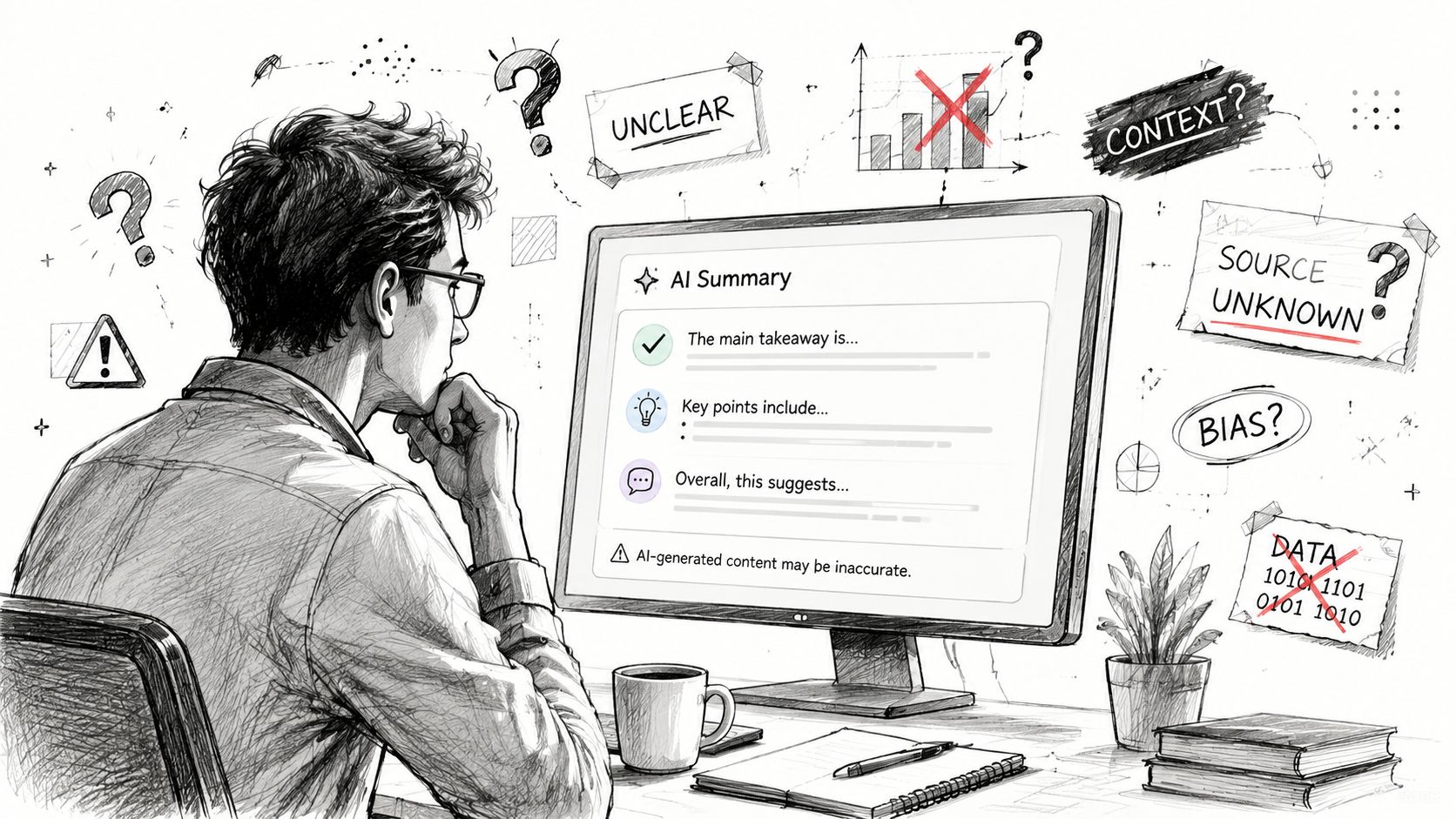
A 2025 MIT study discussed in this analysis of AI-generated meeting summaries found that 38% of AI-generated meeting summaries contained factual errors or missed key commitments.
That's a serious warning. If a tool invents an action item, drops a legal caveat, or misses who owns a task, the summary stops being helpful and starts steering the team in the wrong direction.
These failures usually show up in two ways:
- Omissions: The tool leaves out a key decision, concern, or commitment.
- Hallucinations: The tool adds something that sounds plausible but wasn't said.
A summary can read confidently and still be wrong. That's what makes this risk tricky.
How to reduce summary errors
You don't need to abandon the tool. You need a review habit.
A simple process works well:
- Check decisions first: Did the summary capture the actual outcomes of the meeting?
- Verify action items: Are the tasks real, and are the owners correct?
- Scan for missing nuance: Did anyone raise a condition, objection, or unresolved issue?
- Use the transcript when needed: If something matters, trace it back to the original wording.
Review habit: Treat AI summaries like draft meeting minutes. Fast to produce, useful to start with, but not final until a human checks the important parts.
For low-stakes internal syncs, a light skim may be enough. For client calls, compliance discussions, hiring panels, or executive meetings, review should be standard.
Privacy risk is a buying issue, not a footnote
The second big concern is data handling. Teams often focus on summary quality first and ask security questions later. That order should be reversed for sensitive meetings.
A 2025 Gartner report found that 62% of enterprises hesitate to adopt AI meeting tools because they are unsure where meeting data is stored and who controls it, as cited in Zoom's documentation on AI Companion security and privacy considerations.
That hesitation makes sense. Meeting data can include customer details, internal strategy, financial information, employee issues, or regulated material. If the tool sends transcripts to external systems without clear controls, your convenience gain may come with compliance and trust problems.
Questions worth asking before rollout
If you're evaluating an AI meeting summary product, ask direct questions:
- Where is the meeting data stored
- Who can access transcripts and summaries
- Is data encrypted in transit and at rest
- Can admins control retention and deletion
- Can users be required to disclose that AI summarization is active
- Does the tool support human review before summaries are shared
These aren't legal fine print questions. They shape whether the product fits your environment at all.
How to Choose an AI Meeting Summary Tool
Choosing a tool gets easier when you stop asking, "Which one has the longest feature list?" and start asking, "Which one fits how our team works?"
Security deserves extra weight. As noted in the earlier section, enterprise hesitation often starts with uncertainty about data location and control, not with curiosity about fancy features.
Start with the output, not the demo
A polished homepage doesn't matter much if the summary is vague, bloated, or hard to trust.
Read several real outputs and ask:
- Does the summary separate discussion from decisions?
- Are tasks easy to scan?
- Can you tell what needs follow-up without opening the transcript?
- Does the system handle your team's jargon, meeting style, and speaker mix?
Then test the workflow fit
A strong tool should reduce friction after the meeting. If people have to copy, paste, rename, reformat, and manually forward every summary, the value drops quickly.
Connections to calendars, meeting platforms, task managers, document tools, and CRMs matter. The ideal setup is the one your team will use.
For readers comparing note-taking approaches more broadly, this guide to an AI meeting note taker is useful because it frames the workflow side, not just the summary itself.
AI Meeting Summary Tool Evaluation Checklist
| Criterion | What to Look For | Why It Matters |
|---|---|---|
| Accuracy | Clear summaries, reliable speaker labels, sensible action items | Bad outputs create extra work and wrong follow-up |
| Security | Encryption, retention controls, deletion options, admin settings | Sensitive meeting data needs protection and governance |
| Integrations | Zoom, Google Meet, Teams, CRM, task tools, docs | Summaries are more useful when they flow into real work |
| Editability | Fast ways to correct wording, owners, and decisions | Human review is part of responsible use |
| Sharing | Easy export or delivery to participants and stakeholders | A summary only helps if people can access it quickly |
| Language support | Support for the languages and accents your team uses | Transcription quality often shapes summary quality |
| Pricing model | Clear limits, simple usage rules, predictable billing | Adoption gets messy when costs are hard to forecast |
One practical shortlist method
Pick three tools. Run the same meeting through each one. Compare the outputs side by side.
Include one meeting with fast discussion, one with domain-specific language, and one with multiple speakers. That gives you a much better sense of real fit than a generic product tour.
If your shortlist includes HypeScribe, evaluate it the same way you would any other option: upload a recording or connect a meeting, review the transcript and summary quality, and check whether its exports, deletion controls, and meeting-platform support match your team's process.
Your First AI Meeting Summary with HypeScribe
Monday morning, a project meeting ends. By Monday afternoon, two people remember different decisions, one action item has no owner, and the person who missed the call asks for a recap. That is a good test case for an AI meeting summary because the value is easy to see, and the risks are easy to spot too.
Some organizations already treat AI summaries as a normal part of meeting work, but with guardrails. Southern Methodist University, for example, emphasized disclosure, consent, and human review in its guidance on using generative AI meeting summaries responsibly. That balance matters. A fast summary is useful only if people can trust it and if sensitive discussions are handled carefully.
A simple first run
Start small. Pick an internal planning meeting, weekly sync, or status call with real decisions but low privacy risk.
With HypeScribe's AI meeting summary workflow, you can either connect the note-taker to a live Zoom or Google Meet session or upload a recording after the meeting. The system processes the audio, creates a transcript, and turns that transcript into a summary with key points and action items.
It helps to treat that first run like a draft from a very fast assistant. Useful, but not self-verifying.
A good summary should feel like the meeting was condensed, not rewritten. You should be able to skim it and recognize what happened, the same way a well-organized whiteboard photo helps you remember a discussion without replaying the whole hour.
What to check before you send it
Pause before sharing it with the team. Review the summary for three practical questions:
- Did it capture the key decisions? Look for places where the group discussed options but did not agree.
- Are the action items usable? Each task should be clear enough that the owner knows what to do next.
- Did the summary flatten nuance? AI can compress uncertainty, disagreement, or risk into language that sounds more settled than the meeting was.
That last point is easy to miss. If someone said, "We should test this before rollout," a weak summary might turn that into "Team approved rollout." The wording is shorter, but the meaning changed.
If the output holds up after a quick human check, send it while the meeting is still fresh. That is when summaries do their best work. They reduce back-and-forth, help absent teammates catch up, and give everyone one version of what happened.
A short product walkthrough can help if you prefer to see the workflow before trying it yourself.
Your first test does not need to prove that AI can replace note-taking forever. It needs to answer a simpler question. Does this tool save time without creating extra cleanup, confusion, or privacy concerns? If the answer is yes, you have a strong starting point.



































































































