
10 Best Video to Text Converters for 2026

You finish a client call, close the laptop, and realize the actual work starts now. Someone needs the transcript, someone else needs meeting notes, and the team still expects clear action items by the end of the day.
A good video to text converter fixes that bottleneck. It turns recordings into material you can search, edit, quote, summarize, and pass into the next step of work without scrubbing through the timeline again. For content teams, that might mean turning a webinar into a draft. For sales and ops teams, it means pulling decisions, owners, and follow-ups out of a meeting before context fades.
The category has improved fast. Tools now handle multilingual recordings, speaker separation, exports, and meeting capture well enough that the primary buying question is no longer whether a product can transcribe. The better question is what happens after the transcript appears on screen.
That distinction matters in this list. I'm not only looking at raw transcription quality. I'm looking at the full workflow: how easily a tool takes in video, how much cleanup the text needs, how well it supports editing and sharing, and whether it helps turn a conversation into something usable. HypeScribe stands out here because it supports the handoff from recording to notes and action items, which is also why I'll show a practical workflow for transcribing video to text and then carrying that output through to meeting notes later in the article.
If you're also polishing finished video, this guide on adding subtitles for polished videos is a useful next step after transcription.
Below are the tools I'd seriously consider in 2026, based on day-to-day trade-offs that affect real work: accuracy, speed, language coverage, meeting capture, export options, editing flow, security, and how well each tool gets you from talk to task.
1. HypeScribe
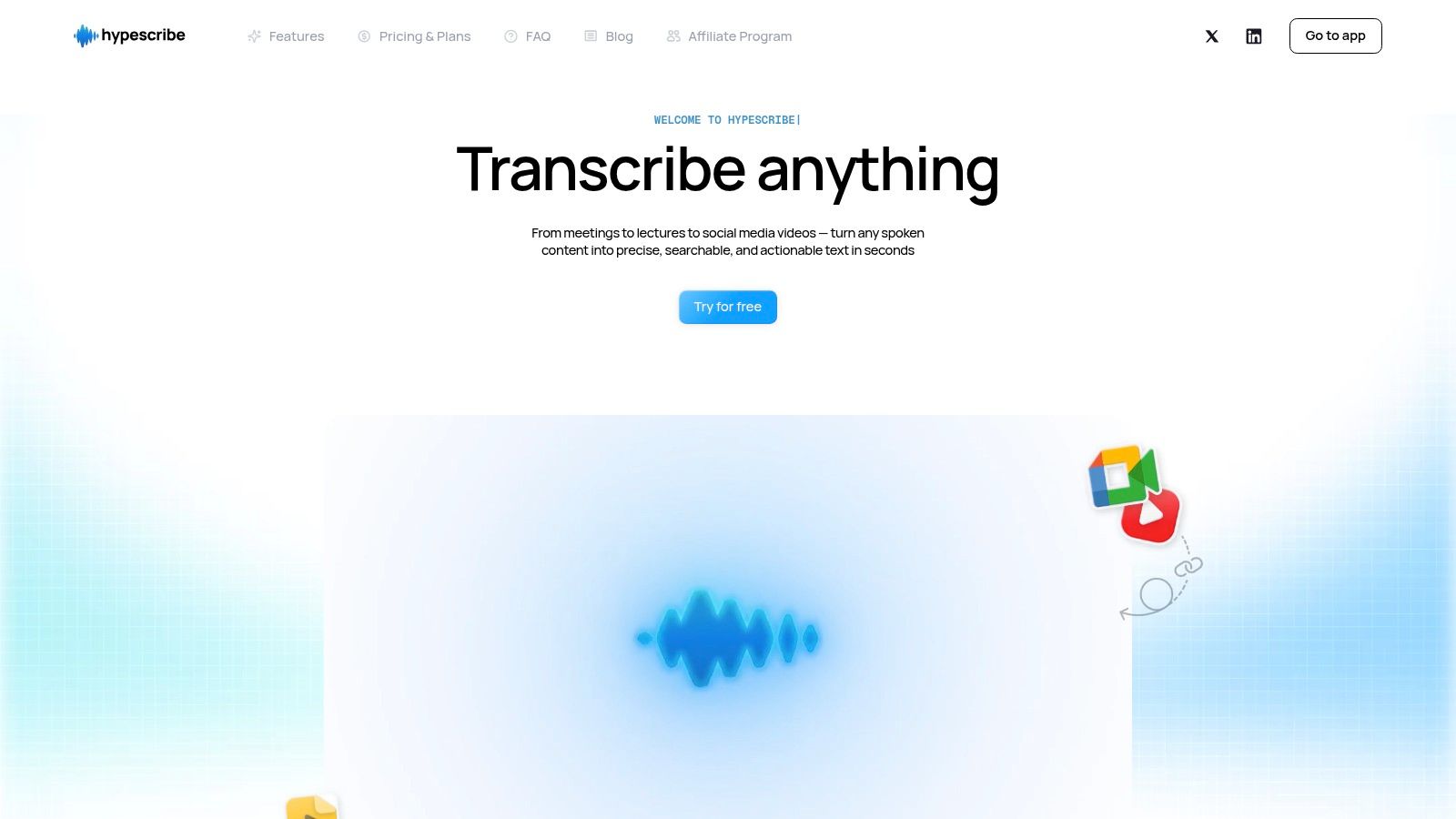
A familiar scenario: the meeting ends, everyone agrees on next steps, and two days later nobody remembers the exact wording of the decision or who owned which follow-up. HypeScribe is strong at closing that gap. It handles the transcription step well, but the bigger advantage is what it lets you do with the transcript once it exists.
I rate it highly for teams that need more than a text dump. You can upload files, paste hosted video links, or capture audio directly, which cuts down the usual friction at the start of the workflow. That matters in real use. If people have to rename files, convert formats, or move recordings between tools before they can transcribe, the process breaks down fast.
Why it works well in practice
HypeScribe supports transcription in many languages and uses a token-per-file model rather than charging strictly by the minute. That pricing structure is easier to manage if your recordings vary a lot in length, especially for interviews, training sessions, webinars, and internal meetings that regularly run long. It also supports meeting notes for Zoom, Google Meet, and Microsoft Teams, with exports to Google Docs, Word, PDF, TXT, and Markdown.
The file-based approach is useful for a simple reason. Minute caps create uncertainty when one project is a 12-minute update and the next is a 75-minute workshop. Paying by file is often easier to budget and easier to explain to a team lead approving software.
One practical comparison helps here. If you are weighing HypeScribe against meeting-first tools, this roundup of Otter AI alternatives for teams that need more flexible transcription workflows gives helpful context.
Turning a video into meeting notes
HypeScribe earns its spot in this list because it supports the full path from recording to usable output.
- Add the source file: Upload the meeting recording or paste in a hosted link.
- Generate the transcript: Create a searchable text version of the conversation.
- Clean up the weak spots: Fix speaker names, product terms, acronyms, and sections with crosstalk.
- Build the summary: Use the summary and key-points features as the first draft instead of writing notes from scratch.
- Extract decisions and tasks: Pull out action items, owners, and deadlines into a working notes document.
- Query the recording: Use the file-aware chatbot to check who agreed to what, or find the part of the meeting where a decision changed.
- Export and share: Send the final version to the format your team already uses.
That workflow is the reason I'd recommend it to operations teams, consultants, researchers, and anyone who turns recorded conversations into deliverables. A transcript alone is rarely the final product. Meeting notes, decision logs, client recaps, and task lists are.
If you want to see that process in more detail, HypeScribe's video-to-text walkthrough is a useful reference.
Best fit and trade-offs
HypeScribe fits best when recordings need to become working documents quickly. That includes client calls, internal planning sessions, lectures, interviews, and research conversations. It is less suited to editors who spend most of their time shaping footage inside a timeline and want the transcript to serve the edit first.
There is also the standard transcription trade-off. Bad audio still creates cleanup work. Heavy accents, overlapping voices, weak microphones, and company-specific jargon can all reduce first-pass accuracy. In practice, the tool saves the most time when the recording is clear and the team cares about what happens after the transcript is generated.
2. Otter.ai
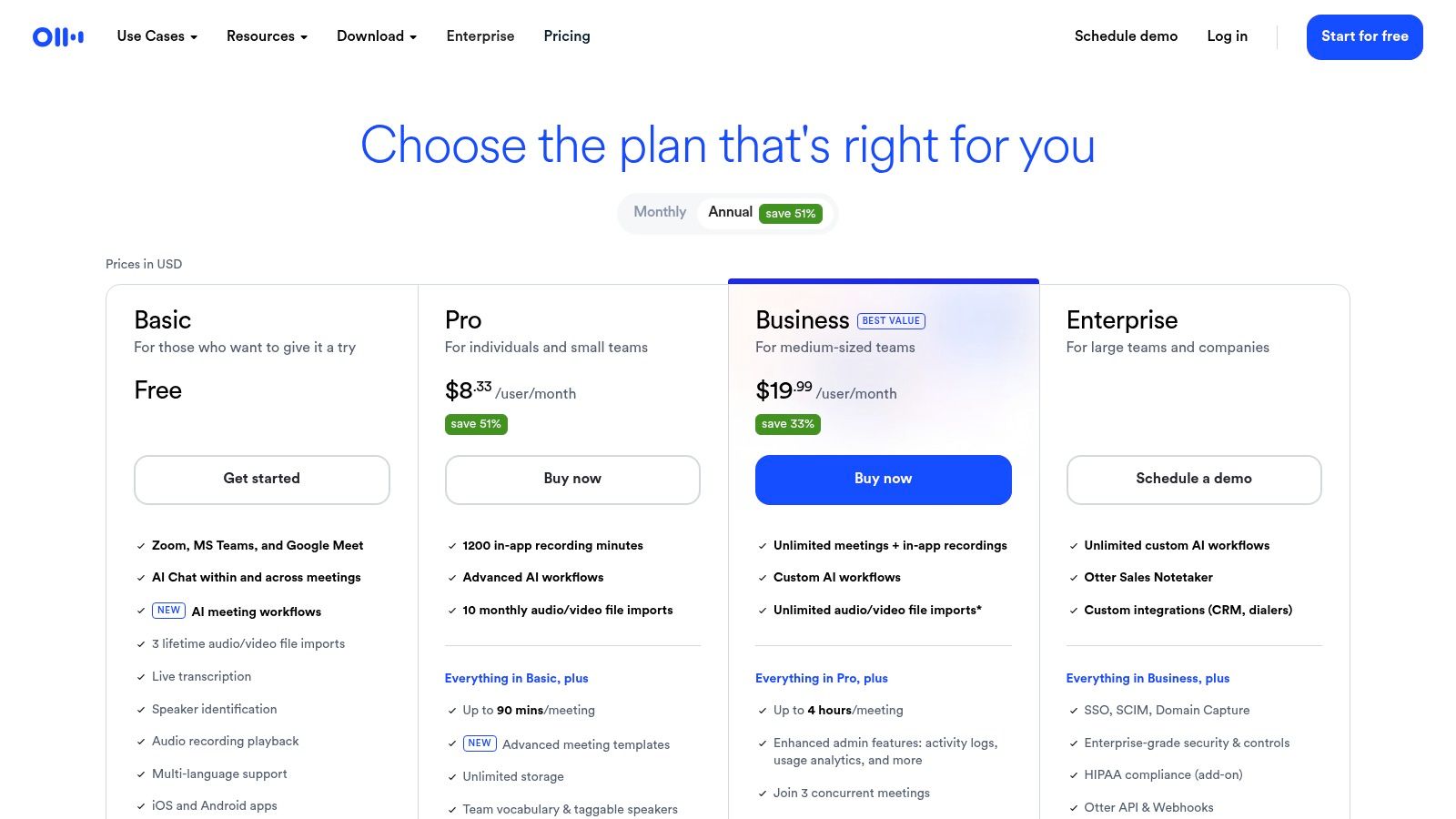
Otter.ai remains one of the most familiar meeting transcription tools because it's built around live capture first. If your week is packed with recurring calls, internal standups, customer interviews, and planning sessions, Otter still makes sense.
It handles uploaded files, but the product feels strongest when it's connected directly to meetings. Speaker labels, searchable archives, and automated summaries are its primary appeal. I'd recommend it more for operations and meeting-heavy teams than for creators doing transcript-driven content production.
Where Otter fits best
Otter works well when your recordings come from Zoom, Google Meet, or Microsoft Teams and you want notes with as little manual handling as possible. It also helps when multiple people need access to the same transcript archive and want to search past conversations without digging through folders.
If you're comparing it with newer options, this roundup of Otter AI alternatives is useful because many teams outgrow the meeting-only focus and start wanting more flexible file handling or exports.
- Good for recurring meetings: It reduces the need for one person to be the designated note taker.
- Good for shared archives: Teams can search old calls and pull details quickly.
- Less ideal for creator workflows: It isn't the first tool I'd choose for turning long video into clips, captions, and publish-ready edits.
Otter is usually a workflow decision, not an accuracy decision. If meetings are the center of your work, it fits naturally.
The downside is that file import and post-production flexibility can feel secondary depending on your plan. If you spend more time editing content after the transcript is done, a transcript-first editor like Descript may suit you better.
3. Rev
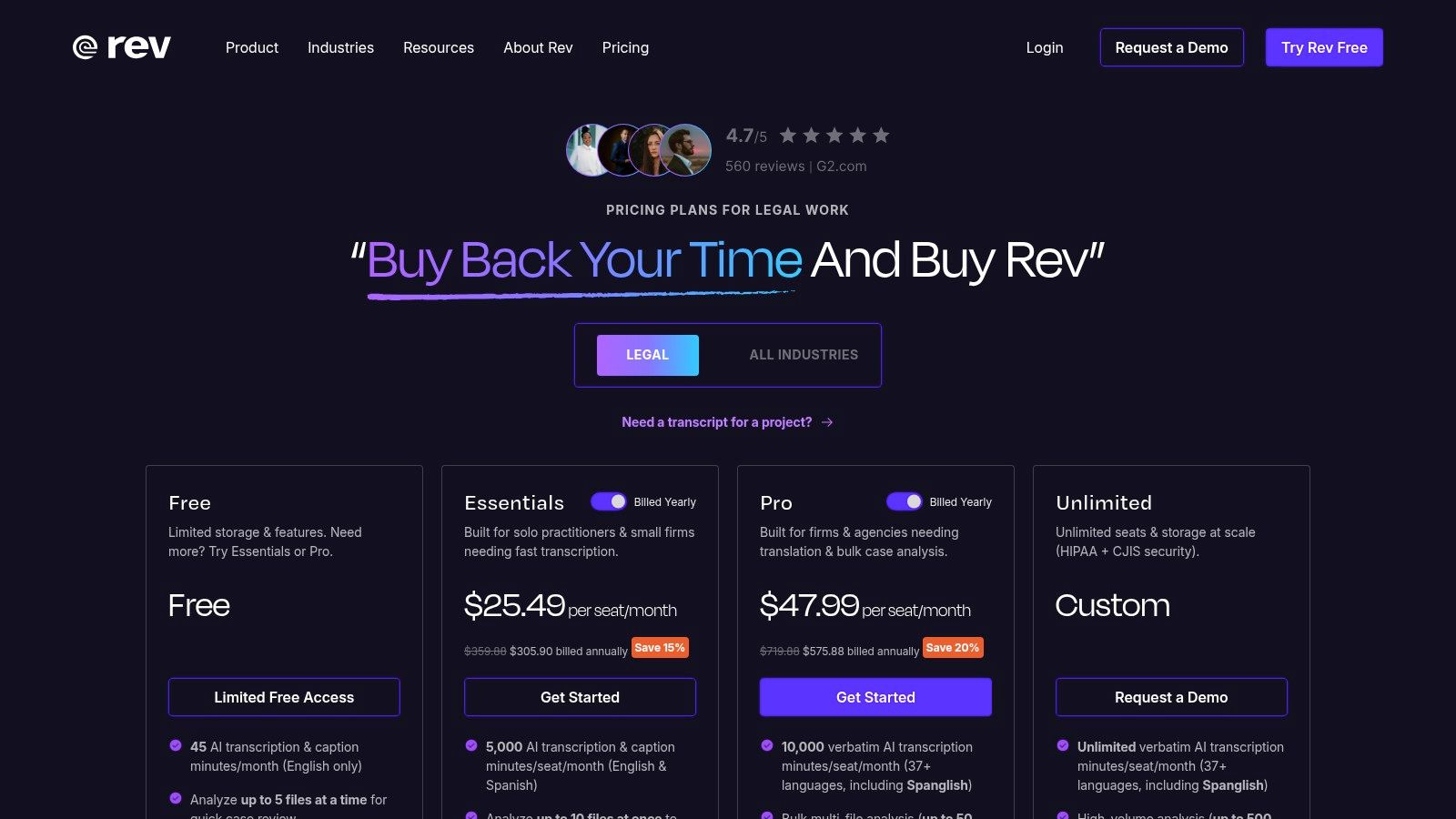
Rev is the one I'd choose when “good enough AI output” isn't enough. Legal interviews, compliance-sensitive material, board recordings, documentary interviews, and anything that needs near-verbatim review are where Rev still earns its place.
The core reason is simple. It offers both AI transcription and human transcription, so you can choose speed or a higher-assurance workflow depending on the job. That's still valuable, especially when the transcript becomes part of a record rather than just internal notes.
When Rev is worth paying for
In an independent 2026 roundup, Reduct.Video reported 94.92% AI transcription accuracy across six audio types and also offered 99% accurate human transcription in English, reinforcing the practical gap between strong AI output and human-reviewed transcription for demanding workflows (Reduct.Video transcription software roundup). Rev belongs in the same conversation because it gives buyers that same strategic choice between AI speed and human review.
That matters in a very real way. A transcript for brainstorming can survive a few misses. A transcript for legal review, research archives, or published captions usually can't.
- Choose AI transcription: For faster turnaround on internal material.
- Choose human transcription: For sensitive recordings and near-verbatim needs.
- Choose Rev's caption tools: When transcript and subtitle delivery need to happen in one place.
Rev's trade-off is cost. Human transcription is naturally pricier than a pure AI workflow, and if you process high volumes of routine video, the spend adds up fast. But when the transcript has to hold up under scrutiny, cheaper isn't usually better.
4. Descript
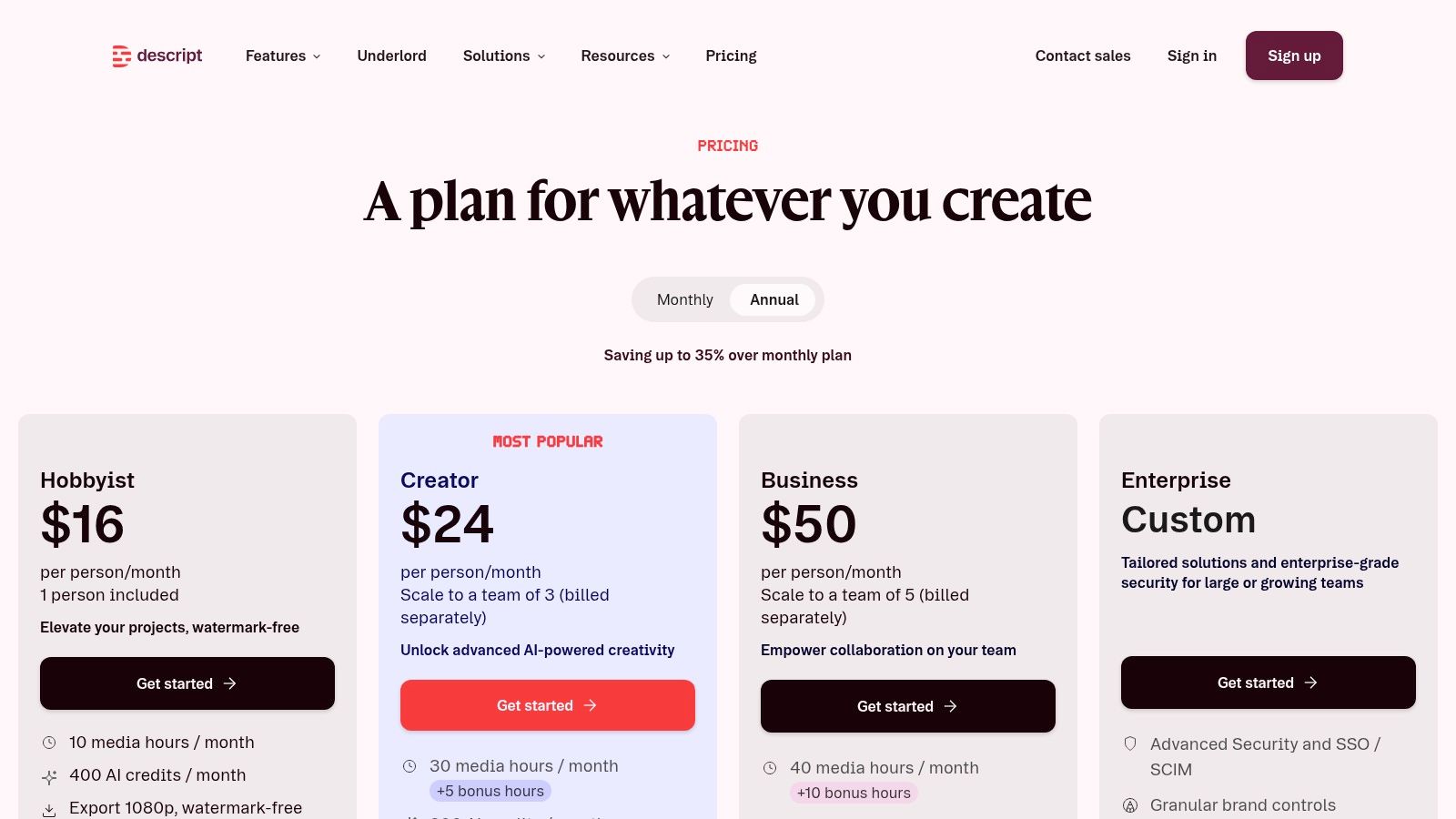
Descript is less a plain video to text converter and more a text-driven editing environment. That distinction matters. If your goal is to repurpose a podcast, trim an interview, remove filler words, and export clips, Descript can replace several separate steps.
This is the tool I reach for when the transcript is the editing surface. You delete a sentence in the transcript and the corresponding media section disappears. For creators, marketers, and internal comms teams, that's a much bigger productivity shift than simple transcription.
Best for transcript-first editing
Descript shines when one long recording needs to become multiple assets. A webinar can become social clips, quote cards, article drafts, internal notes, and captioned excerpts without moving through several disconnected tools.
Its filler-word removal, caption workflows, and collaboration features are useful, but its main strength is speed of editorial iteration. You can decide what to keep by reading, not by scrubbing.
If you think in scripts and paragraphs instead of waveforms and timelines, Descript feels fast immediately.
The downside is that it can feel like too much software if all you need is raw text. Some teams also need to keep an eye on usage and plan limits. For pure transcription, there are simpler products. For creator workflows, Descript is one of the strongest options on this list.
5. Trint
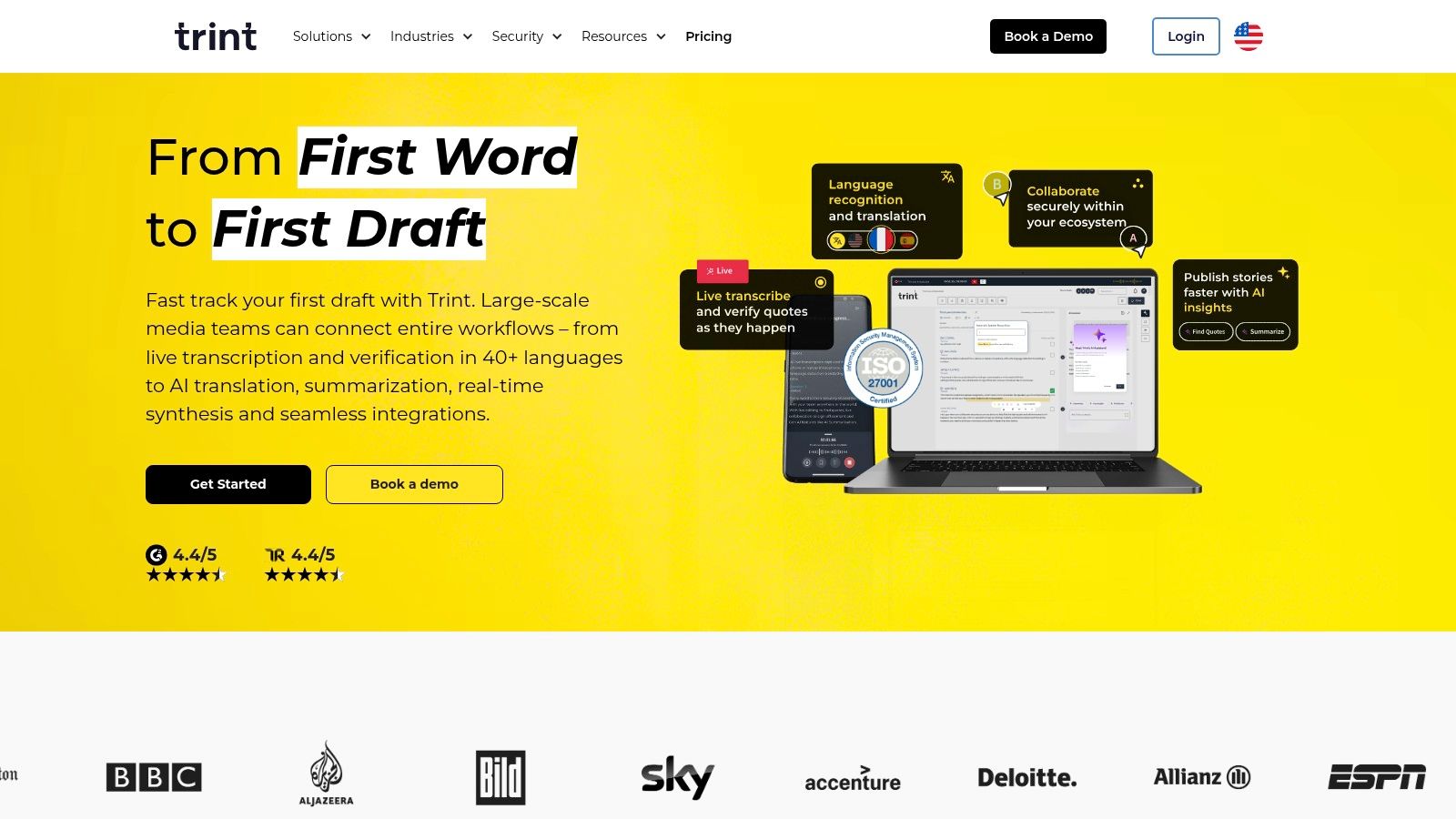
Trint feels built for editorial teams. Newsrooms, documentary teams, comms departments, and multilingual content operations tend to like it because the transcript isn't treated as an end product. It's treated as source material for publishing.
That changes how the product feels in use. You aren't just converting a video to text. You're extracting quotes, collaborating on edits, and preparing content for publication across languages and regions.
Why media teams like it
Trint supports transcription in 40+ languages and translation into 70+ languages, with enterprise security options such as EU or US storage and ISO 27001 described on its product pages via the Trint platform website. For teams with cross-border publishing workflows, those details matter as much as the transcript itself.
The collaboration side is also strong. Editors can work from the same source material, pull highlights, and build stories from interviews without reinventing file management every time.
- Strong editorial workflow: Good for extracting quotes and shaping stories.
- Strong multilingual operations: Better suited than many consumer tools for cross-language publishing.
- Less suited to casual use: Solo users may find it heavier than they need.
Trint's biggest drawback is pricing transparency. Teams usually need to go through an account or demo process, and that slows down quick evaluation. But if your environment is newsroom-like or enterprise-heavy, it's a serious contender.
6. Sonix
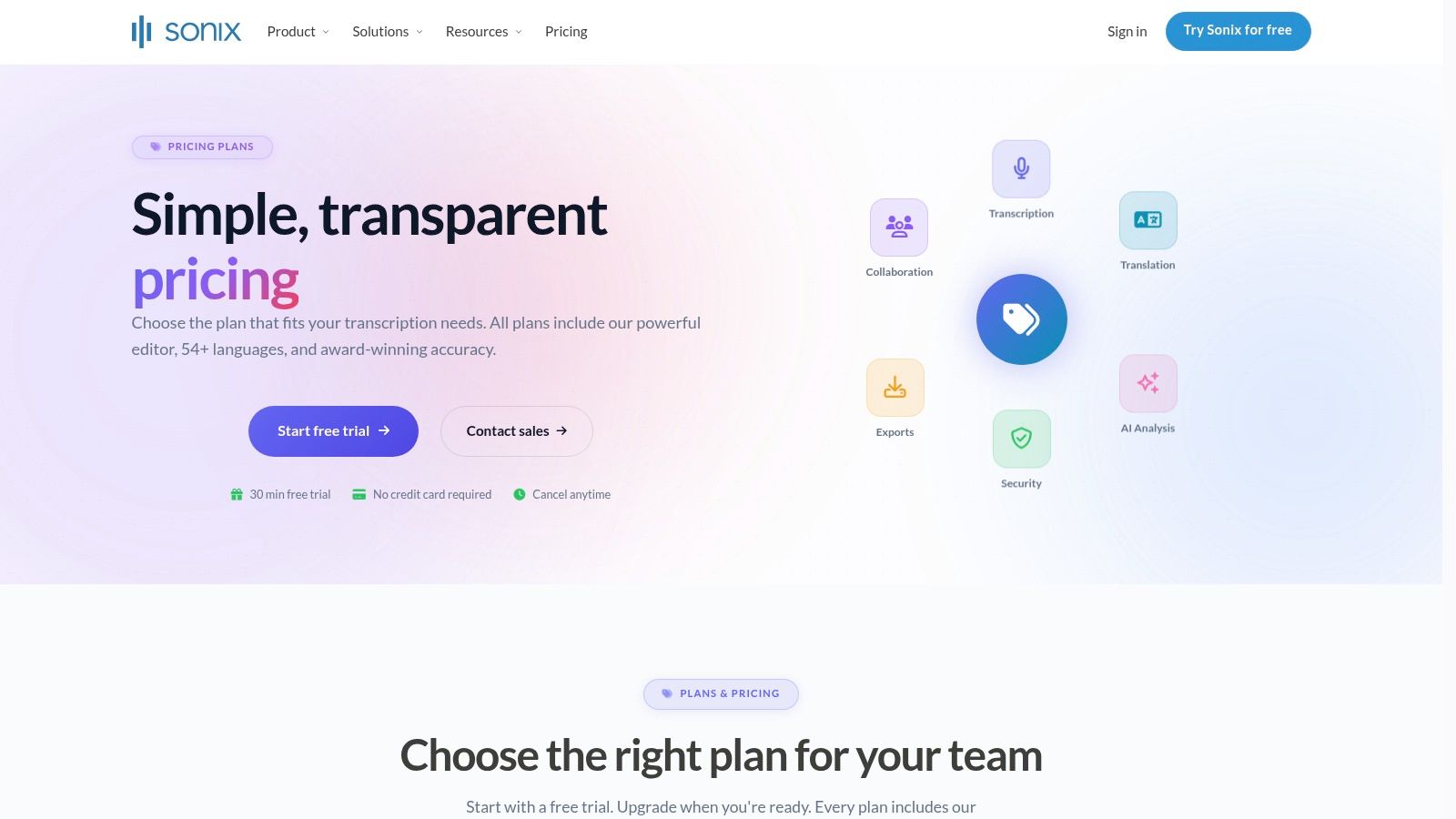
Sonix has been a dependable middle-ground option for a while. It gives you automatic transcription, translation, an in-browser editor, and pricing that can work for both occasional and steady usage. That flexibility is the reason it stays relevant.
I usually think of Sonix as a practical choice for people who want transcription software, not a larger meeting platform or a creator studio. It's straightforward, capable, and easier to slot into existing workflows than tools that try to own the whole production process.
Where Sonix earns its spot
One Sonix industry roundup notes that average AI transcription accuracy in real-world conditions can land around 61.92% with noise and multiple speakers, while leading platforms can approach about 99% on cleaner or optimized audio, which is a useful reminder that editing tools and speaker handling often matter more than marketing claims (Sonix speech-to-text statistics overview). That framing is exactly why Sonix works for many teams. It gives you enough editing control to clean up the hard parts efficiently.
The legal and medical angles are also worth noting. Specialized workflows often need stronger terminology handling, tighter review habits, and cleaner export behavior than generic content transcription.
- Good for mixed workloads: Interviews, internal content, and recurring transcription jobs.
- Good for editor control: The browser editor is practical for cleanup.
- Not the most expansive platform: Some newer AI workspace features sit behind higher tiers.
If you want a balanced tool that doesn't force you into a meeting assistant or a full editor, Sonix is an easy one to shortlist.
7. Happy Scribe
A common handoff problem looks like this. The transcript is good enough, but the subtitle file still needs cleanup, the translated version reads awkwardly, and the team exporting clips for different markets ends up fixing timing by hand.
Happy Scribe earns its place on this list because it addresses that specific workflow better than many transcription tools. It fits agencies, training teams, course publishers, and in-house marketing groups that need text output and usable subtitles in more than one language.
The main appeal is not raw transcription alone. It is the combination of language coverage, subtitle formatting, translation support, and the option to add human review when the video is customer-facing. That matters in practice. A meeting transcript can survive a few rough edges. Public subtitles usually cannot.
Built for multilingual subtitle work
Happy Scribe supports a wide range of languages and accents, which makes it a practical choice for teams localizing video libraries or publishing the same content across regions. If your workflow already includes turning spoken content into meeting notes with HypeScribe, then repackaging selected clips with subtitles for external distribution is a different job. Happy Scribe is better suited to that second step.
I have found that subtitle quality depends on more than word accuracy. Timing, line length, speaker changes, and readability on mobile screens all affect whether viewers can follow the content. Happy Scribe handles that layer more directly than tools built primarily for meetings or general transcription.
Clean transcripts help with review and search. Clean subtitles affect watch time, comprehension, and whether a localized video feels finished.
The trade-off is pricing complexity. Usage can climb quickly if a team is transcribing, translating, and sending higher-value assets through human proofreading. For occasional internal videos, that may be more process than you need. For subtitle-heavy publishing, especially across languages, the extra control is often worth paying for.
8. VEED.io
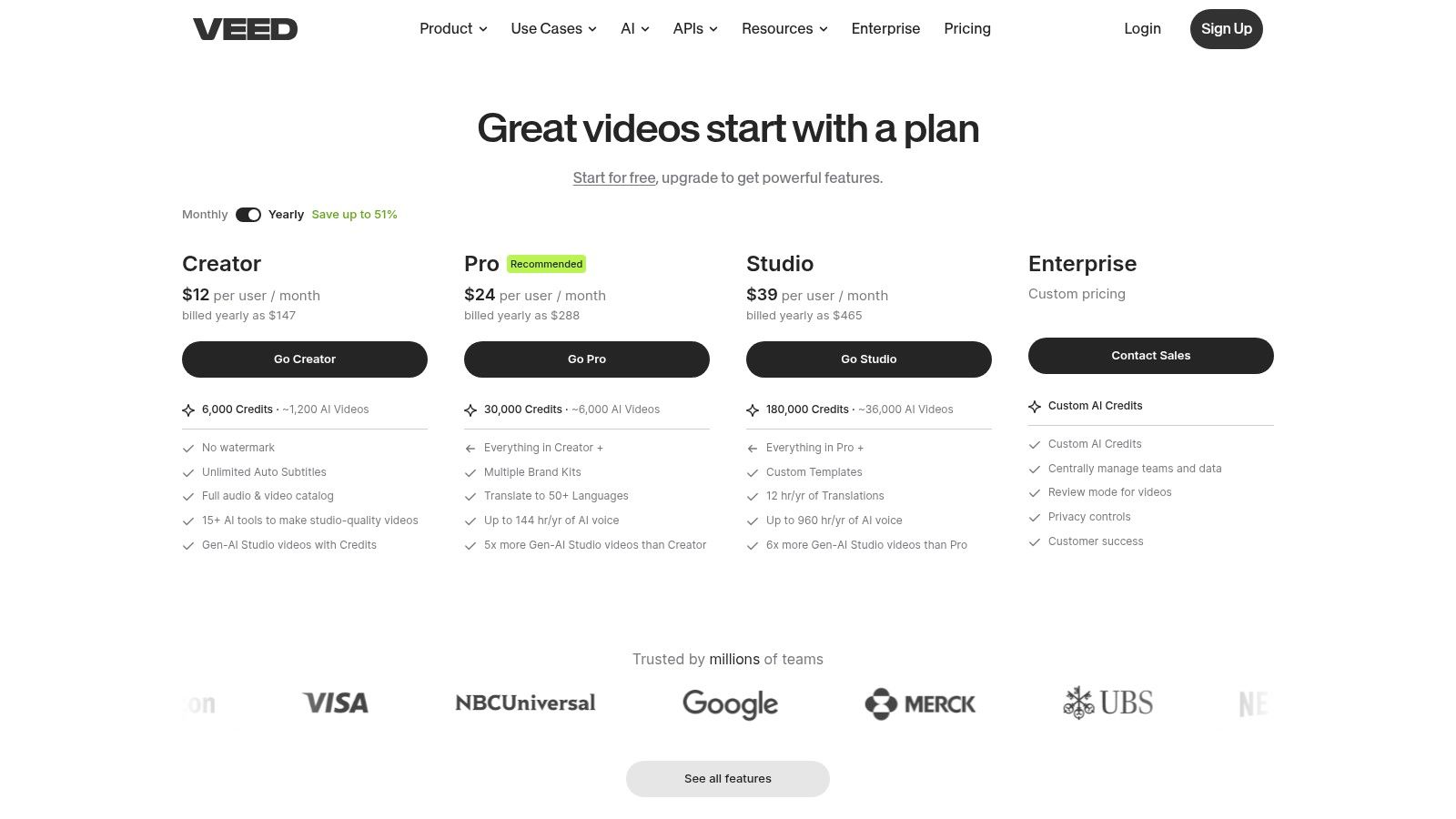
VEED.io is for people who want to move fast from raw video to finished, captioned content in the browser. If your main job is publishing clips, promos, explainers, or social content, VEED can be more useful than a stricter speech-to-text tool.
That's because its transcription is tied to presentation. You're not just generating a transcript. You're turning that transcript into on-brand captions and deliverables without leaving the editor.
Fast for publishing teams
The product's auto subtitle tools and browser editor make it attractive for marketers, social teams, and smaller production shops that don't want to hand projects across multiple apps. The availability of an API also matters if your team is automating caption or transcript generation at scale.
I'd choose VEED over a pure transcription platform when visual output matters immediately after the transcript is created. For example, if a client wants stylized captions, short-form exports, and quick revisions, VEED's workflow makes more sense.
- Best for browser-based editing: Quick publish cycles and styled captions.
- Useful for automation: The API supports pipeline-driven workflows.
- Less ideal for pure transcript archives: If the end product is text, a dedicated transcription tool may be cheaper and cleaner.
VEED's main limitation is focus. It's editor-first. If your work depends on searchable transcript libraries, meeting records, or research-heavy annotation, another tool on this list will feel more natural.
9. Reduct.Video
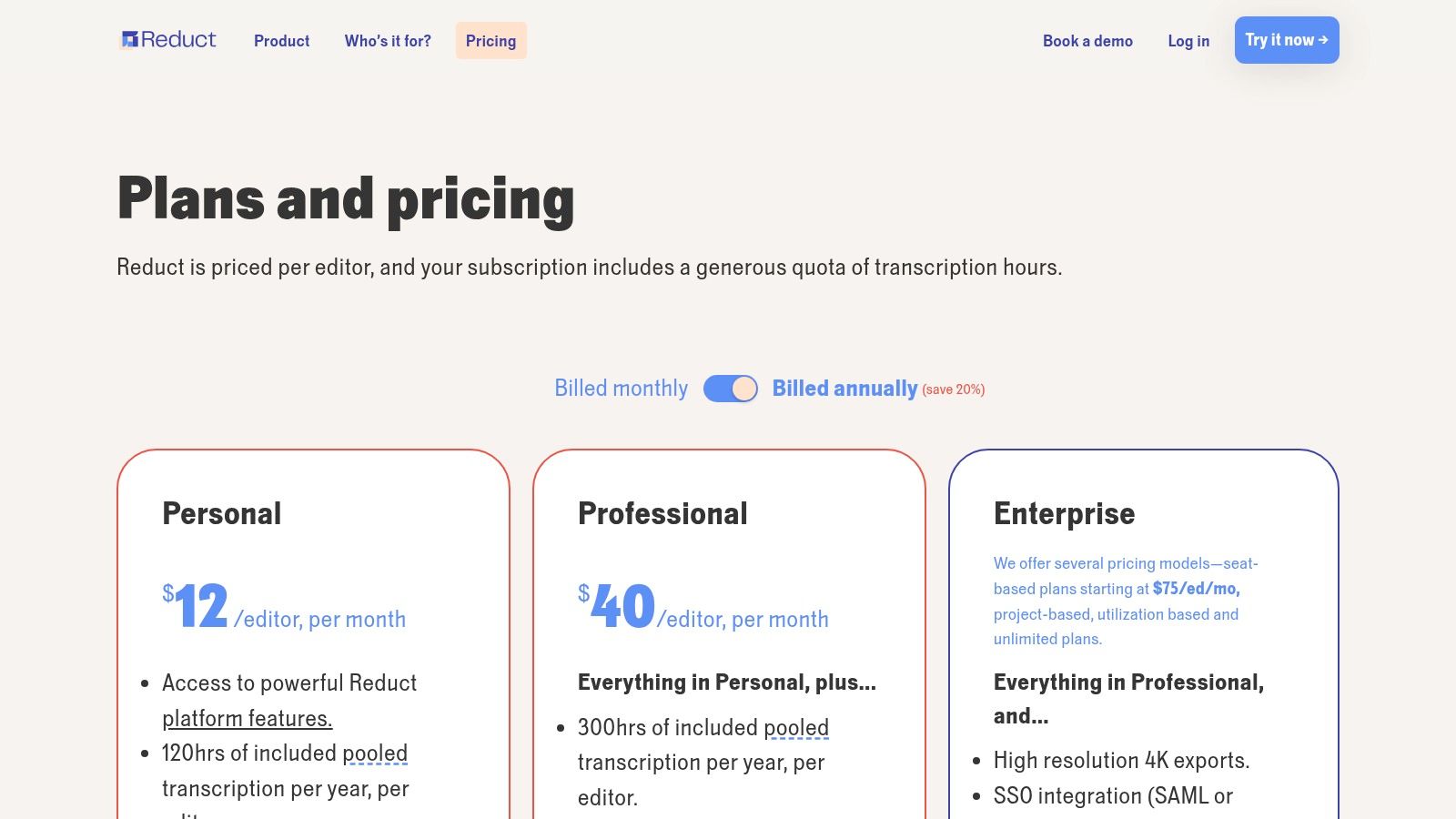
Reduct.Video is one of the more specialized entries here, and that's a good thing. It's a strong choice for researchers, UX teams, documentary producers, and anyone building insight-heavy projects from recorded conversations.
What makes it different is the transcript-centric editing model paired with highlight extraction, rough cuts, and redaction. This isn't just “upload video, get text.” It's “mine recorded conversations for evidence, themes, and clips.”
Strong for research and review workflows
Its pricing and packaging are more team-oriented, but the product earns attention because it combines transcript search, editing, and compliance-friendly handling in one place. If you work with interviews, user research sessions, testimonial footage, or long-form source material, those features matter a lot more than a slick meeting bot.
For people just trying to get started without paying immediately, this guide to converting video to text for free is a useful baseline before stepping into a more specialized platform like Reduct.Video.
- Excellent for qualitative work: Research teams can tag, highlight, and share evidence quickly.
- Useful for story assembly: Production teams can build rough cuts from transcript selections.
- Probably too much for simple jobs: If you only need plain text, it's more platform than you need.
Reduct.Video is at its best when transcript quality affects analysis and not just readability.
10. Notta
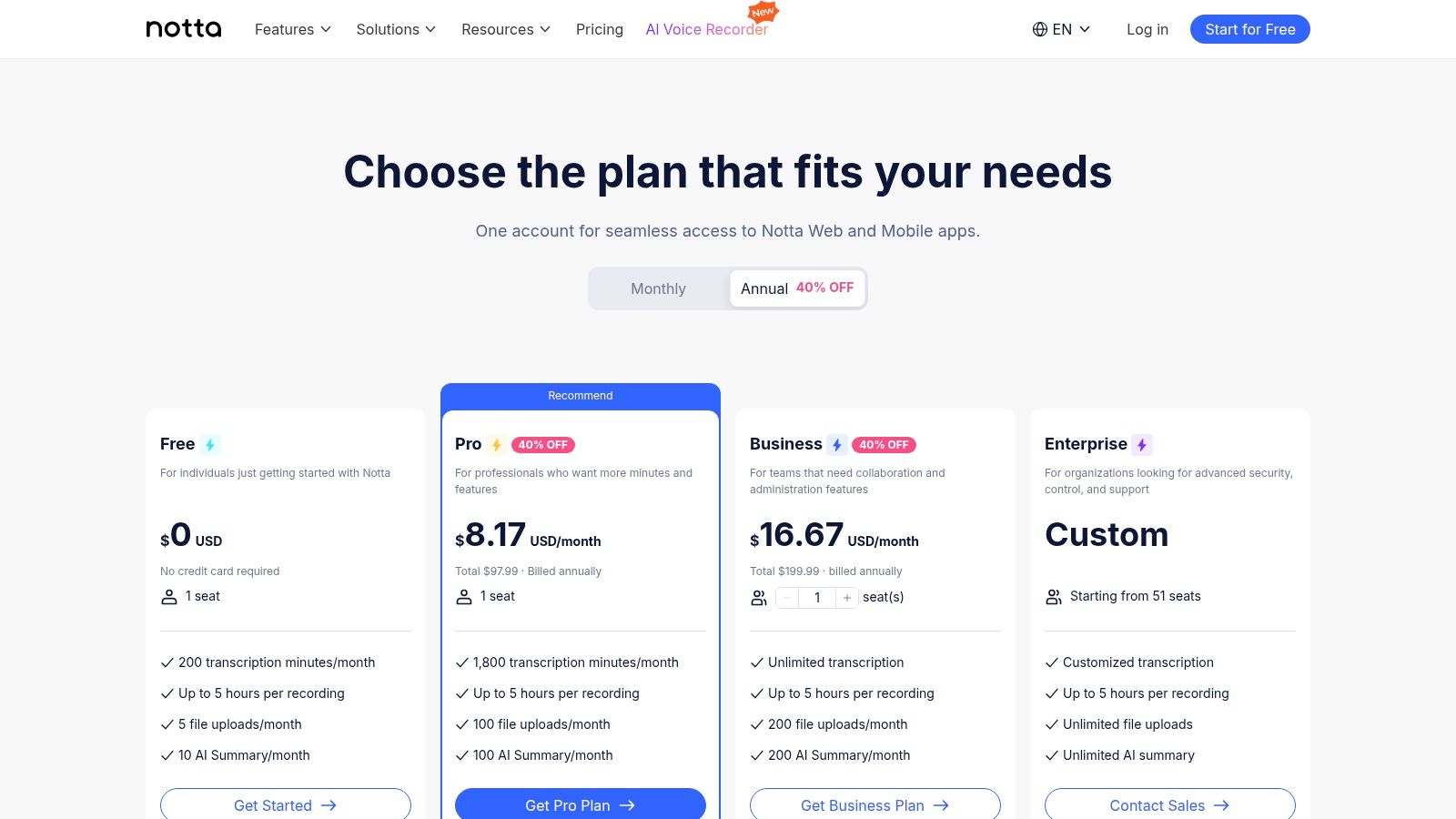
Notta is the practical cross-device option on this list. Web, desktop, mobile, browser extension, and even its hardware recorder give it a broader capture story than many competitors. If you record in classrooms, offices, interviews, or field settings, that flexibility is appealing.
I like Notta most for people who don't always start from a polished media file. Students, interviewers, researchers, and hybrid teams often need a tool that can capture first and organize later.
Best for capture-anywhere use
The workspace is simple enough to keep recordings and transcripts organized without much setup. That matters because disorganized transcription software creates a second problem. You get the transcript, then lose it in a mess of unlabeled files and duplicate exports.
Notta's quota-based model is the main thing to watch. It can work well for moderate use, but heavy users should test real recordings before committing, especially longer sessions or files with inconsistent audio.
A flexible capture workflow is valuable when recording conditions change from one project to the next.
If you need one account that follows you from laptop to phone to browser and back again, Notta is a sensible choice. If you need advanced editing or richer post-transcription workflows, others on this list go further.
Top 10 Video-to-Text Converter Comparison
| Product | Core features | Quality & Speed (★) | Pricing & Value (💰) | Target audience (👥) | Unique selling points (✨) |
|---|---|---|---|---|---|
| HypeScribe 🏆 | Uploads/links/recorder, real-time note‑taker, file-aware chatbot, 99+ languages | Up to 99% accuracy, transcribe 1 hr in <30s ★★★★★ | Free (3 files/mo); Starter $6.99; Pro $7.99; Ultra $12.99, token-per-file 💰 | Creators, PMs, teams 👥 | Token system (no length cap), ultra‑fast processing, auto summaries & action items ✨ |
| Otter.ai | Live + file transcription, speaker ID, meeting assistant, integrations | Strong live notes for calls; reliable ~90–95% ★★★★ | Free + Pro/Business tiers (minute caps on lower plans) 💰 | Teams and recurring meetings 👥 | Meeting-centric assistant, speaker labels, rich integrations ✨ |
| Rev | AI + human transcription, captions & subtitles, enterprise workflows | Human option ≈99% (human); AI less costly ★★★★★ (human) | Pay‑per‑minute; human pricier, AI subs available 💰 | Legal, enterprise, certifications needed 👥 | Human-certified transcripts, caption workflows, legal-grade accuracy ✨ |
| Descript | Transcript-first audio/video editor, filler removal, Studio Sound | High accuracy; editor-driven workflow ★★★★ | Credit/media-hour model; Creator/Pro tiers 💰 | Creators, social/video teams 👥 | Edit by text, audio enhancement, clip publishing tools ✨ |
| Trint | Multilingual transcription & translation, team editing, live capture | High for editorial use; good cross-language accuracy ★★★★ | Enterprise/demo-based pricing (contact sales) 💰 | Newsrooms, media & production teams 👥 | Fast cross-language publishing, enterprise security options ✨ |
| Sonix | Fast automatic transcription, in-browser editor, pay-as-you-go or subs | Accurate and fast; scalable ★★★★ | Pay-as-you-go or subscription; clear USD pricing 💰 | High-volume users, legal/medical tiers 👥 | Transparent pricing, specialized legal/medical offerings ✨ |
| Happy Scribe | AI transcription, subtitles, translation + optional human proofing | Good accuracy; depends on audio; human proofing available ★★★★ | Credit/min system; human proofing extra cost 💰 | Course creators, agencies, multilingual publishers 👥 | Extensive subtitle formats, platform connectors, human proofreading ✨ |
| VEED.io | Video editor with auto-subtitles, Video→Text workflow, Subtitles API | Fast for captions; editor-first accuracy ★★★★ | Editor plans + API pricing (varies by plan) 💰 | Video creators, marketers, API users 👥 | Styled captions, editor publishing tools, Subtitles API ✨ |
| Reduct.Video | Transcript-centric video platform, text-driven editing, redaction | High for research/UX; secure workflows ★★★★ | Team/seat pricing; contact sales 💰 | Research, UX, insight & production teams 👥 | Text-driven rough cuts, redaction/compliance (SOC2/HIPAA-ready) ✨ |
| Notta | Multi-device transcription, workspace, Chrome extension, optional recorder | Good for interviews/field; mixed on very long recordings ★★★★ | Quota-based minutes; clear paid tiers 💰 | Students, interviewers, field recorders 👥 | Hardware recorder sync, cross-platform workflow, simple organization ✨ |
From Talk to Task
A transcript helps only if it changes what happens next. In practice, the true test is simple. Can someone open the output, see the decisions, spot the action items, and move work forward without rewatching the video?
That is why tool choice should start with the job after transcription. A meeting recording needs a different system than a podcast edit, a legal review, or a multilingual caption workflow. I have seen teams buy on headline accuracy, then realize the product slows them down because summaries are weak, exports are messy, or the transcript never turns into usable notes.
The market keeps expanding for a reason. Analysts at MarketsandMarkets outline strong growth in speech-to-text APIs, driven by transcription demand, language support, and automation needs (speech-to-text API market analysis from MarketsandMarkets). That growth has pulled very different products into the same category, so buyers now need to separate meeting tools, editing tools, and review-heavy transcription services instead of treating them as interchangeable.
A practical filter works better than another feature checklist:
- Pick a meeting-first tool if the recording needs to become notes, owners, and follow-ups.
- Pick an editor-first tool if the transcript is mainly a way to cut clips, add captions, and publish faster.
- Pick a review-first tool if mistakes create legal, financial, or reputational risk.
- Pick a multilingual tool if translation and subtitle output matter as much as the transcript itself.
That distinction matters.
HypeScribe stands out for teams that need the full path from video to usable meeting notes. As the walkthrough earlier showed, the value is not just transcription. It is the ability to upload or record, generate a transcript, pull out a summary, identify action items, and leave with something a team can use. That is a different workflow from tools built mainly for editing or raw transcript delivery.
If your recordings are meetings, interviews, lectures, or long-form internal discussions, start there: HypeScribe. It is a strong fit for people who need searchable transcripts, summaries, and next steps in one workflow.



































































































