Article

The 12 Best Meeting Minutes Template Sample Options for 2025

December 11, 2025

Meetings often feel like a black hole for productivity, where great ideas and critical decisions disappear the moment everyone logs off. The root cause is frequently poor documentation. Without a clear record of discussions, decisions, and assigned tasks, accountability falters and momentum is lost. From my experience managing projects, the right template doesn't just record what happened; it creates a blueprint for action, ensuring every conversation translates into tangible progress.

This guide is designed to solve that problem permanently. I've curated a comprehensive list of the best resources for finding a meeting minutes template sample that fits your specific needs. Whether you're a project manager in a fast-paced tech company, a student organizing a study group, or a board secretary documenting formal proceedings, the perfect tool is here.

This isn't just another generic list. It's a practical resource packed with firsthand advice. For each platform and template source, you’ll get:

  • A direct link to the resource.
  • A clear explanation of its ideal use case.
  • Guidance on how to use it effectively for your team.
  • Tips for quickly populating your minutes, including how to import AI-generated transcripts to automate notes and action items.

My goal is straightforward: to help you find and implement a system for meeting minutes that saves time, enhances clarity, and drives accountability across your entire team. Let’s dive into the options that will transform your post-meeting workflow.

1. HypeScribe: AI-Powered Transcription and Automated Minutes

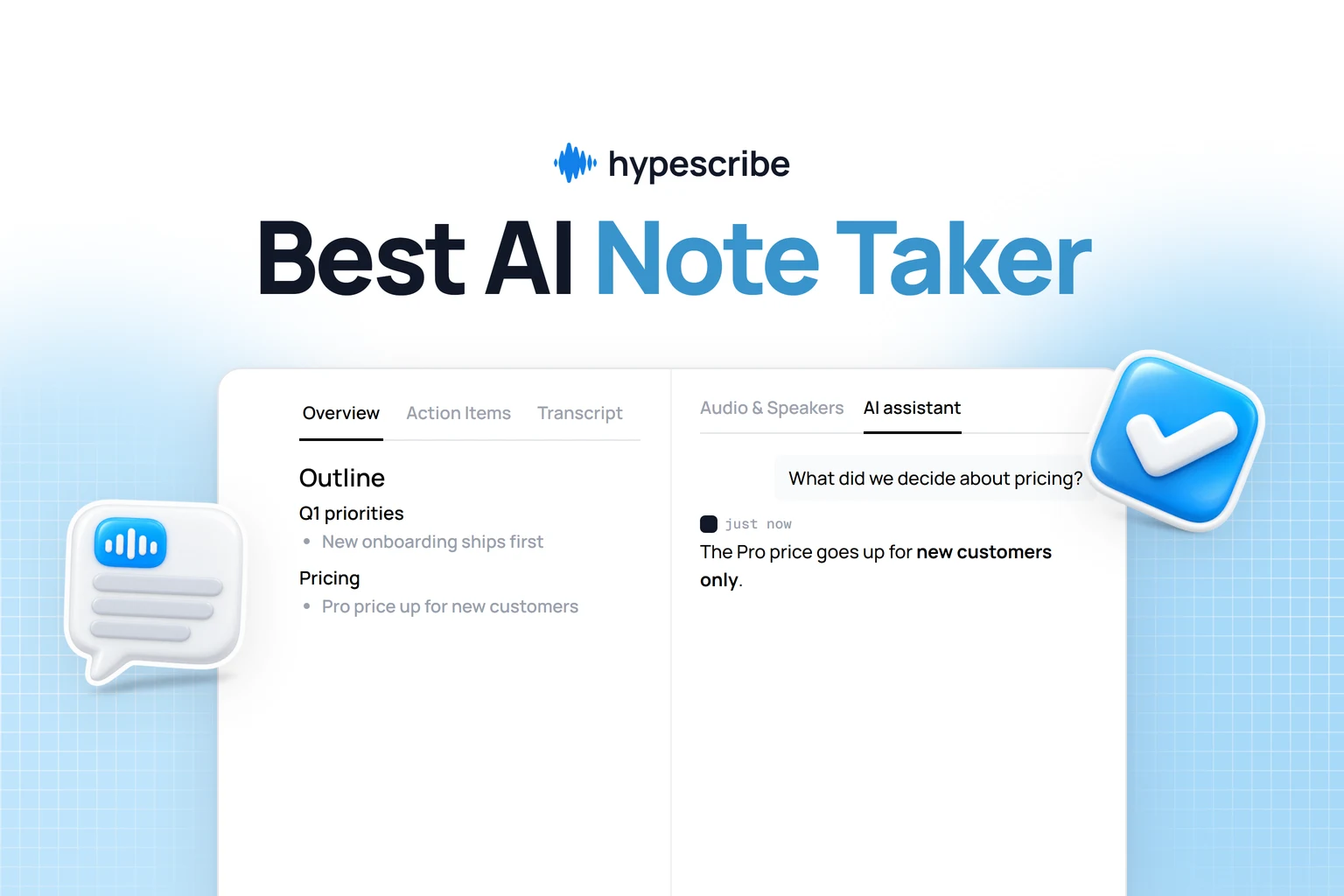
For teams seeking to move beyond manual note-taking, HypeScribe represents a paradigm shift. Instead of offering a static meeting minutes template sample, it automates the entire documentation process. This AI-powered platform integrates directly with Zoom, Google Meet, and Microsoft Teams, acting as an AI note-taker that transcribes conversations in real-time. Its core strength lies in its ability to transform raw, unstructured audio into a coherent first draft of meeting minutes instantly.

The platform automatically generates a structured summary, identifies key decisions, and extracts a clear list of action items with assigned owners. This eliminates the tedious task of sifting through hours of recordings to pinpoint crucial takeaways, making it an indispensable tool for fast-paced environments where accuracy and speed are paramount. The structured output can then be exported to Google Docs or Word for finalization within a company's formal template.

HypeScribe: AI-Powered Transcription and Automated Minutes

Core Features and Analysis

HypeScribe distinguishes itself with a suite of features designed for efficiency and precision. Its transcription engine boasts up to 99% accuracy across over 100 languages, making it a reliable choice for global teams. The platform operates on a token-per-file model, which means there are no minute caps, a significant advantage for those recording long-form content like webinars, extensive interviews, or all-day workshops.

The integrated chatbot is a standout capability; users can ask questions directly about the meeting's content ("What was the final decision on the Q3 budget?") and receive instant, context-aware answers from the transcript. This transforms your meeting archive from a static record into an interactive knowledge base. For teams leveraging AI for automated transcription, exploring how to further unleash value from this scattered data through dedicated AI-powered knowledge management can be a game-changer. HypeScribe also provides built-in security controls, including industry-standard encryption and user-controlled data deletion.

Practical Use Cases

  • Agile & Tech Teams: Instantly capture sprint planning decisions, daily stand-up commitments, and technical specifications without a designated scribe.
  • Client & Sales Calls: Generate accurate records of client needs, agreements, and follow-up tasks to ensure nothing is missed.

  • HR & Training: Create searchable transcripts of interviews, onboarding sessions, and compliance training for documentation and review.

Pros and Cons

StrengthsLimitations
High-Speed Accuracy: Transcribes one hour of audio in under 30 seconds.Token Model: Can be less cost-effective for users with many very short recordings.
Automated Summaries: AI generates summaries, decisions, and action items.Compliance: Lacks public-facing enterprise certifications like HIPAA or SOC 2 for highly regulated industries.
No Minute Limits: Ideal for long-form content like webinars or lectures.
Interactive Chatbot: Ask questions and get answers from your transcripts.

Website: HypeScribe.com

Learn more about using AI for your meeting minutes on HypeScribe's blog.

2. Microsoft Word (Microsoft 365)

Microsoft Word, a core component of the Microsoft 365 suite, is an obvious yet powerful choice for creating and managing meeting minutes. Its primary strength lies in its ubiquity; nearly every organization can open and edit a .docx file, making it a reliable format for broad distribution. The platform offers a diverse gallery of built-in meeting minutes templates, from formal board meeting layouts to informal team check-ins.

What sets the modern Word experience apart is its integration with AI. With a Microsoft 365 subscription, you can use Copilot to transform a raw meeting transcript into a structured summary, automatically identifying key decisions and assigning action items. This feature is a game-changer for teams looking to reduce the manual effort of note-taking. You can start with a basic template and let the AI populate the content, saving significant time. If you need a deeper dive into structuring your document, this guide offers an excellent sample meeting minutes format that works perfectly within Word.

Key takeaway: Use Microsoft Word when you need a universally accepted, brandable document format combined with powerful AI capabilities to automate the creation of a detailed meeting minutes document from a transcript.

Pros and Cons

  • Universally compatible format (.docx).
  • Strong collaboration features like real-time co-authoring and commenting.
  • AI-powered (Copilot) drafting from transcripts.
  • Full AI functionality requires a paid Microsoft 365 and Copilot subscription.
  • Can be overly complex for those needing a simple, printable template.

Website: Microsoft Word Templates

3. Google Docs

For teams deeply embedded in the Google Workspace ecosystem, Google Docs offers a seamless and highly efficient solution for meeting minutes. Its strength is its native integration with other Google apps, particularly Google Calendar. Users can instantly create a new document using the "Meeting notes" smart chip, which automatically pulls in event details, attendees, and attached files directly from the corresponding Calendar invitation. This eliminates tedious manual data entry and ensures accuracy from the start.

The platform is built for real-time collaboration, allowing multiple team members to edit, comment, and assign action items simultaneously. Once the meeting concludes, the minutes can be shared with one click via Gmail or attached back to the original Calendar event, closing the loop on communication. This tight integration makes it incredibly fast to generate and distribute a meeting summary without ever leaving your browser. While its template gallery isn't as extensive as some dedicated services, the core functionality is perfect for agile teams that prioritize speed and accessibility.

Key takeaway: Use Google Docs when your team operates within Google Workspace and needs a fast, free, and deeply integrated way to collaboratively create and share meeting notes tied directly to Google Calendar events.

Pros and Cons

  • Free for anyone with a Google account.
  • Excellent real-time collaboration and commenting features.
  • Direct integration with Google Calendar and Gmail streamlines the entire workflow.
  • Template selection is less formal and varied compared to paid alternatives.
  • Offline functionality can be less reliable than dedicated desktop applications.

Website: https://docs.google.com

4. Atlassian Confluence

Atlassian Confluence transforms meeting minutes from static documents into living, searchable knowledge base articles. Designed for teams already embedded in the Atlassian ecosystem, its strength is creating a centralized, interconnected record of discussions and decisions. Confluence provides several free, editable templates, including ones for standard meeting notes, weekly check-ins, and remote team syncs, all structured with clear sections for attendees, agenda items, key decisions, and action items.

Atlassian Confluence

What makes Confluence stand out is its deep integration with project management tools like Jira. You can assign tasks directly from the meeting notes using "@" mentions, which then populate as tickets in a Jira project, ensuring action items are tracked to completion. This creates a seamless workflow from discussion to execution. While it's an excellent choice for project-focused teams, if you are looking for other options, you might consider these top Confluence alternatives that offer different features for knowledge management.

Key takeaway: Use Confluence when your primary goal is to build a persistent, searchable wiki of meeting records that integrates directly with project management workflows, turning every meeting record into an actionable project document.

Pros and Cons

  • Creates a running, searchable history of meeting notes across projects.
  • Deep integration with Jira and other Atlassian tools for seamless task tracking.
  • Strong collaboration features within a dedicated workspace environment.
  • Provides the most value when the organization is already using Confluence.
  • Requires account and workspace setup, which can be a barrier for casual use.

Website: Atlassian Confluence Meeting Notes Templates

5. Smartsheet

Smartsheet offers a curated collection of free meeting minutes templates tailored for professionals in project-centric environments. Its strength lies in providing functional, no-frills layouts in multiple formats, including Word, Excel, PDF, and Google Sheets, without requiring a sign-up. This makes it an excellent resource for teams that need a quick, downloadable solution for tracking progress, risks, and action items in status update meetings or project kick-offs.

Smartsheet

The platform stands out by bundling its templates with practical, how-to guidance on capturing essential project details. While the templates themselves are straightforward, the accompanying advice helps users focus on what matters: documenting decisions and assigning clear next steps. This approach is ideal for project managers or team leads who want to instill a discipline of effective documentation without getting bogged down by overly complex software or elaborate designs.

Key takeaway: Use Smartsheet when you need a free, instantly downloadable meeting notes template in a familiar format (like Excel or Word) that is specifically structured for project management and status reporting.

Pros and Cons

  • No sign-in or paywall for template downloads.
  • Offers templates in multiple, widely used formats (Word, Excel, PDF).
  • Specialized layouts for project meetings with clear sections for risks and action items.
  • Template pages heavily promote the paid Smartsheet software.
  • The visual design of the templates is basic and may not suit creative teams.

Website: Smartsheet Project Management Meeting Minutes Templates

6. ClickUp

ClickUp is a comprehensive project management platform that excels at turning discussions into actionable work. Its strength lies in its deeply integrated Doc templates, which are designed to bridge the gap between note-taking and task execution. Instead of just documenting what was said, ClickUp’s templates allow you to convert any line of text directly into a trackable task within your project workspace, complete with assignees and due dates.

ClickUp

This direct integration is what makes ClickUp a standout choice. The platform offers a clean, structured outline covering attendees, key decisions, and action items. You can customize your minutes with custom fields, statuses, and different views like Calendar or Table, ensuring the information is always presented in the most useful context. While you can export the document, the real power is realized when you keep the minutes within the ClickUp ecosystem, making it a living document that drives project progress.

Key takeaway: Use ClickUp when your primary goal is to transform meeting outcomes directly into trackable tasks within a project management system, ensuring a seamless workflow that drives accountability.

Pros and Cons

  • Strong bridge between meeting minutes and task follow-through.
  • Robust free plan that is generous enough for many small teams.
  • Highly customizable with custom fields, statuses, and views.
  • Best results require using ClickUp as your main workspace.
  • Can have a learning curve if used only for meeting minutes.

Website: ClickUp Templates

7. Canva

Canva excels at turning standard meeting notes into visually engaging, professionally branded documents. While not a dedicated project management tool, its strength lies in its vast library of beautifully designed templates and an intuitive drag-and-drop editor. This makes it perfect for teams that need their meeting minutes to align with brand guidelines or serve as polished, client-facing summaries. The platform simplifies the design process, allowing anyone to create a high-quality document in minutes.

With Canva Docs, you can collaborate in real-time and leverage AI features like Magic Write to help summarize points or rephrase content. You can easily add logos, custom fonts, and brand colors from a pre-set Brand Kit, ensuring consistency across all documentation. This focus on aesthetics and ease of use makes Canva a go-to for creating a printable or shareable meeting record that stands out from a typical text document.

Canva

Key takeaway: Use Canva when you need to create visually appealing, on-brand minutes that are easy to share as a PDF, especially for external stakeholders or when a professional aesthetic is a top priority.

Pros and Cons

  • Huge library of professionally designed and easily editable templates.
  • Strong branding features (Brand Kits) for consistent document creation.
  • Excellent for creating polished, printable handouts and PDF exports.
  • Lacks the advanced action-item tracking and integration of dedicated PM tools.
  • Many premium templates and assets require a paid Canva Pro subscription.

Website: Canva Meeting Minutes Templates

8. Adobe Express

For teams that prioritize visual design and branding in their documentation, Adobe Express offers a compelling alternative. While primarily focused on meeting agendas, its templates are easily adaptable for minutes. The platform excels at creating polished, print-ready documents directly from your browser, making it ideal for sharing minutes as high-quality PDFs that maintain a consistent, professional appearance across all devices.

The strength of Adobe Express lies in its design-centric features. Users can leverage a vast library of free templates, fonts, and stock assets, and apply brand kits to ensure every document aligns with company aesthetics. Its AI capabilities can generate template ideas or help refine content, while the seamless integration with other Adobe Creative Cloud apps is a significant plus for design teams. This makes it a go-to for creating a visually appealing meeting summary that stands out.

Adobe Express

Key takeaway: Use Adobe Express when you need to create visually impressive, brand-consistent, and easily shareable meeting minutes, especially if your team already operates within the Adobe ecosystem.

Pros and Cons

  • Extensive library of high-quality, customizable templates.
  • Strong branding features and simple PDF export.
  • Intuitive, browser-based interface that works on desktop and mobile.
  • Templates are agenda-focused and may require modification for formal minutes.
  • Best assets and features are locked behind a premium subscription.

Website: Adobe Express Meeting Agenda Templates

9. Miro

Miro transforms meeting minutes from static documents into dynamic, collaborative whiteboards. Best suited for visual thinkers, creative workshops, and remote-first teams, its strength is capturing ideas, discussions, and decisions in a free-form, interactive space. The platform provides pre-built templates like Meeting Notes and Meeting Summary boards that allow teams to add sticky notes, diagrams, and files in real time.

What makes Miro a unique choice is its emphasis on live collaboration over post-meeting documentation. You can use its AI features to instantly summarize clusters of sticky notes or text blocks into concise summaries and action items, turning a chaotic brainstorming session into structured outcomes. This approach allows teams to build and agree upon the minutes together during the meeting itself, ensuring immediate alignment. For teams that thrive on visual workflows, Miro offers a powerful way to document meetings that lives and breathes with the project.

Key takeaway: Use Miro when your meeting is less about formal procedure and more about collaborative brainstorming, requiring a visual and interactive canvas to capture notes, ideas, and action items collectively in real time.

Pros and Cons

  • Highly visual and interactive for engaging hybrid or remote meetings.
  • Multiple templates adaptable for various meeting styles (e.g., retrospectives, planning).
  • AI features help quickly synthesize visual brainstorming into actionable text.
  • Exporting to a traditional, formal document format can be an extra step.
  • The most powerful collaboration and AI tools require a paid subscription.

Website: Miro Meeting Notes Templates

10. Notion

Notion transforms meeting minutes from static documents into dynamic, interconnected database entries. Instead of individual files scattered across folders, Notion offers a centralized system where every meeting note is a structured page within a larger database. The platform provides an official Meeting Notes template that can be duplicated instantly, but its true power lies in the vast ecosystem of user-created and third-party templates designed for any scenario imaginable.

Notion

The key differentiator is its database functionality. You can tag minutes by project, team, or meeting type, then filter and sort your entire history to find specific decisions or action items in seconds. This makes it an ideal solution for teams that need a searchable, long-term archive of their discussions. For those looking to integrate meeting notes into a broader knowledge management system, Notion is one of the best meeting notes apps available. Its relational database features allow you to link minutes directly to project pages, task lists, and team wikis, creating a single source of truth.

Key takeaway: Use Notion when your goal is to build a living, searchable database of meeting records rather than just creating standalone documents. It is perfect for teams who already use it for project management and want a deeply integrated system.

Pros and Cons

  • Excellent for building a searchable, centralized repository of minutes.
  • Highly flexible and customizable templates for any meeting type.
  • Integrates seamlessly with tasks, projects, and other knowledge bases within Notion.
  • Requires team-wide adoption of Notion to realize its full collaborative value.
  • Printing and exporting to traditional formats like PDF can require extra formatting.

Website: Notion Templates

11. Etsy

For those seeking a more aesthetic or uniquely branded solution without the hassle of designing from scratch, Etsy is an unconventional but valuable resource. The global marketplace is home to thousands of independent creators offering low-cost, instantly downloadable meeting minutes templates. These are often bundled with matching agendas, action item trackers, and other productivity documents, providing a cohesive look for small businesses, freelancers, or personal projects. You can find everything from minimalist corporate designs to vibrant, creative layouts.

What makes Etsy stand out is the sheer variety and affordability. For a few dollars, you can purchase a professional-looking template compatible with Google Docs, Microsoft Word, Canva, or as a fillable PDF. This is ideal for one-off needs or for teams that want a visually appealing document without a recurring subscription. Buyers should pay close attention to seller reviews and product previews to ensure the quality meets their standards, as the experience can vary between shops.

Key takeaway: Use Etsy when you need an affordable, aesthetically pleasing, and instantly downloadable meeting minutes document for a small business or one-time project, and you prefer a static, printable format over a collaborative app.

Pros and Cons

  • Extremely affordable with thousands of design options.
  • Instant digital download in multiple formats (Word, Docs, PDF, Canva).
  • Often sold in bundles with matching agenda and tracker templates.
  • Quality and file usability can vary significantly by seller.
  • Templates are static and lack integrated collaboration or task-tracking features.

Website: Etsy

12. Rhodia (Meeting Book notebooks)

For those who value the tactile experience of pen on paper, Rhodia's Meeting Book offers a structured, analog solution for capturing meeting notes. Instead of a blank page, each sheet is pre-printed with dedicated sections for the date, notes, and action items, providing a physical framework that guides effective minute-taking. This purpose-built design ensures that key outcomes and responsibilities are not lost in a sea of general notes.

The notebook's premium 90g, fountain-pen-friendly paper elevates the writing experience, while the spiral binding and micro-perforated pages allow for clean tear-out. This makes it easy to scan, digitize, and file individual meeting records or share them with attendees. While it's a departure from digital tools, this method is excellent for in-person meetings where laptops can be a distraction, offering a focused way to create a clear meeting summary by hand. The physical act of writing can also improve retention and focus during discussions.

Rhodia (Meeting Book notebooks)

Key takeaway: Use a Rhodia Meeting Book when you need a high-quality, structured paper template for focused, distraction-free note-taking in physical meetings, with the flexibility to digitize and share pages later.

Pros and Cons

  • Pre-printed layout encourages structured note-taking.
  • High-quality paper and durable, professional construction.
  • Micro-perforated pages are easy to remove for scanning or filing.
  • Requires manual digitization to share notes electronically.
  • Pricier than standard notebooks, making it an investment.

Website: Rhodia Meeting Book

Top 12 Meeting Minutes Template Comparison

ProductCore featuresUX & Accuracy ★Unique strengths ✨Pricing/value 💰Target audience 👥
🏆 HypeScribeAI transcription, uploads/links, live note-taker, 100+ languages★★★★★ (up to 99%; sub-30s/hr)✨ Token-based unlimited file length; AI summaries & chatbot; live meeting notes💰 Free tier; Starter $6.99/mo; Pro $7.99/mo; Ultra $12.99/mo👥 Remote teams, journalists, creators, customer-facing pros
Microsoft Word (Microsoft 365)Meeting templates, Copilot AI, coauthoring, branding★★★★✨ Ubiquitous, brandable docs + Copilot integration💰 Included in Microsoft 365; Copilot may cost extra👥 Corporate teams, communications, execs
Google DocsMeeting notes template, Calendar sync, email notes★★★★✨ Auto-fill from Calendar; one-click email sharing💰 Free; Google Workspace paid tiers👥 Small teams, educators, Google Workspace users
Atlassian ConfluenceStructured meeting templates, task assignment, wiki pages★★★★✨ Centralized, searchable records + Jira integration💰 Free tier; paid per-user plans👥 Dev teams, project managers, enterprises
SmartsheetDownloadable Word/Excel/PDF/Sheets templates, PM-focused★★★✨ Wide PM templates + guidance for action/risk capture💰 Templates free; Smartsheet platform paid👥 Project managers, consultants
ClickUpDoc templates, convert actions to tasks, custom fields★★★★✨ Direct task creation from minutes; multiple views💰 Robust free plan; paid tiers for advanced features👥 Teams needing task follow-through
CanvaEditable meeting-minute designs, brand kits, AI write★★★★✨ Polished, on-brand minutes; drag-and-drop design💰 Free + Pro for premium assets/templates👥 Marketing teams, designers, execs
Adobe ExpressTemplate library, brand kits, AI templates, PDF export★★★✨ Strong print-ready, Adobe asset access💰 Free + Premium; some assets watermarked on free👥 Creative teams, print-oriented users
MiroWhiteboard meeting notes, boards, comments, AI summaries★★★★✨ Interactive visual summaries for workshops💰 Free limited; paid for full features👥 Visual teams, facilitators, hybrid workshops
NotionMeeting notes template, databases, tags, collaborative★★★★✨ Highly customizable, searchable meeting database💰 Free personal; paid team plans👥 Knowledge teams, startups, ops
EtsyInstant downloadable minutes templates (Docs/Canva/PDF)★★✨ Huge design variety; low-cost bundles💰 One-time low-cost purchases per template👥 Small businesses, one-off/DIY needs
Rhodia (Meeting Book)Pre-printed notes+action layout, perforated high‑quality paper★★★✨ Fountain-pen-friendly, durable meeting notebooks💰 One-time notebook purchase (mid-price)👥 Exec assistants, analog note-takers, in-person meetings

Choosing the Right Template to Drive Action

Navigating the world of meeting documentation can feel overwhelming, but as we've explored, the perfect template isn't a one-size-fits-all solution. It's the one that integrates seamlessly into your team's existing workflow and transforms from a static document into a dynamic tool for progress. The ultimate goal is not just to record what was said, but to ensure that decisions are remembered, actions are taken, and accountability is clear. A well-chosen template is the bedrock of this process.

Throughout this guide, we've dissected a wide array of options, each with its own unique strengths. We saw how foundational tools like Microsoft Word and Google Docs offer accessibility and familiarity, making them excellent starting points for any organization. For teams deeply embedded in specific ecosystems, platforms like Atlassian Confluence, Smartsheet, and ClickUp provide powerful, integrated solutions that link meeting notes directly to project tasks and broader company knowledge bases.

From Static Formats to Dynamic Workflows

We also ventured beyond traditional text-based formats. Visual collaboration tools like Miro prove that meeting minutes can be dynamic and engaging, ideal for creative brainstorming and strategic planning sessions where visual context is paramount. Similarly, design-focused platforms such as Canva and Adobe Express offer beautifully crafted templates that are perfect for client-facing summaries or internal communications where presentation matters. For those who crave ultimate customization, Notion stands out as a flexible, all-in-one workspace.

Even in our digital-first world, the tactile experience of analog tools like the Rhodia Meeting Book has its place, offering a focused, distraction-free environment for note-takers who prefer pen and paper. This diverse landscape underscores a critical takeaway: the best template aligns with your team’s culture, technical proficiency, and specific meeting objectives. A simple checklist format might be perfect for a daily stand-up, while a detailed formal template is necessary for a board meeting.

Implementing Your Chosen Template for Success

Choosing your template is only the first step. True success comes from consistent implementation. Consider these final points as you move forward:

  • Establish a Process: Don't just share a template; create a clear process around it. Designate a note-taker, set expectations for when minutes will be distributed, and define where they will be stored for easy access.
  • Prioritize Action Items: The most critical function of meeting minutes is to capture and assign action items. Ensure your chosen template has a clear, unmissable section for tasks, owners, and deadlines. This is the key to turning conversation into action.
  • Embrace Automation: The most significant bottleneck in creating effective meeting minutes is the manual effort required. Transcribing recordings, identifying key decisions, and summarizing discussions takes valuable time. Leveraging AI-powered tools isn't just about efficiency; it's about accuracy and freeing up your team to focus on high-impact work instead of administrative tasks.


Ultimately, the right meeting minutes template is one that gets used consistently and effectively. It should reduce administrative friction, not add to it. By evaluating your team's needs against the options we've covered, from simple documents to automated AI assistants, you can select a tool that truly drives clarity, accountability, and tangible results from every meeting.


Ready to eliminate manual note-taking and get perfectly structured meeting minutes, summaries, and action items automatically? See how HypeScribe can instantly transform your conversations into actionable insights. Try HypeScribe today and experience the future of productive meetings.

Read more