
Best Dictation Software for Writers Reviewed

Most people speak about three times faster than they type. That is the whole case for dictation, and it holds up — but only if the tool matches what you are writing.
Short version: Dragon for novels and anything with invented names, because it is the only one you can teach new words. Apple Dictation and Google Docs Voice Typing for everyday drafting — free, already installed, good enough. Otter.ai or HypeScribe when the words already exist as a recording and you need them as text.
Below: what each one does well, what it costs, and the limitation most likely to send you back to the keyboard.
Why Top Writers Are Embracing Dictation
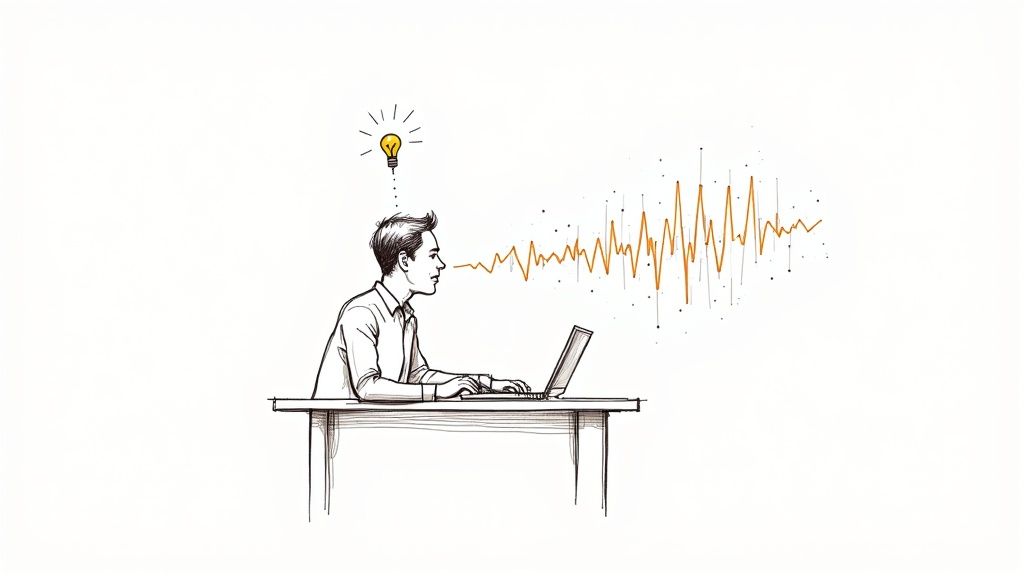
Dictation solves two problems at once. The obvious one is speed: a first draft that takes three hours to type takes about one to speak. The less obvious one is the blank page — talking through an idea is easier than writing it, which is why dictation works as a cure for being stuck.
The trade-off is editing. Spoken drafts are messier than typed ones, so you win on the draft and give some of it back in revision. Worth it for volume, less so for a carefully worded 500-word piece.
Quick Look at Top Dictation Software for Writers
Before we dive deep, let's get a high-level view of the landscape. Not all tools are created equal—a novelist inventing a fantasy language needs something very different from a journalist recording an interview. Some tools, like Descript, blur the line between dictation and audio editing.
This table gives you a quick snapshot to see which tool might be right for your specific writing needs.
SoftwareBest ForKey FeaturePricing ModelDragon by NuanceNovelists & AcademicsCustom vocabulary and advanced voice commands for deep control.Premium (One-time purchase or subscription)Otter.aiJournalists & ResearchersReal-time transcription with accurate speaker identification.Freemium/SubscriptionBuilt-in OS ToolsBloggers & Casual WritersUnbeatable convenience and ease of use for quick drafts.Free (Included with OS)
This guide will walk you through the pros and cons of each, helping you find the perfect dictation software that fits seamlessly into your workflow.
What actually matters when choosing
Four things separate a tool you keep using from one you abandon after a week.
Accuracy on your voice, not on a demo. Every tool sounds perfect in a quiet room with a good mic. What matters is how it copes with your accent, your pace, and the room you actually work in:
- Clean Audio: We started in a quiet room with a good mic to get a performance baseline.
- Background Noise: Then we moved to a coffee shop setting with background chatter and clatter.
- Different Accents: We tested with a few non-standard accents to see if the algorithms were biased.
- Pacing and Style: We tried everything from rapid-fire brainstorming to slow, thoughtful dictation.
Latency matters more than people expect. A half-second delay between speaking and seeing text is enough to break concentration mid-sentence.
Voice commands
Punctuation by voice is table stakes. What separates the serious tools is formatting and correction — "start bulleted list", "bold that", "scratch that" — so you can structure a draft without touching the keyboard.
Getting the text out
A tool that traps your draft in its own format creates work rather than saving it. Check three things:
- Direct Integrations: How well does the tool work inside popular writing apps like Scrivener, Microsoft Word, and Google Docs?
- Simple Copy-Paste: Can you easily move your text into any other application without losing all your formatting?
- Export Options: Does it let you save your work in standard formats like DOCX, TXT, or PDF?
Finally, privacy. An unpublished manuscript is your property — check whether the tool processes audio on your machine or sends it to a server, and whether you can delete it afterwards.
Comparing the Best Dictation Software for Writers
A novelist inventing a fantasy language and a journalist transcribing a council meeting need opposite things. Here is where each of the five lands.
Dragon Professional: The Powerhouse for Dedicated Authors
Dragon has been the professional standard for two decades, and it earns that with control the others do not offer. It is built for people who dictate for hours, not minutes.
The feature that matters is custom vocabulary. Imagine you're writing a science fiction novel with unique character names, alien tech, and made-up planets. With Dragon, you can teach the software those specific words. It stops mishearing "K'tharr" as "guitar" or "hyper-spanner" as "hyper-spammer," which saves an incredible amount of editing time.
For fiction this is the difference between dictating and fighting the software. Every invented name you do not teach it becomes a correction later.
On top of that, Dragon lets you create complex voice commands. You can set up a single spoken phrase to execute a whole series of actions, like inserting a perfectly formatted chapter heading or dropping in a block of boilerplate text. For writers with a highly structured process, this level of automation is unmatched.
Otter.ai: The Journalist's and Researcher's Ally
Otter is built for conversations rather than solo drafting. Its strength is handling recordings with several speakers — the daily reality for journalists, researchers and students.
Otter.ai’s engine is brilliant at speaker identification. When you upload a recorded interview, it automatically separates the different voices and labels them ("Speaker 1," "Speaker 2," etc.). From there, you just assign names to each speaker, and you've got a clean, organized transcript that's ready to pull quotes from.
Every word carries a timestamp, so an uncertain quote is one click from the original audio. For fact-checking, that alone justifies the tool.
The catch is the free tier: 300 minutes a month with a 30-minute cap per conversation, which rules out longer interviews.
Google Docs Voice Typing: The Accessible Draft Machine
Free, no setup, and already inside the word processor you probably use. For a blog post or a rough outline, that combination is hard to argue with.
Accuracy is good enough for a first draft and there is almost no lag. What you give up:
- No Custom Vocabulary: You can't teach it unique names or jargon, so you'll be doing more manual corrections for specialized work.
- Limited Voice Commands: It understands basic punctuation ("period," "new paragraph") but can't handle the custom macros you'd get with Dragon.
- No Speaker Identification: It's not built for transcribing conversations, making it the wrong tool for interviews.
For getting past a blank page at zero cost, it is the obvious first thing to try.
Apple Dictation: The On-The-Go Idea Catcher
Like Google's tool, Apple Dictation is free and baked into every Mac, iPhone, and iPad. Its biggest advantage is how deeply it's woven into the Apple ecosystem. You can trigger it with a keyboard shortcut or a tap of an icon in almost any app, from Pages and Notes to Messages and Mail.
Best use: catching lines before they evaporate. A phrase arrives on a walk, you dictate it into Notes, and it is on the Mac when you sit down.
On-device dictation on macOS works offline, which covers both privacy and bad Wi-Fi. Same limits as the Google tool — no custom vocabulary, no advanced commands.
To help you see how these features stack up, here’s a quick side-by-side look.
Feature Matrix: Which Dictation Tool Is Right for You?
This table breaks down the key features across our top picks, giving you a clear comparison of what each tool offers.
While a feature list is helpful, the real test is how these tools perform in the real world.
Head-To-Head: Which Tool Wins in Real-Life Scenarios?
Let's put these tools into a few common writing scenarios to see which one really comes out on top.
Scenario 1: Drafting a Novel vs. Transcribing an Interview
- The Novelist: An author is deep into a 100,000-word fantasy novel. They need to dictate long chapters while keeping character names like "Aeliana" and places like "Glimmerwood" consistent, all while using voice commands for formatting. Dragon is the only real choice here. Its custom dictionary and macro support are purpose-built for this kind of intensive, long-form project.
- The Journalist: A reporter has a 45-minute recording of an interview with two city officials. They need a perfect transcript that clearly shows who said what, complete with timestamps for fact-checking. Otter.ai is the clear winner. Its speaker identification and interactive transcript are miles ahead of anything else for this task.
Scenario 2: Professional Control vs. Ultimate Convenience
The decision often boils down to a trade-off between power and simplicity. Dragon is all about peak control. Independent tests often report Dragon's accuracy rate to be around 95%, with some trials showing it correctly transcribing 299 out of 300 words. Its power comes from advanced features like storing custom phrases, understanding smart formatting for dates, and letting you build your own voice commands.
At the other end of the spectrum, Google Docs Voice Typing and Apple Dictation are all about peak convenience. They are free, they are already on your devices, and they just work. For a blogger who needs to bang out a quick 800-word article, the time it takes to set up and learn Dragon is complete overkill. Just opening a Google Doc and starting to talk is a much more efficient way to get the job done. In that case, the best dictation software is simply the one that removes the most friction.
Not Dictation: Turning Recordings Into Text
Everything above is dictation: you speak, text appears. Writers hit a second, separate problem just as often — audio that already exists. An interview on a phone recorder, a voice memo from a walk, a lecture, a conversation worth quoting.
That is a different job, and dictation tools are bad at it. HypeScribe takes the file — or a link — and returns a transcript with speaker labels, a summary and the key points pulled out. Pricing is per file rather than per minute: a four-hour recording costs the same as a five-minute one, which matters if you interview at length.
It will not help you draft a chapter by voice. Use it for the pile of recordings you have been meaning to write up. The free plan covers three files a month with no card, which is enough to see whether the transcripts are usable.
Finding the Right Dictation Software for Your Writing Style
Picking the best dictation software isn't about finding a single "best" tool. It's about finding the one that seamlessly fits your specific workflow, whether you're a novelist, journalist, or blogger. The right software should feel like an extension of your creative process, not another tech hurdle to overcome.
Your ideal choice really boils down to how you write and what you're creating.

As you can see, your primary goal—crafting a narrative, capturing a conversation, or just getting ideas down—points you in very different directions.
For the Novelist Crafting Worlds
If you're writing fiction, poetry, or any kind of long-form creative work, your biggest battle is consistency. You're living in a world filled with unique character names, made-up places, and specific terminology that most off-the-shelf apps will constantly get wrong. This is exactly where a tool like Dragon Professional proves its worth.
Its killer feature is the ability to build a custom vocabulary. You can teach it that "Xylos" is a planet and "Seraphina" is a main character, and it will get it right every single time. That simple function saves you from hours of frustrating corrections and keeps you in that creative flow state.
A novelist’s dictation software has to learn the language of their world. If you’re spending more time correcting the tool than creating, you’ve defeated the entire purpose of dictating.
For the Journalist Capturing Quotes
Journalists, researchers, and podcasters depend on accuracy. But it’s not just about getting the words right—it’s about knowing who said them. This is the exact problem that Otter.ai was built to solve. Its transcription engine is exceptional at speaker identification, automatically separating and labeling different voices from an audio file.
Let's say you have a 30-minute interview with three people. Otter.ai will spit out a transcript that clearly marks "Speaker 1," "Speaker 2," and "Speaker 3," making it a breeze to pull accurate quotes. For anyone who works with recorded conversations, this isn't just a nice-to-have; it's a must-have. You might also find it useful to learn how to convert a voice memo to MP3 for an even smoother upload process.
For the Academic Researcher Drafting Papers
Academic writing demands a mix of long-form drafting and easy collaboration. For students and researchers, Google Docs Voice Typing hits a sweet spot. It’s free, baked right into a platform you’re likely already using, and requires zero installation.
You can dictate the bulk of a research paper and then immediately share the document with a colleague or advisor for feedback. While it doesn't have the sophisticated custom dictionaries of a tool like Dragon, its real-time transcription is surprisingly accurate for standard academic language. It’s a fantastic tool for getting that first draft down quickly so you can focus on the real work: revision and peer review.
For the Blogger and Content Creator
When you're a blogger or content creator, ideas strike at the most random times. Speed and convenience are everything. This is where the built-in tools on your devices, like Apple Dictation and Windows Voice Access, really shine. They're already there, in virtually any app you use.
This constant availability makes them perfect for capturing those fleeting thoughts. Had a brilliant idea for a blog post while on a walk? Just pull out your phone, open your notes app, and dictate. The text is there, synced, and ready for you to flesh out later. They aren't built for dictating a novel, but for turning spoken ideas into text friction-free, they’re hard to beat.
How Cloud-Based AI Is Changing Dictation
Dictation used to run entirely on your machine. Most tools now send audio to a server instead, which buys accuracy — those models are far larger than anything that fits on a laptop — and costs you offline use.
Two practical consequences. Cloud tools improve without you updating anything, and your drafts follow you between devices — dictate a chapter on the train, find it on the laptop. See also auto transcribe software.
The cost is that your manuscript passes through someone else's servers. Before committing anything confidential, check the privacy policy for two things: encryption, and whether you can permanently delete your files.
Tips for Getting Crystal-Clear Transcription
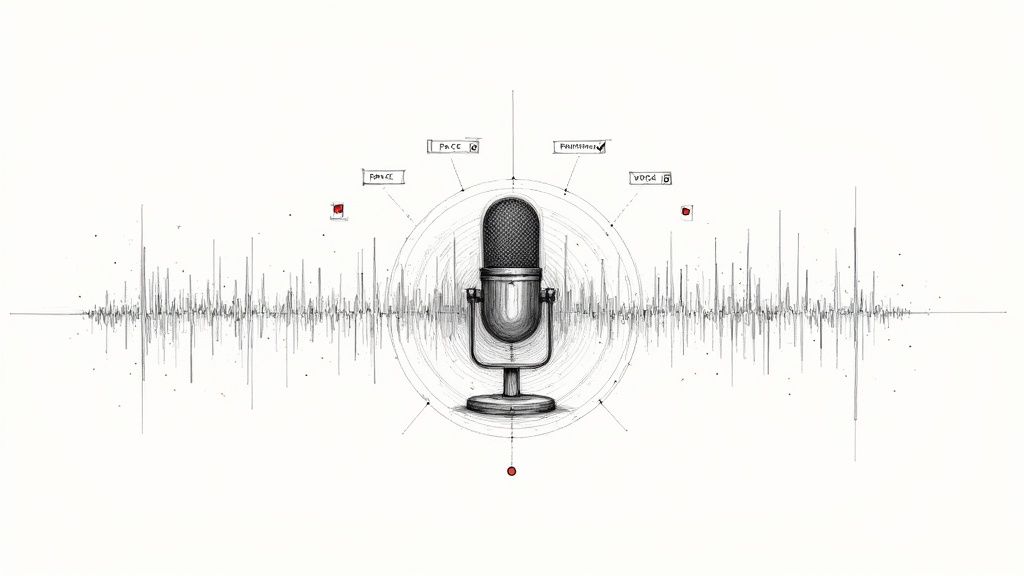
Even the most powerful dictation software is only as good as the audio you feed it. If you want to move from frustratingly flawed drafts to nearly perfect text, you have to nail the input quality. I’ve found that a few practical tweaks can make all the difference and unlock your tool’s true potential.
Think of your microphone as the software's ears. Your laptop’s built-in mic? It’s too far away and picks up every echo and background hum in the room. The single best thing you can do for accuracy is to invest in a quality noise-canceling headset or a dedicated USB microphone. It’s a game-changer.
Train the AI to Understand Your Voice
Modern dictation tools use AI that actually learns from you. To get it up to speed quickly, you have to actively “train” it. Most professional-grade programs include a training module where you read a few sample passages out loud.
When you complete this, the software builds a voice profile that’s tuned specifically to your accent, pitch, and unique speech patterns. It’s a small time investment, but it can slash your error rate by 10-15% right out of the gate.
Master Your Dictation Delivery
How you speak matters just as much as what you say. If you mumble, talk too fast, or let your volume trail off, you’re going to get garbled text. The key is to develop a clear, consistent, and deliberate speaking style. It's a skill, but an easy one to pick up.
- Find a Steady Pace: Aim for a natural, conversational speed—not rushed, but not painfully slow either.
- Enunciate Words: You don't have to overdo it, but make sure you're articulating your words clearly.
- Speak Your Punctuation: This is the weirdest part at first, but it quickly becomes second nature. Literally say "comma," "period," and "new paragraph" as you go.
The goal is to get as close to perfect as possible on the first pass. Clean audio does more for accuracy than any setting inside the software.
Build a Custom Dictionary for Your Writing
If you're a fiction writer with unique character names or a technical expert who uses a lot of jargon, a custom vocabulary is non-negotiable. You have to teach the software these specific terms, otherwise it will constantly try to guess what you mean.
Most high-end tools let you add custom words to a personal dictionary. This is how you stop the software from turning "Lord Valerius" into "Lord hilarious." Spending ten minutes building out this list will save you hours of tedious corrections down the road. After all, knowing how to transcribe an audio file is just one part of the puzzle; getting the words right is what truly counts.
Frequently Asked Questions About Dictation Software
If you're thinking about using dictation software, you're not alone. Writers often run into the same questions when they first start exploring these tools. Let's clear up a few common uncertainties so you can jump in with confidence.
Can dictation software completely replace typing?
Not quite. Think of dictation as a powerful collaborator, not a total replacement for your keyboard. It’s absolutely brilliant for getting that first draft down at the speed of thought or for brainstorming sessions when you don't want to be held back by your typing speed.
But when it comes to the nitty-gritty of editing, finessing a sentence, or complex formatting, you'll almost certainly find yourself reaching for the keyboard. The most productive writers blend the two, dictating the raw material and then switching to typing for the detailed polishing.
Do I need a special microphone for dictation?
While you can get by with your computer's built-in microphone, investing in a quality external mic will make a night-and-day difference. A good USB or Bluetooth headset with noise-canceling technology is designed to do one thing really well: isolate your voice.
This simple upgrade drastically cuts down on transcription errors caused by background noise, which is the number one enemy of accuracy. It's probably the single best investment you can make for better dictation results.
How secure is my data with cloud-based dictation?
This is a big one, and the answer is: it depends on the provider. Most well-known services use strong encryption to protect your data both in transit and at rest, but it's always smart to read the privacy policy before you commit.
For highly sensitive manuscripts, a locally-installed software like Dragon Professional might offer more peace of mind as it can process data on your machine without sending it to the cloud. This ensures your intellectual property remains under your direct control.
For writers working on confidential projects, that extra layer of security from a local-only tool can be invaluable, as nothing ever has to leave your personal device.
Dictation covers the words you have not said yet. For the ones already sitting in a recording — interviews, voice memos, a lecture you meant to write up — HypeScribe turns the file into text with a summary and the key points pulled out. One token per file, whether it runs five minutes or four hours. Try it free: three files a month, no card required.
Related reading


































































































